
Reseller API
Available for accounts in India.
Everything your panel does, available over HTTP. Build your own panel, sync clients into your CRM, automate billing, or script the jobs you now do by hand.
The API runs the same handlers and the same permission checks as the panel. Only the login is different: you send an API key instead of signing in. So the API cannot drift from what you see on screen.
Base URL
https://apis.splashifypro.com/api/v1/reseller-apiAuthenticating
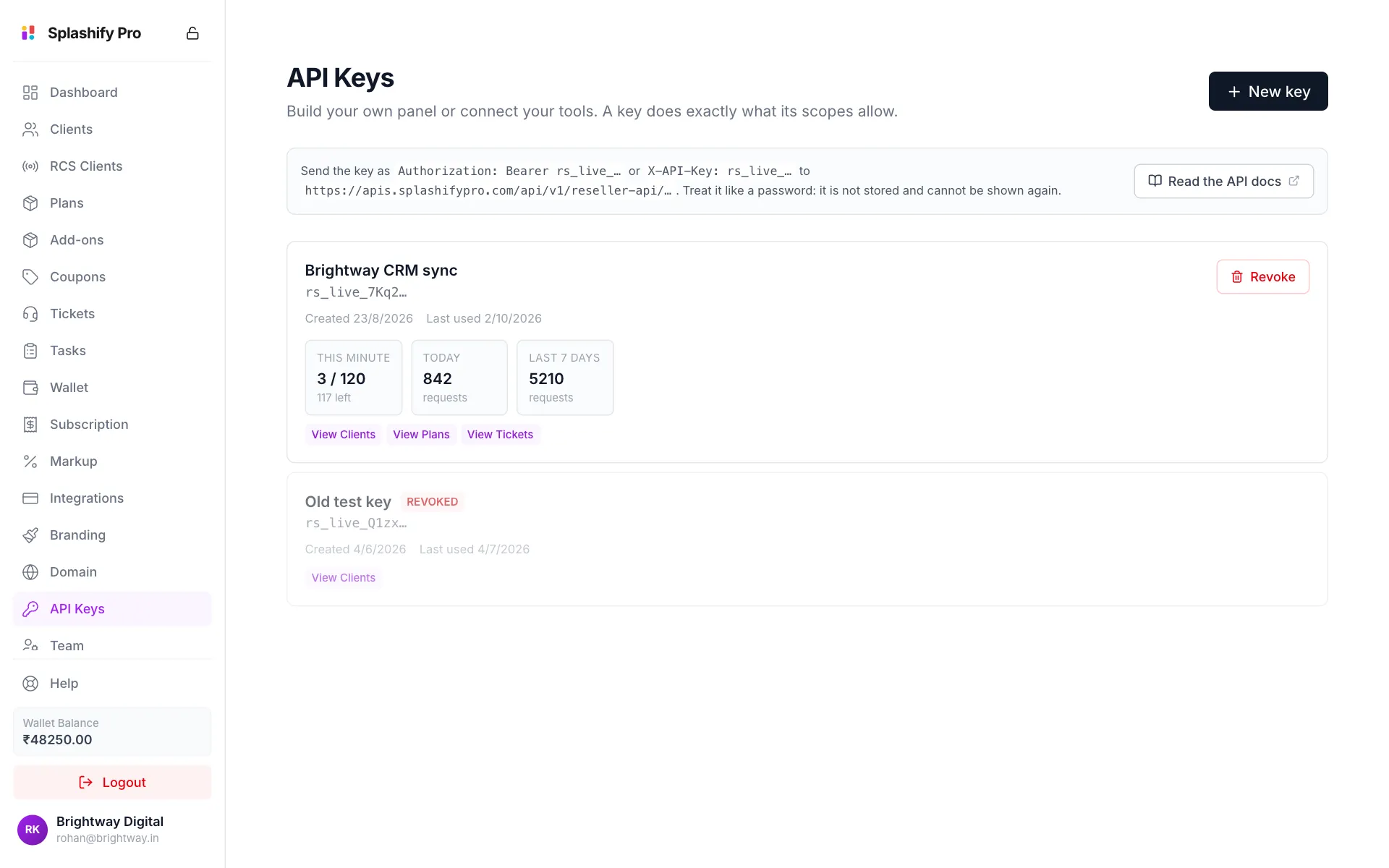
Create a key under API Keys in the panel's left menu (owner only), then send it on every request. Either header works:
curl https://apis.splashifypro.com/api/v1/reseller-api/me \
-H "Authorization: Bearer rs_live_xxxxxxxx…"curl https://apis.splashifypro.com/api/v1/reseller-api/me \
-H "X-API-Key: rs_live_xxxxxxxx…"Start with /me. It tells you which account the key belongs to and what it can do:
{
  "success": true,
  "reseller": {
    "reseller_id": "0f5d2c9e-1a7b-4c3d-8e6f-5a4b3c2d1e0f",
    "company_name": "Brightway Digital",
    "email": "[email protected]",
    "status": "active",
    "products": ["app", "rcs"],
    "is_owner": false
  }
}
A worked example
Reading is a plain GET:
curl https://apis.splashifypro.com/api/v1/reseller-api/clients \
  -H "Authorization: Bearer rs_live_xxxxxxxx…"
Writing is a POST (or PUT, PATCH) with a JSON body. Always set Content-Type, or the body is ignored and you get a 400 about a missing field you did send:
curl -X POST https://apis.splashifypro.com/api/v1/reseller-api/clients/9f2c77aa-2b1e-4a3d-9d10-6d0a41c2f8e1/wallet \
  -H "Authorization: Bearer rs_live_xxxxxxxx…" \
  -H "Content-Type: application/json" \
-d '{ "amount": 500, "note": "August top-up" }'{ "success": true, "message": "Wallet credited successfully", "new_balance": 1750.5 }Every endpoint's body and response is written out in Endpoints.
Three things to know before you build
A key is never the owner. The owner passes every permission check. A key does not: it does exactly what its scopes say, and nothing widens that. A credential you paste into a script should not carry the owner's full power.
A key acts for the whole account, not for a person. A team member sees only the clients they are the account manager for. A key is not a team member, so it sees every client, as long as its scopes allow clients at all.
The key is shown once. It is stored as a SHA-256 hash, so nobody, including us, can recover it. If you lose it, revoke that key and create another.
Responses
Every response carries success. Errors carry a message written to be shown to a person.
{ "success": true, "clients": [ … ] }{ "success": false, "message": "You don't have permission to perform this action." }A 403 with a missing_permission field tells you exactly which scope to add.
Rate limits
Each key has its own limit, 120 requests per minute by default. You do not choose it: we set it, and support can raise it for your whole account. Your API Keys page shows the limit that applies now.
Every response carries the current state:
X-RateLimit-Limit: 120
X-RateLimit-Remaining: 118
Go over it and you get 429 with Retry-After: 60.
Limits are per key, not per account. A runaway script on one key cannot starve your other integrations, and the panel itself is never affected.
What is not in the API
Next
- Authentication & Keys: creating, scoping and revoking keys
- Endpoints: the full list
- Errors & Limits: handling failures properly