
Add-Ons
Available for accounts in India.
Add-ons are extras your clients can buy on top of their plan, such as an extra team seat. You can also sell your own services, like setup help, as an add-on.
To open this page, click Add-ons in the left menu. It shows only if your account sells the WhatsApp app.
There are two kinds of add-on:
The add-on list
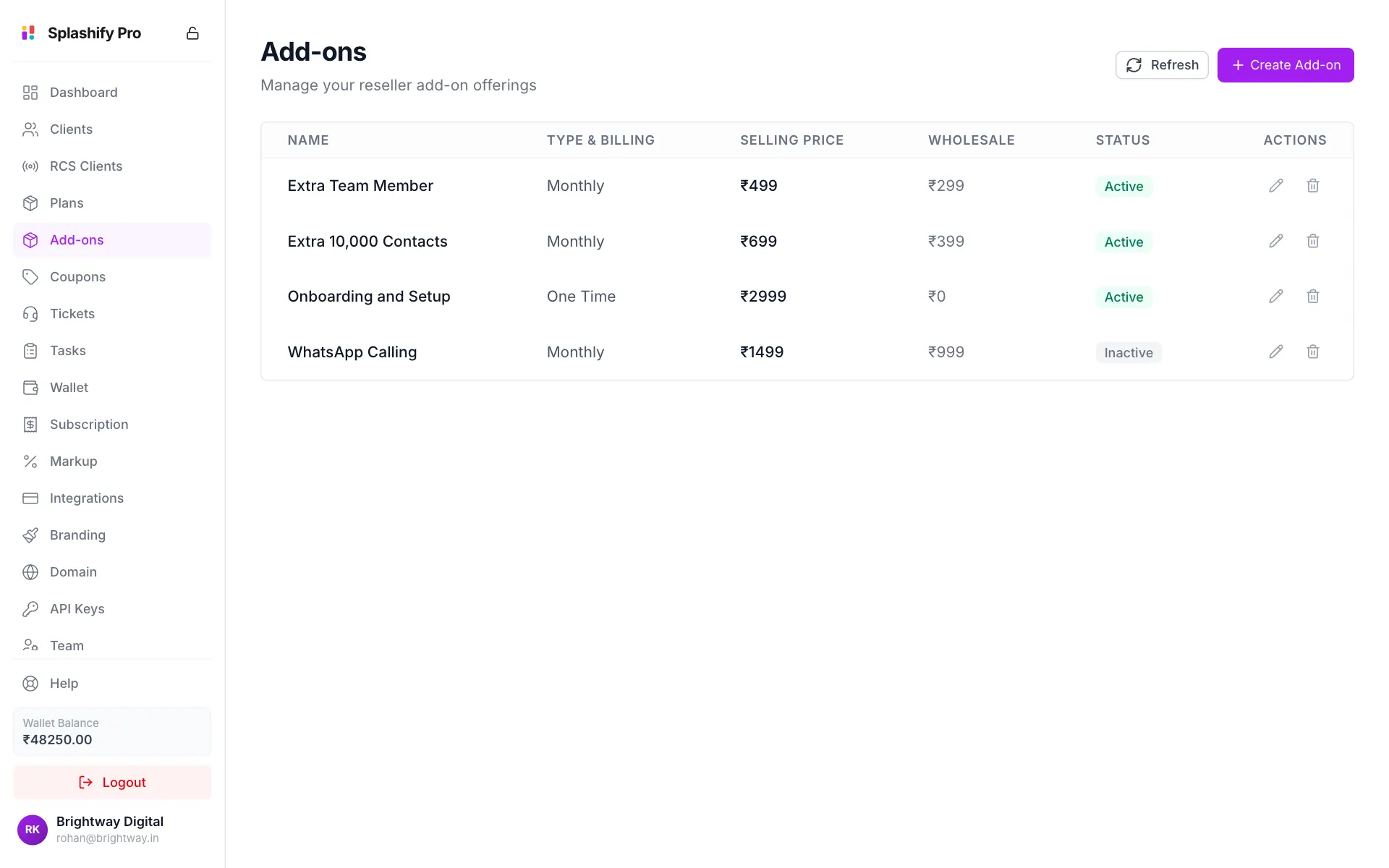
Create an add-on
Click Create Add-on
Click Create Add-on at the top right.
Pick the base add-on
Under Base Platform Add-on, pick a platform add-on. The line below shows Your cost. Pick None: my own service to sell your own service instead. Your own services are created as a one-time charge.
Name it and set the price
Fill in Add-on Name, an optional Description, and Selling Price (₹). For a platform add-on, the price must be at least your cost.
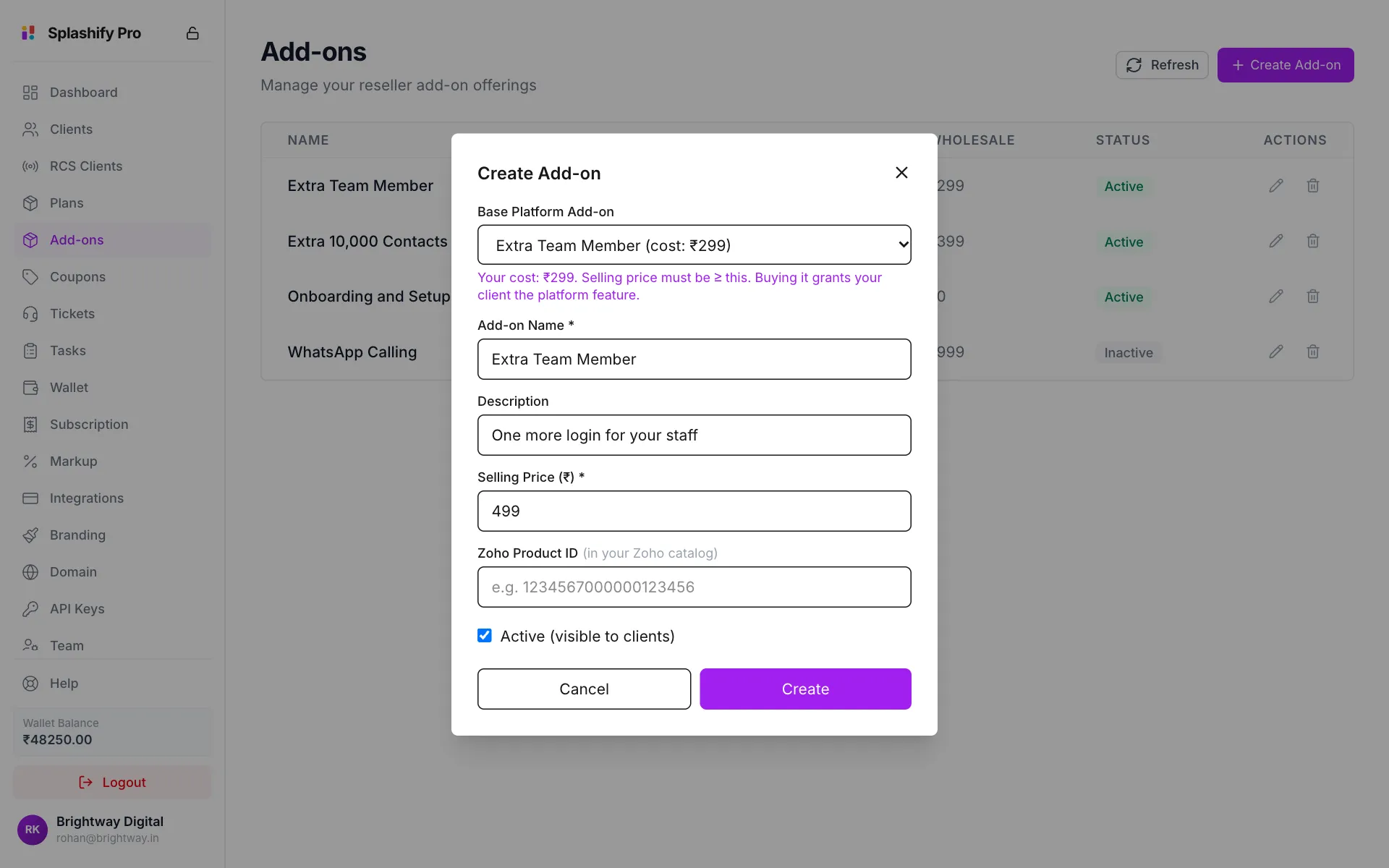
Pick the base add-on, then set your name and price Make it visible and save
Leave Active (visible to clients) ticked so clients can buy it, and click Create. You see Add-on created.
Zoho Product ID is only needed if you connected Zoho Billing on Integrations.
Edit or hide an add-on
- Click the pencil on the add-on's row.
- Change the name, description or Selling Price (₹).
- Untick Active (visible to clients) to hide it from clients without deleting it.
- Click Save.
Delete an add-on
- Click the bin on the add-on's row.
- Click Delete in Delete Add-on.
This cannot be undone. Clients who already bought the add-on may be affected, so hiding it (untick Active) is often the safer choice.
How clients are charged
- Clients buy add-ons in your app, from the plan page, and pay through your payment gateway.
- A recurring add-on renews with the client's plan.
- For a platform add-on, the wholesale cost is taken from your wallet when the client buys it.
- Tax comes from Customer Billing Tax (GST) on Markup Settings.