
Wallet
Available for accounts in India.
Your wallet is the money you keep with Splashify Pro. It pays your cost whenever a client buys a plan or add-on, and whenever they send messages or use paid features. Keep it topped up so your clients are never blocked.
To open it, click Wallet in the left menu. Your balance also shows at the bottom of the left menu.
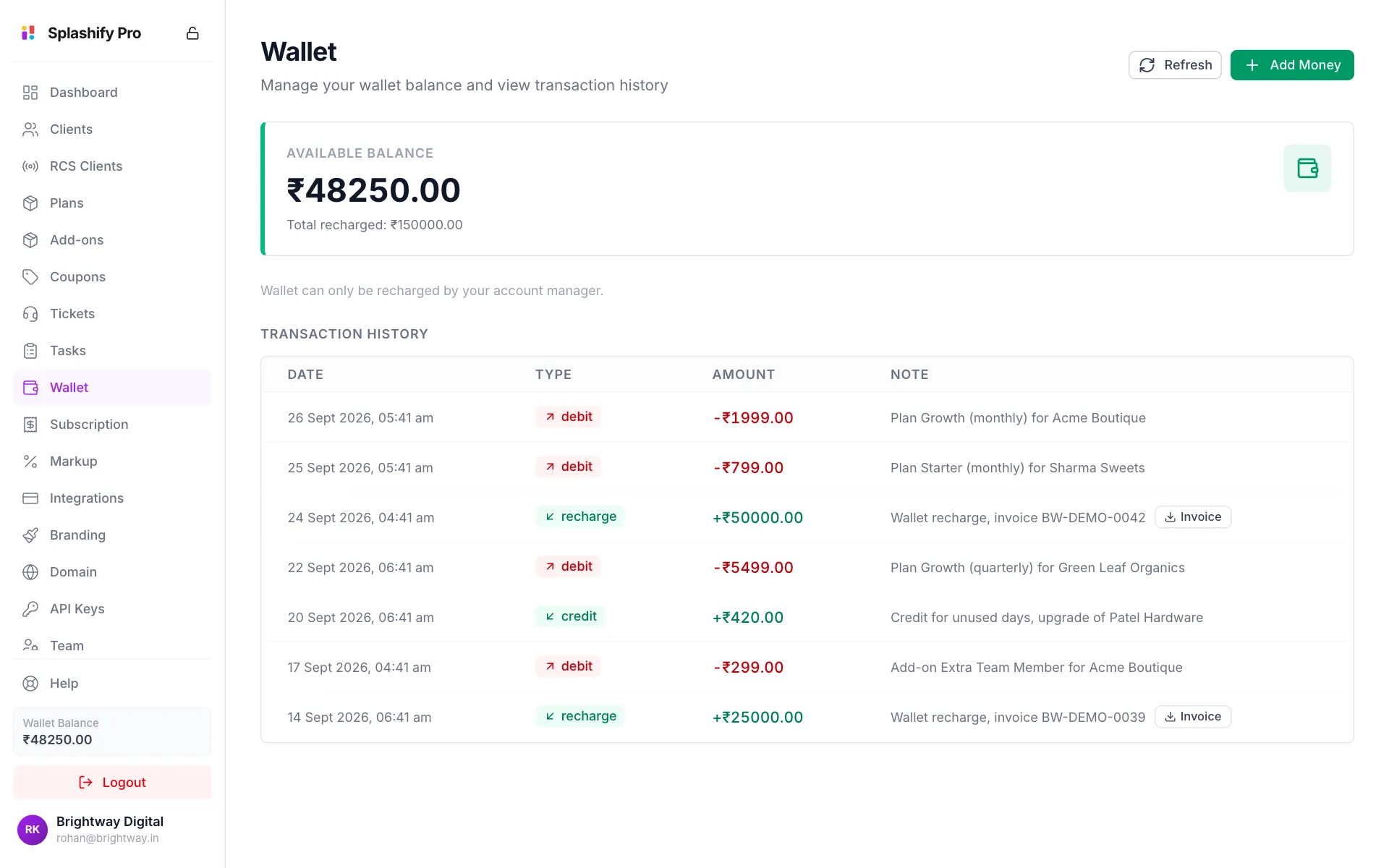
What takes money from your wallet
Your markup is not taken from your wallet. Your client already paid you through your payment gateway, so the markup is yours from the start.
RCS and SMS cost a price per message type: Promotional, Transactional and OTP for RCS, and the DLT type of the template for SMS. Splashify Pro sets these costs and can change them at any time. A change applies to messages sent after it, and you get a notice in the panel and an email with the old and new prices. Your costs are on Markup Settings.
Add money
Click Add Money
Click Add Money at the top right of the Wallet page.
Enter the amount
Type the amount in Amount to credit (₹), or click a quick amount like ₹10,000. This is the amount added to your wallet. GST is added on top in the payment window.
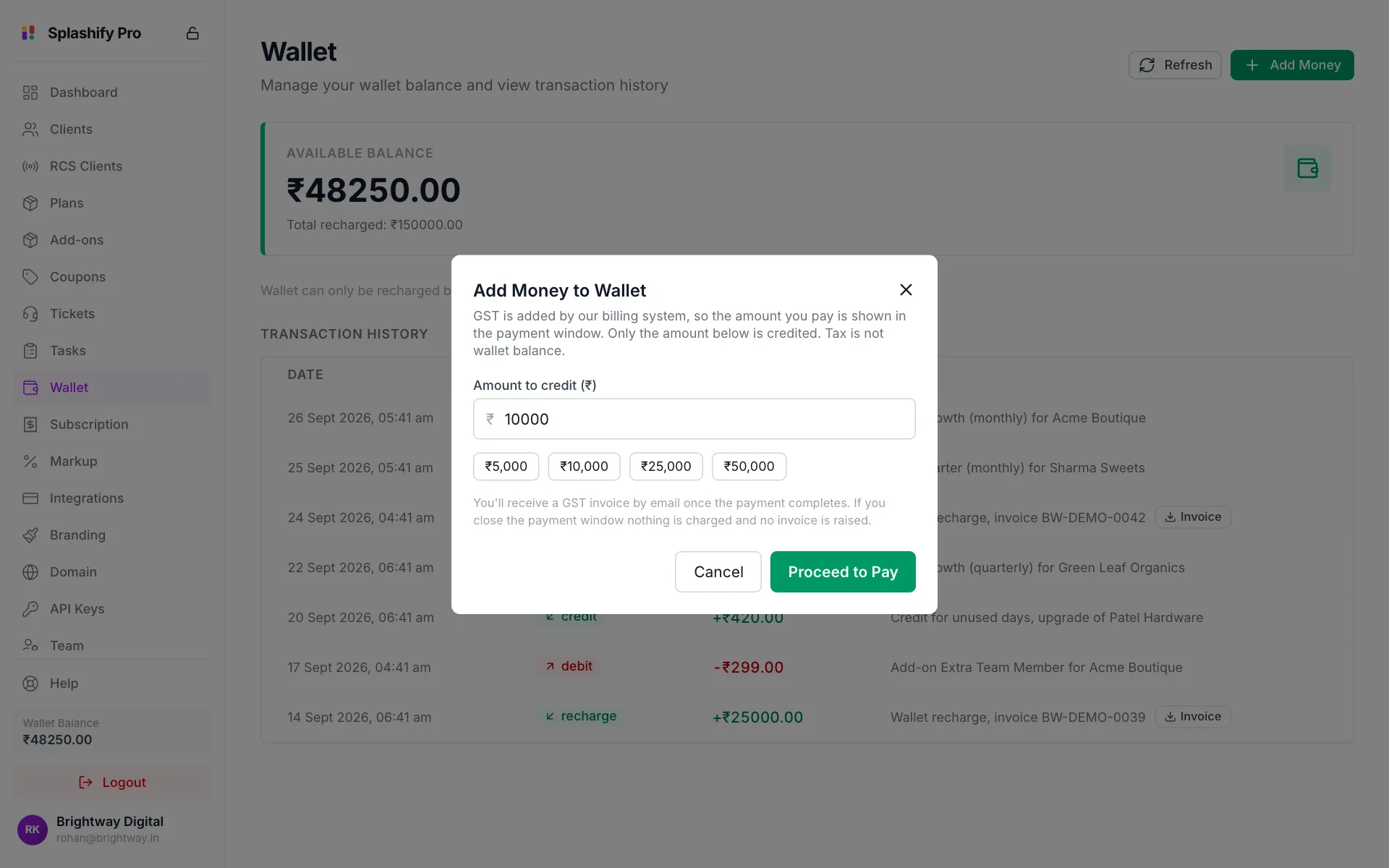
Pick an amount, then Proceed to Pay Pay
Click Proceed to Pay. A secure payment window opens and shows the total with GST. Complete the payment there.
Check your balance
When the payment goes through you see a success message and your new balance. You get a GST invoice by email.
If you close the payment window, nothing is charged and no invoice is made.
To download an invoice later, click Invoice next to the recharge in Transaction History.
You can also ask your account manager
The line under the balance says the wallet is recharged by your account manager. You can still use Add Money yourself. Team members need the Recharge Wallet permission to do it.
Read your transactions
Transaction History lists every change, newest first.
Keep your wallet funded
- Check your balance on the Dashboard every day or two.
- Plan for renewals. If 10 clients renew a plan that costs you ₹1,999, you need ₹19,990.
- Watch Available to Give on the Dashboard. Credit you gave clients is held against your balance until they spend it.
If your wallet runs out
Client purchases and renewals fail, and your clients' messages and SMS stop until you add money. Their accounts stay open, and nothing is lost.