
Coupons
Available for accounts in India.
A coupon is a discount code, like WELCOME20, that your clients type when they buy a plan. Use coupons for festive offers, first-month deals or to win back old clients.
To open this page, click Coupons in the left menu. It shows only if your account sells the WhatsApp app.
The coupon list
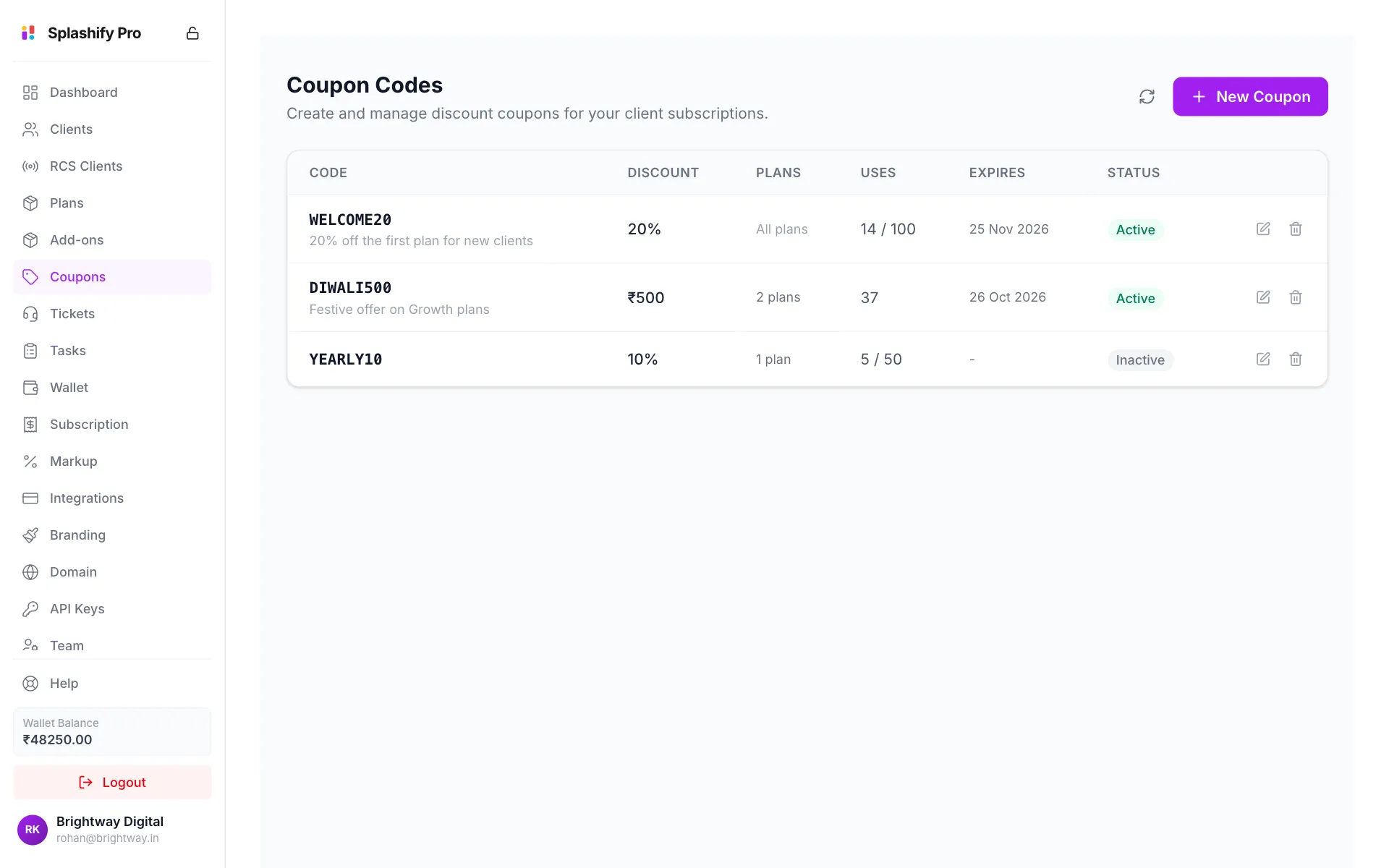
Create a coupon
Click New Coupon
Click New Coupon at the top right.
Enter the code and discount
Type the Coupon Code (it is changed to capital letters for you) and an optional Description. Pick the Discount Type: Percentage (%) or Fixed Amount (₹). Then enter the discount.
Choose the plans
Under Applicable Plans, click the plans the coupon works on. They turn purple when picked. Pick none to allow every plan.
Set limits
Set Max Uses (0 means unlimited) and an Expires At date if the offer should end. Leave Active ticked.
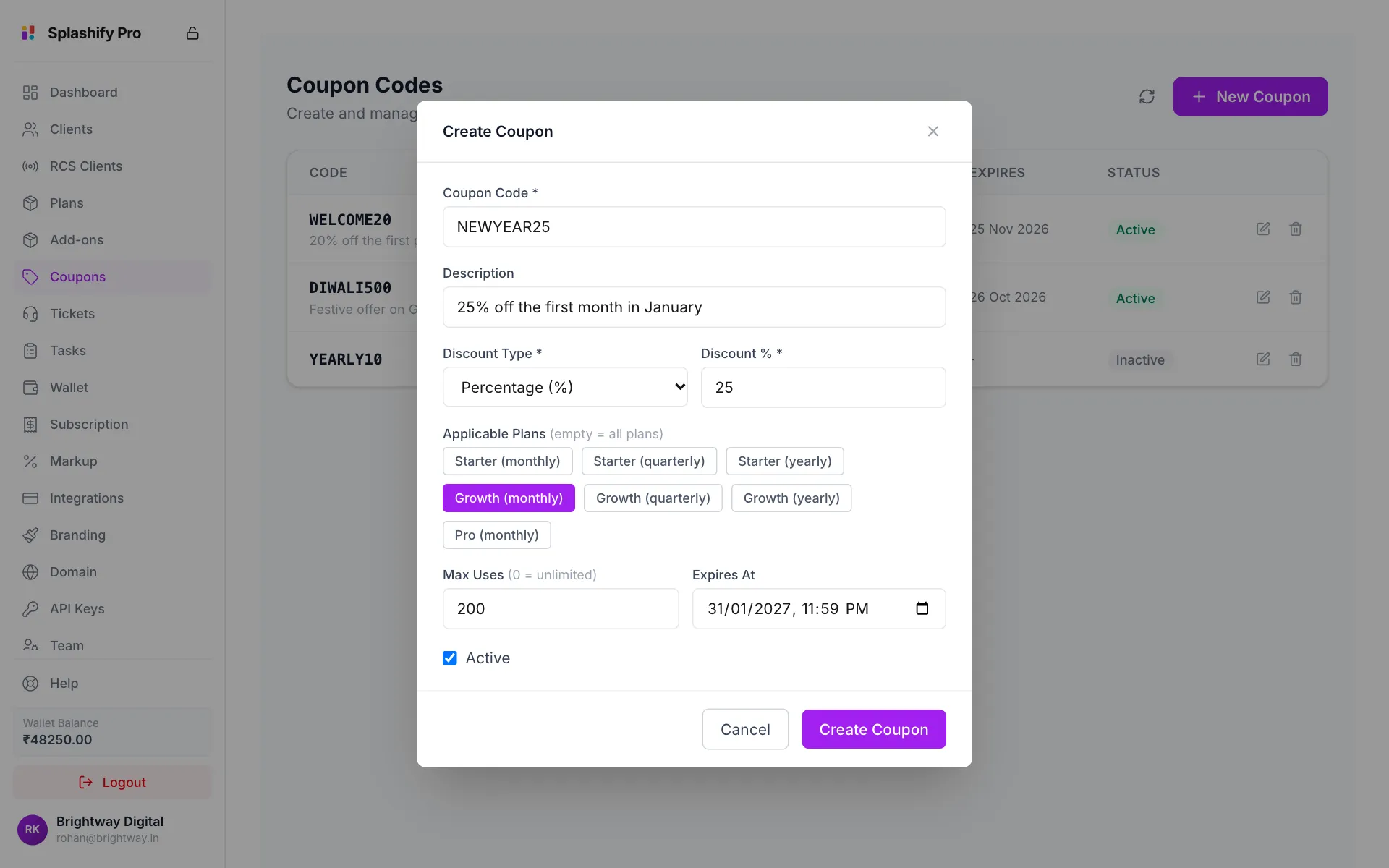
A 25% coupon for the Growth monthly plan Save
Click Create Coupon. You see Coupon created and the coupon appears in the list.
Share the code with your clients. They type it at checkout when they buy a plan.
How the discount is worked out
The discount comes off the price before tax. Tax is then added to the lower price.
Plan price:              ₹3,000
Coupon (20%):            -₹600
Price after discount:    ₹2,400
GST (18%):               +₹432
Client pays:             ₹2,832
A fixed discount bigger than the price makes the price ₹0, never less.
Your cost does not change
A coupon lowers what your client pays you, not what you pay Splashify Pro. Your wallet is still charged the full wholesale price of the plan. Make sure the discounted price still covers your cost.
Edit, pause or delete a coupon
- Click the pencil to change any field, then click Save Changes.
- To pause a coupon, edit it and untick Active. Clients can no longer use it, but you keep it.
- Click the bin and then Delete to remove it for good.