
RCS Clients
Available for accounts in India.
RCS Clients lists every customer who signed up on your RCS panel. Here you add credit to their wallet, set what they pay per message, and suspend them if needed.
To open it, click RCS Clients in the left menu. The page shows only if your account sells the RCS panel. See What You Sell.
RCS customers are separate from your WhatsApp app Clients. They have their own login, wallet and data, even if they are the same business.
The list
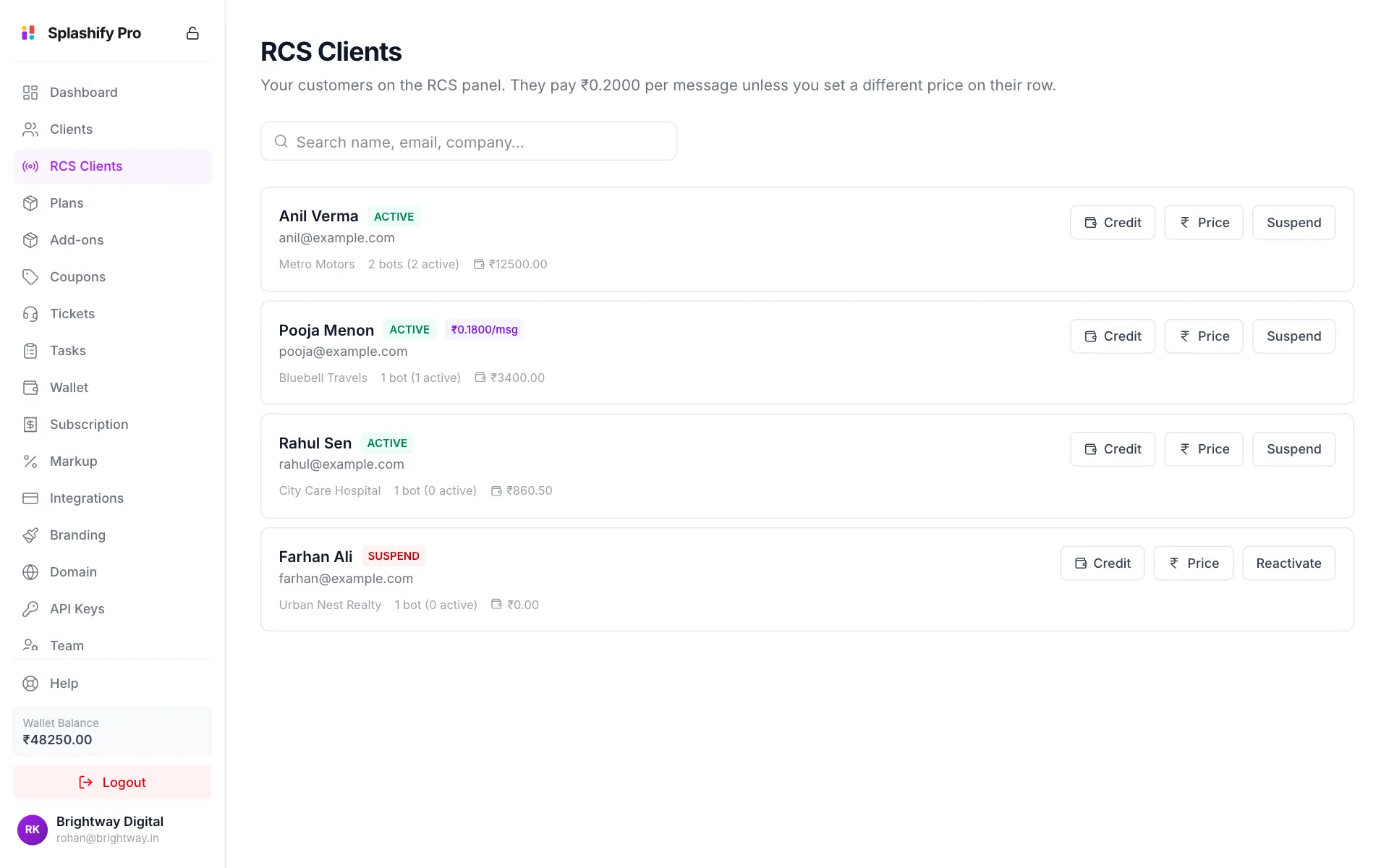
Each row shows:
- The customer's name, status (active or suspend) and email
- Their company, how many bots (RCS agents) they have and how many are active
- Their wallet balance
- A purple price tag if they have their own price per message
The line at the top shows your default price. Use the search box to find a customer by name, email, company or phone.
Add wallet credit
RCS is paid per message from the customer's wallet. A customer with an empty wallet cannot send.
Click Credit
Click Credit on the customer's row.
Enter the amount
Type the amount in rupees and click Add credit (or press Enter).
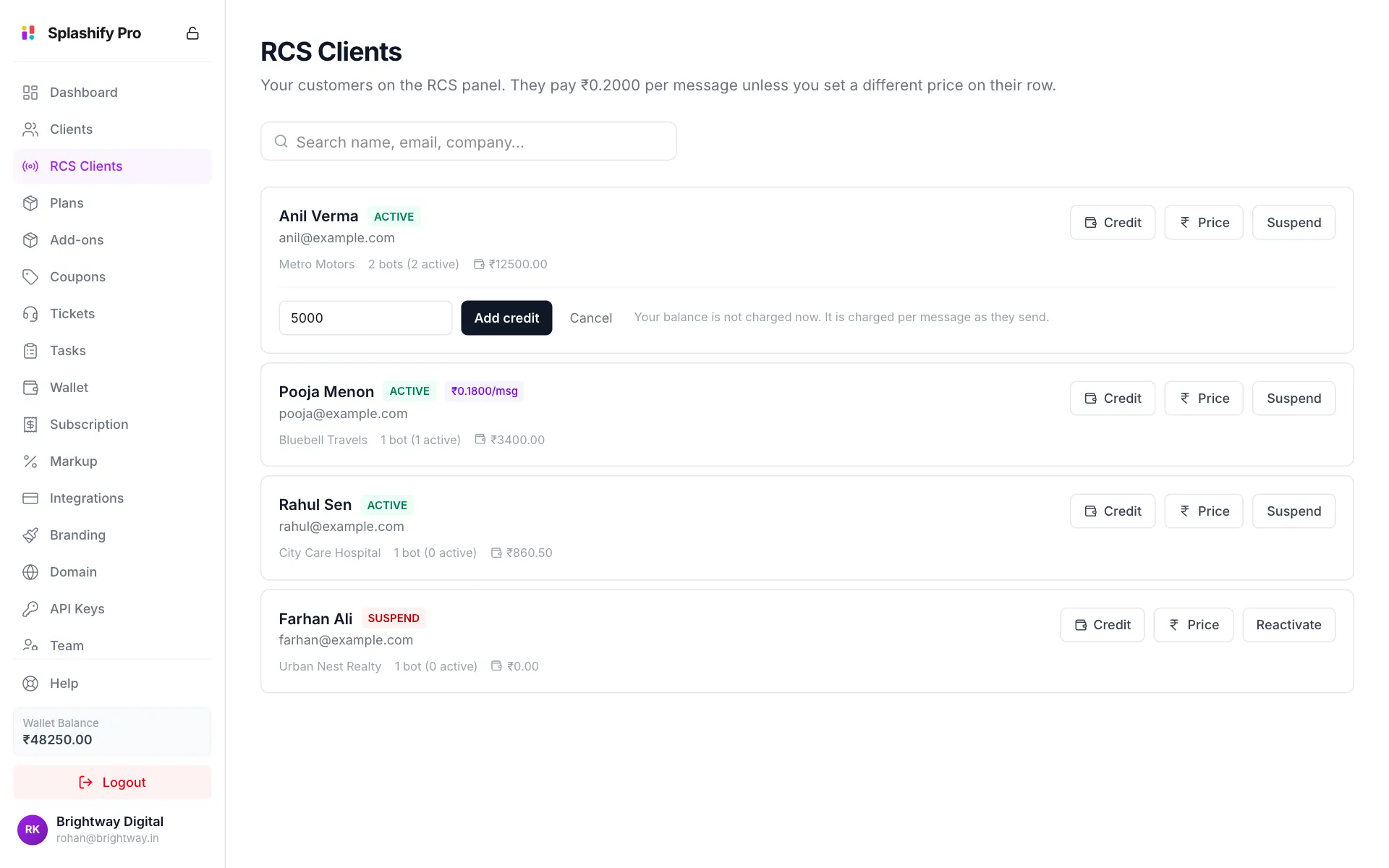
Add credit to an RCS customer's wallet
Your own balance is not charged when you add credit. Your wallet pays your cost per message as the customer sends. You can only give up to your Available to Give amount (see the Dashboard).
Set one customer's price
By default every customer pays the price on Markup Settings. To charge one customer differently:
Click Price
Click Price on the customer's row.
Type the price and save
Type the price per message and click Save price. It cannot go below your highest RCS cost, the dearest of your Promotional, Transactional and OTP costs on Markup Settings.
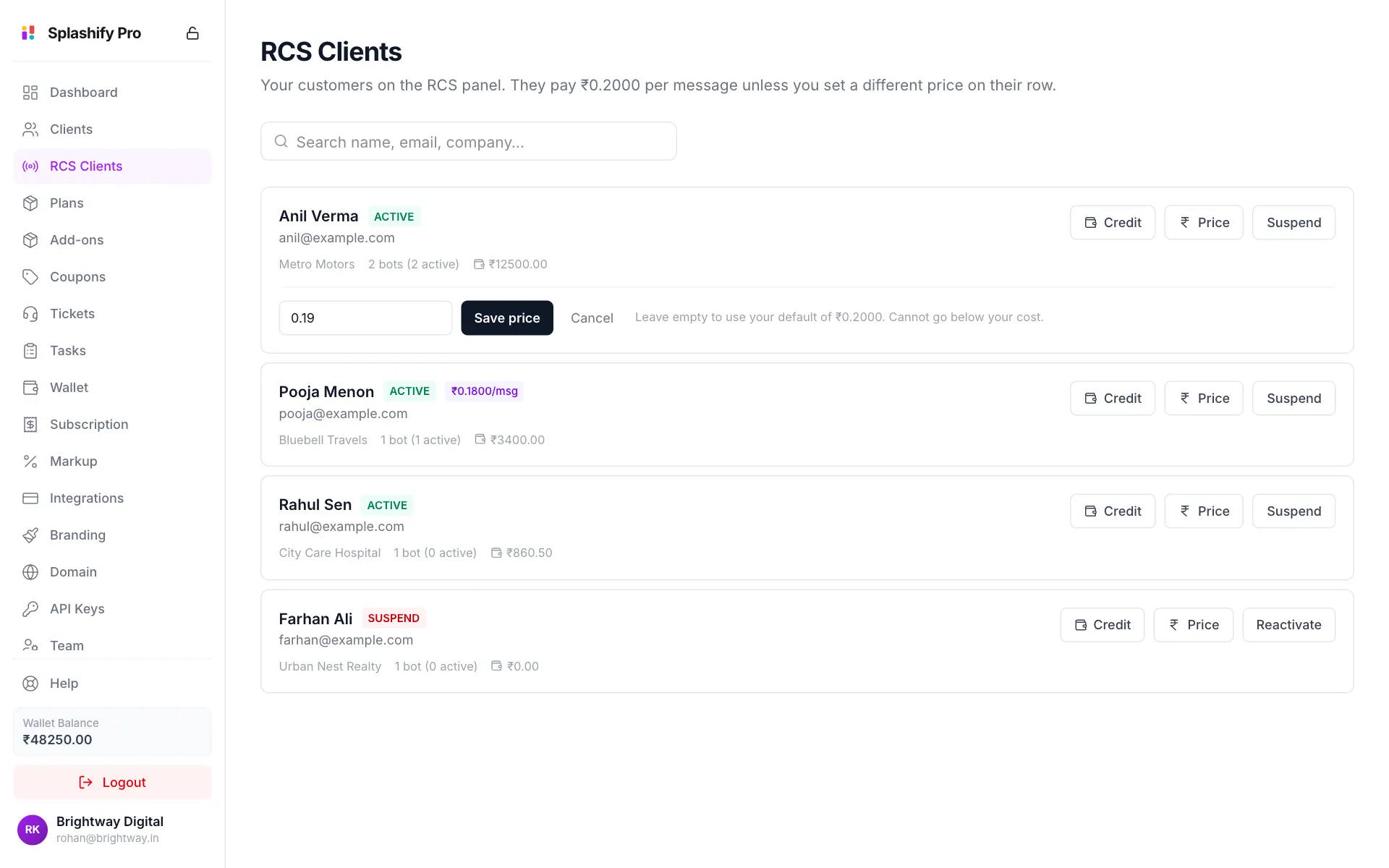
A special price for one customer
To put the customer back on your default price, click Price, empty the box and click Save price.
If you also sell the WhatsApp app, app clients who send RCS are priced on their page under Clients.
Suspend a customer
- Click Suspend on the customer's row.
- Click Suspend to confirm.
A suspended customer cannot send RCS messages. Nothing is deleted. Click Reactivate to let them send again.
Permissions
Team members need View RCS Clients to see this page. Crediting and pricing need RCS Client Billing, and suspending needs Edit RCS Clients. See Team & Permissions.
Related
- What You Sell: why this page appears
- Markup Settings: your default RCS price
- Custom Domain & SSL: connecting your RCS panel address