
SMS Markup
Your app clients can send SMS in India from the app. The SMS markup decides what they pay for each SMS part on top of your cost. You earn the difference on every SMS they send.
Set your SMS markup
Open Markup
Click Markup in the left menu and find the SMS markup card.
Type one percentage
Type your Markup percentage. It applies to every SMS type. The table updates as you type, so you see the effect before you save.
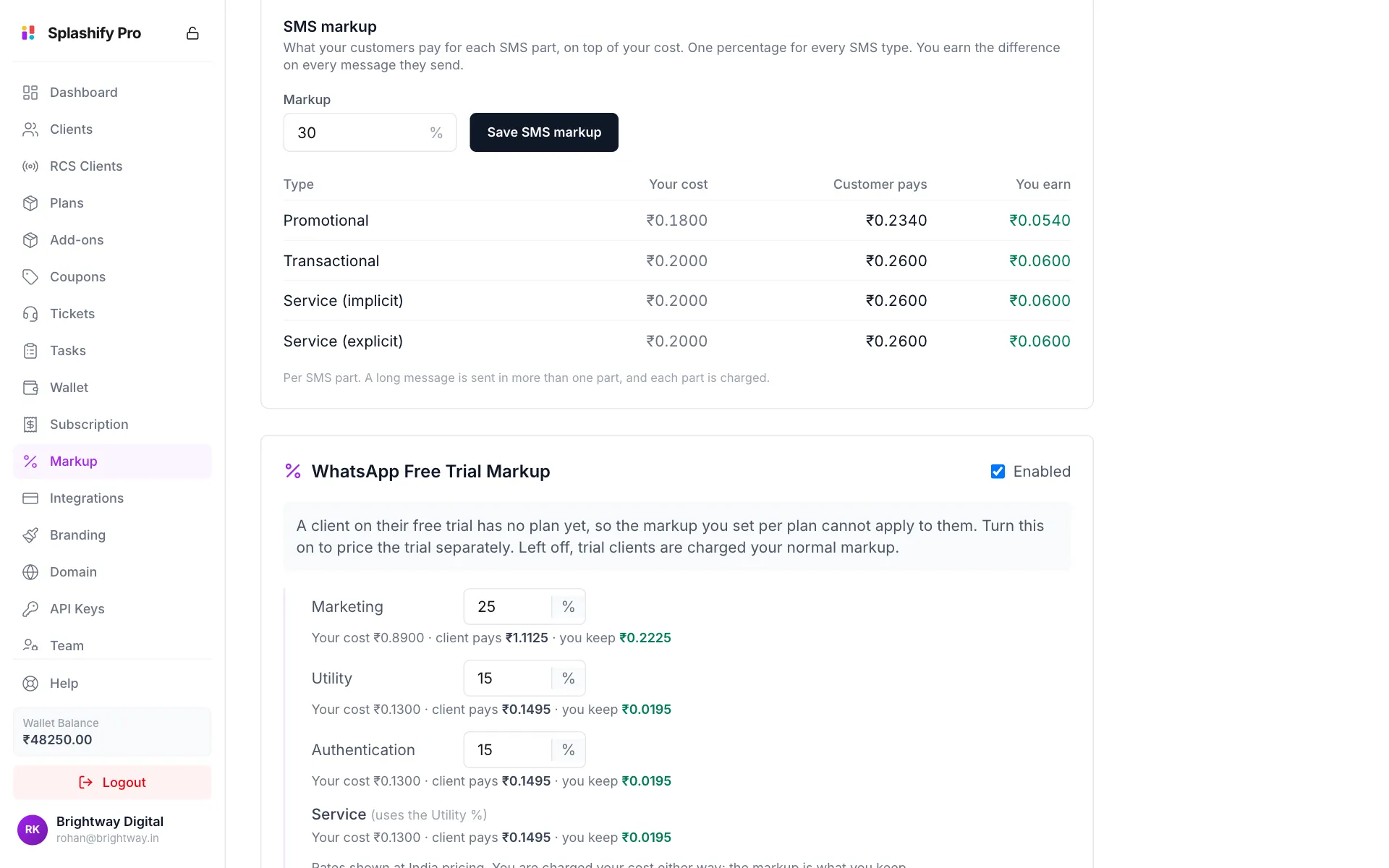
Change the percentage and the table shows your new earnings Save
Click Save SMS markup. The button is grey until you change the number.
The markup can be from 0 to 500 percent. Set it to 0 and your clients pay your cost, so you earn nothing on SMS.
A new markup applies to SMS sent after you save. SMS already charged keep their price.
The card shows only if your account sells the WhatsApp app, because SMS is an app feature. See What You Sell.
The pricing table
The card has one row per SMS type: Promotional, Transactional, Service (implicit) and Service (explicit). All prices are per SMS part.
For example, with a cost of ₹0.20 per part and a markup of 25%:
Your cost:        ₹0.20 per part
Your markup:      +25%
Customer pays:    ₹0.25 per part
You earn:         ₹0.05 per part
These numbers are only an example. Your real cost is shown on the card.
How clients are charged
- Your client's SMS are charged to their wallet in the app: your cost plus your markup, per SMS part.
- Your wallet pays your cost for each SMS part they send.
- A long SMS is sent in more than one part, and each part is charged. Hindi, other Indian scripts and emoji fit fewer characters in a part.
- SMS are charged when they are accepted for sending. They are not refunded if they are later not delivered.
Keep your wallet funded
If your wallet cannot cover your cost, your clients' SMS are not sent, and they see a message asking them to contact their administrator. See Wallet.
A client with their own price
Splashify Pro can set a special SMS price for one of your clients. That price then replaces your cost for that client, and your markup is added on top. The table on the card always shows your standard cost.
Related
- Markup Settings for RCS, Voice AI, AI and email prices
- Wallet
- SMS in the app, the guide your clients follow to set up and send SMS