
Plans & Pricing
Available for accounts in India.
Plans are the monthly, quarterly and yearly packages your clients buy. You pay a wholesale price for each plan and choose the price your clients pay. The difference is your profit.
To open this page, click Plans in the left menu. It shows only if your account sells the WhatsApp app.
Your client pays:  Your selling price     ₹3,499 a month
You pay:           Wholesale price        ₹1,999 a month
You keep:          The difference         ₹1,500 a month
The plan list
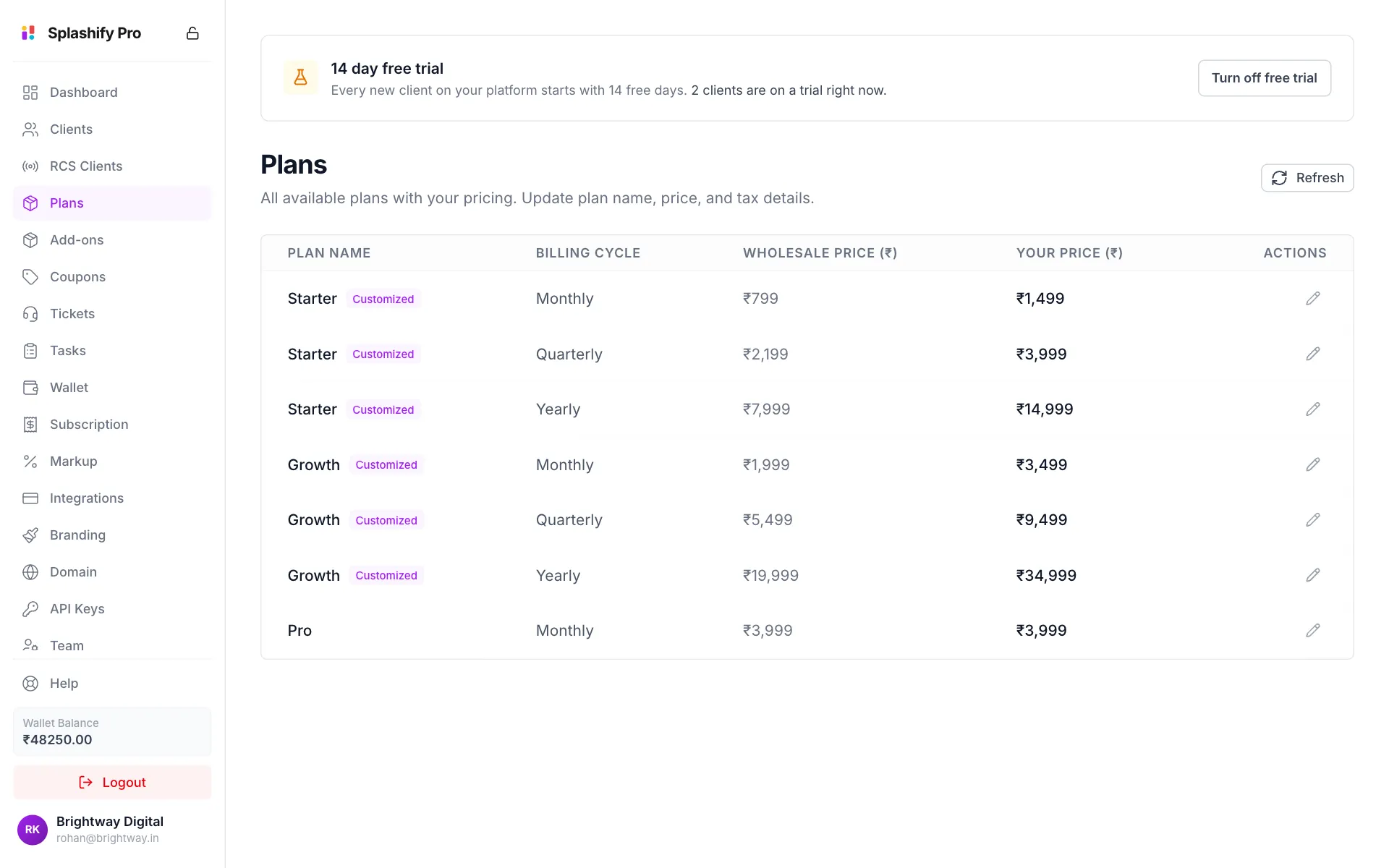
Plans come from Splashify Pro. You set their names and prices here, but you cannot add new plans on this page.
Change a plan's price
Click the pencil
Click the pencil at the end of the plan's row.
Edit the name and price
In Edit Plan, change Plan Name if you like, and type your price in Your Selling Price (₹). The label shows the minimum, which is your wholesale price. The grey tags under the box show your prices for the other billing cycles of the same plan.
Set the WhatsApp markup
Under WhatsApp Markup (%), type the percentage you add to each Marketing, Utility and Auth message for clients on this plan. The table below shows what you pay, your markup and what the customer pays per message.
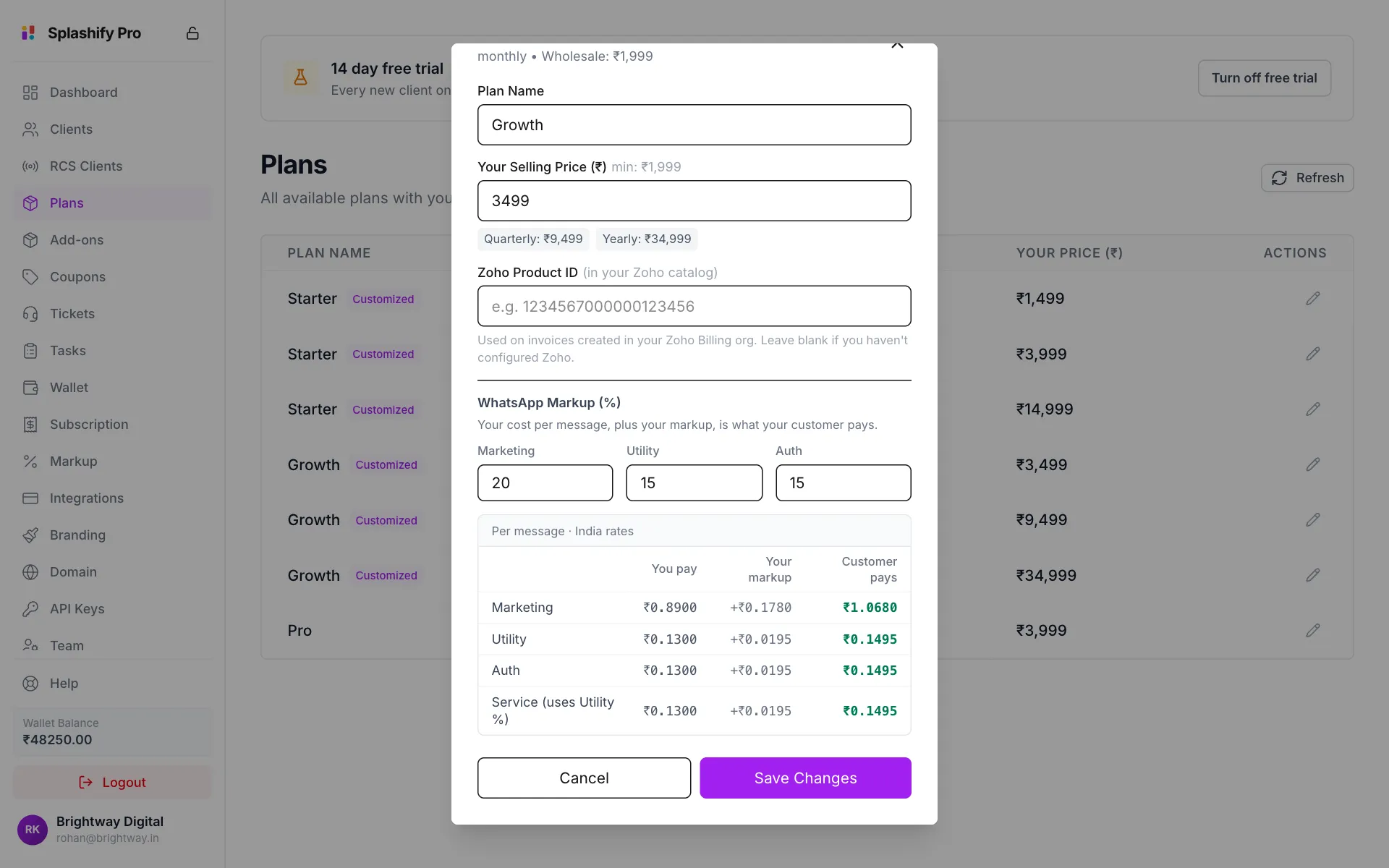
Set the price and the markup on each message Save
Click Save Changes. You see Plan updated successfully.
Things to know:
- The markup is per plan. A client pays the markup of the plan they are on. If you set 0, clients on that plan pay your cost and you earn nothing on their messages.
- Service messages use the Utility percentage.
- Longer cycles cannot cost less than shorter ones. A quarterly price cannot be lower than the monthly price, and a yearly price cannot be lower than the quarterly one. If you break this, a warning shows under the price and Save Changes stays grey.
- Zoho Product ID is only needed if you connected Zoho Billing on Integrations. Leave it empty otherwise.
- There is no tax box here. Set your GST once under Customer Billing Tax (GST) on Markup Settings. It applies to every plan that has no tax of its own.
The 7 day free trial
Every new client on your app gets 7 free days, unless you turn the trial off. The card at the top of the page says how many clients are on a trial right now.
Click Turn off free trial
Click Turn off free trial on the 7 day free trial card.
Confirm
Read the message and click Turn it off.
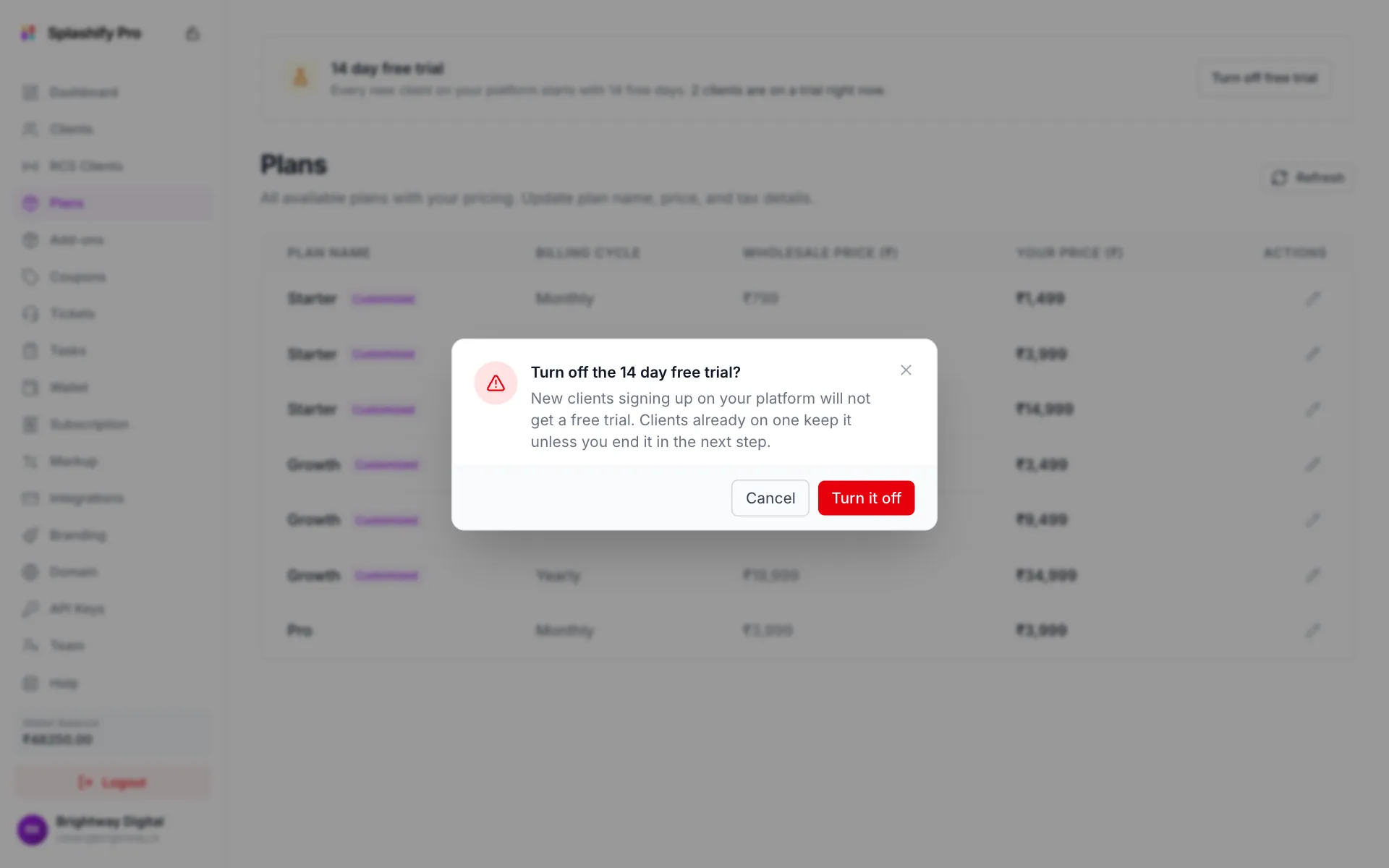
Turning the trial off only affects new sign-ups at first Decide about running trials
If clients are on a trial right now, a second box asks whether to end their trials too. Click Keep them to let them finish, or End their trials to end them at once.
To bring the trial back, click Turn on free trial.
Earn during the trial
A trial client has no plan, so plan markup does not reach them. Set a separate trial markup under WhatsApp Free Trial Markup on Markup Settings.
What your clients see
When a client opens Plans in your app, they see your plan names and your prices, plus tax. They can apply a coupon at checkout, add add-ons, and pay through your payment gateway. The wholesale cost is taken from your wallet when they buy.