
Dashboard
Available for accounts in India.
The dashboard is the first page you see after you log in. It shows how your business is doing today: how many clients you have, how much is in your wallet and how much you earned.
To open it, click Dashboard at the top of the left menu.
The top cards
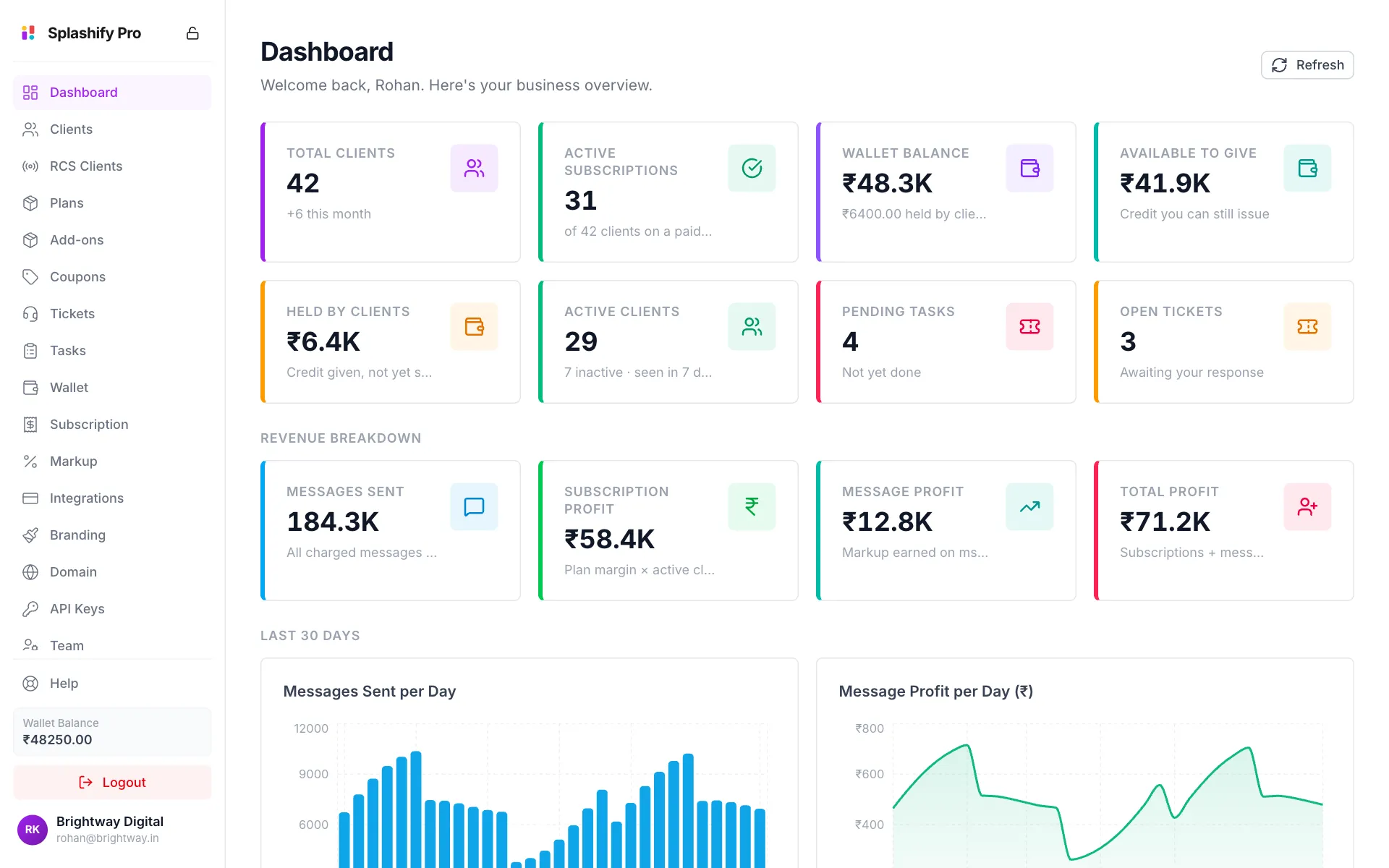
Why Wallet Balance and Available to Give differ
When you give a client wallet credit, that money stays in your wallet until the client spends it. It is counted under Held by Clients, so Available to Give is your balance minus that held credit.
Revenue Breakdown
The second row shows what you earned.
For example, if you sell a plan for ₹3,499 and it costs you ₹1,999, each client on it adds ₹1,500 to Subscription Profit.
Last 30 Days
Scroll down to see four charts. Move your mouse over a bar or line to see the exact number for that day.
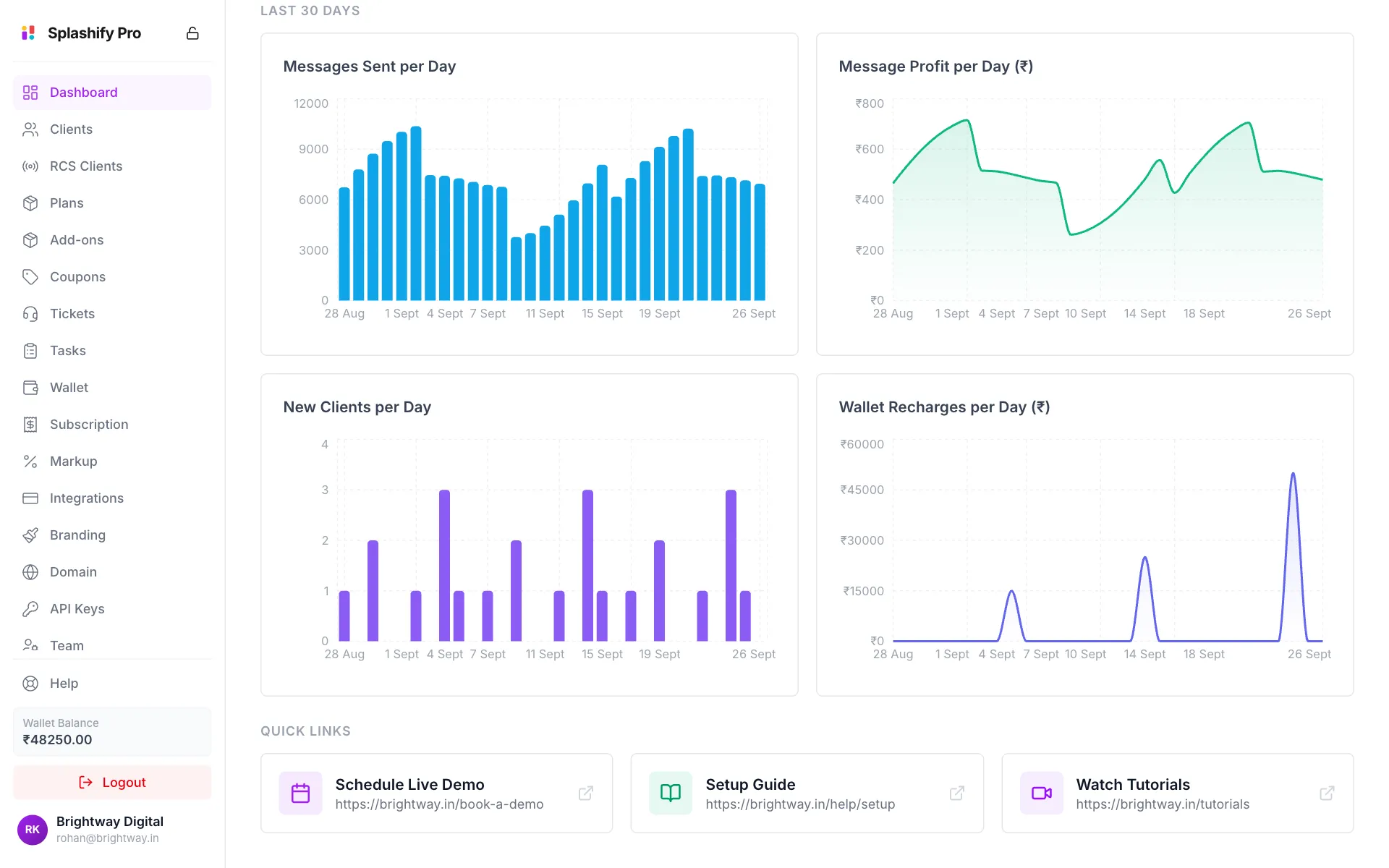
- Messages Sent per Day: how many messages your clients sent each day.
- Message Profit per Day (₹): what you earned on those messages each day.
- New Clients per Day: how many clients signed up each day.
- Wallet Recharges per Day (₹): money you added to your wallet.
Quick Links
At the bottom you see up to three cards: Schedule Live Demo, Setup Guide and Watch Tutorials. They open the links you saved on Branding. If you have not saved any, you see Set up quick links in Branding settings instead.
Refresh the numbers
Click Refresh at the top right to load the latest numbers.
Team members see less
Profit cards and the profit chart only show for people allowed to change markup. Wallet cards only show for people allowed to bill clients. The account owner sees everything. See Team & Permissions.