
Clients
Available for accounts in India.
The Clients page lists every business that signed up on your WhatsApp app. Open a client to give them a plan, add wallet credit or help them from inside their account.
To open it, click Clients in the left menu. This page shows only if your account sells the WhatsApp app. RCS customers are on RCS Clients.
Find a client
Open Clients
Click Clients in the left menu. Each row shows the client, their company, phone, plan, verification and status.
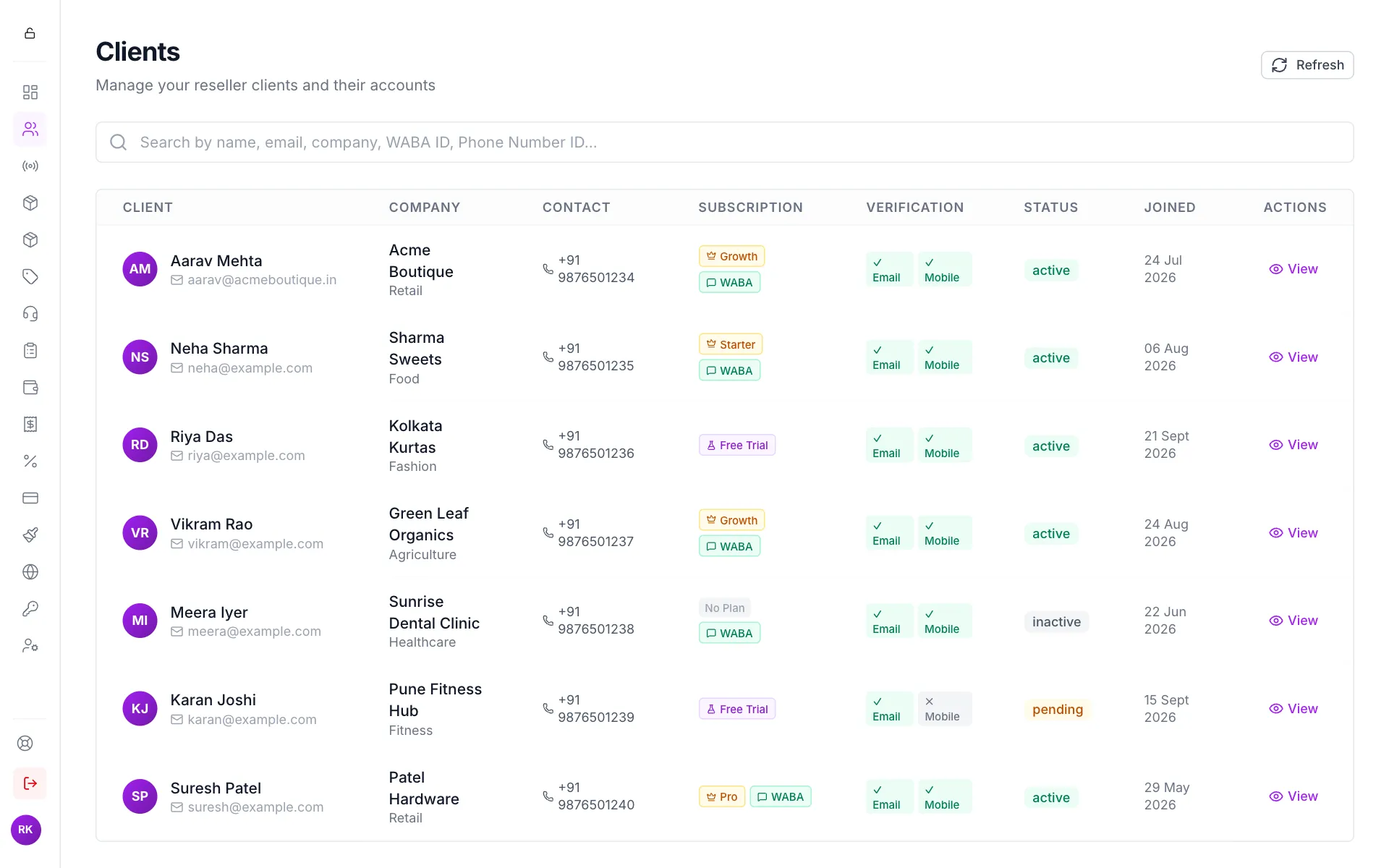
All your WhatsApp app clients Search
Type in the search box at the top. You can search by name, email, company, phone number, WABA ID or Phone Number ID.
Open the client
Click View on the client's row.
What the badges mean:
What you see on a client
The client page shows the client's details on the left, and the things you can change on the right.
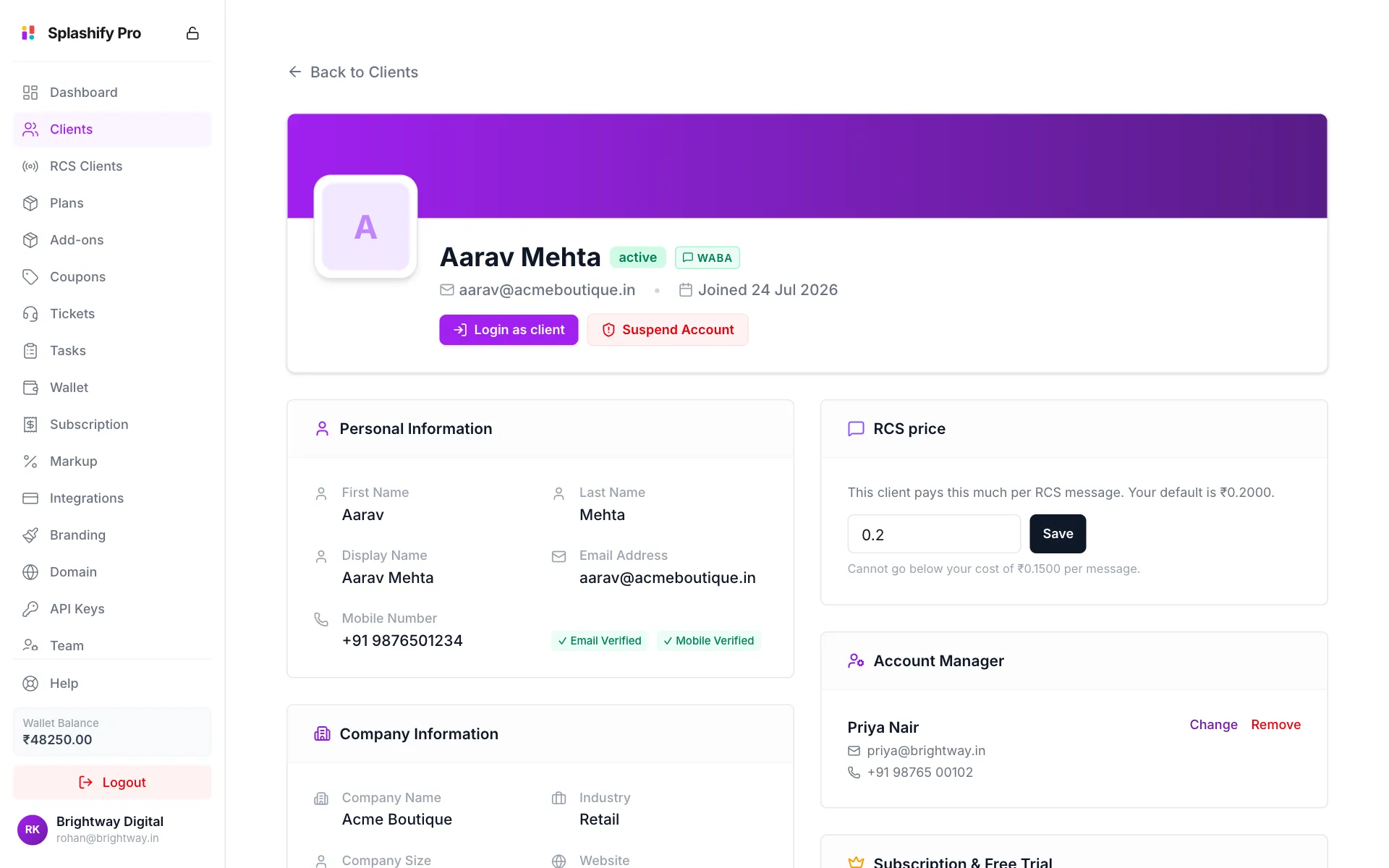
- Personal Information, Company Information and Location & Account: the details the client entered.
- RCS price: what this client pays per RCS message.
- Account Manager: the team member this client sees as their contact.
- Subscription & Free Trial: their trial and their plan.
- Wallet Balance and Advertisement Credits: their balances.
- Email Pricing: their price per email.
- WhatsApp Business Account: their connected number and its status.
Give a client a plan or upgrade it
Assigning a plan charges your wallet the plan's cost straight away. Use it when a client pays you outside the app, or to upgrade them for them.
Find the Plan card
On the client page, scroll to Subscription & Free Trial. Click Assign Plan if they have no plan, Upgrade Plan if their plan is active, or Renew / Change Plan if it expired.
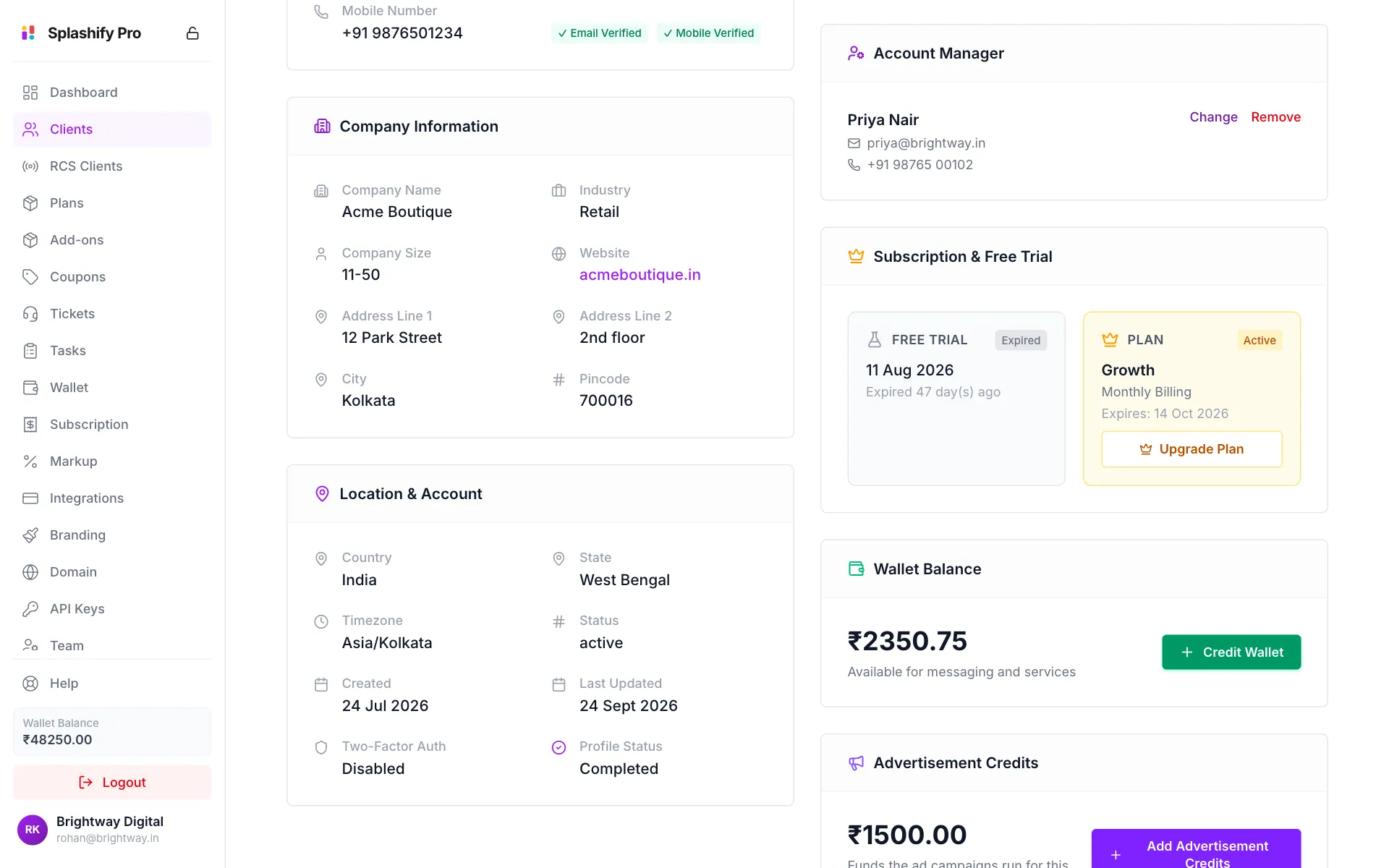
The plan card and the client's wallet Pick the plan
In Assign Subscription, click a plan under Select Plan. Each card shows your selling price and your wholesale cost. If the client's plan is still active, lower plans and shorter billing cycles are hidden, because you can only move a client up.
Check the charge
Charge breakdown shows the new plan's cost, a credit for the unused days on the current plan, and You'll pay. It also shows your wallet balance.
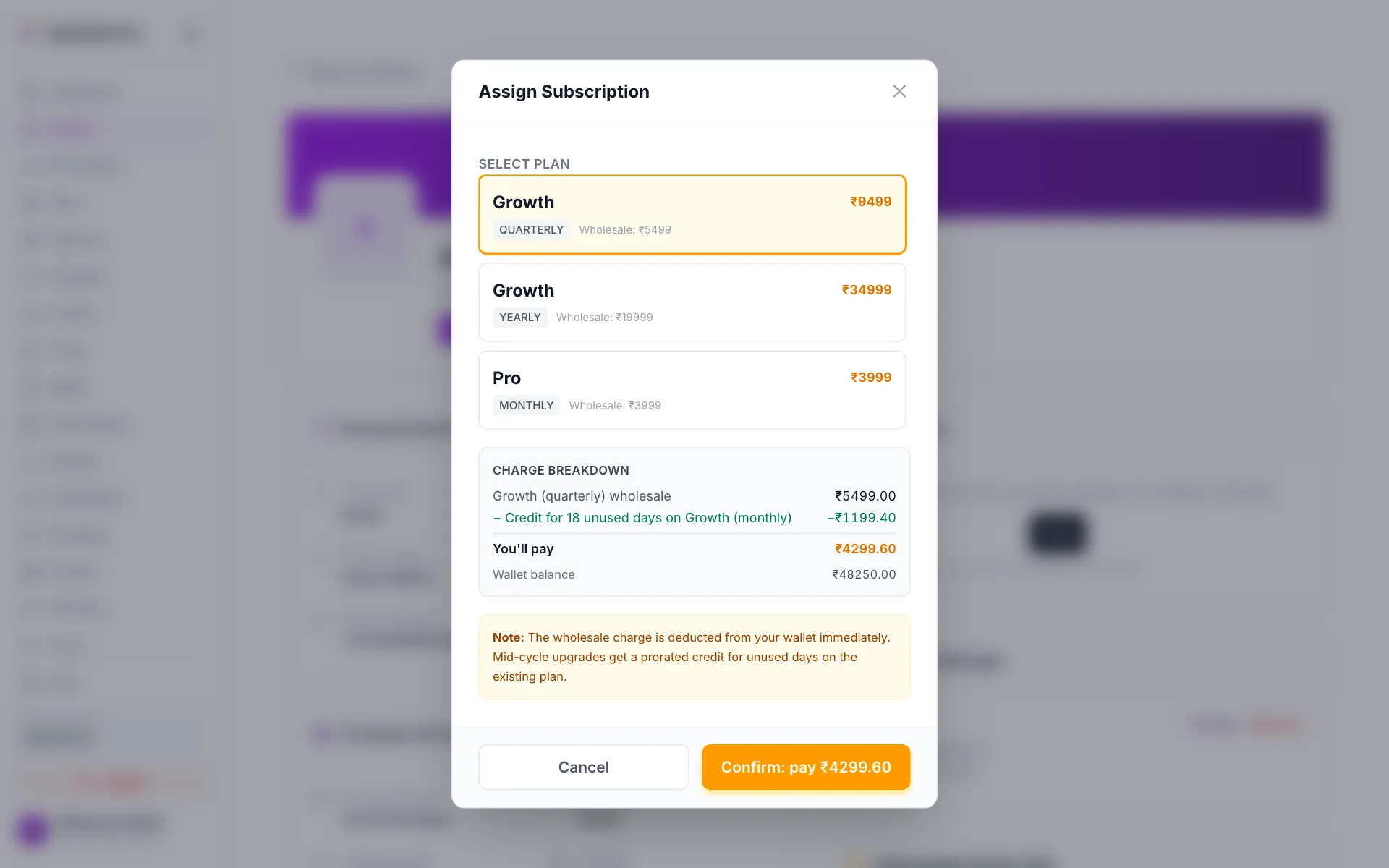
You only pay the difference when you upgrade mid-cycle Confirm
Click Confirm: pay ₹…. You see Plan assigned successfully and the plan card updates.
There is no remove-plan button
To move a client to another plan, assign the new one. The unused days on the old plan become a credit. If a plan really has to be removed, contact support.
Add wallet credit for a client
Clients pay for messages from their own wallet. You can add credit to it, for example as a bonus or when they pay you in cash.
Click Credit Wallet
On the client page, find Wallet Balance and click Credit Wallet.
Enter the amount and a note
Type the amount in Credit Amount (₹) and a reason in Note / Description.
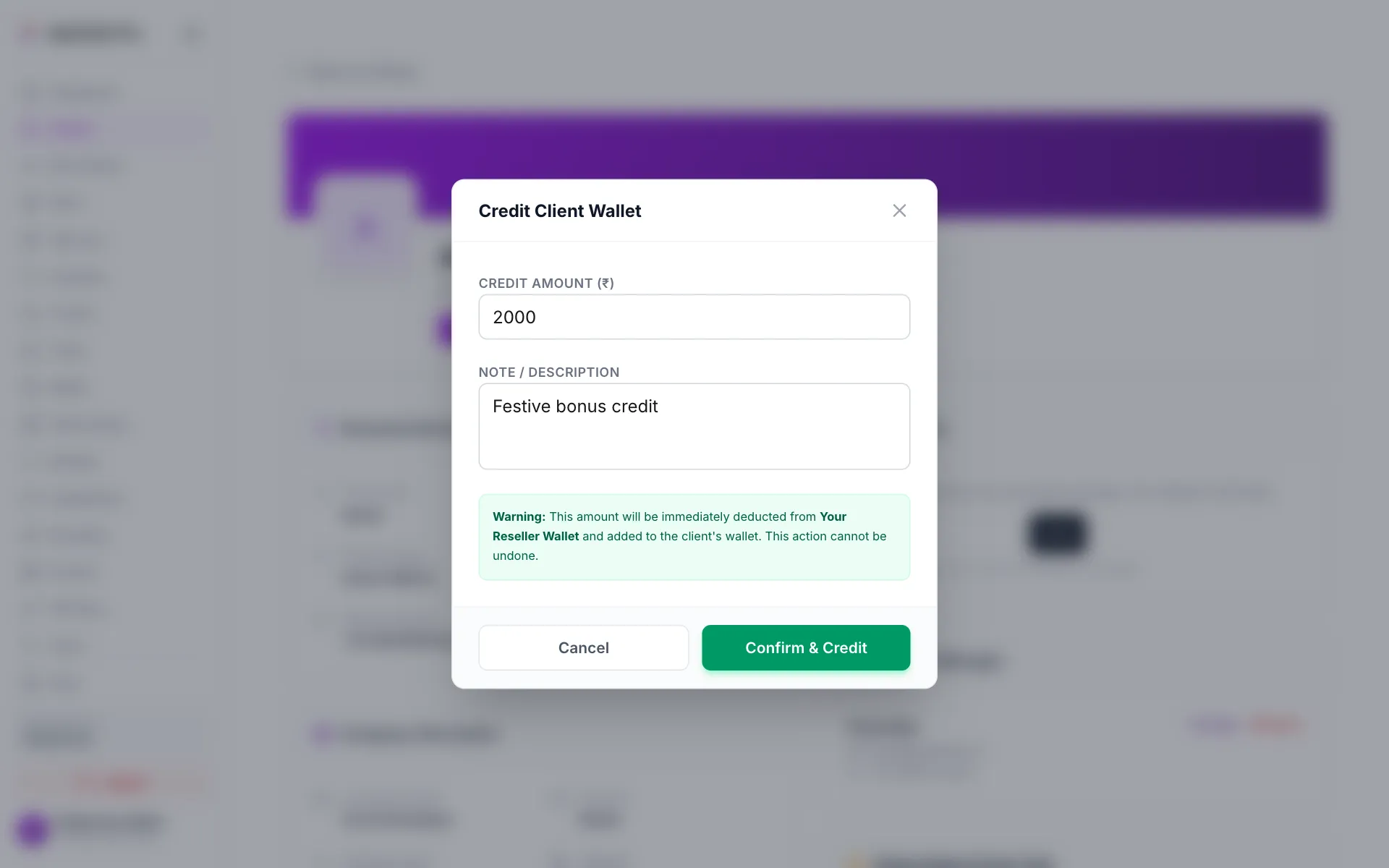
Add credit to a client's wallet Confirm
Click Confirm & Credit. The client's balance goes up.
Your own balance is not cut when you give credit. The amount is held against it (you see it under Held by Clients on the Dashboard), and your wallet pays your cost as the client spends it. You can only give up to your Available to Give amount.
Advertisement Credits work the same way. Click Add Advertisement Credits, enter the Amount (₹) and click Confirm & Add. These credits pay for the client's ad campaigns.
Assign an account manager
The account manager is the team member your client sees as their contact. Tickets can also go to them automatically (see Support Tickets).
- On Account Manager, click Assign (or Change).
- Under Choose a team member, click a name.
- To take them off, click Remove.
With no account manager, the client sees your general support contact from Branding.
Set a client's own prices
- RCS price: type a price per message and click Save. It cannot go below your cost. Click Use my default to go back to the price on Markup Settings.
- Email Pricing: pick a Tier, or Custom price (override) and enter Marketing per email and Transactional per email. Click Save Email Pricing. Leave it on Default (your reseller default) to use the default tier from Markup Settings.
Log in as a client
Click Login as client at the top of the client page. Their account opens in a new tab on your domain, so you can see what they see and fix things for them. The session lasts 30 minutes and is recorded. You cannot log in to a suspended client.
Suspend or reactivate a client
- Click Suspend Account at the top of the client page.
- Read the message and click Confirm. The client is logged out and cannot use the app.
To undo it, click Activate Account and Confirm. Nothing is deleted while a client is suspended.
Other actions
Some of these need their own permission. See Team & Permissions.
How clients join
You cannot create client accounts yourself. Clients sign up on your app:
- If you connected a domain (for example
app.brightway.in), they sign up there and see your brand from the first screen. - They see the plans and prices you set, and pay through your payment gateway.
- Their support tickets come to you.
Team members see their own clients
The account owner sees every client. A team member sees only the clients they are the account manager for.