
Authentication & Keys
Available for accounts in India.
Every Reseller API request carries an API key. This page covers how to create a key, what its scopes mean, and how to rotate and revoke keys safely.
Creating a key
Click API Keys in the panel's left menu, then New key. Only the account owner can create or revoke a key. A key can carry any permission, so creating one is the power to grant permissions. A team member should not be able to do that for themselves, even one who manages the team.
You choose three things:
Then click Create key.
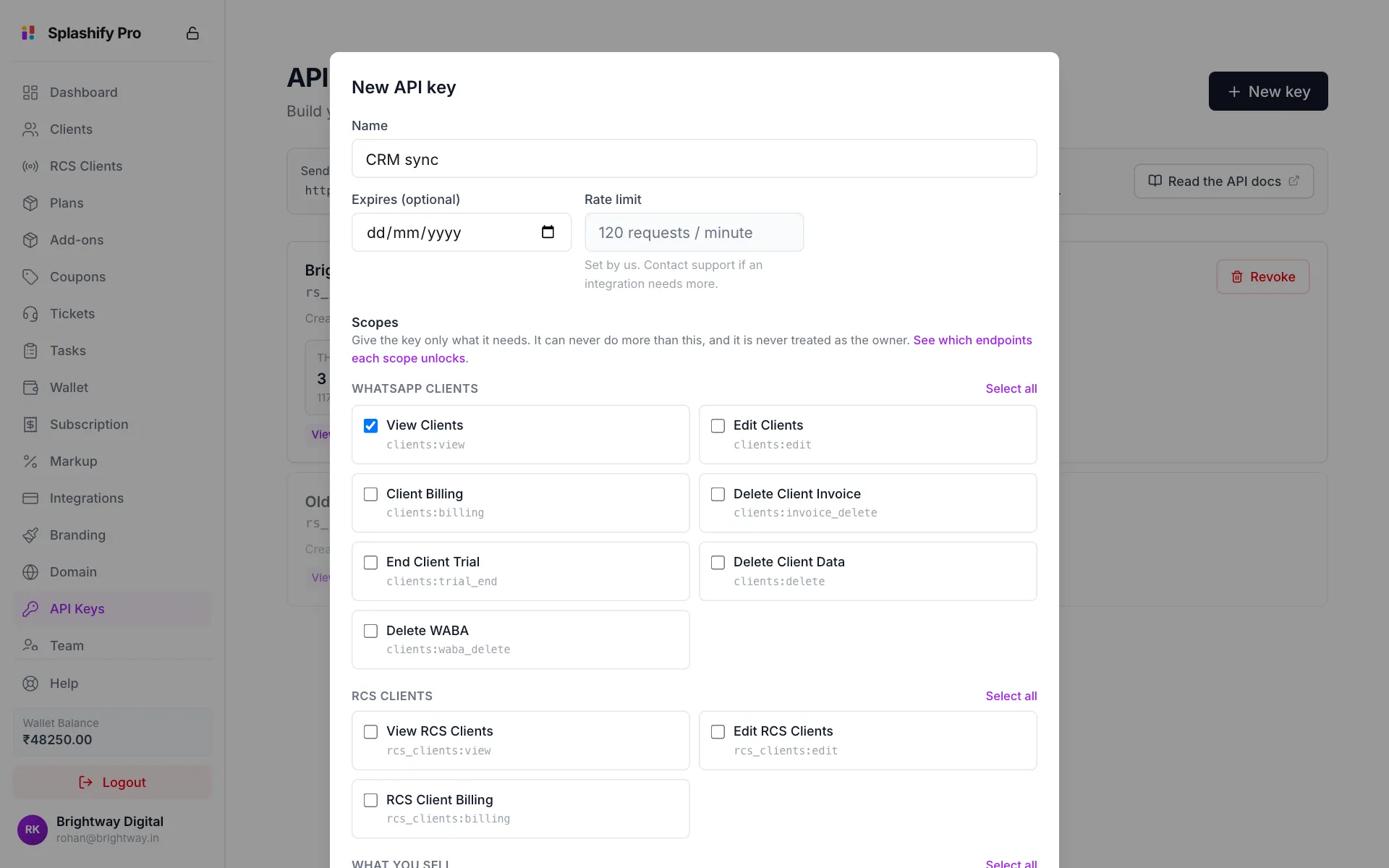
The Rate limit is set by us, not chosen by you: 120 requests per minute per key unless we have raised it for your account. Contact support if an integration really needs more. A raise applies to every key you hold, now and later, so there is nothing to reissue.
The API Keys page always shows the limit that applies now, so check there before assuming it is still 120.
The key is shown once
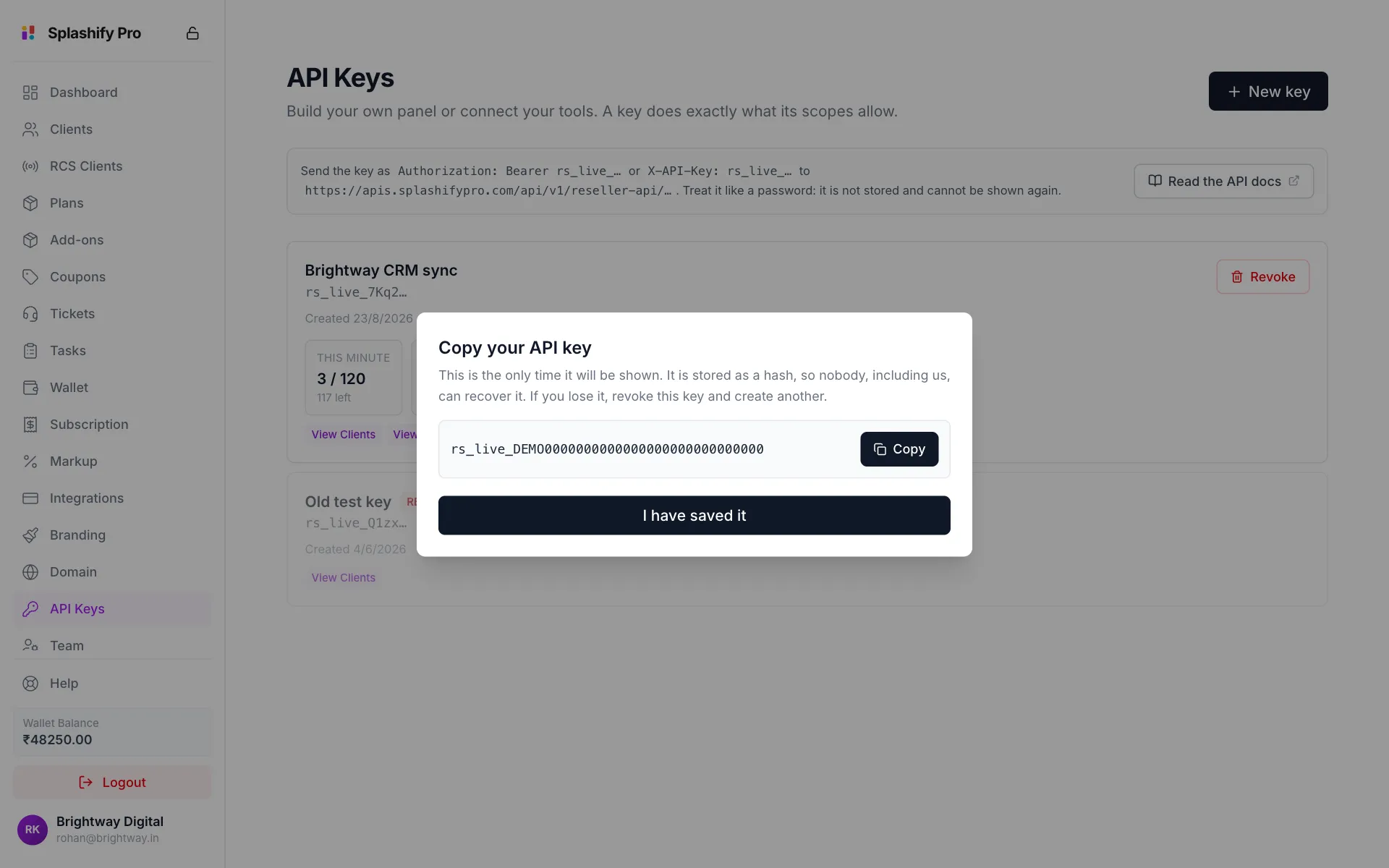
After you click Create key, the key appears in Copy your API key, once. It is stored as a SHA-256 hash. The raw key is not written anywhere, so it cannot be recovered by us, by support, or by anyone who gets a copy of the database.
Click Copy, put the key in your secret store straight away, then click I have saved it. If you lose it, revoke that key and create another. There is no recovery, and that is the point.
Scopes
A key's scopes are the same permissions you give team members, so you already know them from Team & Permissions. The New API key form groups them the same way and shows the code for each one, such as clients:view.
Give a key the smallest set that does its job. A CRM sync that reads customers needs clients:view and nothing else. Not clients:billing, and certainly not markup:view.
Some scopes need extra care:
markup:viewshows your wholesale cost, margin and profit.wallet:viewshows your balance and your full transaction list.clients:billingcan give your clients credit and plans, which your wallet pays for.A key with these can read or move real money. Choose them on purpose.
Every :manage scope includes its :view, so you never need to tick both.
Using the key
Send it in either header. Pick one and use it everywhere:
# Authorization header: what most HTTP clients and SDK generators expect
curl https://apis.splashifypro.com/api/v1/reseller-api/clients \
  -H "Authorization: Bearer rs_live_xxxxxxxx…"

# X-API-Key: handy in cURL and webhook testers
curl https://apis.splashifypro.com/api/v1/reseller-api/clients \
  -H "X-API-Key: rs_live_xxxxxxxx…"
Watching what a key does
Each live key on the API Keys page shows:
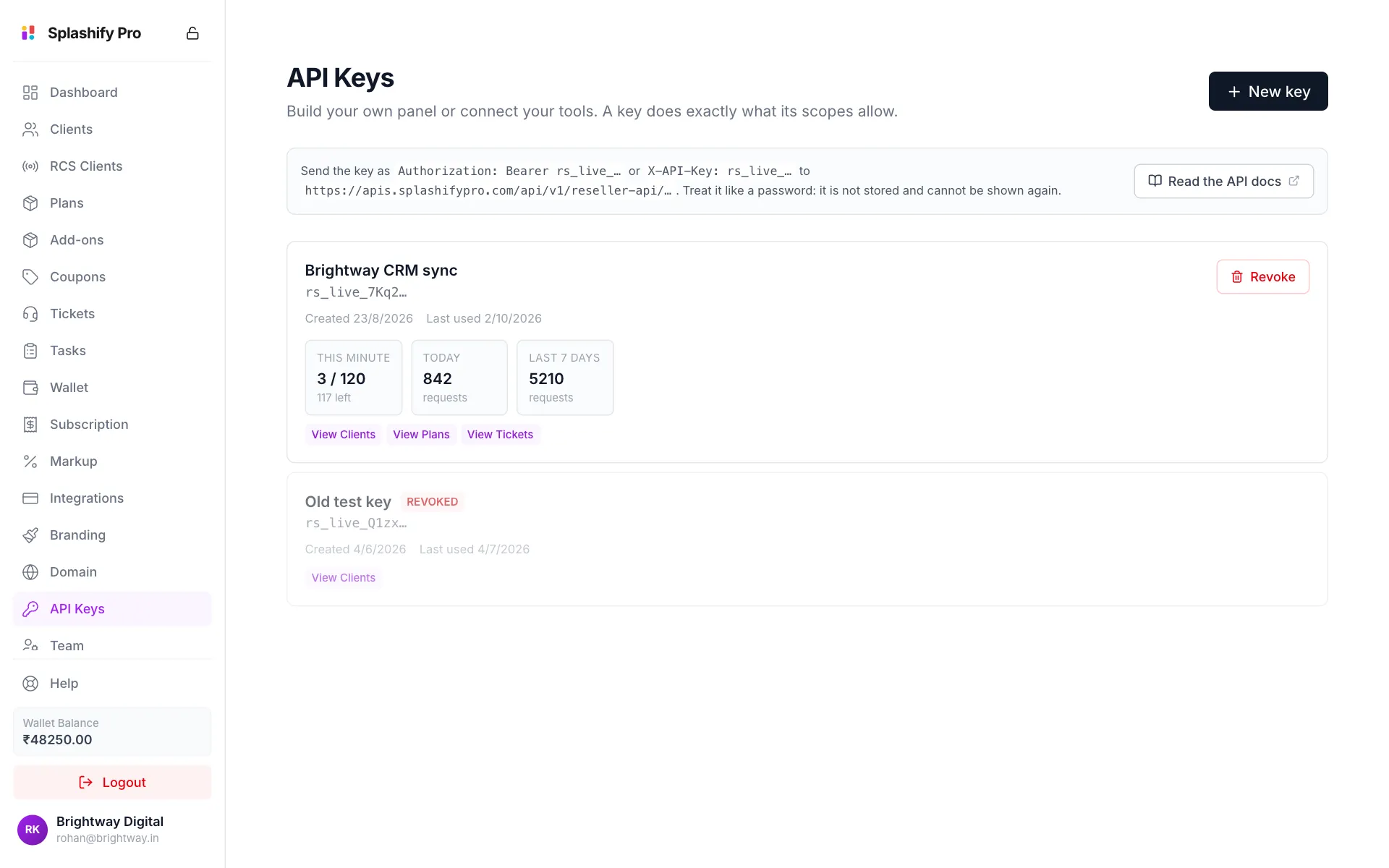
Use these to spot a key that is busier than you expected, or one that has gone quiet because whatever used it stopped working. A key showing zero for weeks is a key to revoke.
Counts are kept for 35 days and can be slightly off at the edge of a minute. They show you the shape of your usage. They are not a bill.
Rotating a key
There is no "regenerate" that keeps the old key alive. To rotate:
- Create a new key with the same scopes.
- Put it into whatever uses the old key.
- Revoke the old key.
In that order there is no downtime: both keys work while step 2 rolls out.
Revoking
Click Revoke on the key and confirm. The key stops working immediately. Anything using it gets 401 on its very next request.
Revoking cannot be undone. Create a new key instead.
Keeping a key safe
- Server-side only. A key in browser JavaScript, a mobile app, or anything a customer can see is a key you have published. Anyone reading it gets everything its scopes allow.
- Never commit it. Not to git, not to a config file in a repo, not to a screenshot in a ticket.
- One key per integration. Then revoking a leaked one stops only that integration, and Last used tells you what each key is doing.
- Set an expiry on anything temporary, like a contractor's script or a one-off migration. A key nobody remembers is a key nobody revokes.
- Watch Last used. Revoke a key that has never been used, or has not been used in months.
If a key leaks
Revoke it first, then work out what happened. Revoking is instant and free. Investigating is neither. Then create a replacement with fresh scopes, rather than copying the old set out of habit.
A key cannot manage keys, so someone holding a leaked key cannot create a replacement for themselves or revoke your others. Revoking the leaked key ends their access.