
App review
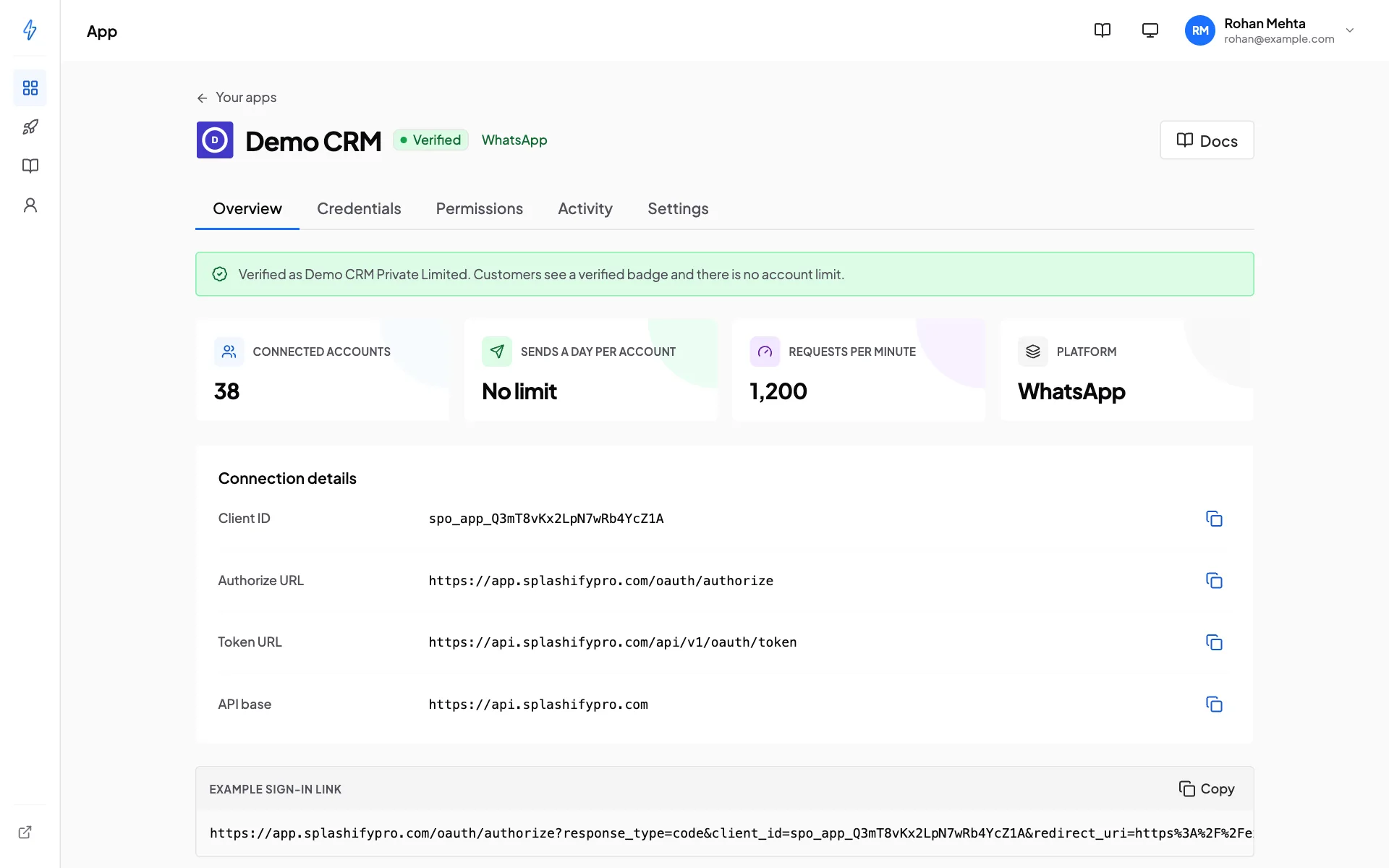
A new app works at once, with limits. When it is ready, submit it for review. We check the app and your company by hand, and a verified app gets a badge on the consent screen, your company's legal name next to it, no account limit and no daily send limit.
What review needs
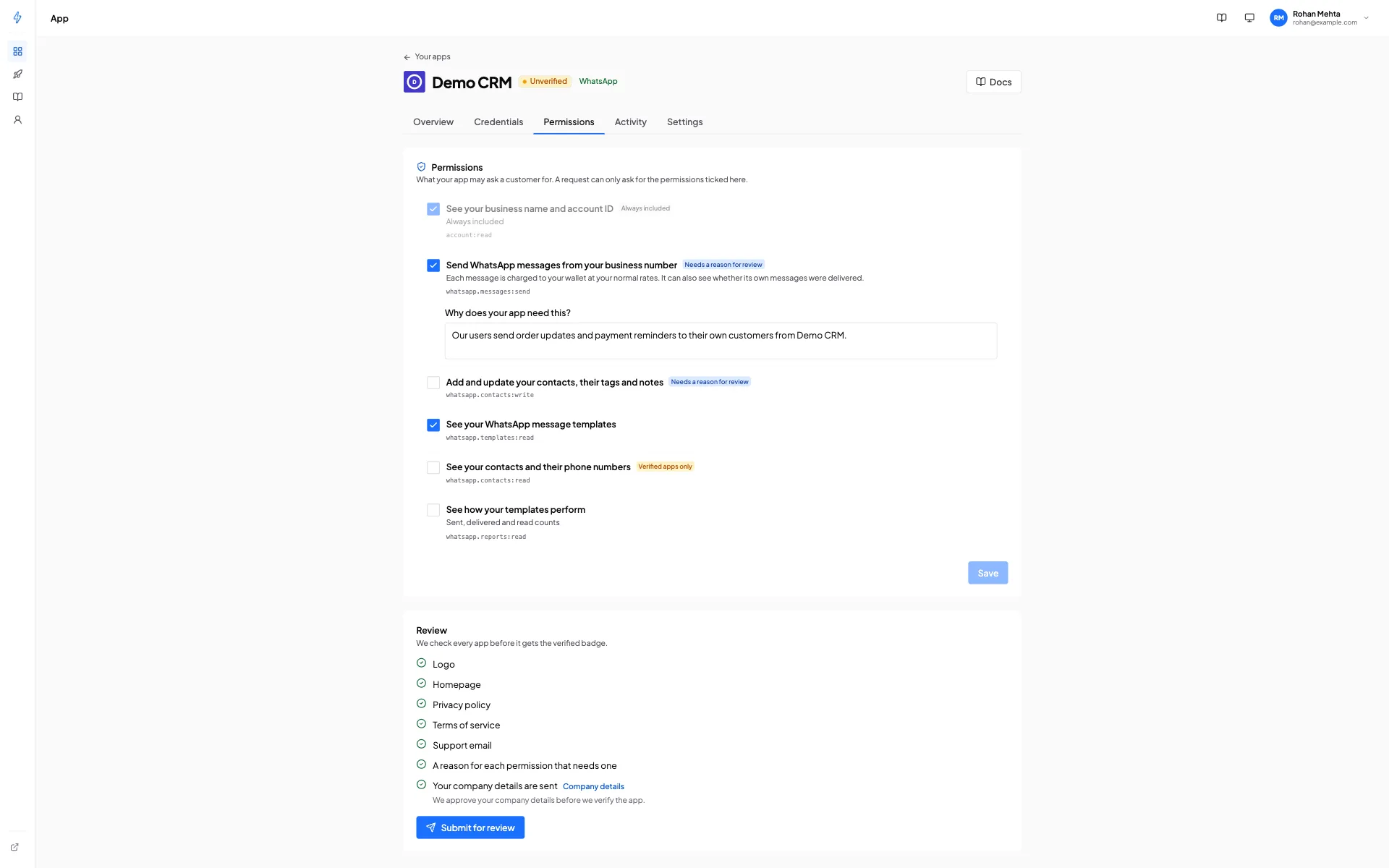
Open your app, then the Permissions tab. The Review list shows what is missing:
- a logo (square PNG or JPEG, at least 256 by 256 pixels, up to 1 MB);
- a homepage link;
- a privacy policy link;
- a terms of service link;
- a support email;
- a reason for each permission that needs one ("Why does your app need this?"): every sensitive and restricted permission;
- your company details sent (see below).
When every item is ticked, click Submit for review. The status becomes In review and the app keeps working with the same limits. We email you when the review is done.
How we check your company
Send your company details once, from Account, Company details: legal name, website, country and, for India, your GSTIN (optional). They cover all your apps.
We check two things:
- Who you are. The legal name matches the public GST record (when you give a GSTIN) or your website.
- That you work for that company. Public details alone prove nothing, because anyone can copy them. It is quickest when your sign-in email is on your company website domain. If it is not, we contact the company through the details on its website or GST record. We never use contact details you send us for this.
We may ask for more by email. When we approve, we confirm the legal name customers will see. You cannot change approved details yourself; write to [email protected].
If we cannot approve them yet, we send them back with a note, and you can fix them and send them again.
The verified badge
When we verify your app, customers see on the consent screen and in their Connected apps list:
- your app name and logo;
- "by" the legal name we confirmed;
- a green Verified badge.
Apps that are not verified show "by an unverified developer" with your email domain (only when it is a company domain), and a notice that we have not checked the app. We never show the company name you typed at sign-up.
What removes the badge
On a verified app, these changes remove the badge until we check the app again:
- the app name;
- the logo;
- the homepage, privacy policy or terms link;
- the support email;
- adding a permission;
- adding a redirect URL on a new host.
The console asks before saving such a change. Meanwhile:
- customers see the app as unverified;
- permissions that need a verified app pause;
- your limits stay the same (no account limit, no daily send limit).
Submit the app again to get the badge back. The description and server IP addresses never need a new review.
Suspension
We may suspend an app that breaks the Developer Terms or puts customers at risk. A suspended app cannot be connected and its tokens stop working at once. We email you the reason; write to [email protected] if you think it is a mistake.
We may also suspend a whole developer account. Then you cannot sign in and every app of the account stops working. When we restore it, the apps work again, and you sign in again.
Customers can report an app from their Connected apps list. We read every report.