
Connect with Splashify Pro
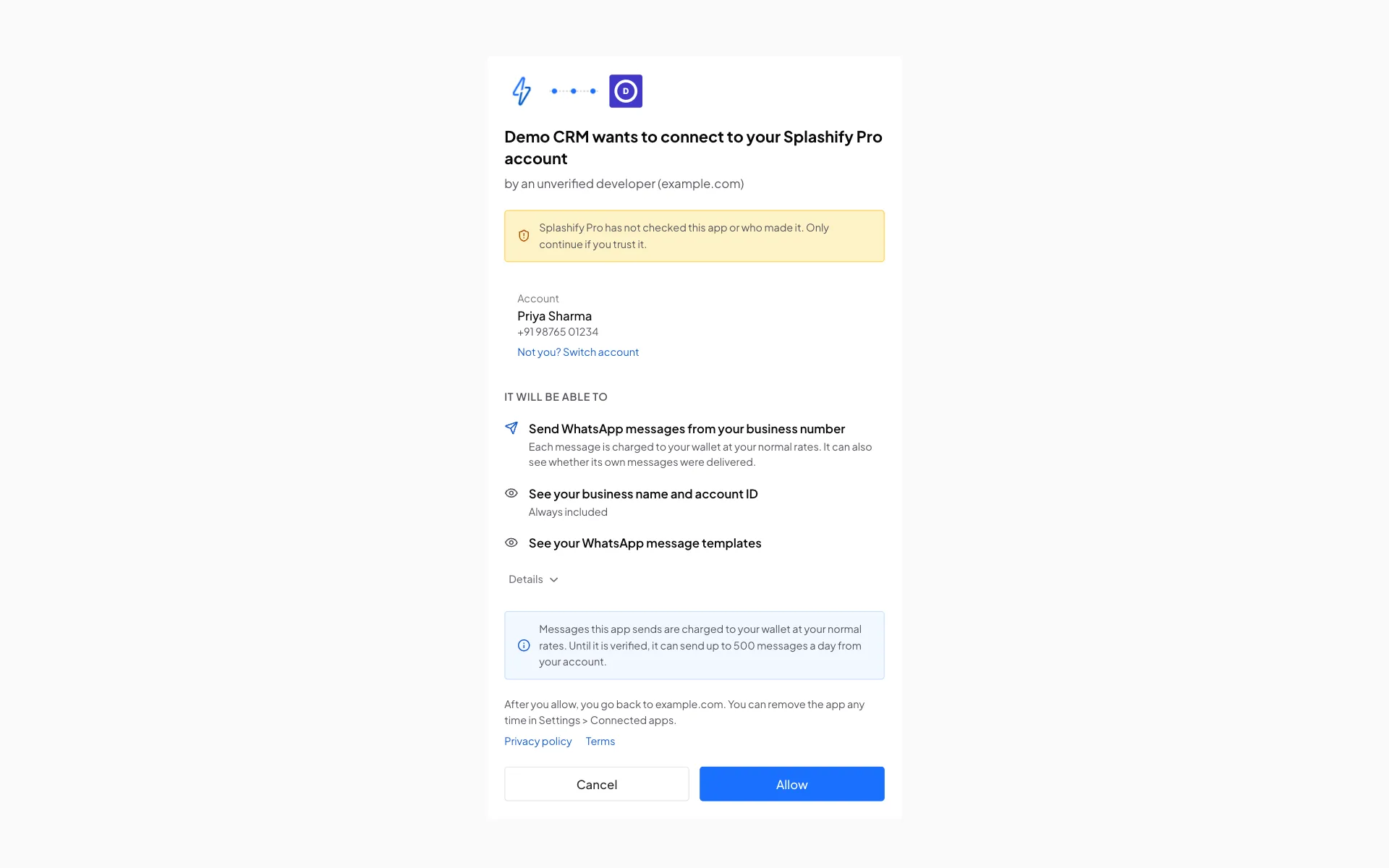
Add a Connect Splashify Pro button to your app. Your user clicks it, signs in to Splashify Pro, sees exactly what your app asks for and clicks Allow. Your server then gets a token that works only for what that user allowed: send WhatsApp messages and read templates, or send email and read email reports, and so on. The user can remove your app at any time.
It is standard OAuth 2.0 with the authorization code flow and PKCE. If you have added a "Sign in with" button or built an app for another platform before, this works the same way.
How it works
- You make a developer account at dev.splashifypro.com and register an app. You get a Client ID and a client secret.
- Your app sends the user to our authorize page with your Client ID, the permissions you want and a link back to your app.
- The user signs in and clicks Allow on our consent screen. Only the account owner can allow an app. The screen then shows Connected and takes the user back to your app by itself, with a Continue link in case that does not happen.
- We send the user back to your app with a code. Your server swaps the code for an access token and a refresh token.
- Your server calls our API with
Authorization: Bearer <access token>. Every message your app sends is charged to the user's own account at their normal rates.
WhatsApp apps and Email apps
Each app works with one kind of Splashify Pro account, chosen when you create it.
Need both? Register two apps.
What it costs
Connect with Splashify Pro is free for developers. Your users pay their normal prices for the messages your app sends, from their own wallet or account.
Read next
- Quick start: from a new developer account to your first message.
- Developer account: sign up, sign in, two-step sign-in and company details.
- Register an app: Client ID, secrets, redirect URLs and the limits of a new app.
- Authorization and Tokens: every parameter and answer.
- Permissions: what each permission lets your app do.
- App review: get the verified badge and remove the limits.
- Developer Terms.