
Generic Webhook
A generic webhook connects anything that can call a URL, such as your website's contact form, your booking software or your own app. You get a URL, send one test event, and build workflows that decide who gets which WhatsApp message.
When to use it
Use a ready-made integration (like Razorpay or Shopify) when your tool has one. Use a generic webhook when:
- your tool is not in the list,
- you want different messages for different events from the same tool,
- you also want to add tags to the customer's contact.
Create a webhook
Add a webhook
In the left sidebar, click Integrations. Under Automation, click the Generic webhook card (Add a webhook). You can also click Add a webhook at the bottom of the page. Type a Name you will recognise, for example the name of the system that will call it, and click Create webhook.
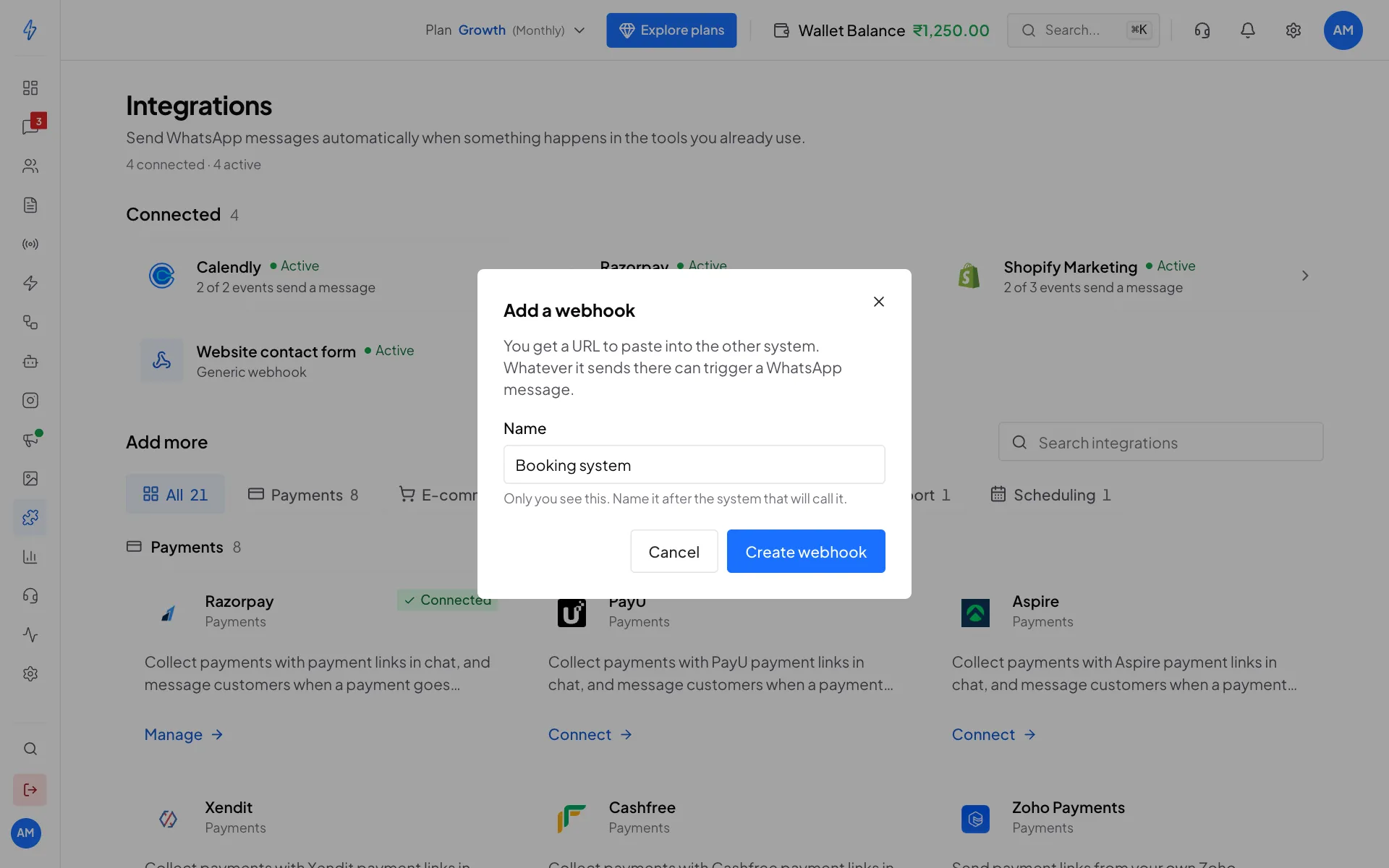
Name the webhook after the system that will call it Copy the URL
The webhook's page opens. Under Paste this URL in your system, click the copy button and set your system to send a POST request with a JSON body to that URL.
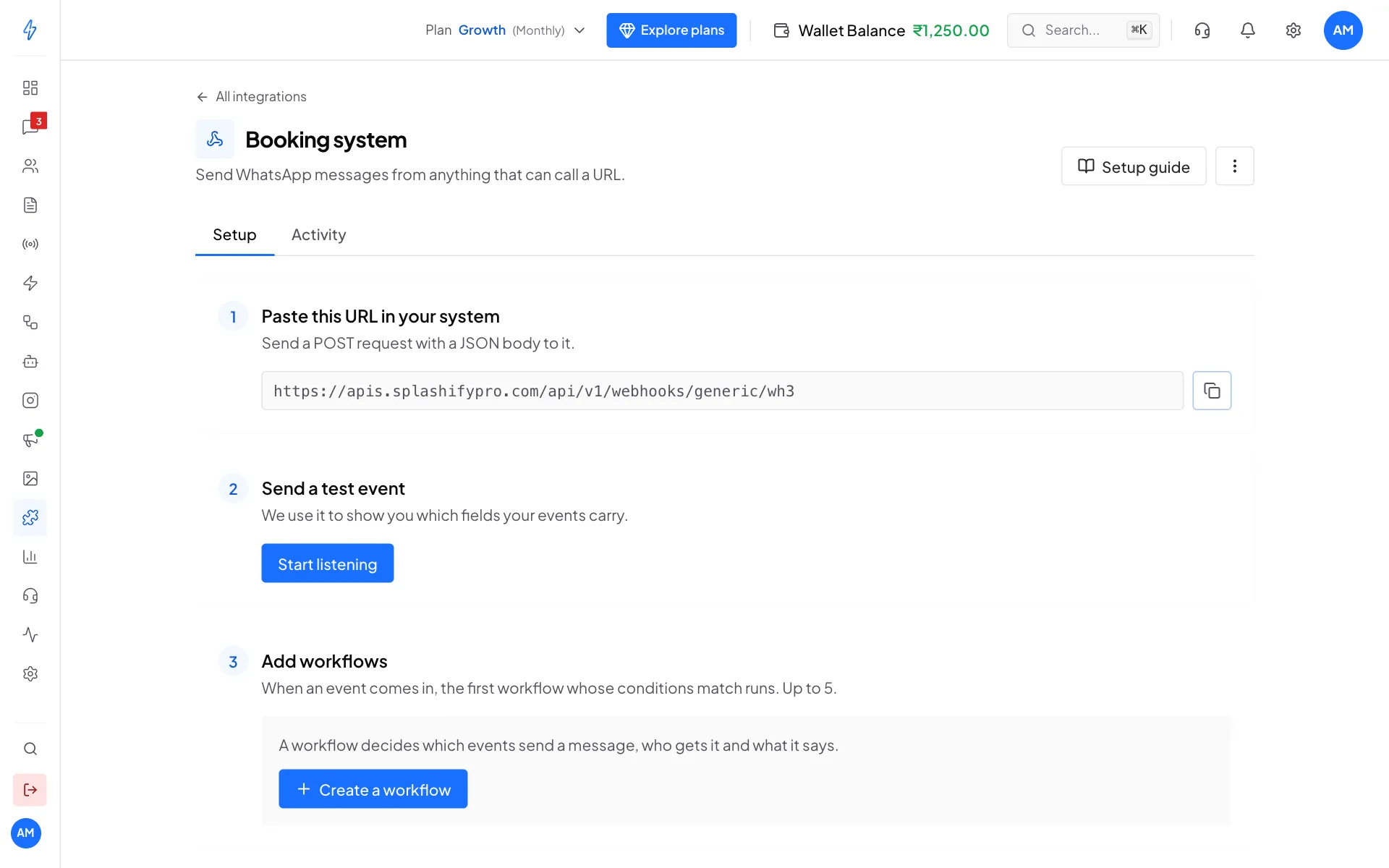
A new webhook: the URL, the test event, and the workflows Send a test event
Under Send a test event, click Start listening. The page shows Listening. Now make your system send one real event, for example submit your contact form once. Within a few seconds, every field it sent appears with its value, for example
{{body.name}}is Priya Sharma.The test event is only saved as a sample. It does not send a message. Click New sample any time to capture a fresh one.
Create a workflow
Under Add workflows, click Create a workflow (or New once you have one).
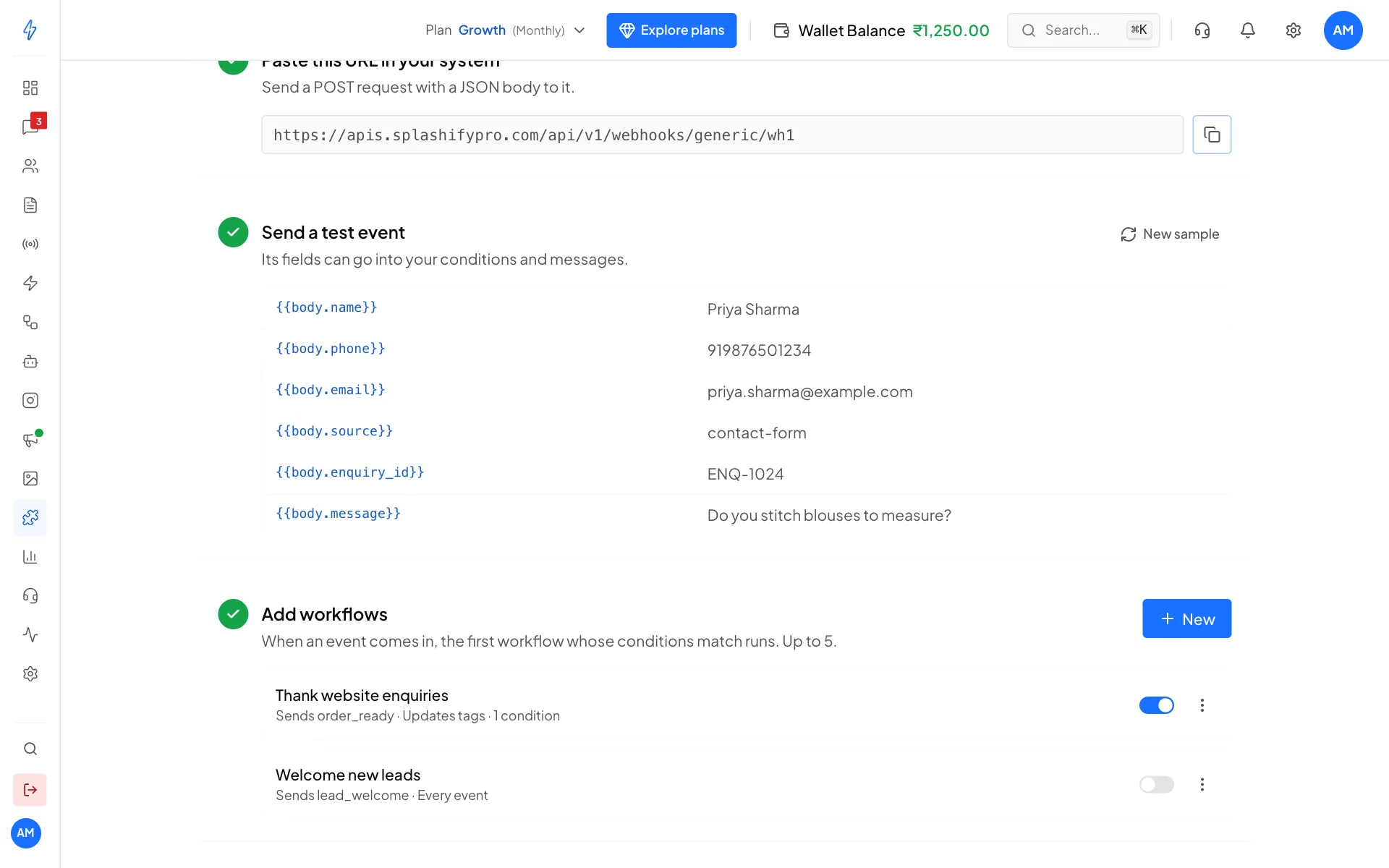
The fields from your test event, and your workflows below Fill in the workflow
The workflow has four parts:
- Name it: a name you will recognise.
- When should it run?: leave it empty to run on every event, or click Add condition and pick a field, a check (is, is not, contains, does not contain, starts with, ends with, is empty, is not empty) and a value. With two or more conditions, choose When all of these are true or When any of these is true.
- Who gets the message?: the customer's WhatsApp number. Usually a field such as
{{body.phone}}. Click the{ }button to pick one. Below it you see the number from your test event.
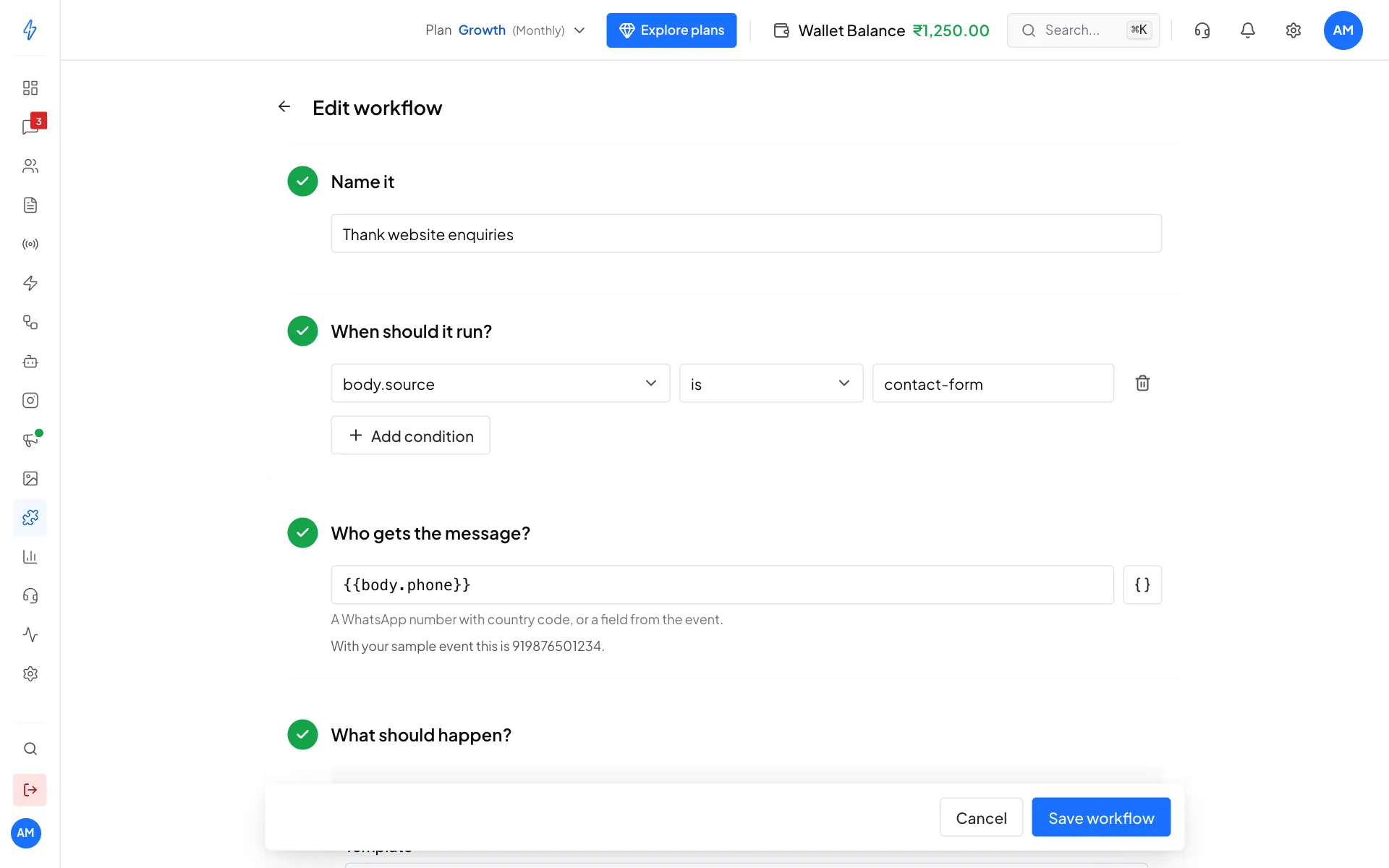
Name, condition and recipient - What should happen?: Send a WhatsApp message is added for you. Pick a Template, and under Fill the blanks type text or click
{ }to insert a field for each blank. The Preview shows the message with your test event's values. Click Add action to also Update the contact's tags: pick tags and choose Add to the contact's tags or Replace all of the contact's tags.
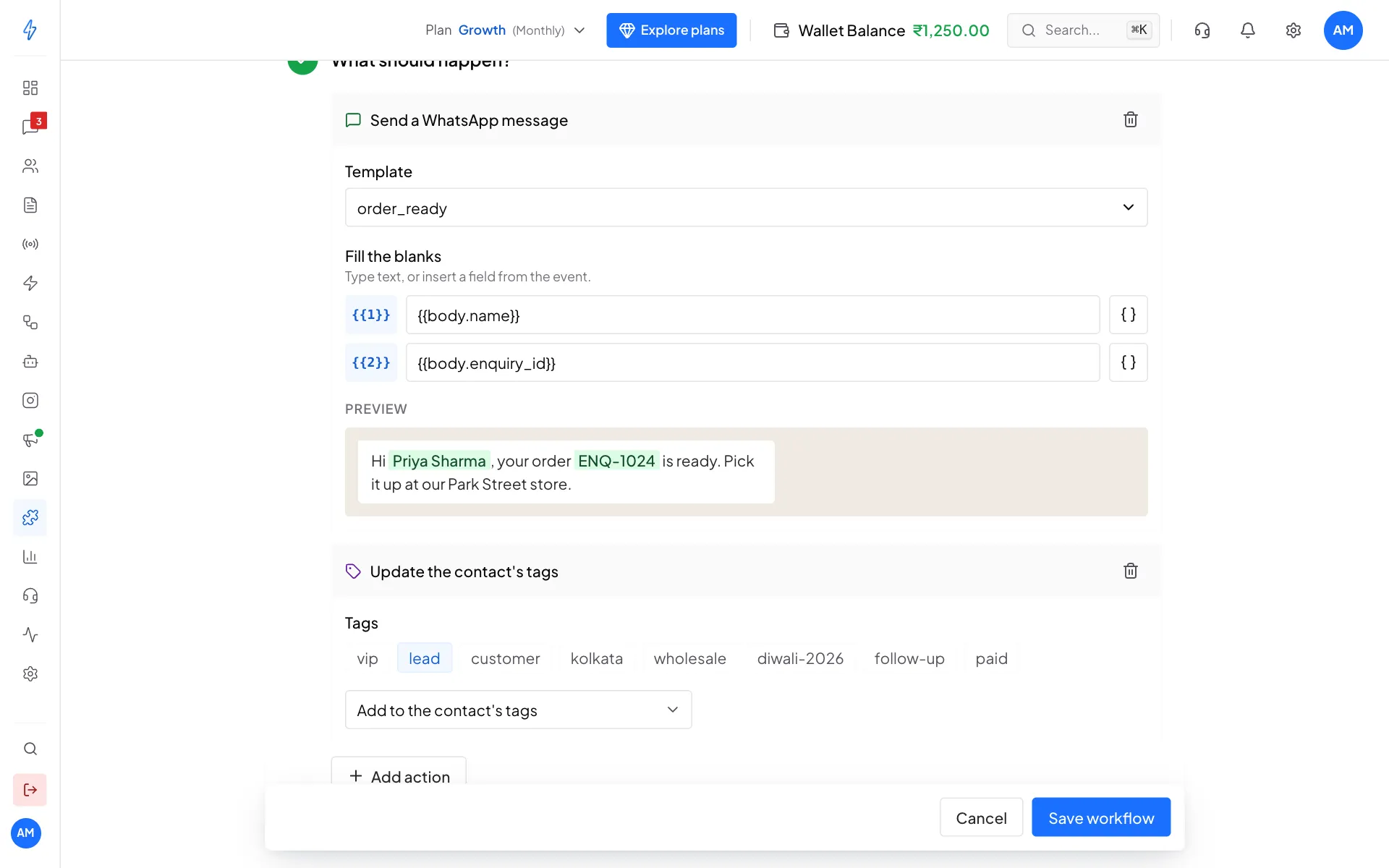
Send a template, and add a tag to the contact Click Create workflow (or Save workflow).
You will see the workflow in the list with a switch to turn it on or off. The webhook starts working as soon as a workflow is on.
How workflows are picked
- When an event arrives, the workflows are checked from the top of the list. Only the first one whose conditions match runs. When several are on, the first shows Checked first.
- A workflow with no conditions matches every event, so keep it last.
- You can have up to 5 workflows on one webhook. Create another webhook if you need more.
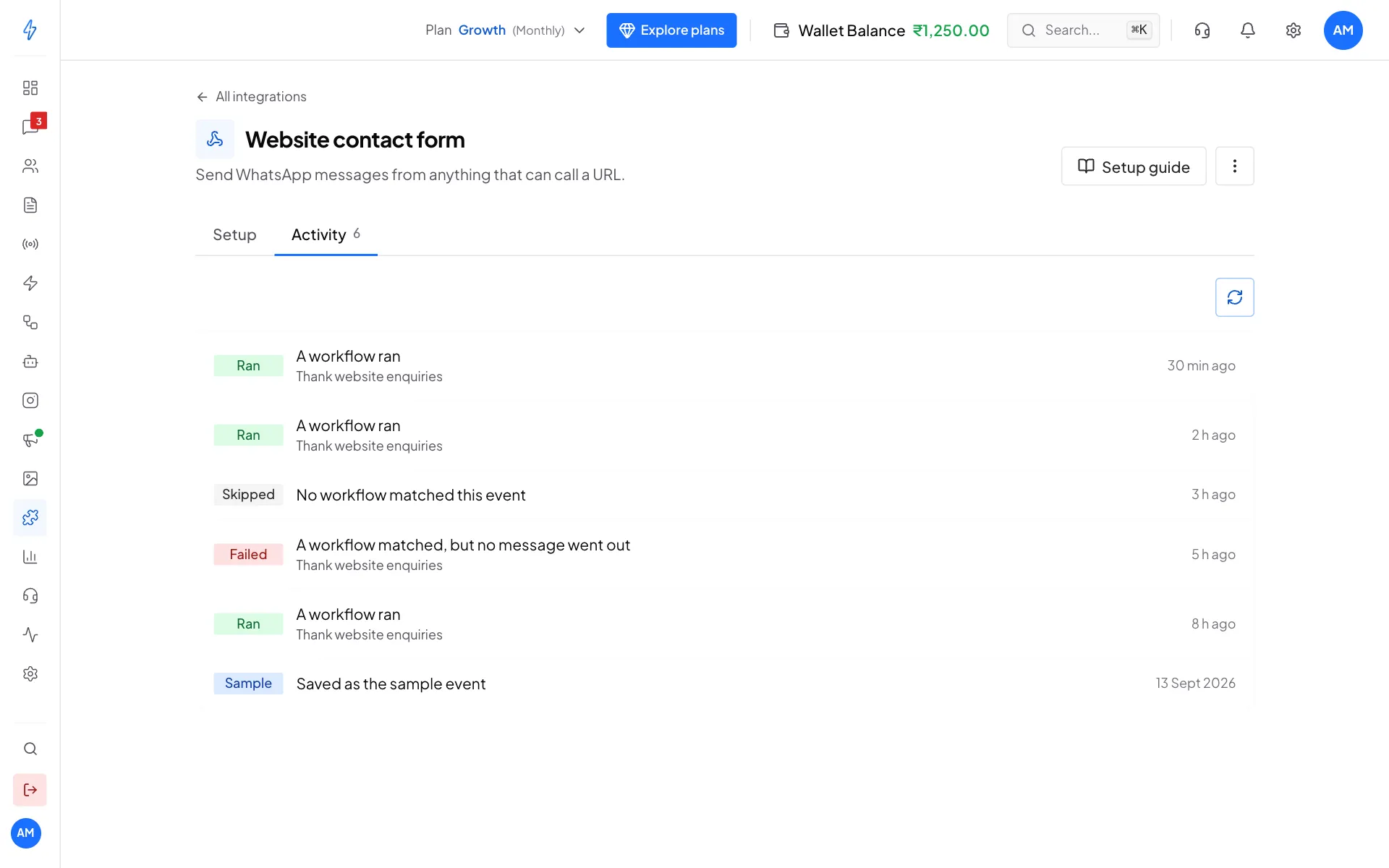
Check what happened (Activity)
Open the Activity tab on the webhook's page. Click any event to see exactly what your system sent.
Rename, pause or delete
- Turn one workflow off: use its switch. To edit or delete it, click ⋮ next to it.
- Rename the webhook: click ⋮ at the top right, then Rename.
- Delete the webhook: click ⋮ at the top right, then Delete webhook, and confirm. Its URL stops working right away and its workflows are deleted.
Good to know
- Fields are written with dots: a value nested in the JSON, like
{"customer": {"phone": "..."}}, is{{body.customer.phone}}. Request headers are there too, as{{headers.name}}in lowercase. - Secret headers are hidden: a header that carries a password, token, key or signature is saved as
[hidden]in Activity and in the sample event. Your workflows still read the real value. Cookies and theAuthorizationandX-Api-Keyheaders are hidden too, and workflows cannot read them. - Lists cannot be read: a field inside a list (for example the first item of an order) is not offered. Send the value you need as a plain field.
- Tags need an existing contact: Update the contact's tags works only when a contact with that WhatsApp number already exists in Contacts.
- Messages go out straight away: there is no delay option.
- Keep the URL private: requests to it are not signed, so anyone with the URL could send events. If it leaks, delete the webhook and create a new one.
Related
- Integrations overview
- Troubleshooting
- PayPal: a full example of a generic webhook