Authorization
To connect an account, send the user's browser to our authorize page. After the user decides, we send the browser back to your redirect URL with a code, or with an error.
Authorize URLs
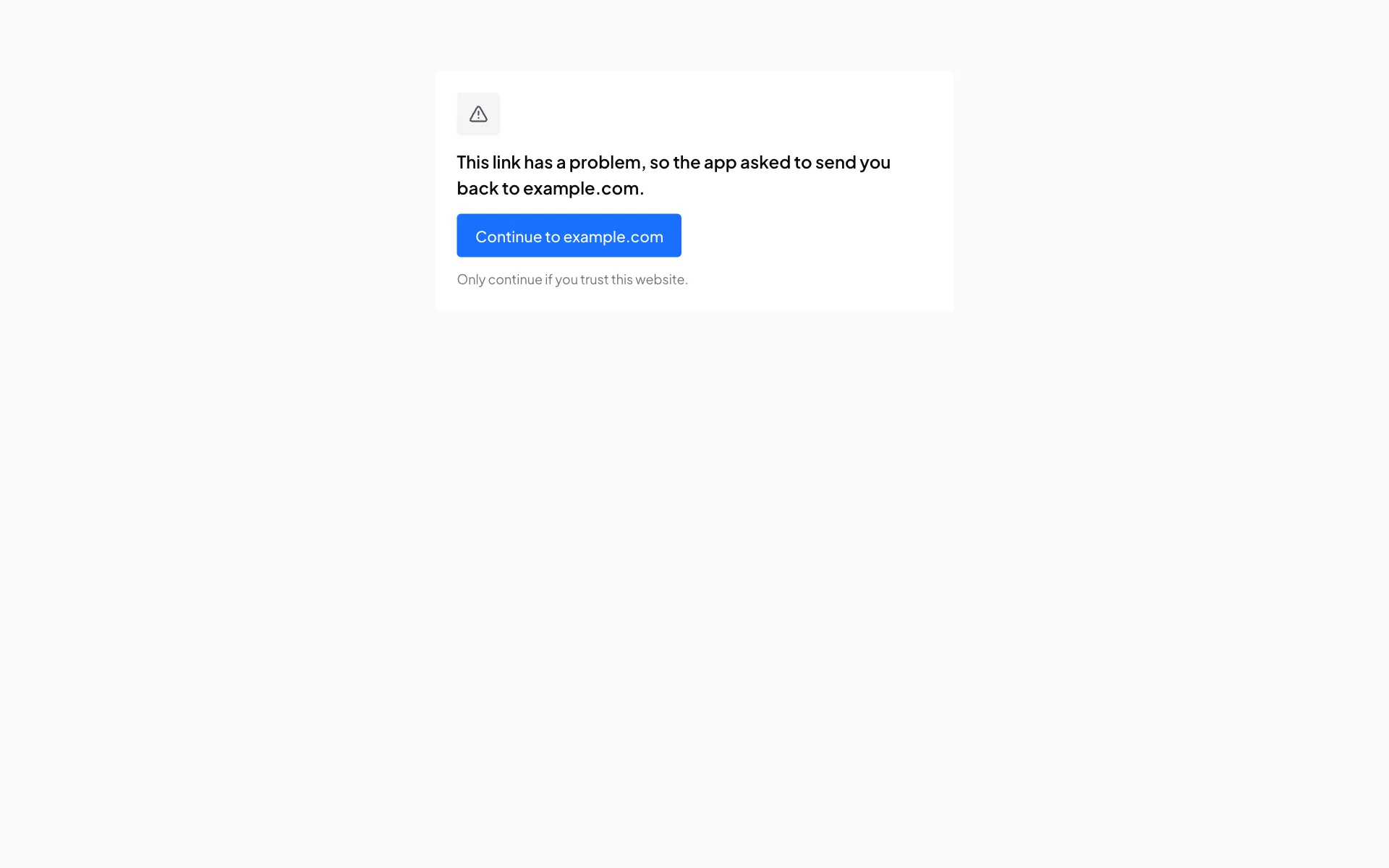
An app opened on the wrong host shows a page with a button to the right one.
Parameters
prompt and login_hint are ignored.
PKCE
For each sign-in, make a code_verifier of 43 to 128 characters from A-Z a-z 0-9 - . _ ~ (32 random bytes in base64url works), keep it on your server with the state, and send its SHA-256 in base64url as code_challenge. You send the verifier itself when you swap the code for tokens.
const verifier = crypto.randomBytes(32).toString("base64url");
const challenge = crypto.createHash("sha256").update(verifier).digest("base64url");
The consent screen
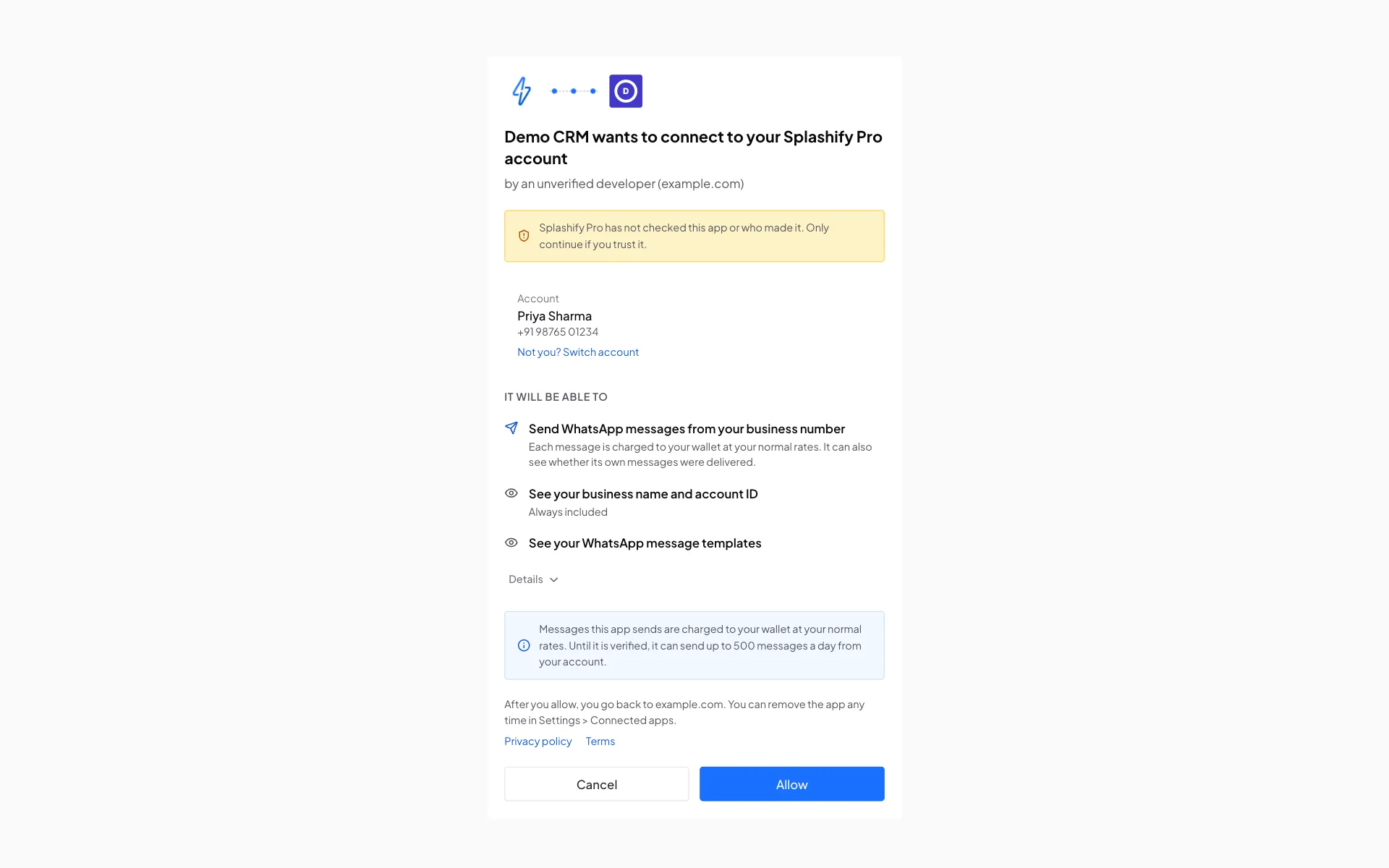
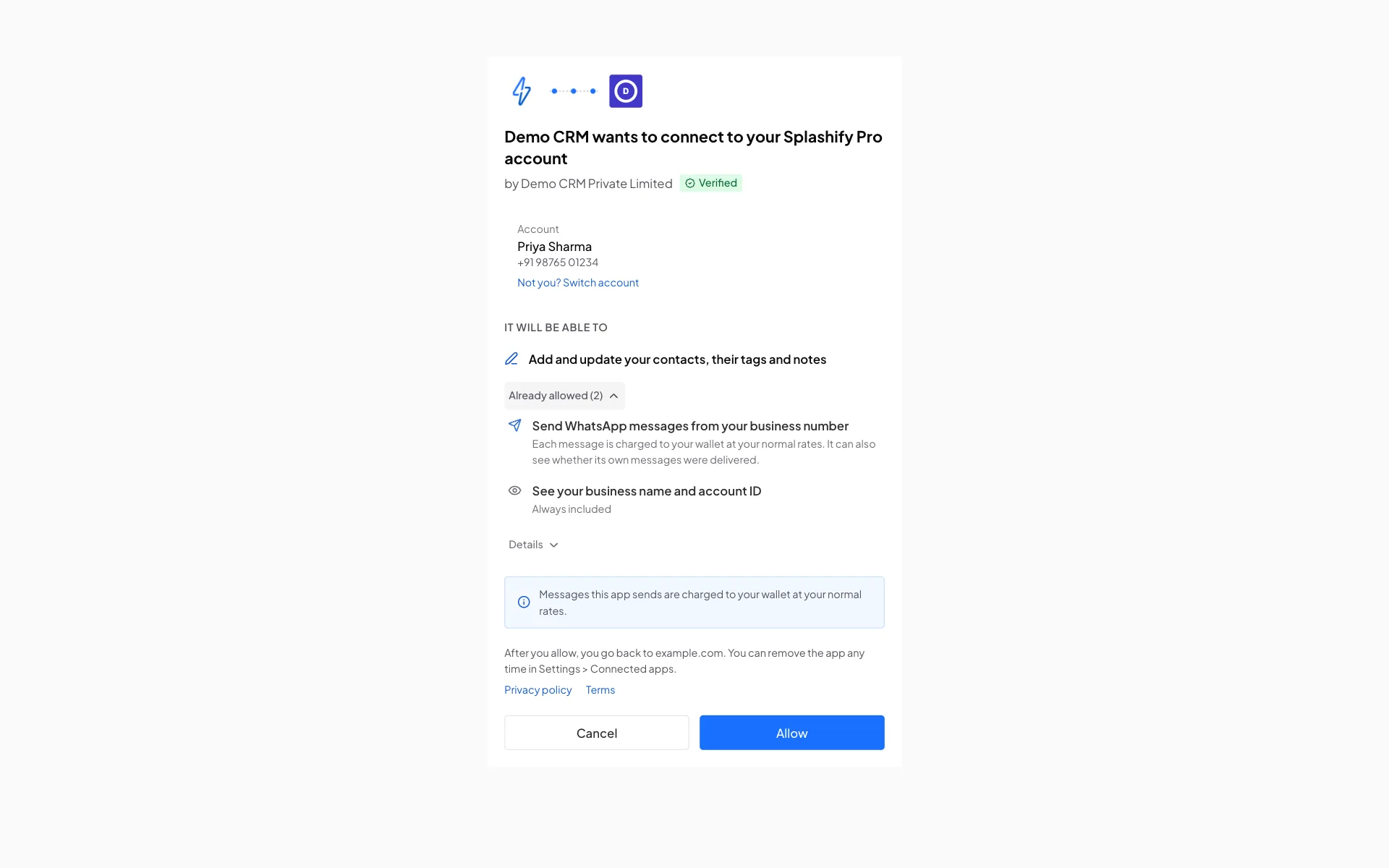
The user signs in to Splashify Pro if needed, then sees:
- your app's logo and name;
- for a verified app: "by" the legal name we confirmed and a green Verified badge;
- for any other app: "by an unverified developer", your email domain when it is a company domain, and a notice that we have not checked the app;
- the account being connected;
- what your app will be able to do, in plain words, with permissions they already allowed in a separate list;
- that messages are charged to their wallet or account, and the daily limit while your app is not verified;
- a notice when their account only accepts API calls from allowed IP addresses, with the server IPs you listed on your app;
- where they go back to, and your privacy and terms links;
- Cancel and Allow.
Only the account owner can allow. The screen shows a notice instead of Allow when:
The user can still click Cancel.
When an account allows your app a second time, the new permissions are added to what it allowed before. Tokens always carry everything the account allowed.
Coming back to your app
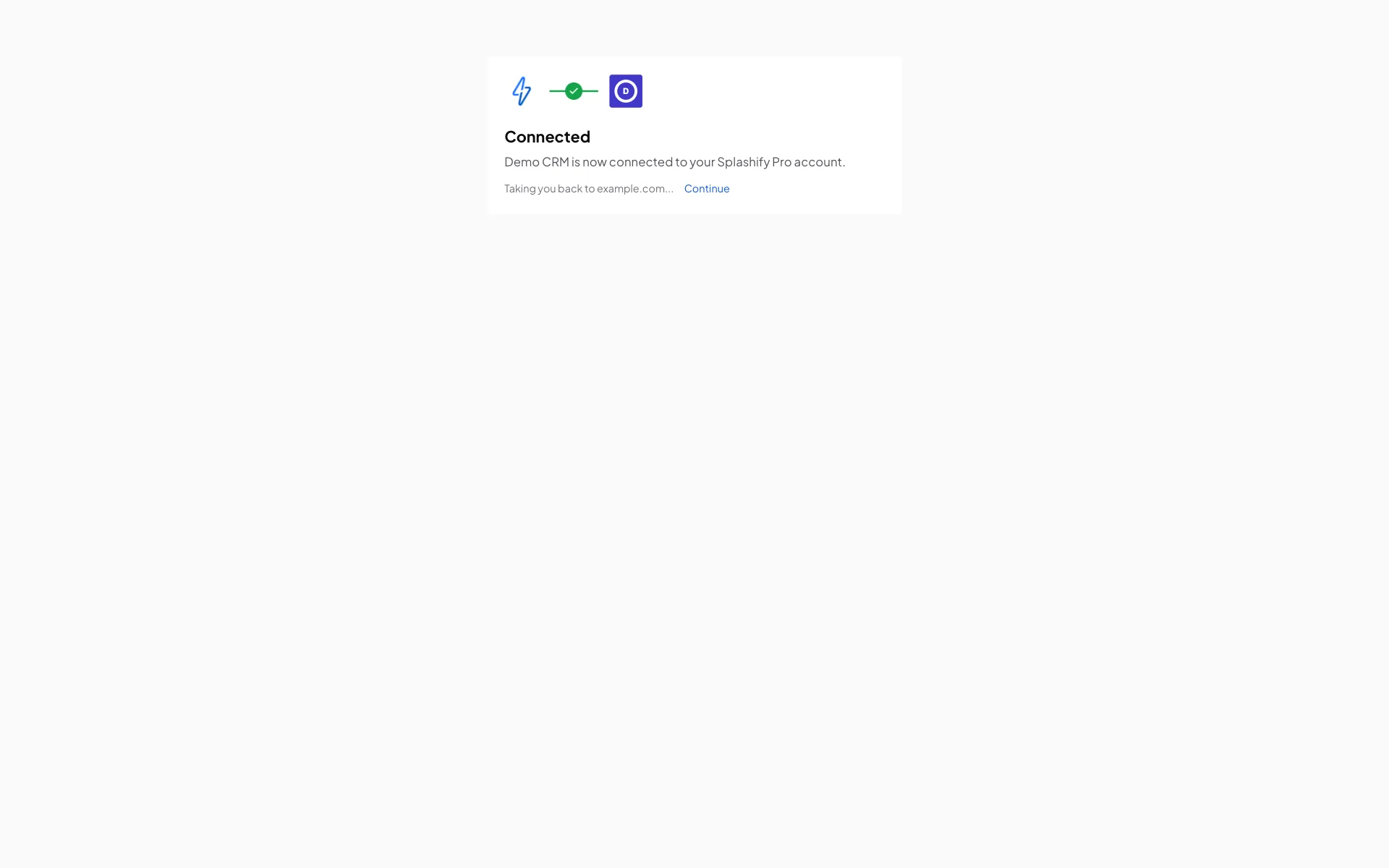
After Allow, the screen shows Connected and then takes the user back to your redirect URL by itself, with a Continue link in case that does not happen; after Cancel, the user goes back at once.
Allowed:
https://yourapp.example/splashify/callback?code=spo_ac_...&state=YOUR_STATE&iss=https%3A%2F%2Fapi.splashifypro.comCheck that state is the one you made for this sign-in and that iss is https://api.splashifypro.com. Then swap the code within 60 seconds. See Tokens.
Cancel or an error:
https://yourapp.example/splashify/callback?error=access_denied&error_description=The+user+said+no&state=YOUR_STATE&iss=https%3A%2F%2Fapi.splashifypro.comstate is left out when the one you sent was not valid.
Errors
Errors shown on our page
These never go back to your app, because we cannot trust the redirect URL yet. The user sees the message.
Errors sent back to your redirect URL
Checked in this order, after the four above:
For a verified app and a signed-in user, we send these back at once. For any other app (or a user who is not signed in), we first show a page that says "This link has a problem, so the app asked to send you back to <your host>" with a Continue button. This stops anyone from using our pages to send people to a site of their choosing.