
Aspire
Connect Aspire and your customers get a WhatsApp thank-you when their payment to your Aspire account succeeds. The message is sent for successful payments only.
Before you start
- An Aspire business account that can send webhooks.
- An approved WhatsApp template for the message. See Create a WhatsApp template. Most templates are approved within 24 hours.
- Your WhatsApp number connected. See Connect WhatsApp (WABA).
No keys are needed. Aspire only has to send its payment events to the URL on the Aspire page.
Connect Aspire
Open Aspire in the app
In the left sidebar, click Integrations. Under Payments, find Aspire and click Connect. The page has two steps: the message, and the URL to paste into Aspire.
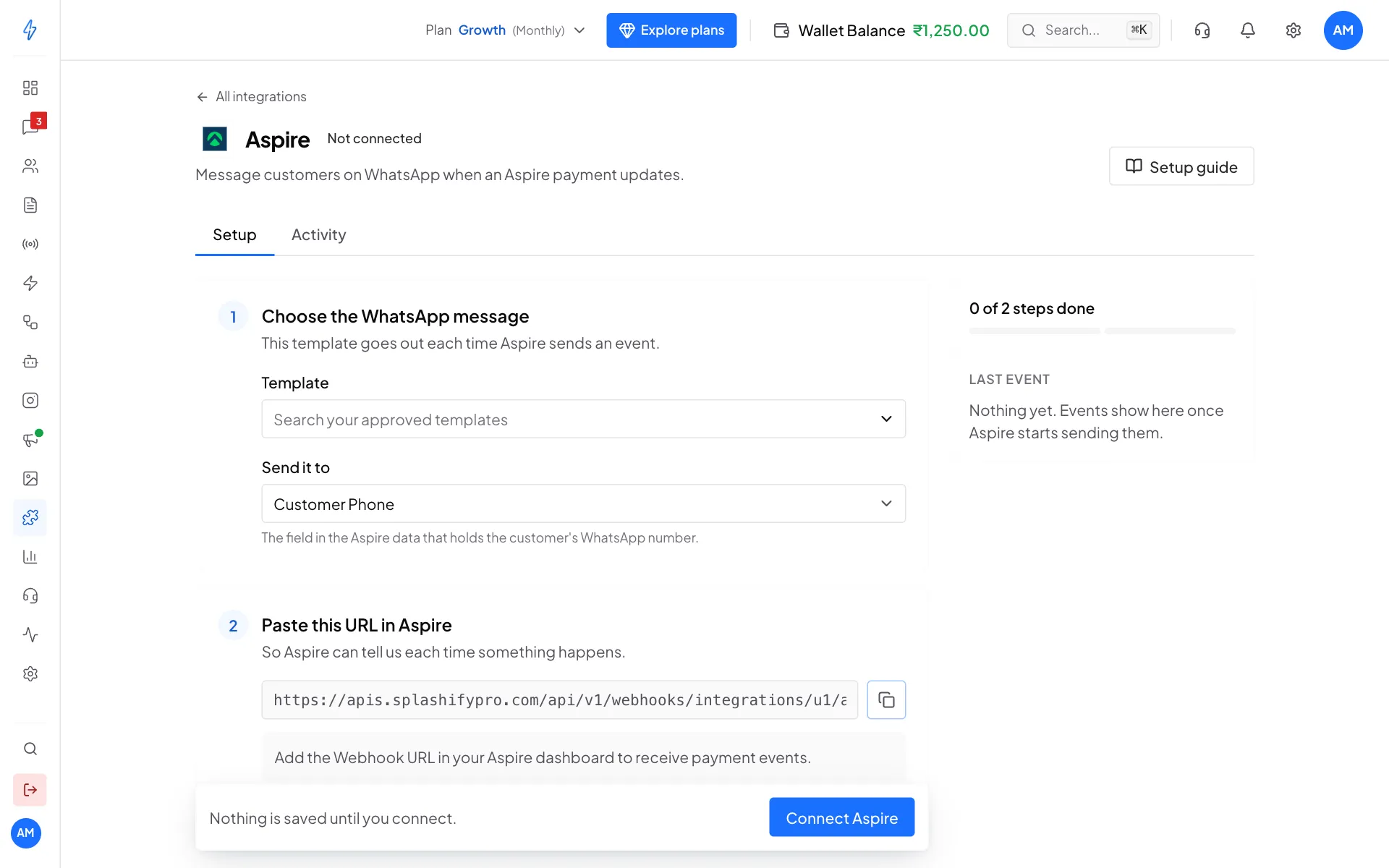
Aspire needs no keys: pick the message, then copy the URL Choose the WhatsApp message
Under Choose the WhatsApp message, pick a Template. Leave Send it to on Customer Phone. Under Fill the variables, choose what fills each blank, for example Customer Name, Amount and Payment ID.
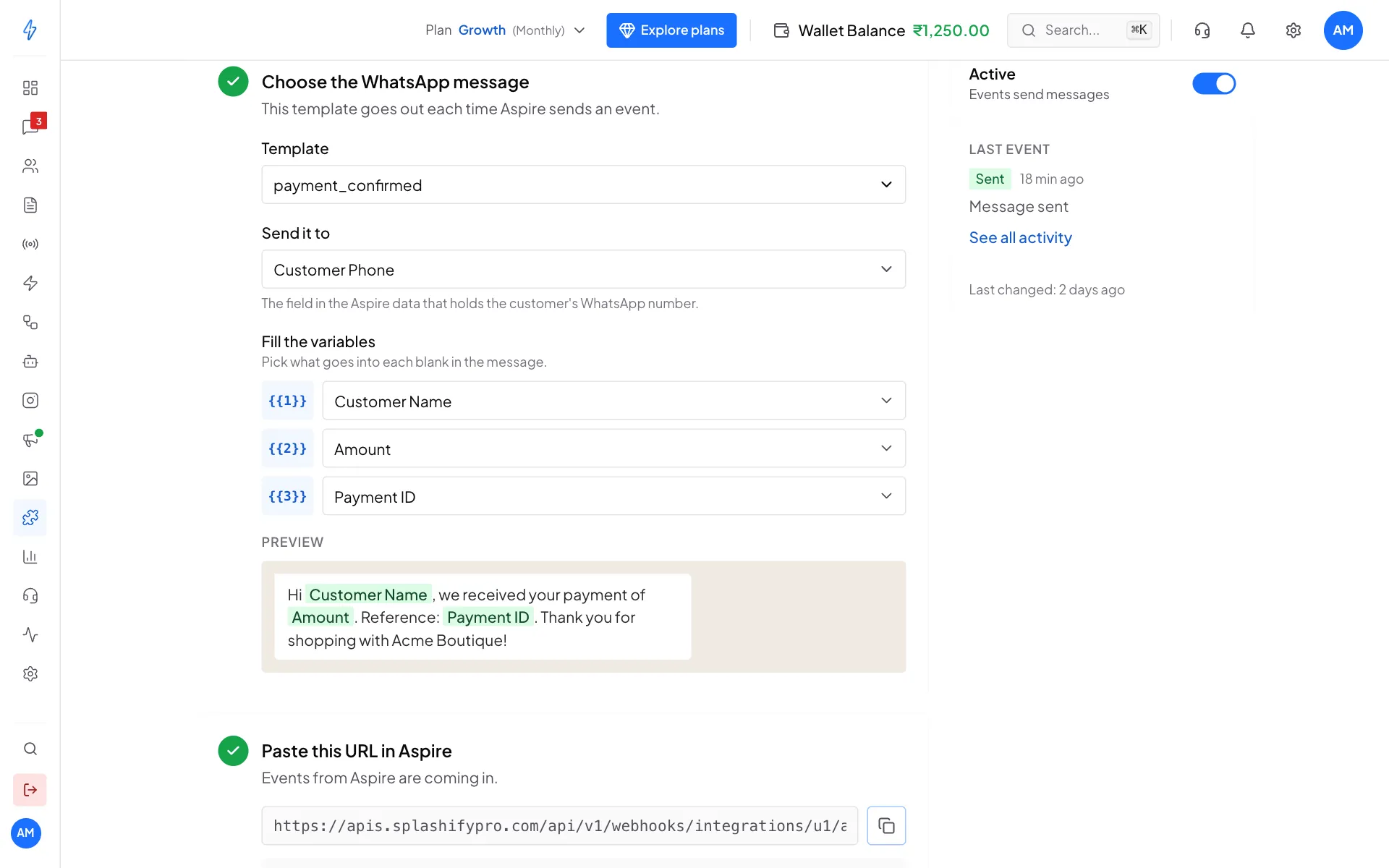
The message every successful Aspire payment sends Click Connect Aspire
Click Connect Aspire in the bar at the bottom. You will see Aspire is connected.
Add the webhook in Aspire
Under Paste this URL in Aspire, click the copy button. In your Aspire dashboard, add the URL as a webhook for incoming payments.
Check that it works
After the next payment, open the Activity tab on the Aspire page. You should see Sent, Message sent.
Successful payments only
If Aspire sends a failed, cancelled or expired payment, no message goes out. Activity shows it as Skipped, Failed or cancelled payment. The message is only sent for successful ones.
Check where the phone number is
Open the Activity tab and click the first event. What Aspire sent shows the exact data. If the customer's number is not where Send it to looks, use a Generic webhook instead, where you can pick any field from the event.
The ₹ button in chats (for accounts in India) sends payment links through Razorpay, Cashfree, PayU or Zoho Payments. It does not use Aspire.
Change, pause or disconnect
- Change the message: make your change, then click Save changes at the bottom.
- Pause: switch Active off on the right.
- Disconnect: click the ⋮ button at the top right, then Disconnect, and confirm.
Anyone who finds your Aspire webhook URL could send events to it, because Aspire events are not signed. Keep the URL private.