
Troubleshooting
When a tool sends an event but no WhatsApp message goes out, the Activity tab on that tool's page tells you exactly why. This page shows where to look and what each result means.
Find out what happened
Open the tool's page
In the left sidebar, click Integrations. Under Connected, click the tool, for example WooCommerce.
Open the Activity tab
Click Activity. Every event the tool sent is listed, newest first, with the result on the left. Click Not sent to see only the events that did not send a message. Click the refresh button on the right to load new events.
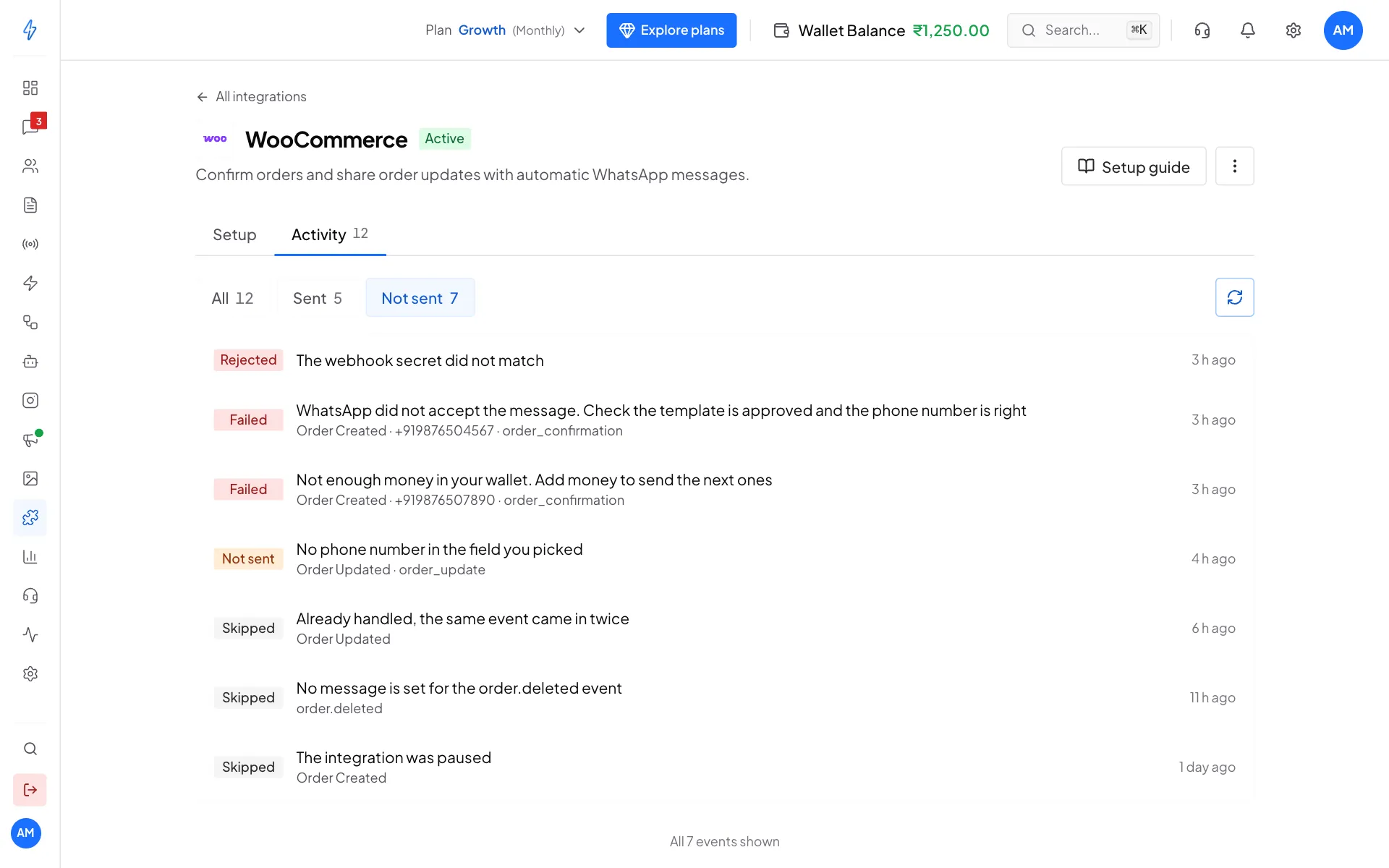
Not sent shows only the events that need a look Open the event
Click an event. Event details shows the result, the event, the number it went to, the template and the time. Below, What WooCommerce sent (with the tool's name) shows the exact data the tool sent. Click Copy to copy it.
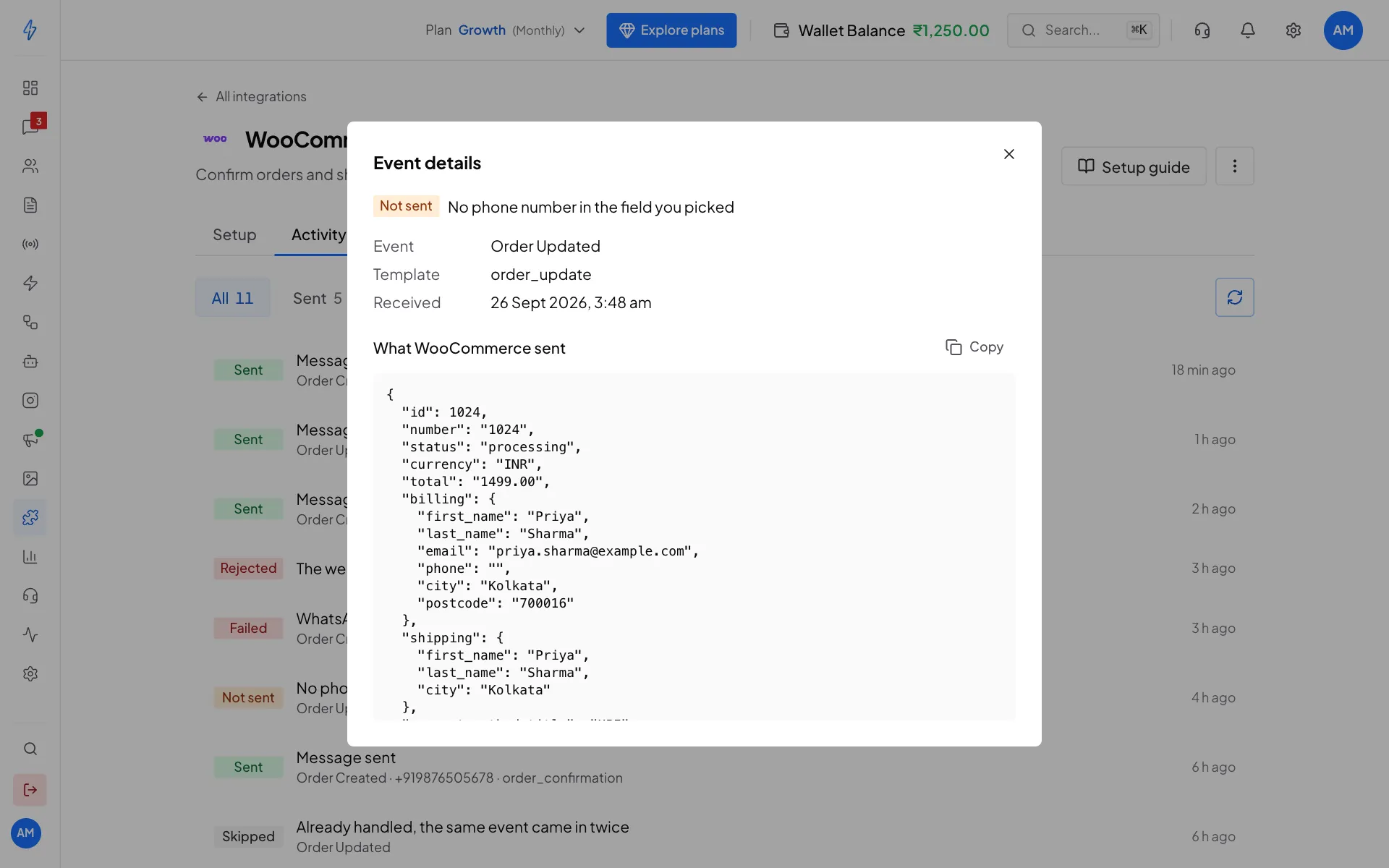
The data the tool sent: here the billing phone is empty This is the quickest way to see where the customer's phone number really is, and which fields you can use.
What each result means
Which tools check the secret
The tools below sign their events, so we can tell a real event from a fake one. Save the secret in our app and in the tool, and anything without the right signature is rejected.
For these tools, an event that arrives before you save the secret still sends, but its Event details say This event was not verified. Add the secret to lock it down. The other tools do not sign their events, so keep their URL private.
Nothing shows up in Activity
- Check the URL. Copy it again from the tool's page and paste it without changes. It ends with the tool's name, for example
/razorpay. - Check the tool's own log. Most tools show whether their webhook call worked and what answer they got.
- Your site must be public. A shop running on your own computer or a private network cannot reach us.
- Nothing in between may block it. A firewall or proxy in front of your site must let the request out with its headers.
A shopper who paid still got a cart reminder
The reminder is dropped only when Shopify tells us the order was paid. Add the Order payment webhook in Shopify with the same URL. See Shopify.
A customer got the same message twice
We skip exact repeats of the same event. If a customer still gets two messages, the tool is probably sending two different events, for example:
- two webhooks in the tool pointing to the same URL (such as two WooCommerce webhooks with the same topic),
- the same event sent through two integrations (for example Zapier and a generic webhook),
- Order Updated firing for each small change to an order.
Generic webhooks
A generic webhook has its own Activity tab with Ran, Skipped, Failed and Sample. See Generic Webhook.
Still stuck?
In the left sidebar, click Support and raise a ticket. Tell us the tool, the time of the event, and paste what you copied from Event details. See Support tickets.