
Google Sheets (older setup)
Connecting for the first time? Use Google Sheets (Connect with Google) instead.
Send a WhatsApp message from a Google Sheet: add a row with the customer's number, tick a box, and they get your template. Handy for bookings, reminders or orders you already track in a sheet.
Before you start
- A Google Sheet with one row per customer and the WhatsApp number (with the country code, for example
919876501234) in its own column. - An approved WhatsApp template for the message. See Create a WhatsApp template. Most templates are approved within 24 hours.
- Google Sheets cannot call a URL on its own. Use a short Google Apps Script (free, below) or an automation tool such as Zapier, Make or Pabbly Connect.
Set up Google Sheets
Open Google Sheets in the app
In the left sidebar, click Integrations. Under Automation, find Google Sheets and click Connect.
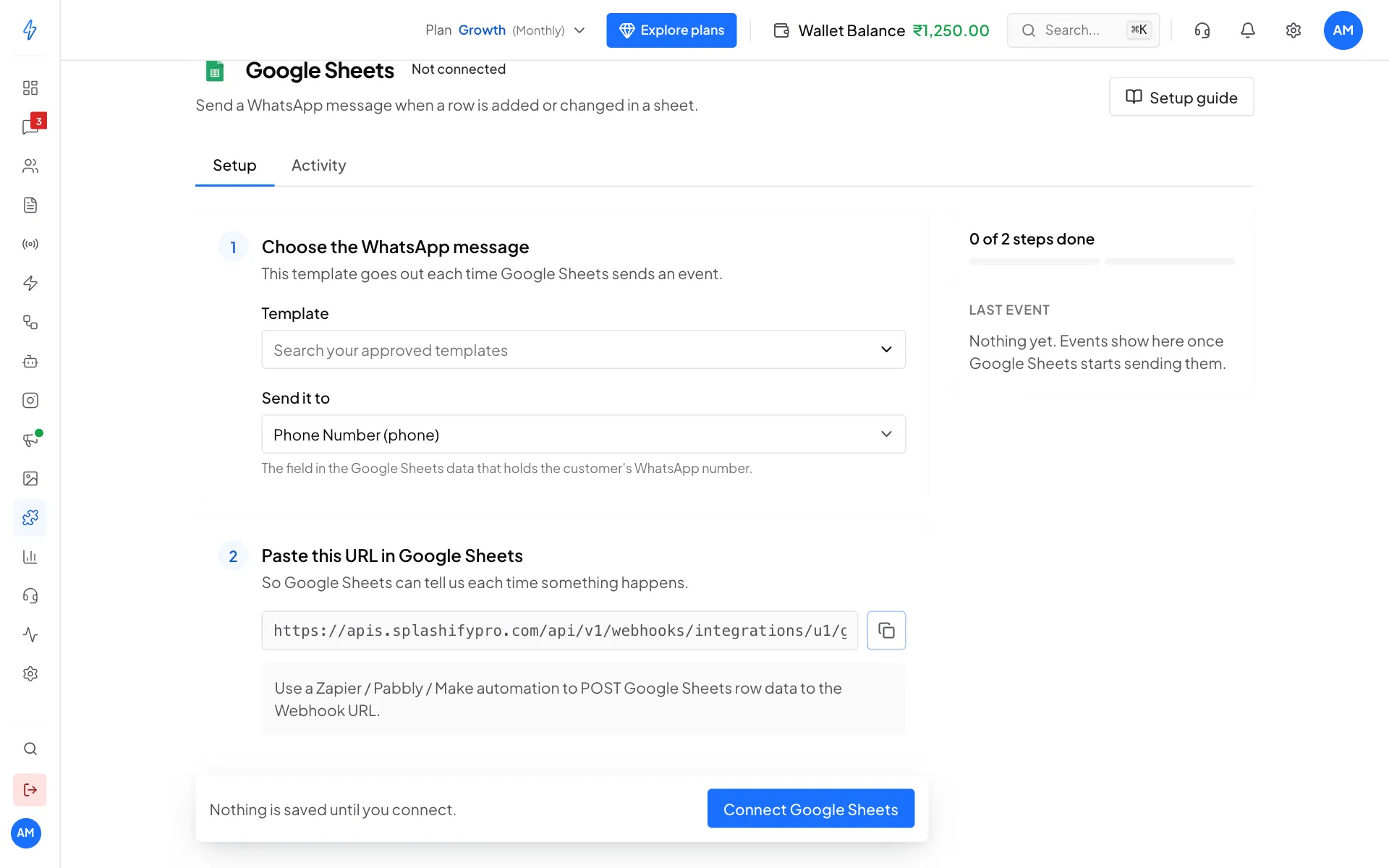
Pick the message, then copy the URL Choose the WhatsApp message
Under Choose the WhatsApp message, pick a Template. Leave Send it to on Phone Number (phone). Under Fill the variables, pick Name or Column 1 Value to Column 5 Value for each blank.
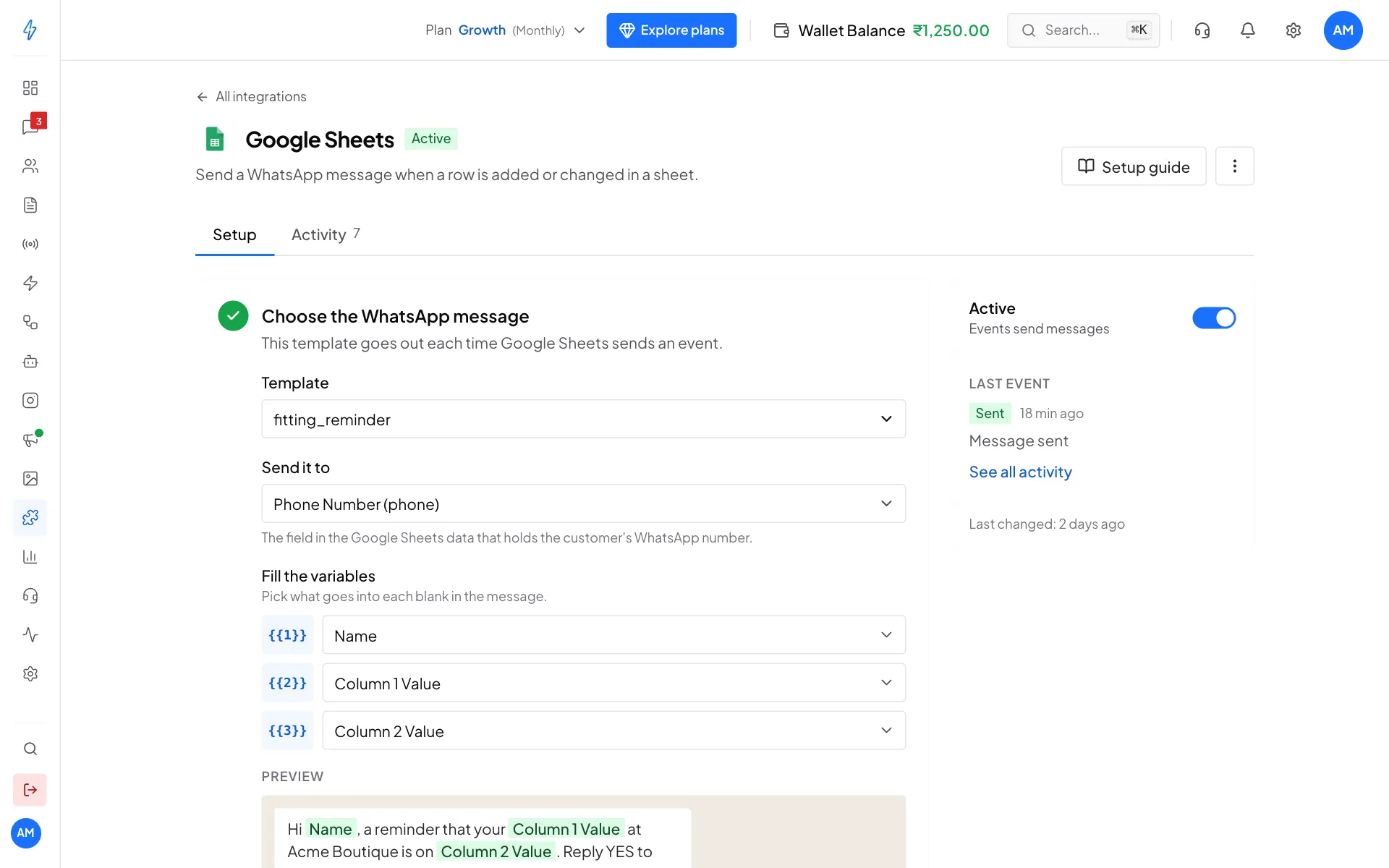
Name and Column 1 to 5 come from your sheet Click Connect Google Sheets
Click Connect Google Sheets in the bar at the bottom, then click the copy button under Paste this URL in Google Sheets.
Add the script to your sheet
Lay out your sheet like this, with a header in row 1:
In the sheet, open Extensions, then Apps Script, delete what is there, and paste this. Put your URL on the first line:
textconst WEBHOOK_URL = 'PASTE_THE_URL_HERE'; const SEND_COLUMN = 6; // column F holds the tick box function sendRowToWhatsApp(e) { const cell = e.range; if (cell.getColumn() !== SEND_COLUMN || cell.getRow() === 1) return; if (cell.getValue() !== true) return; const row = cell.getSheet().getRange(cell.getRow(), 1, 1, 5).getValues()[0]; UrlFetchApp.fetch(WEBHOOK_URL, { method: 'post', contentType: 'application/json', payload: JSON.stringify({ phone: String(row[0]), name: String(row[1]), field_1: String(row[2]), field_2: String(row[3]), field_3: String(row[4]), }), }); }Click Save.
Turn the script on
In Apps Script, click Triggers (the clock icon) and Add Trigger. Choose the function sendRowToWhatsApp, event source From spreadsheet, event type On edit, and click Save. Google asks you to allow access the first time. Allow it.
Check that it works
Add a row with your own number and tick the box in column F. On the Google Sheets page in our app, open the Activity tab. You should see Sent, Message sent.
Why a tick box
The script sends a row only when you tick its box, so fixing a typo in a row does not send the message again. To send a row again, untick and tick the box.
Using Zapier, Make or Pabbly instead
If you already use an automation tool, you can skip the script. Use the tool's Google Sheets trigger (for example New spreadsheet row) and send a POST request to the URL from our Google Sheets page, with the values named phone, name and field_1 to field_5. The Zapier guide shows the same steps.
Good to know
- The same data sent twice within a minute sends only once. It shows in Activity as Skipped, Already handled.
- Google limits how many web calls a script can make each day. To message a big list at once, send a broadcast instead.
Change, pause or disconnect
- Change the message: make your change, then click Save changes at the bottom.
- Pause: switch Active off on the right.
- Disconnect: click the ⋮ button at the top right, then Disconnect, and confirm. Also delete the trigger in Apps Script.
More fixes are in Troubleshooting.