
Freshworks CRM
Connect Freshworks CRM (Freshsales) and contacts get a WhatsApp message when they are added or change, for example a welcome for every new contact.
Before you start
- A Freshworks CRM plan with workflows, and admin access.
- An approved WhatsApp template for the message. See Create a WhatsApp template. Most templates are approved within 24 hours.
- A mobile number (with the country code) on your contacts.
No keys are needed. A Freshworks workflow only has to send the contact's details to the URL on the Freshworks CRM page.
Connect Freshworks CRM
Open Freshworks CRM in the app
In the left sidebar, click Integrations. Under CRM, find Freshworks CRM and click Connect. The page has two steps: the message, and the URL to paste into Freshworks CRM.
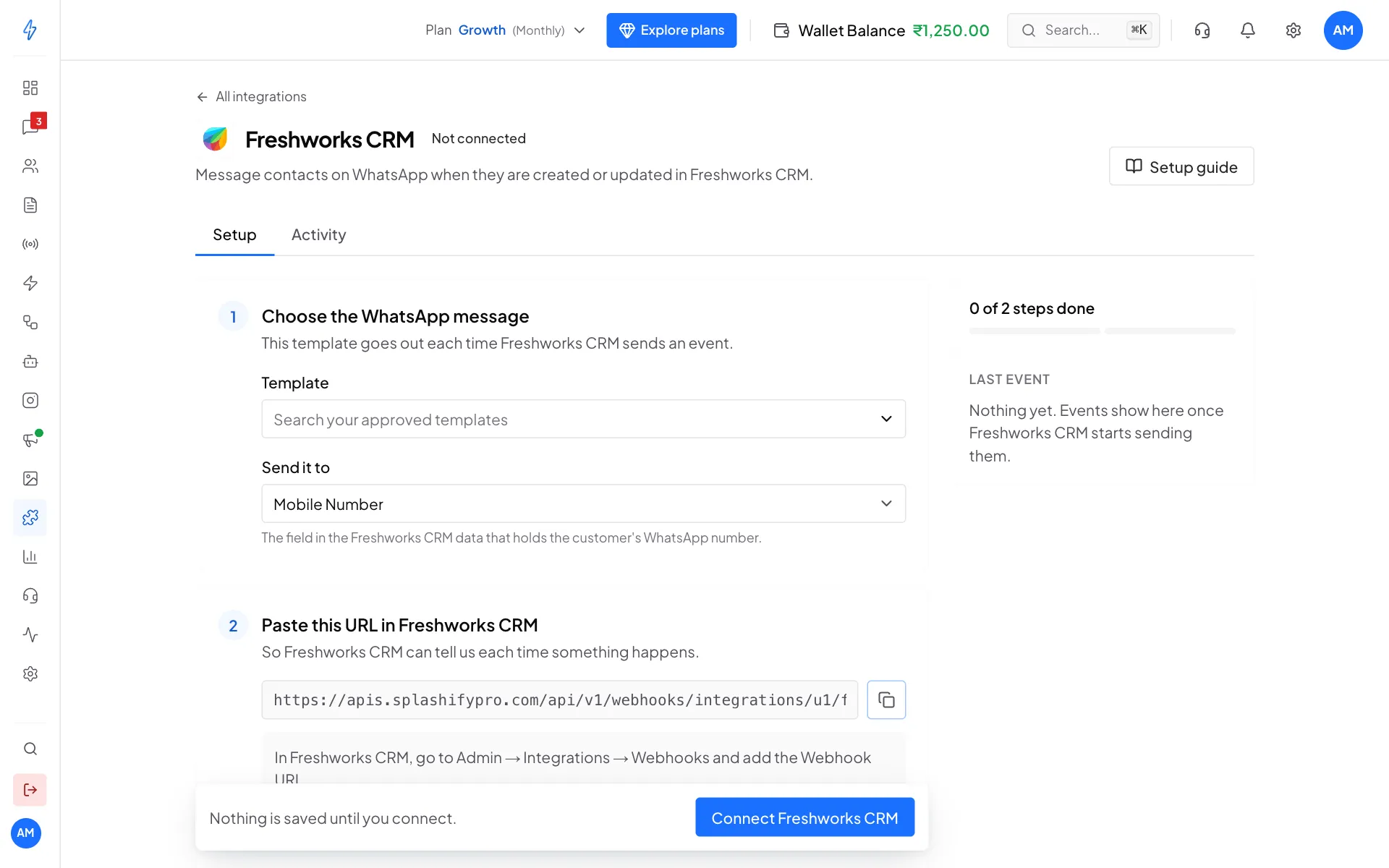
Freshworks CRM needs no keys: pick the message, then copy the URL Choose the WhatsApp message
Under Choose the WhatsApp message, pick a Template. Leave Send it to on Mobile Number. Under Fill the variables, choose what fills each blank, for example First Name.
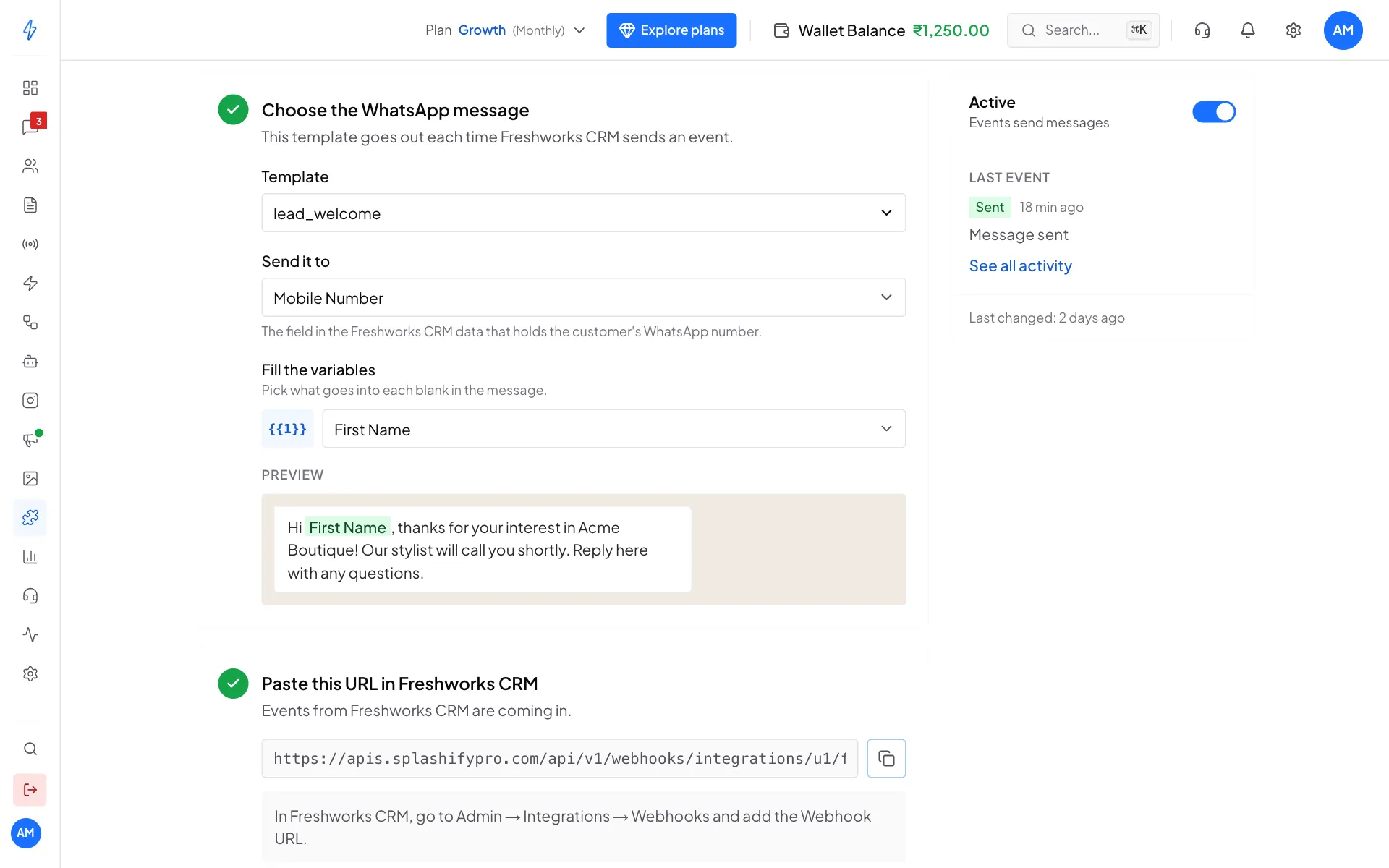
The message the contact gets Click Connect Freshworks CRM
Click Connect Freshworks CRM in the bar at the bottom, then copy the URL under Paste this URL in Freshworks CRM.
Add a workflow in Freshworks CRM
In Freshworks CRM, open Admin Settings, then Workflows, and create a workflow for Contacts that runs when a contact is created (or updated). Add the action Trigger Webhook:
- Request type: POST
- Callback URL: paste the URL you copied.
- Encoding: JSON
- Content: Advanced, with a flat body like this (insert each value with the placeholder picker):
json{ "mobile_number": "(the contact's mobile)", "first_name": "(the contact's first name)", "last_name": "(the contact's last name)", "email": "(the contact's email)", "company_name": "(the contact's company)" }Save and turn the workflow on.
Check that it works
Add a test contact with your own mobile number. On the Freshworks CRM page in our app, open the Activity tab. You should see Sent, Message sent.
Keep the body flat
Write each value as its own simple line, as above. Lists, such as a contact's several phone numbers, cannot be read. Send the main mobile number as mobile_number.
What you can put in the message
First Name, Last Name, Email, Company, Deal Stage (send it as deal_stage) and Mobile Number.
Change, pause or disconnect
- Change the message: make your change, then click Save changes at the bottom.
- Pause: switch Active off on the right.
- Disconnect: click the ⋮ button at the top right, then Disconnect, and confirm. Also turn off the workflow in Freshworks CRM.
More fixes are in Troubleshooting.