
Permissions
Your app declares the permissions it may ask for when you register it. The authorize link then asks for some or all of them, and the customer sees each one in plain words. A token can call only the endpoints its permissions open, and nothing else.
- Ask only for what your app needs. Customers see the full list before they click Allow.
- Permissions match exactly:
whatsapp.contacts:writedoes not includewhatsapp.contacts:read. account:readis always included.- A request that mixes WhatsApp and Email permissions is refused with
invalid_scope. One app works with one platform.
WhatsApp permissions
Email permissions
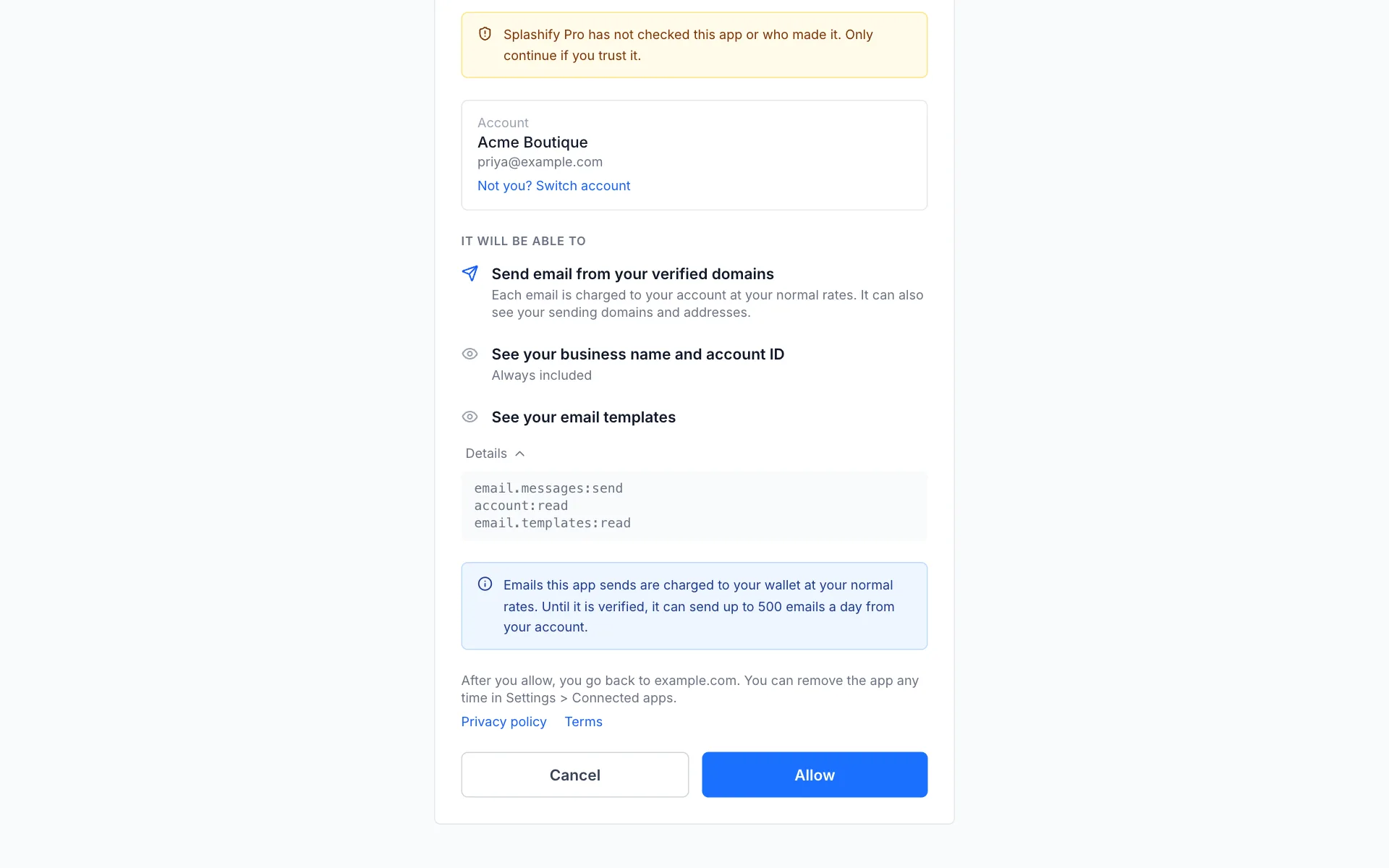
Restricted permissions and the verified badge
Restricted permissions work only while your app is verified:
- The consent screen does not let a customer allow a restricted permission for an app that is not verified.
- If a verified app loses its badge (see App review), restricted permissions pause at once: new tokens leave them out and calls that need them get
403 insufficient_scope. They come back as soon as we verify the app again: the next token you get from a refresh carries them. Nothing needs to be allowed again.
Asking for more later
Send the user to the authorize page again with the larger scope. The consent screen shows the new permissions and lists the old ones as already allowed. After Allow, every token of that connection carries the full set.