
Connect WhatsApp (WABA)
Link your business WhatsApp number to Splashify Pro through a secure Meta window. You never share your Facebook password with us, and it takes about 10 minutes.
WABA means WhatsApp Business Account. It is the account on Meta that holds your business WhatsApp number. The Meta window creates one for you if you do not have one yet.
Connect your number
Open your dashboard
Click Dashboard at the top of the left sidebar. Scroll to Setup FREE WhatsApp Business Account. The first step, Apply for WhatsApp Business API, is open.
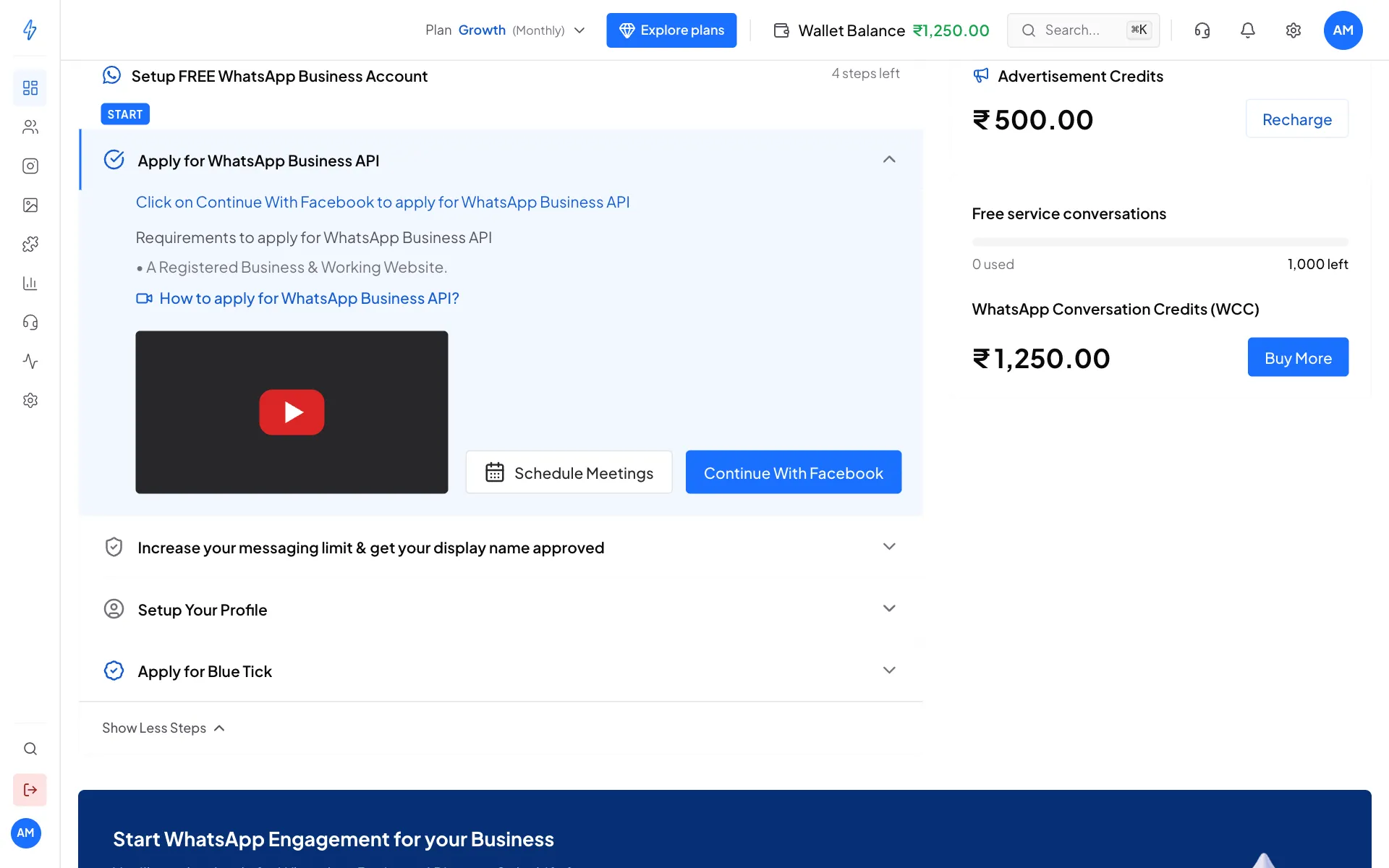
Click Continue With Facebook Click Continue With Facebook
Click the blue Continue With Facebook button. The button Apply for WhatsApp Business API (FREE) in the dark banner lower down does the same thing.
Say whether Meta has verified your business
A box asks Is your business already verified by Meta? Not sure? The left side shows where to look: open Meta Business Settings, go to Business info, and read Business Verification Status.
- If it says Verified, click Yes, Already Verified.
- Anything else, or you do not know, click No, Not Verified Yet.
Some accounts are not asked this. If the Meta window opens straight away, go on to the next step.
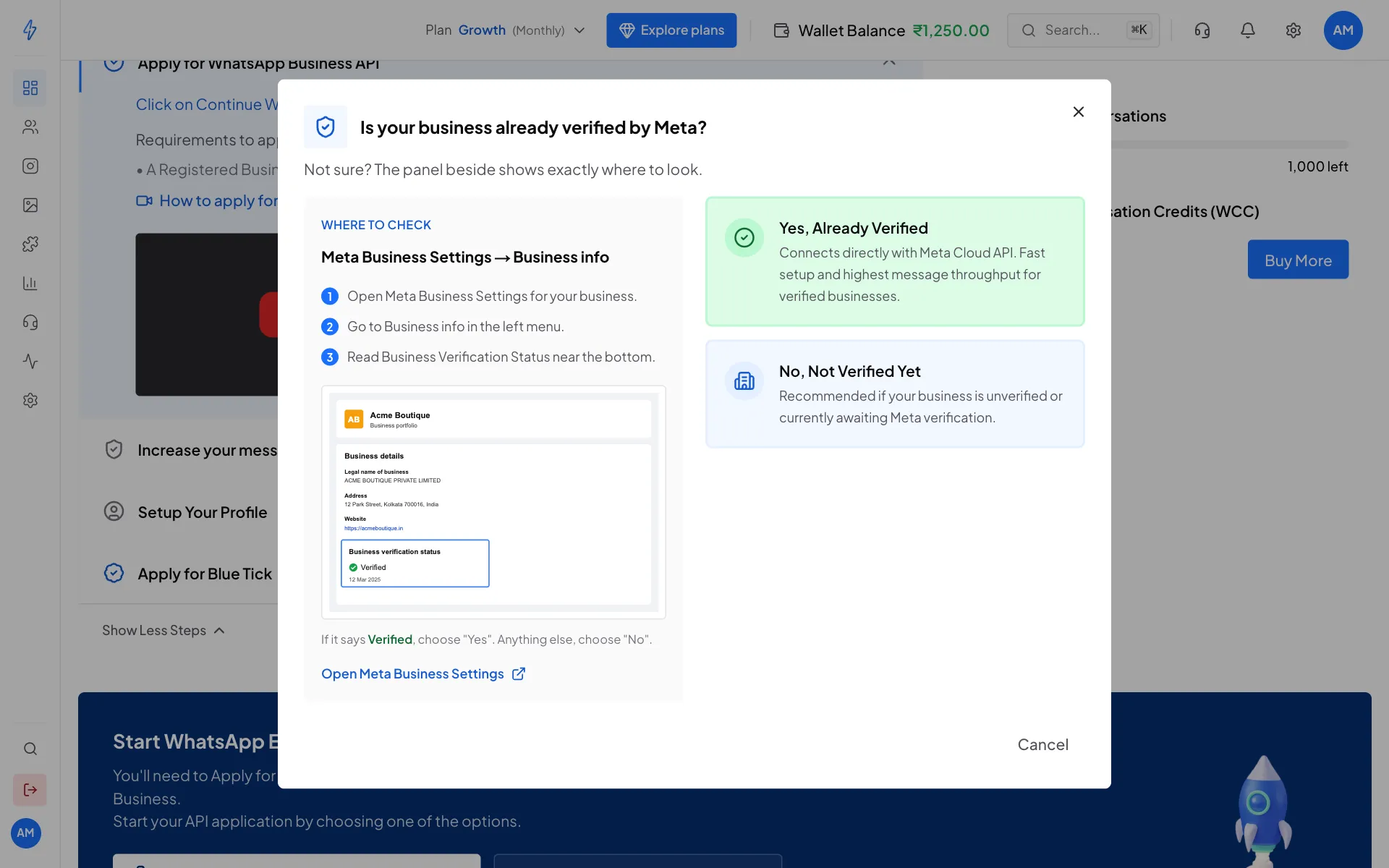
Pick Yes only if Meta shows Verified Follow the Meta window
A Meta window opens on top of the app. Follow its screens (see Inside the Meta window below). Keep the app open while you do this.
Wait a few seconds
When the Meta window closes, the app finishes the connection on its own. This usually takes 10 to 30 seconds. You will see the message WhatsApp Business API setup completed successfully! Your account is now connected.
Check your WhatsApp status
The dashboard now shows WhatsApp Status with LIVE, your Quality Rating and your Remaining Quota. Your number and business name show on the right.
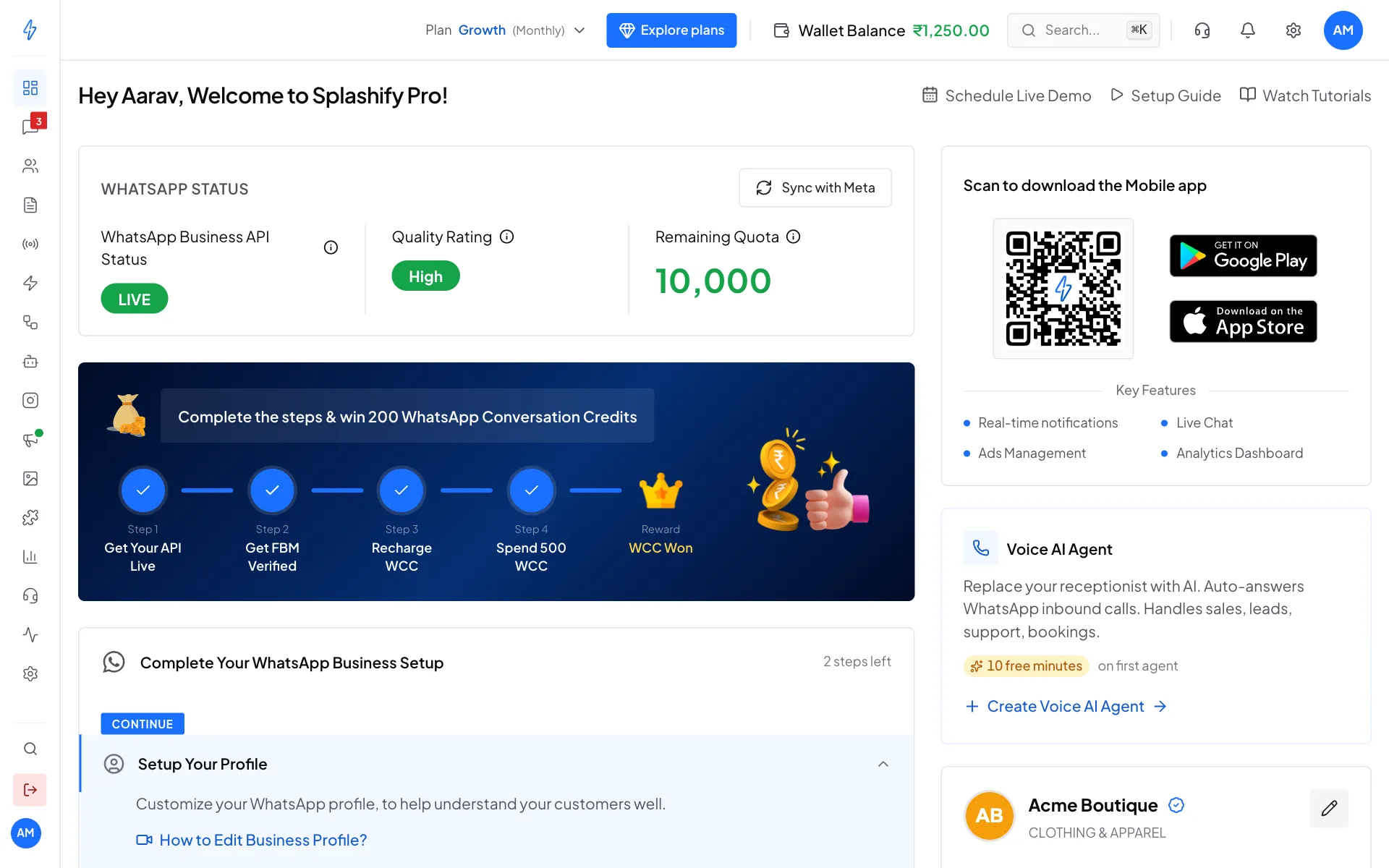
Connected. Your number is LIVE.
Inside the Meta window
We cannot show pictures of this part, because it is Meta's own window. The screens usually go like this. Meta changes the wording now and then, so it may look a little different.
Log in to Facebook
Log in with the Facebook account that manages your business, then click Get started or Continue.
Pick your business
Choose your business portfolio (your business on Meta), or create one with your business name, website and country.
Pick or create the WhatsApp Business Account
Choose an existing WhatsApp Business Account, or create a new one.
Set your WhatsApp profile
Type your display name (the name customers see on WhatsApp), and pick your business category.
Add your phone number
Type the number with the country code. If Meta offers to connect your WhatsApp Business app number, you can choose that and keep using the app.
Enter the code
Choose Text message or Phone call, then type the 6-digit code Meta sends to that number.
Finish
Check the permissions and click Finish (or Confirm). The window closes and you are back in Splashify Pro.
Moving from another WhatsApp provider?
In the dark banner at the bottom of the dashboard, click Migrate from Another Vendor. Check the list it shows first: your display name is approved, two-step verification (the WhatsApp PIN) is turned off at your old provider, and the number can receive a code. Then click Start Migration and follow the same Meta window.
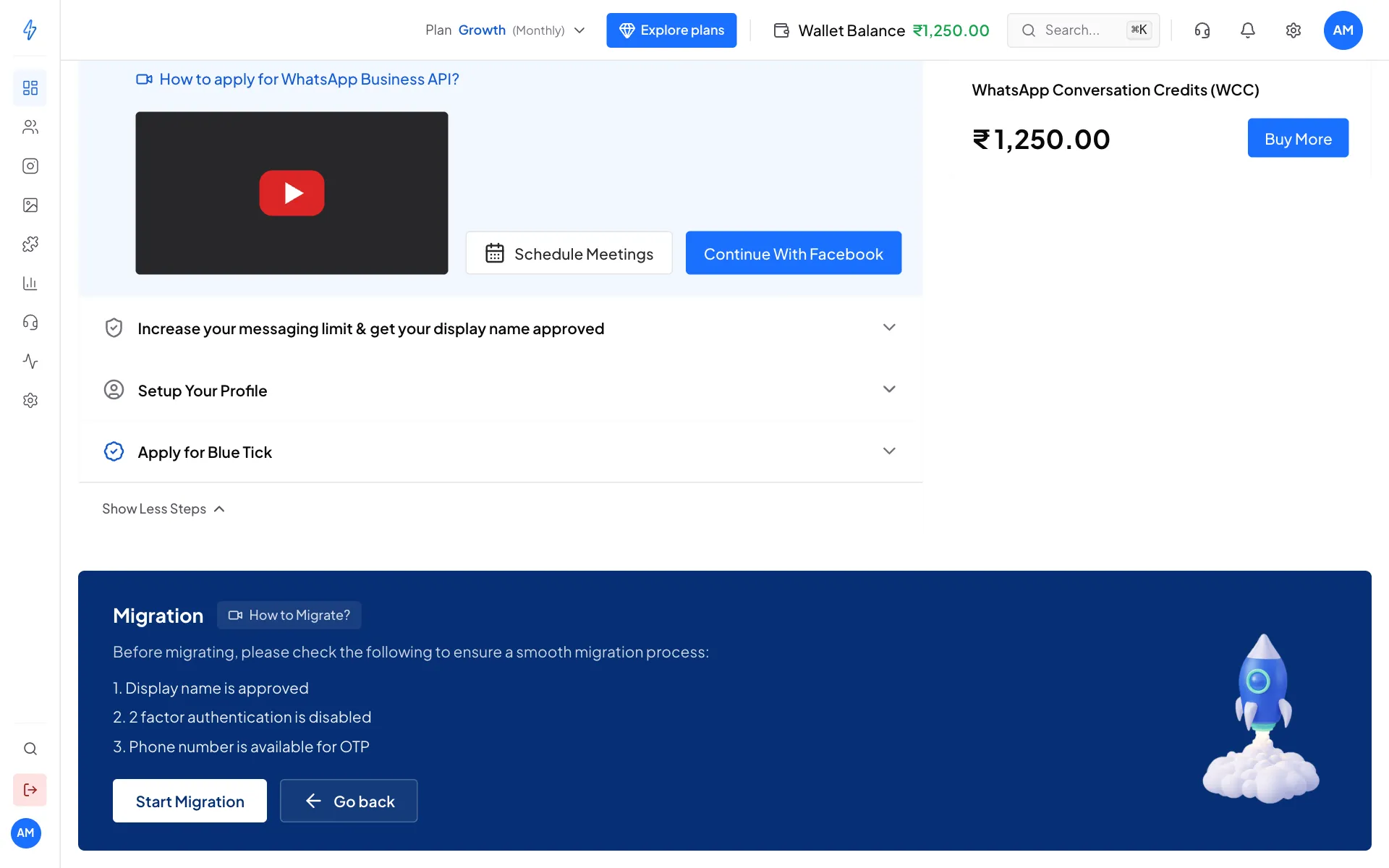
WhatsApp status on the dashboard
If something goes wrong
Next step
Register your number, then do your Business verification (KYC).