
About templates
A template is a message you write once and WhatsApp approves in advance, like an order update or a festive offer. You need one to message a customer first, to send a broadcast, or to reply after the 24-hour window has closed.
Open your templates
Click Templates
Click Templates (the page icon) in the left sidebar.
Pick the channel
Use the tabs at the top: WhatsApp, RCS or SMS. If RCS is not turned on for your account, its tab shows Approval required. RCS and SMS are for accounts in India.
Look through your templates
Each card shows the template name, its status (Active, Pending, Rejected, Paused or Disabled), its category, a preview, the language, the date and its quality. A template that cannot be sent also shows why, in one line under its name.
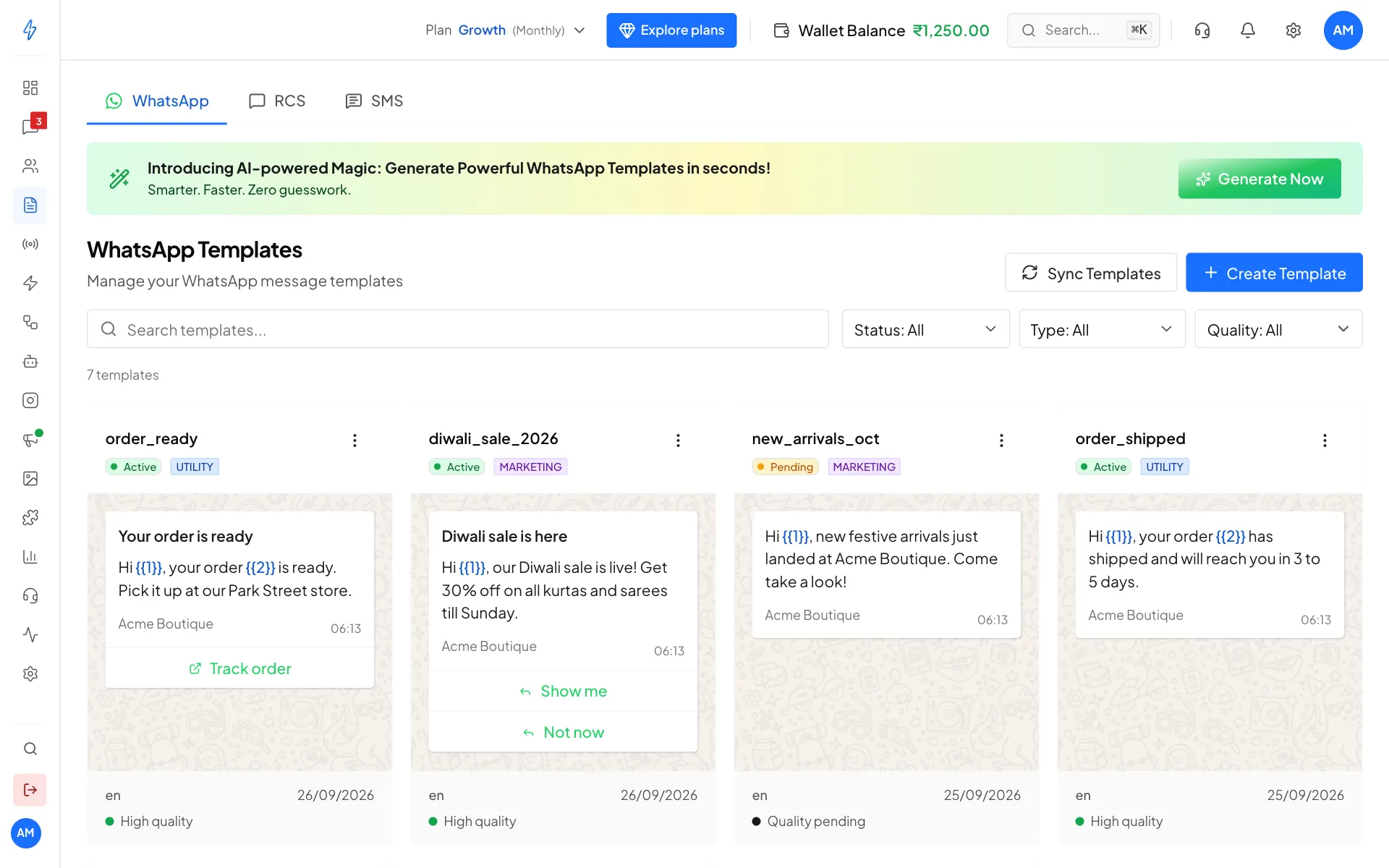
Your WhatsApp templates
Use Search templates... and the Status, Type and Quality lists to find one quickly.
Template categories
WhatsApp puts every template in one of three categories. The category decides the price of each message.
Template statuses
Only an Active template can be sent. See Paused, disabled and rejected templates for what each one means, what stops while it lasts, and how to fix it.
The quality line at the bottom of a card shows how customers react to the template: High quality, Medium quality, Low quality, or Quality pending for a new one.
Create a template
Click Create Template at the top right. See Create a WhatsApp template for every step. For RCS templates, see RCS templates. For SMS, see SMS templates.
Bring in templates made elsewhere
If you made templates in Meta's own tools, click Sync Templates. Your templates and their latest status come in, and you see a message like Synced 7 templates!
View, copy, refresh or delete a template
Open the menu
Click the three dots at the top right of a template card.
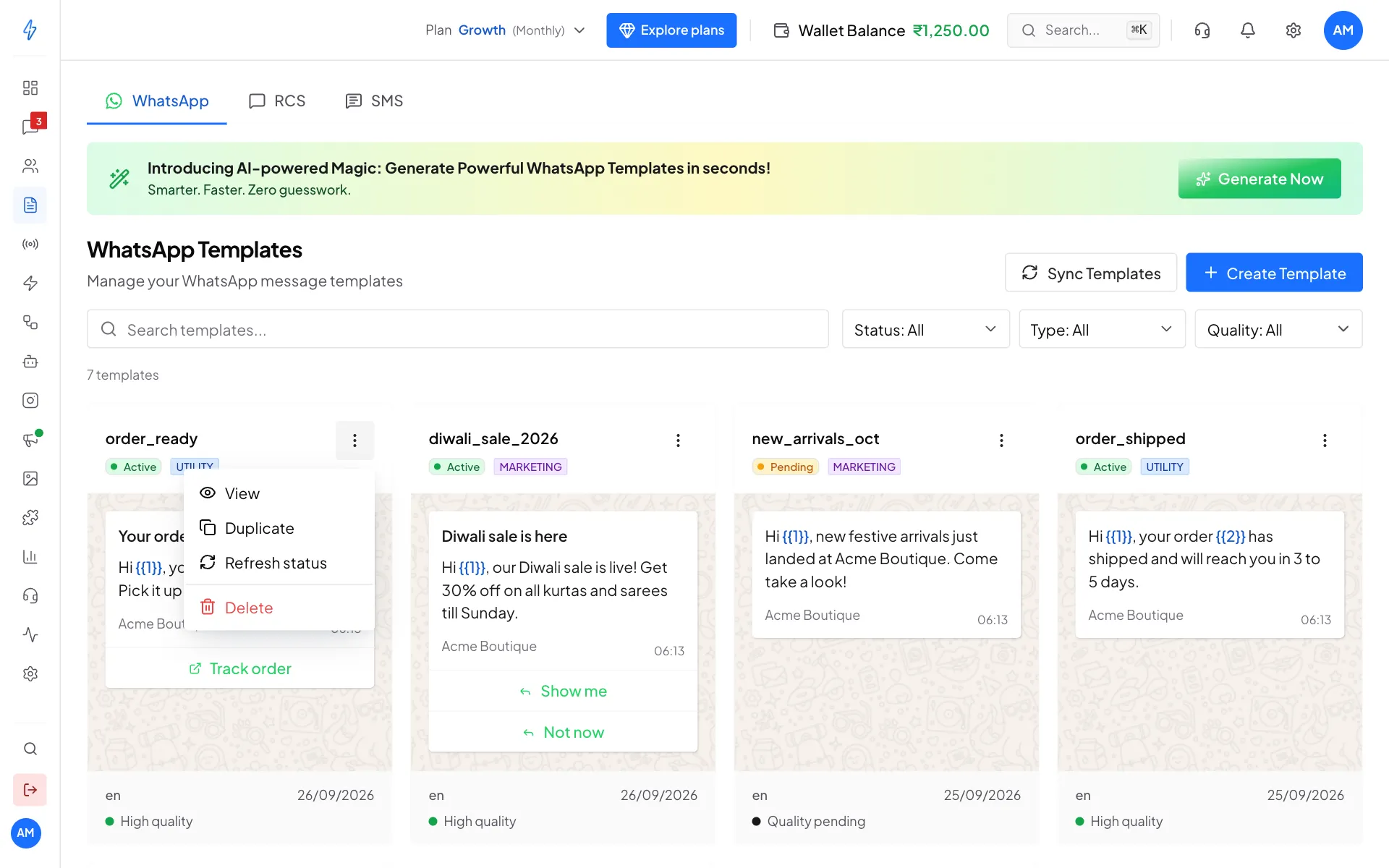
Everything you can do with one template Pick what to do
- View opens a larger preview with the status, category, language and quality.
- Duplicate opens a copy with every field filled in. Give it a new name and submit it.
- Send a test sends the template to your own number before you use it. It is on Active templates. See Send a test to your number.
- Edit and resubmit opens a rejected or paused template so you can fix it and send it for review again. See Edit and resubmit.
- Refresh status checks WhatsApp for the latest status of this one template.
- Delete removes it.
Delete a template
Click Delete in the menu. The box shows the template and warns you before you go ahead.
Each language of a template is its own card. Deleting one deletes only that language. The other languages of the same name stay and keep working.
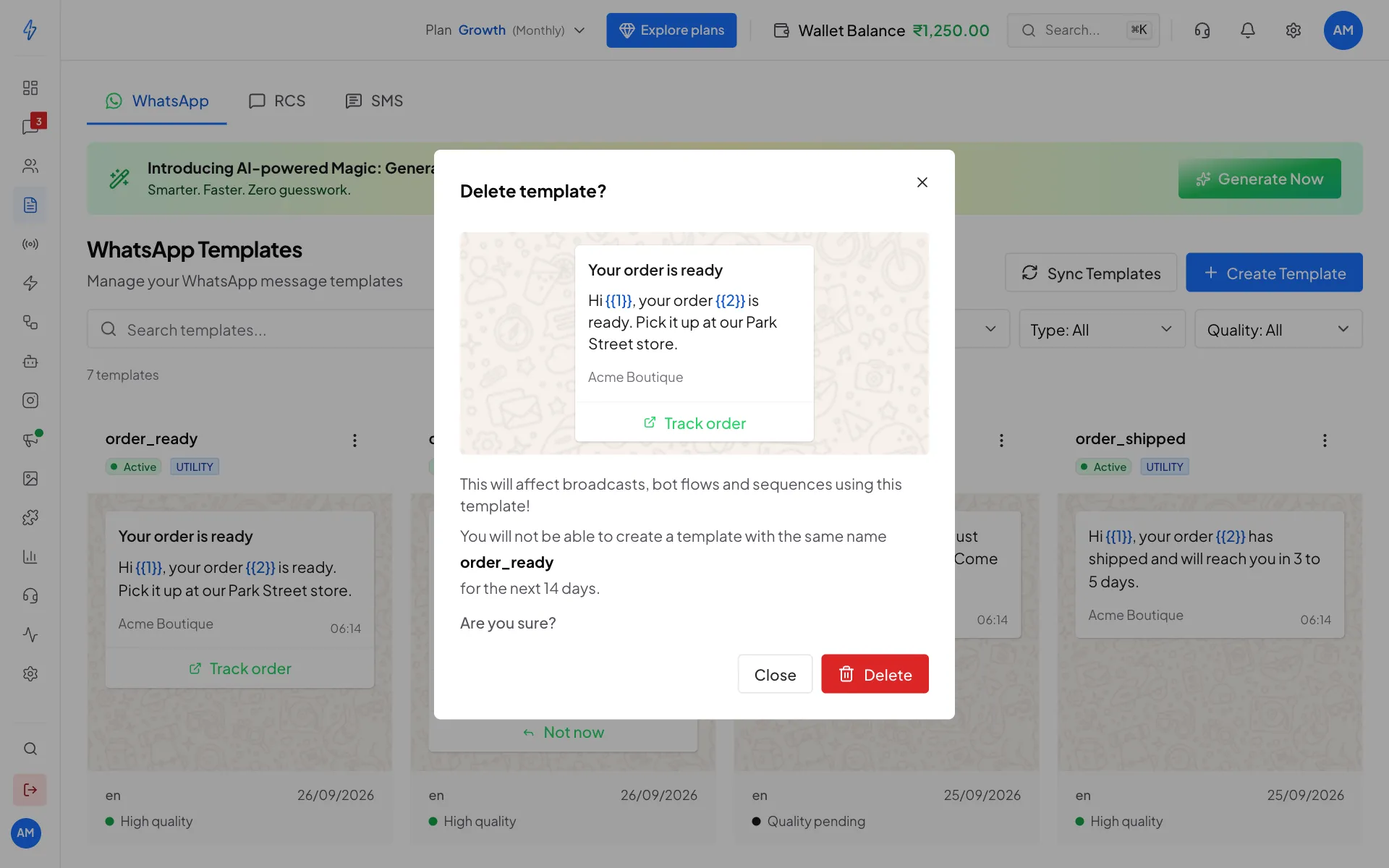
Deleting cannot be undone
The template is deleted from WhatsApp too. Broadcasts, chatbot flows and drip sequences that use it stop working, and you cannot make a new template with the same name for 30 days.
Delete several templates at once
Only the account owner can delete several templates in one go. Team members do not see the Select button.
Click Select
On the WhatsApp tab, click Select above the template cards. Every card gets a tick box.
Tick the templates
Click a card to tick it. Select all ticks every template that matches your search and filters, including the ones further down the page. Clear unticks them all. Cancel leaves without deleting anything.
Click Delete
Click the red Delete button. A box lists the templates you ticked and asks you to confirm. Click Delete again to go ahead.
Only the templates you ticked are deleted. If a template has more than one language, the languages you did not tick stay and keep working.
When it is done you see a message like 3 templates deleted. If some could not be deleted, the box lists each one with the reason. Those stay on the page and stay ticked, so you can try again.
Every template you tick is deleted for good
Each one is deleted from WhatsApp too and cannot be brought back. Broadcasts, chatbot flows and drip sequences that use it stop working, and you cannot make a new template with the same name for 30 days.
SMS templates
For accounts in India.
The SMS tab lists the SMS templates you registered on your DLT portal. You add each one with its DLT template ID and exact text, then check it with one test SMS before you can use it. See SMS templates, and SMS to get started.