
About contacts
Contacts is your customer list. Everyone who messages you on WhatsApp is added here, and you can add or import more. Tags and custom fields help you find the right people and send them the right offers.
Open your contacts
Click Contacts in the left sidebar (the icon with two people).
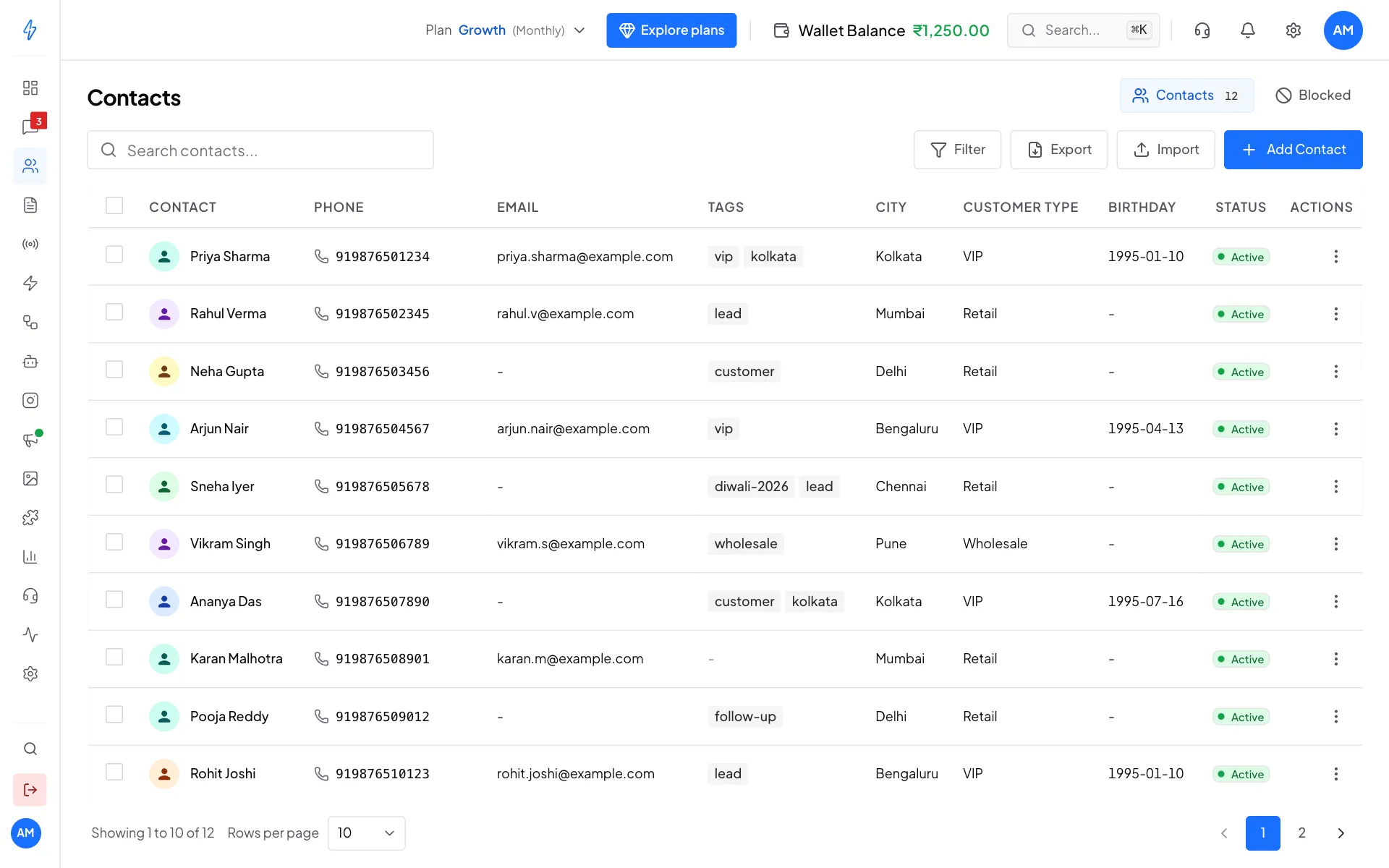
At the top of the page:
- Search contacts... finds a contact by name, phone number or email.
- Filter shows only contacts with certain tags, added between two dates, or with a custom field value.
- Export downloads your contacts as a CSV file.
- Import adds many contacts at once from a CSV file.
- Add Contact adds one contact by hand.
- Contacts and Blocked at the top right switch between your normal contacts and the ones you have blocked.
What you can do
To work on many contacts at once, tick the boxes on the left of the rows. A bar appears with Add Tags, Block, Export, Clear and Delete.
What a contact holds
The WhatsApp number of a contact cannot be changed. To use a different number, add a new contact.