
CTWA Ads (Click-to-WhatsApp)
A Click-to-WhatsApp (CTWA) ad is a Facebook or Instagram ad with a Send WhatsApp Message button. When someone taps it, a WhatsApp chat with your business opens, and the chat lands in your inbox with the ad it came from. This page explains how that works and how to see which ads bring you real customers.
How CTWA works
- The ad runs. A customer scrolling Facebook or Instagram sees your ad, for example Diwali sale: 30% off.
- The customer taps the button. WhatsApp opens a chat with your business number. If you set a welcome message, the customer sees your greeting and a ready-to-send first message.
- The chat lands in your inbox. The customer's first message arrives in Messages with a card showing the ad they tapped: its picture, headline and text.
- Your bot or team replies. A chatbot can start automatically for ad chats, or your team answers like any other chat.
- You track results. The app counts the chats each ad started, and can tell Meta which chats became real leads and purchases, so Meta finds more people like them.
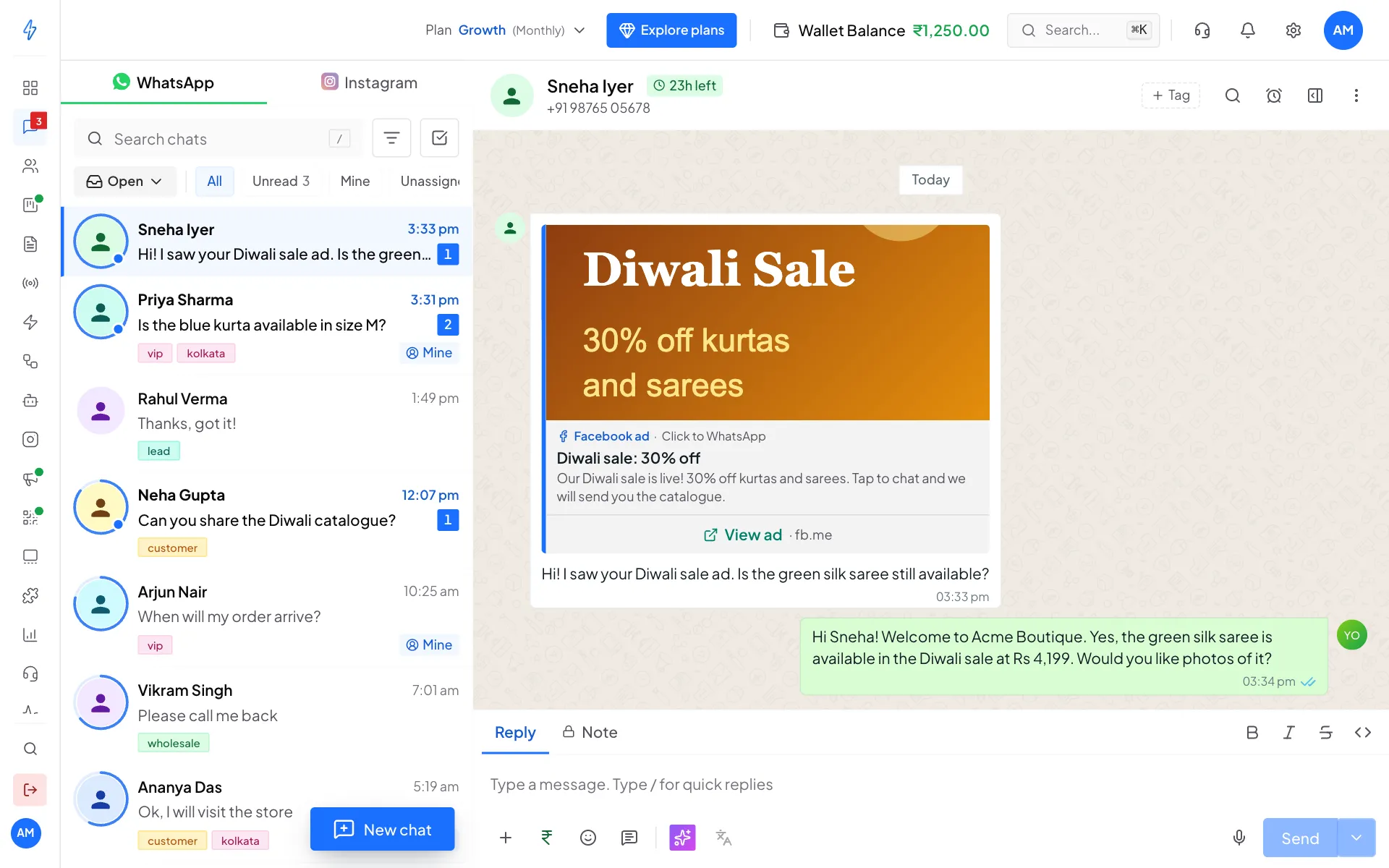
See which ad a customer came from
Open the chat and click the contact details button at the top right of the chat. Under Source, you see Came from (for example Facebook ad), the Source ID (the ad's ID) and the Source link.
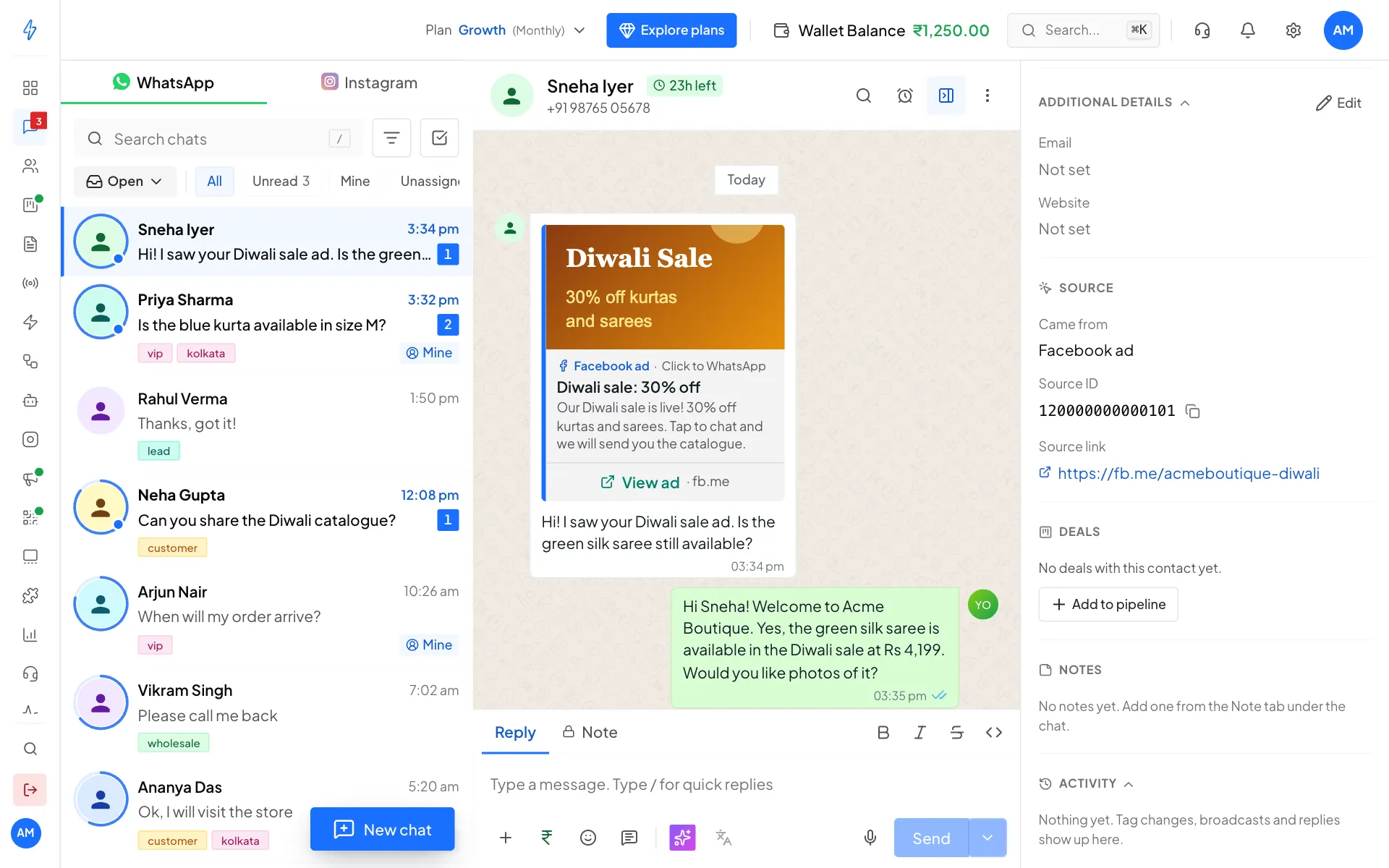
Open CTWA Ads
Open CTWA Ads
In the left sidebar, click CTWA Ads.
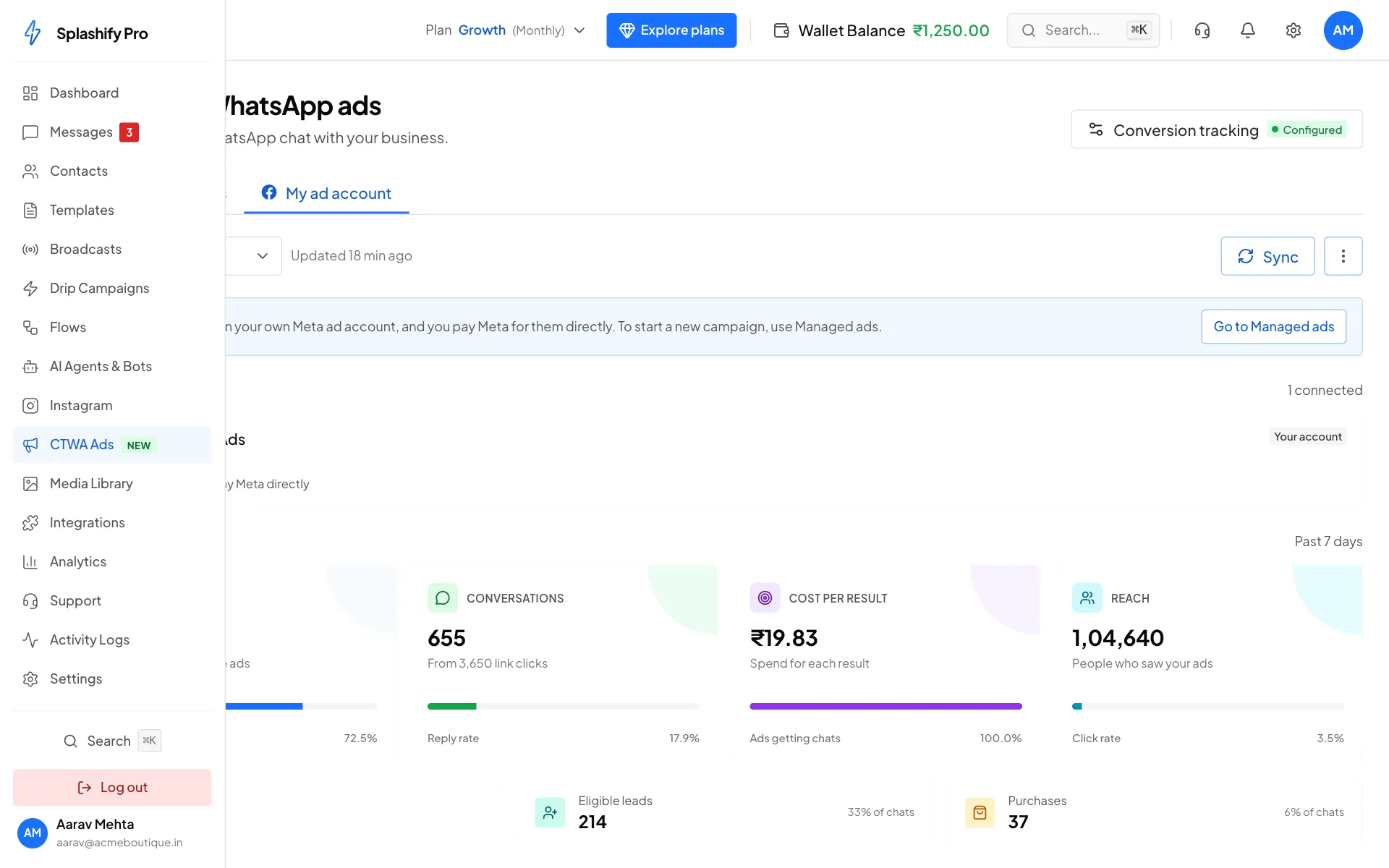
CTWA Ads sits in the left sidebar, under Instagram Pick a tab
The Click-to-WhatsApp ads page has two tabs:
- Managed ads: we build and run ads for you for a flat daily rate. This is where you create new ads. See Managed ads.
- My ad account: numbers for ads running on your own Meta ad account. You create those ads in Meta Ads Manager, and you pay Meta for them directly.
Track ads on your own Meta ad account
Connect your Meta ad account
Click the My ad account tab. The first time, click Continue with Meta, sign in with Facebook, and allow access to your ad accounts and Pages. You can remove this access any time in your Meta settings.
Pick a period
Use the date menu (Past 7 days, Past 30 days or This month). Click Sync to fetch the newest numbers from Meta.
Read the summary
Ad accounts lists the accounts the numbers come from. Summary shows:
- Ad spend: what Meta charged for these ads
- Conversations: how many WhatsApp chats the ads started, and the reply rate from link clicks
- Cost per result: spend for each chat
- Reach: how many people saw your ads
- Link clicks, Eligible leads and Purchases
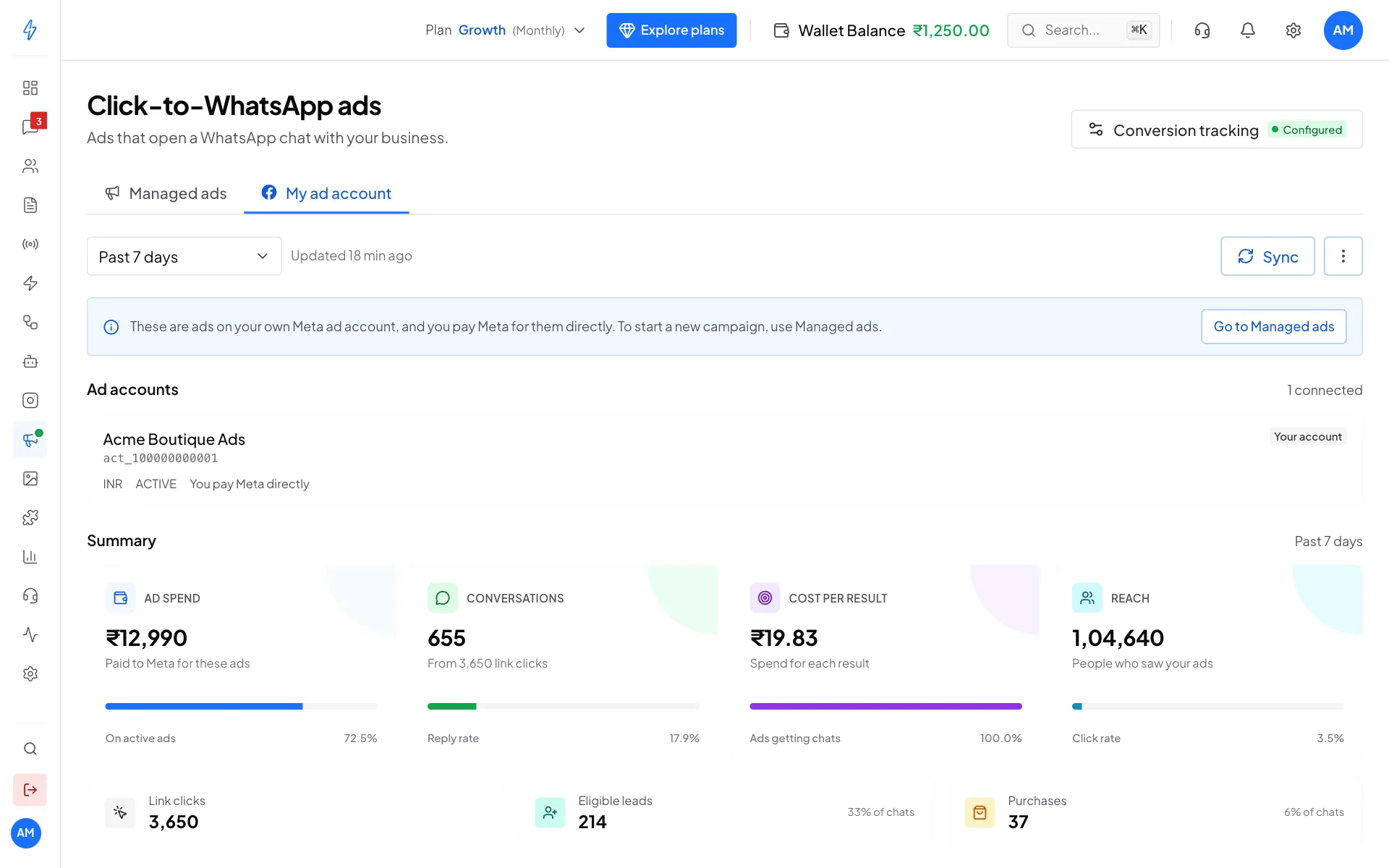
My ad account: spend, chats, cost per chat and reach Open one ad
Scroll down to Ads and click an ad to see its own numbers: impressions, cost per lead, purchases and more, next to a preview of the ad.
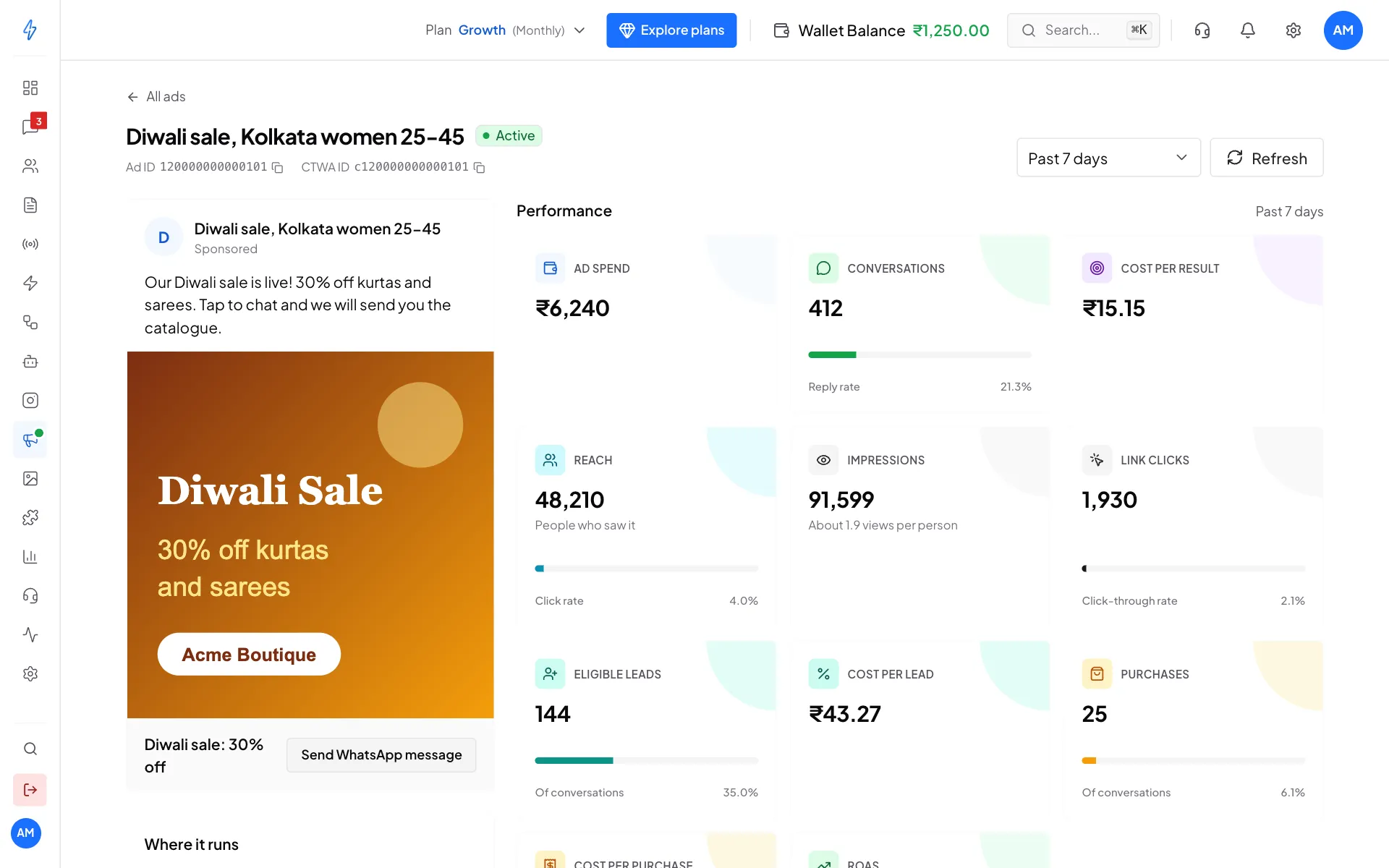
One ad's numbers beside its preview
Spend on your own account
Ads on your own Meta ad account are billed by Meta to that account, not to your wallet here. Managed ads are paid from Ad credits.
Conversion tracking
Conversion tracking tells Meta which chats turned into leads and purchases. Meta then shows your ads to more people like your best customers.
Open Conversion tracking
On the CTWA Ads page, click Conversion tracking at the top right. The badge says Configured or Off.
Check the Meta connection
Meta connection must say Connected. If not, click Reconfigure and sign in with Meta.
Turn on the Lead event
Switch on Lead event and choose Count a chat as a lead when:
- AI decides the chat is a real lead (recommended)
- A new message comes in
- The chat gets a tag (pick the tag)
- Sent from the API
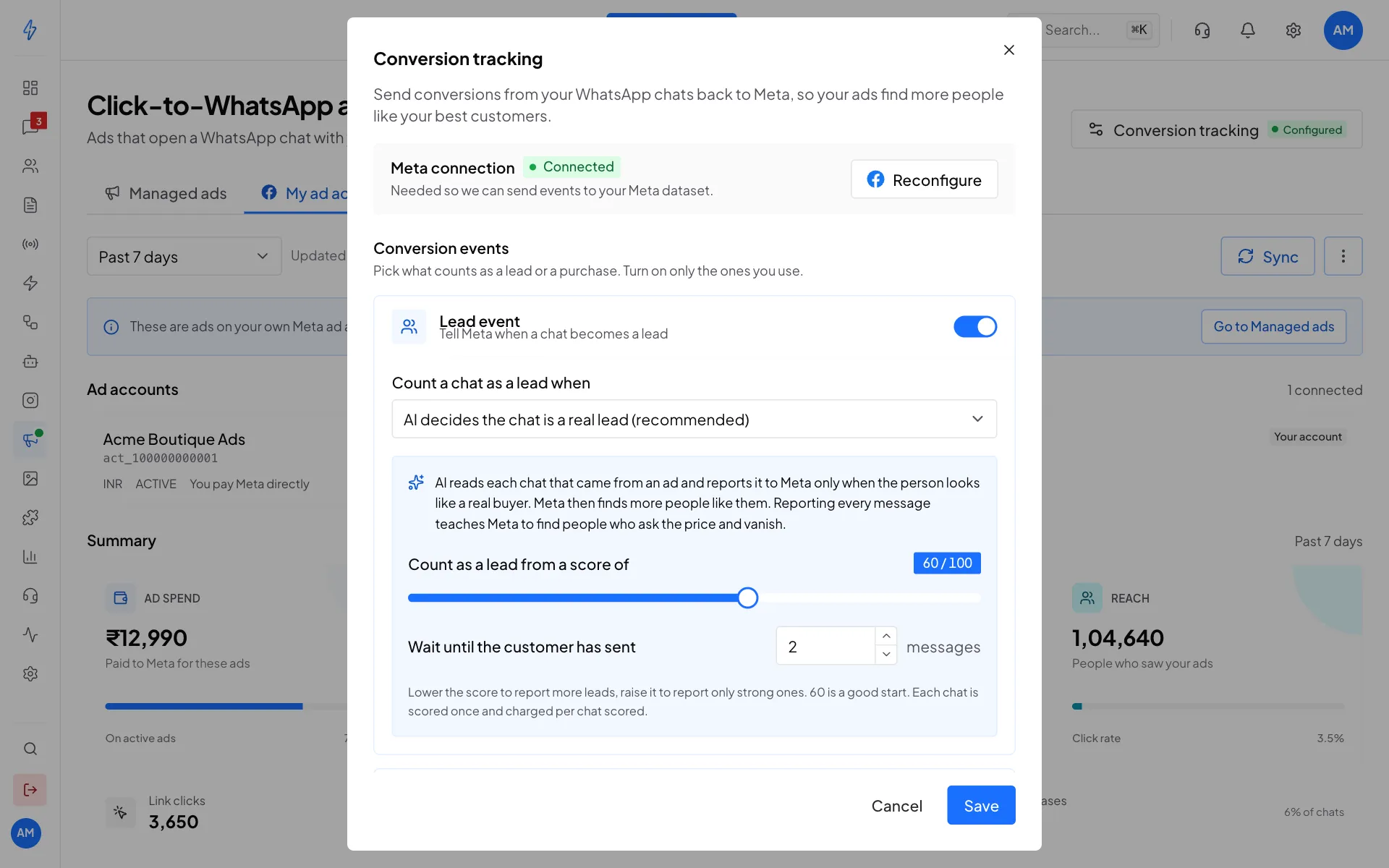
Conversion tracking with AI lead scoring Turn on the Purchase event (optional)
Switch on the Purchase event, choose when a chat counts as a purchase (for example when it gets a purchased tag), and set the currency and value. Click Save.
In Meta Events Manager, a lead from a Click-to-WhatsApp chat shows as LeadSubmitted, or as QualifiedLead when AI lead scoring decided it. A purchase shows as Purchase.
AI features
Three AI tools help with ads. Each is charged from your wallet only when it works. See AI credits and pricing.
These prices are for accounts in India.
Write my ad with AI and AI ad images are covered in Create an ad.
AI lead scoring
Meta learns from what you report as a lead. If every hi counts as a lead, Meta learns to find people who say hi and disappear. With AI lead scoring, the app reads the chat first and reports a lead only when the person looks like a real buyer.
Good to know:
- Chats in Hindi, Hinglish or any Indian language are judged on meaning, not spelling.
- Each chat is scored once, and again only if the customer says something new.
- At most one Lead and one Purchase are reported per chat. I will buy next month counts as negotiating, not a purchase.
- Scoring only runs on chats that came from an ad, and only when conversion tracking is set up.
AI ads coach
On the My ad account tab, pick a period in AI ads coach and click Analyse my ads. You get a short list of what to do, grouped as:
- Losing money: wasting spend right now. A Pause this ad button appears where pausing is the advice.
- Needs attention: worth fixing soon, for example a tired picture.
- Working: worth more budget, or worth copying.
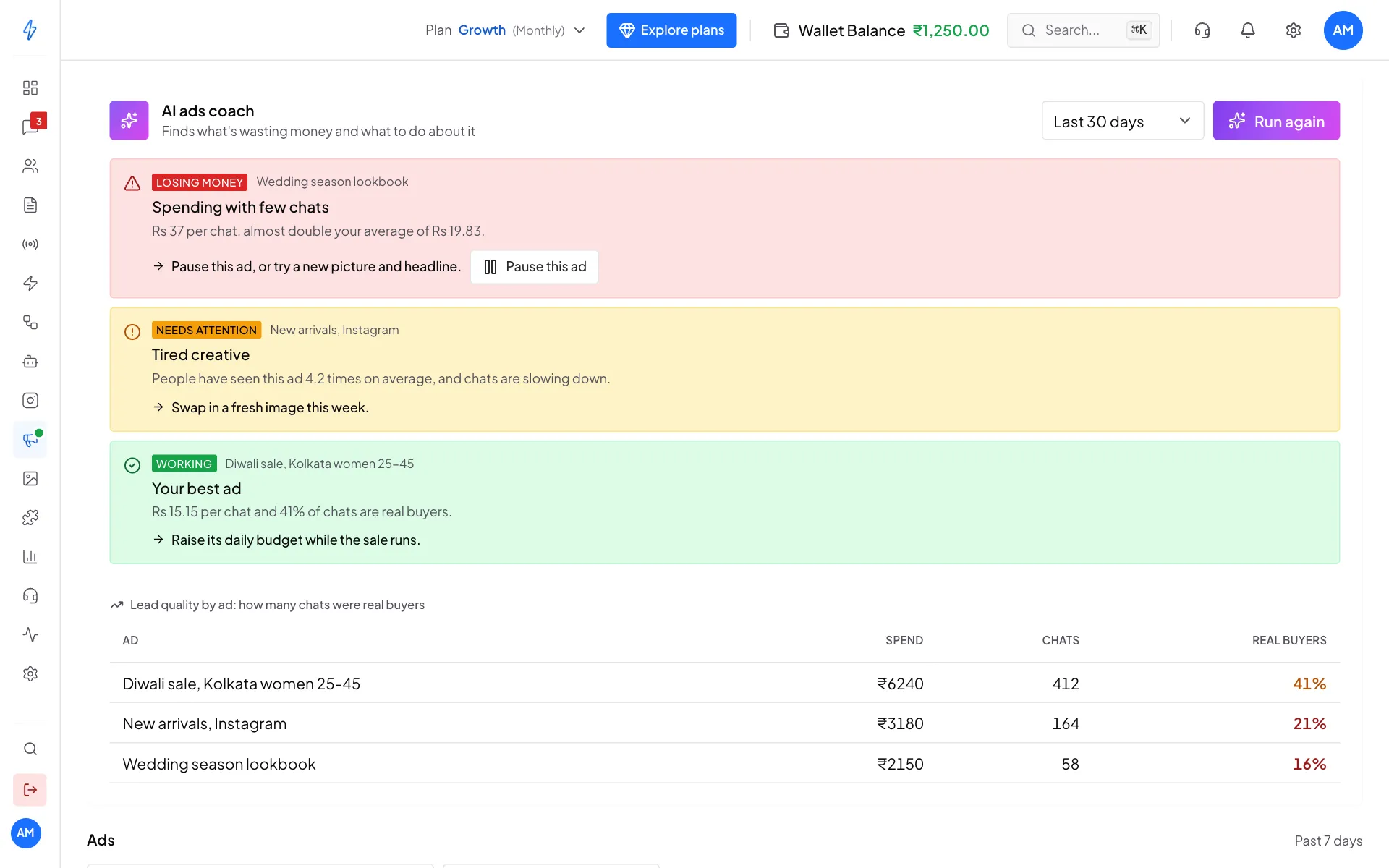
Every number it quotes is worked out from your real Meta data. With AI lead scoring on, Lead quality by ad shows how many of each ad's chats were real buyers. A cheap ad with few real buyers is usually worse than a pricier ad with many. Meta's own suggestions show in a separate blue block, and those are free.
Start a chatbot from your ads
- Create a workflow bot, or open one, in AI Agents & Bots.
- In its On message step, pick A customer taps your ad.
- Pick All ads, or Only some ads and paste the ad IDs.
- Save and switch the bot Active.
Now every chat from those ads gets an instant, ad-specific reply. See Build a chatbot.