
About broadcasts
A broadcast sends the same message to many customers at once, for example your Diwali offer to everyone who bought from you this year. Each customer gets it as a normal message from your business, and their replies come to your inbox.
Open Broadcasts
Click Broadcasts
Click Broadcasts (the radio waves icon) in the left sidebar.
Pick the channel
Use the tabs at the top to switch between WhatsApp, RCS and SMS. Each tab has its own list and its own create button.
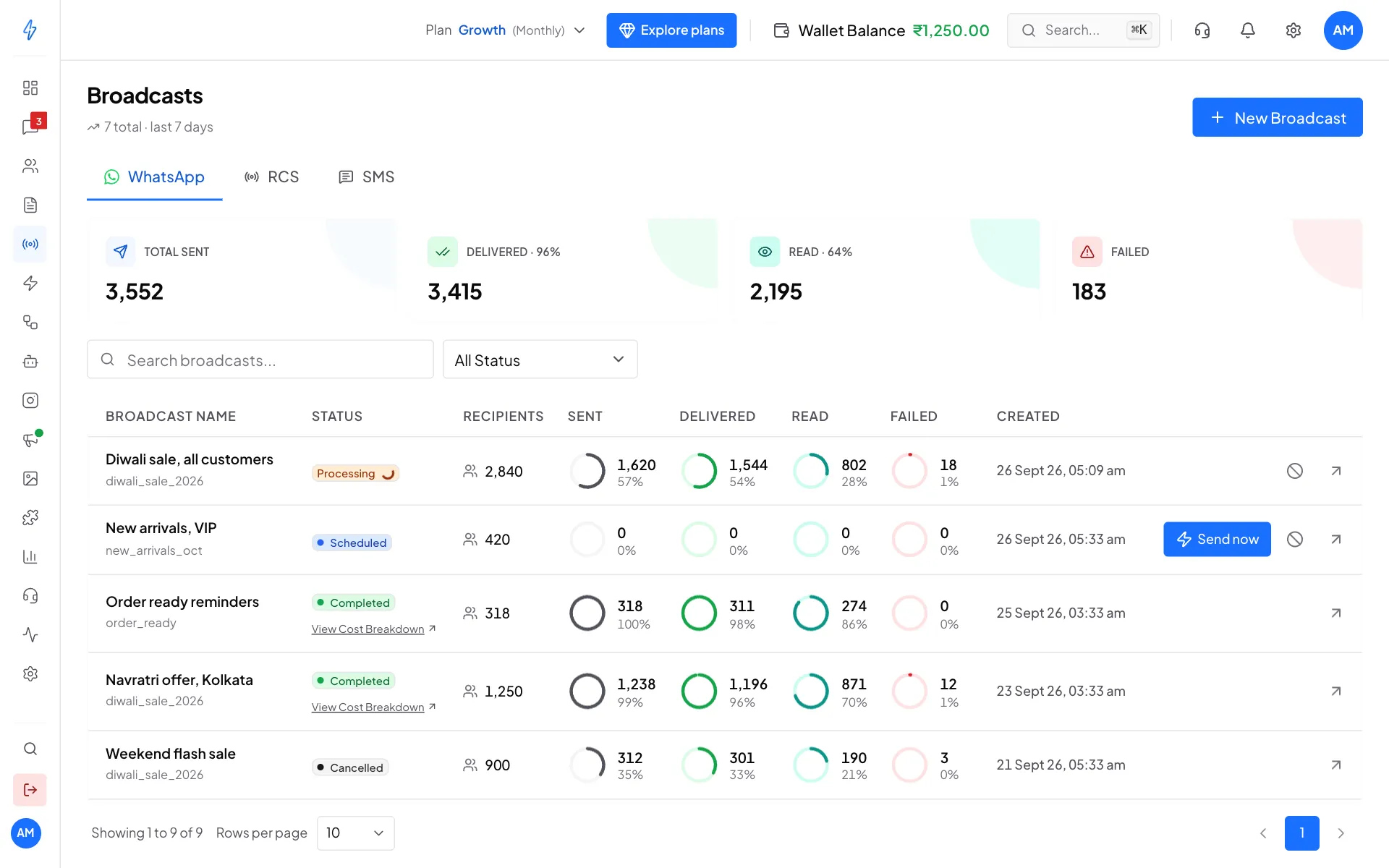
Your broadcasts, with how many were delivered and read
What you see on the page
- The cards at the top: Total Sent, Delivered, Read and Failed for the last 7 days, with the delivered and read rates.
- Search broadcasts and All Status to find one broadcast.
- The list: each broadcast's name and template, its status, how many people it went to (Recipients), and circles for Sent, Delivered, Read and Failed.
- Buttons on the right of a row: Send now for a scheduled broadcast, Restart for a paused one, the Cancel icon (a circle with a line) while it is still running, and the arrow to open its report.
The three kinds of broadcast
RCS and SMS broadcasts are for accounts in India.
Broadcast statuses
Before you send
- An approved template for WhatsApp (see Create a WhatsApp template), or an approved RCS or SMS template.
- Enough money in your wallet. The app shows the cost before you send.
- Your customers in a segment, or a CSV file of numbers. See Segments.
- Customers who agreed to hear from you. You tick a box to confirm this on every broadcast.
Ready? Follow Create a broadcast.