
Connect Instagram
Connect your Instagram business account once, and the app can answer comments and DMs for you. It takes about a minute and you never share your Instagram password with us.
Before you start
Check your account type in the Instagram app (Settings and activity, then Account type and tools):
- Business account: works
- Creator account: works
- Personal account: does not work. Instagram does not let apps manage comments or DMs on personal accounts. Switch to a professional account first. It is free and you can switch back.
Connect your account
Open the Instagram page
In the left sidebar, click Instagram. You will see Connect your Instagram business account.
If your plan does not include Instagram, you see an Upgrade plan button instead. See Troubleshooting.
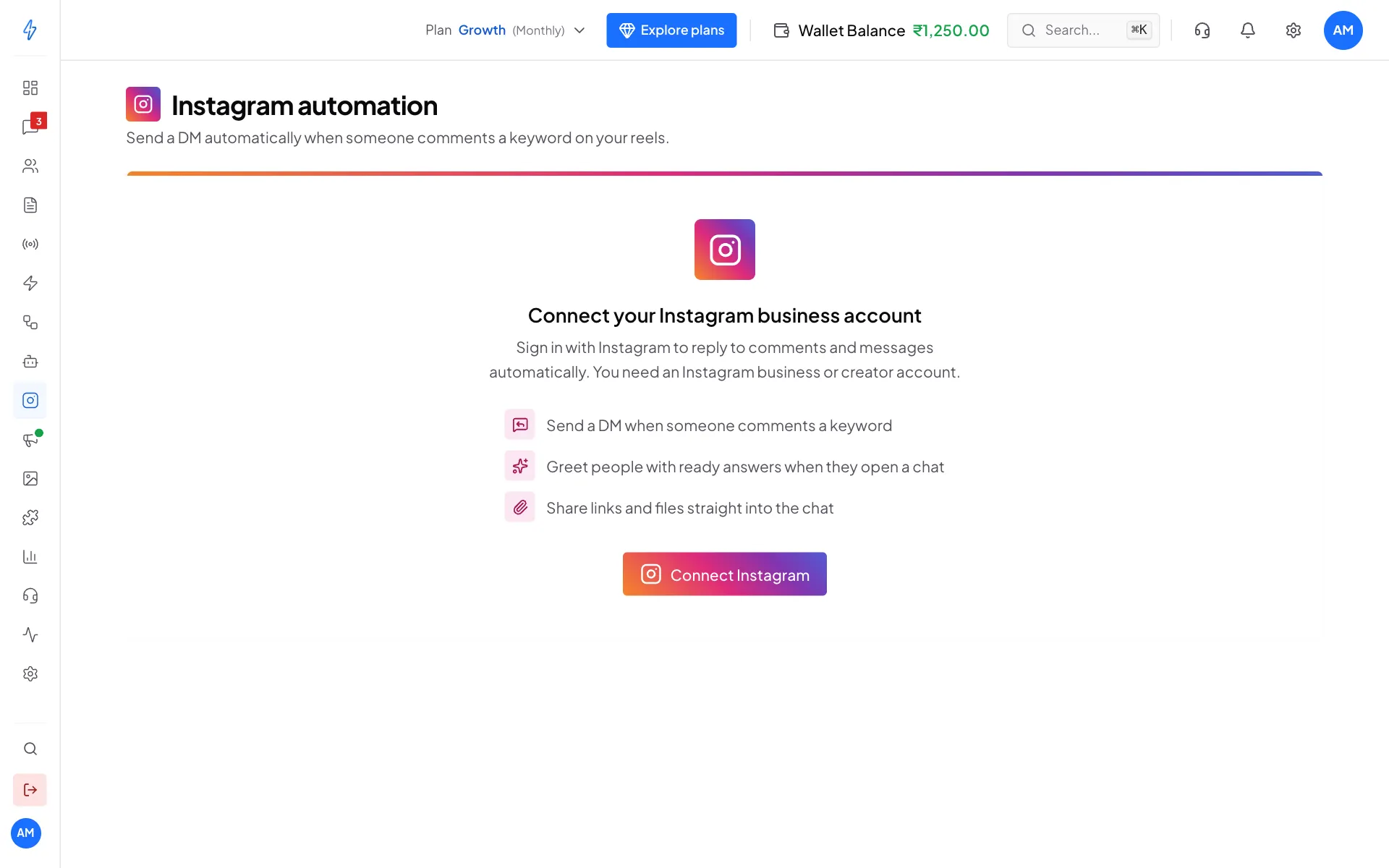
Click Connect Instagram Click Connect Instagram
Click Connect Instagram. The button shows Opening Instagram and a small Instagram window opens. If your browser blocks pop-up windows, the whole page moves to Instagram instead. That is fine.
Sign in to Instagram
In the Instagram window, sign in with your business or creator account. If you are already signed in to Instagram in this browser, you skip this step.
Allow access
Instagram lists what the app may do, then asks you to allow it. Click Allow.
Check that it is connected
The window shows Connecting Instagram for a few seconds, then closes, and you see Instagram connected. Your account card shows your handle, the account type (for example Business) and a green Active badge. Point at Active to read "Comments and messages are reaching your automations."
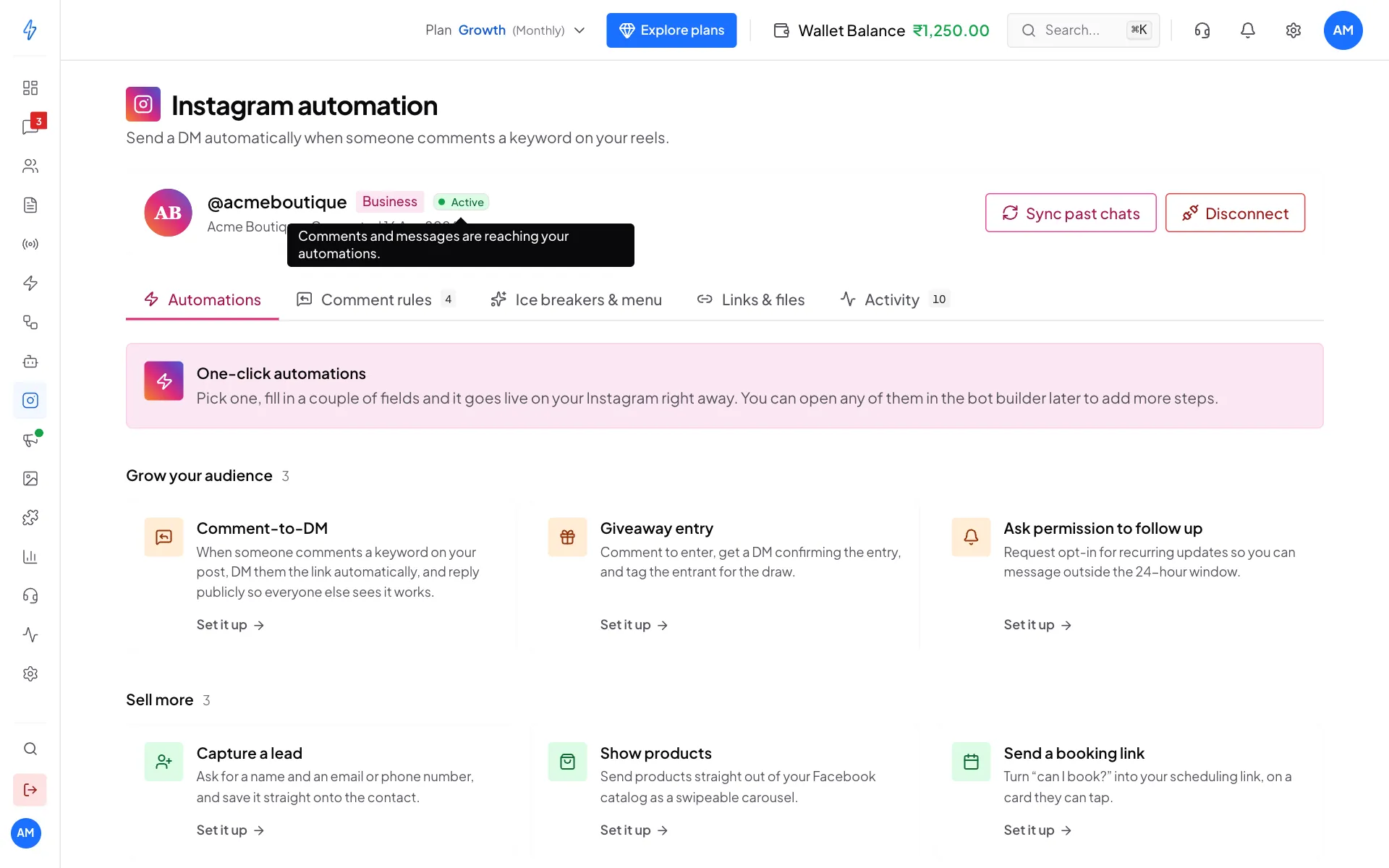
Active means comments and messages reach your automations If the badge says Pending instead, see Troubleshooting.
Next, turn on your first automation or create a comment rule.
Bring in your past chats
Click Sync past chats on the account card. Your existing Instagram DM chats are copied into Messages, on the Instagram tab. You will see a message like Brought in 12 past chats from Instagram.
Disconnect Instagram
Click Disconnect
On the account card, click Disconnect. The Disconnect Instagram? box opens.
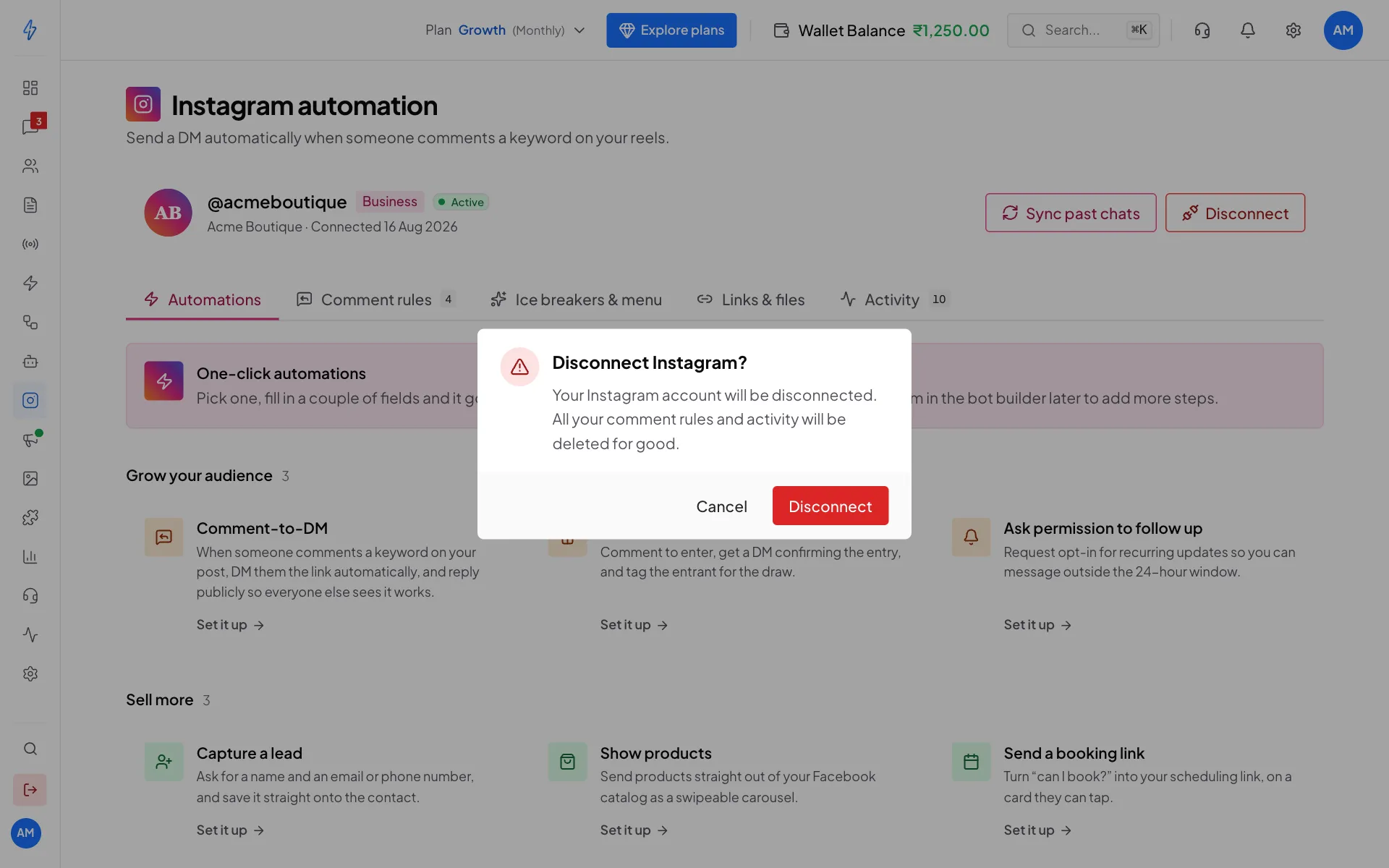
Disconnecting deletes your comment rules and activity Confirm
Click Disconnect. You will see Instagram disconnected.
When you disconnect:
- We stop getting your comments and messages.
- Your stored Instagram access is deleted.
- All your comment rules and activity are deleted for good.
Your Instagram account itself does not change.
What we store
Access runs out after about 60 days
The access Instagram gives us lasts about 60 days. If your automations stop working after some weeks, click Disconnect, then Connect Instagram again. It takes a minute, but disconnecting deletes your comment rules, so note them down first.