
Blue tick (Official Business Account)
An Official Business Account (OBA) shows a blue tick next to your business name in WhatsApp. It tells customers that Meta has checked your business, so they trust your messages more.
Meta gives the blue tick to businesses that are well known, for example brands that appear in news articles. Splashify Pro sends your application to Meta, and Meta decides.
Can I apply?
The Apply for Blue Tick button shows only when your WhatsApp number is connected and your daily limit (Remaining Quota on the dashboard) is 2,000 or more. If your limit is lower, the step says You are not eligible. Requires a messaging limit of 2,000 or more. Finish business verification (KYC) to raise your limit to 2,000.
A number that you also use on the WhatsApp Business app cannot get the blue tick. For such a number the step says You are not eligible. A number that is also on the WhatsApp Business app cannot get the Blue Tick.
Meta also looks for:
- An approved KYC and a business that is verified on Meta.
- A business that people know about, with articles about it in the news or well-known websites.
Apply for the blue tick
Open the Blue Tick step
Click Dashboard in the left sidebar. Under Complete Your WhatsApp Business Setup, open Apply for Blue Tick, then click the blue Apply for Blue Tick button.
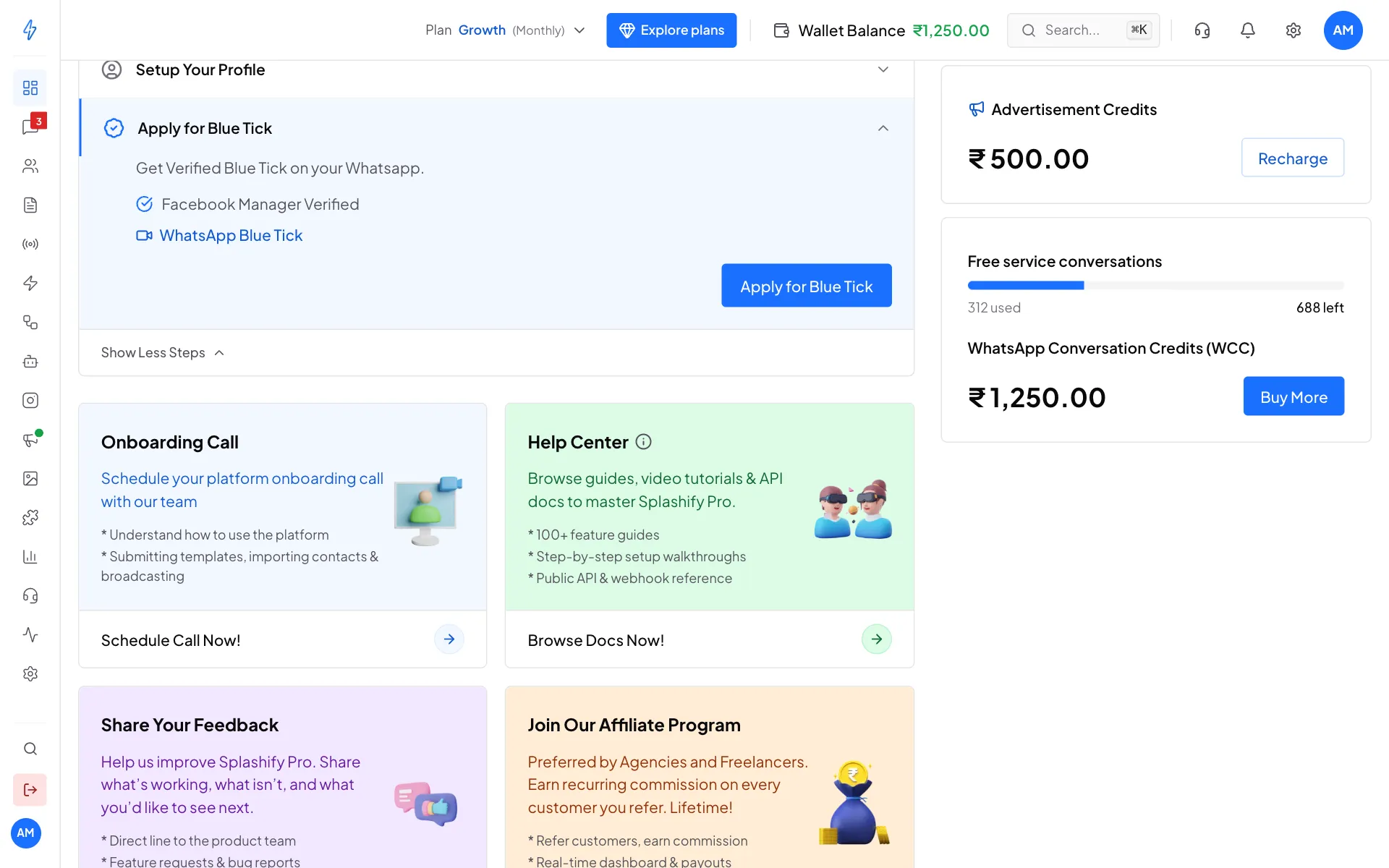
The Blue Tick step on the dashboard Fill in the form
The Apply for Official Business Account box opens. Fill in:
- Business Website URL (required). Your website from your WhatsApp profile is filled in for you.
- Primary Country of Operation (required), for example India.
- Primary Language, for example English.
- Parent Business or Brand, if you belong to a bigger company.
- Supporting Links (all 5 required). Links to articles about your business in well-known newspapers, magazines or websites. Your own website and social pages do not count.
- Additional Supporting Information, anything else that shows your business is well known.
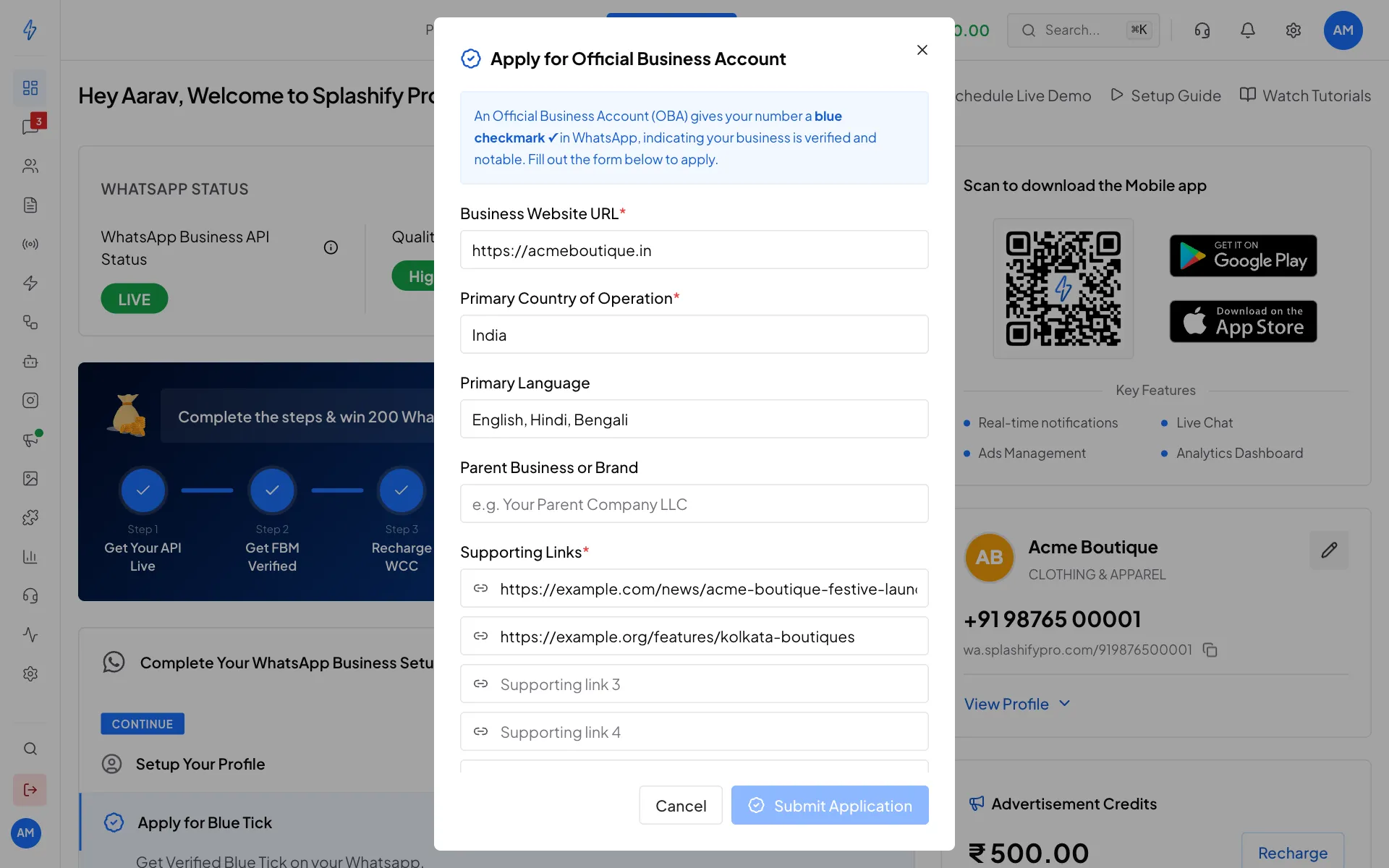
Fill in the form. All 5 supporting links are needed. Send the application
Click Submit Application. You will see OBA application submitted successfully! The box then shows Current Status: PENDING.
How long does it take?
Meta usually answers in 5 to 15 business days. If Meta says no, read the reason, improve your links, and apply again after 30 days.
Application status
Open the Apply for Blue Tick step again to see where your application is.
Tips for approval
- Your WhatsApp display name should match your official business name.
- Have a real, working website, not a one-page placeholder.
- Pick supporting links from well-known publications, not paid posts or press releases.
- Avoid a vague or generic business name.