
Invoices
Every payment you make, for a plan, an add-on or a wallet top-up, gets a GST invoice. You can download any of them as a PDF for your records or your GST filing.
GST is for accounts in India. Outside India, invoices are in US dollars, with no Indian GST. See Using Splashify Pro outside India.
Download an invoice
Open Invoices
Open Settings (the gear icon in the left sidebar or the top bar) and click Invoices. You can also click Invoices on the Subscriptions page or on the Wallet page.
Find the invoice
The newest invoice is at the top. Each row shows the Date, what it was for (for example Wallet top-up or Growth plan, monthly), the invoice number, the Amount with GST and the Status.
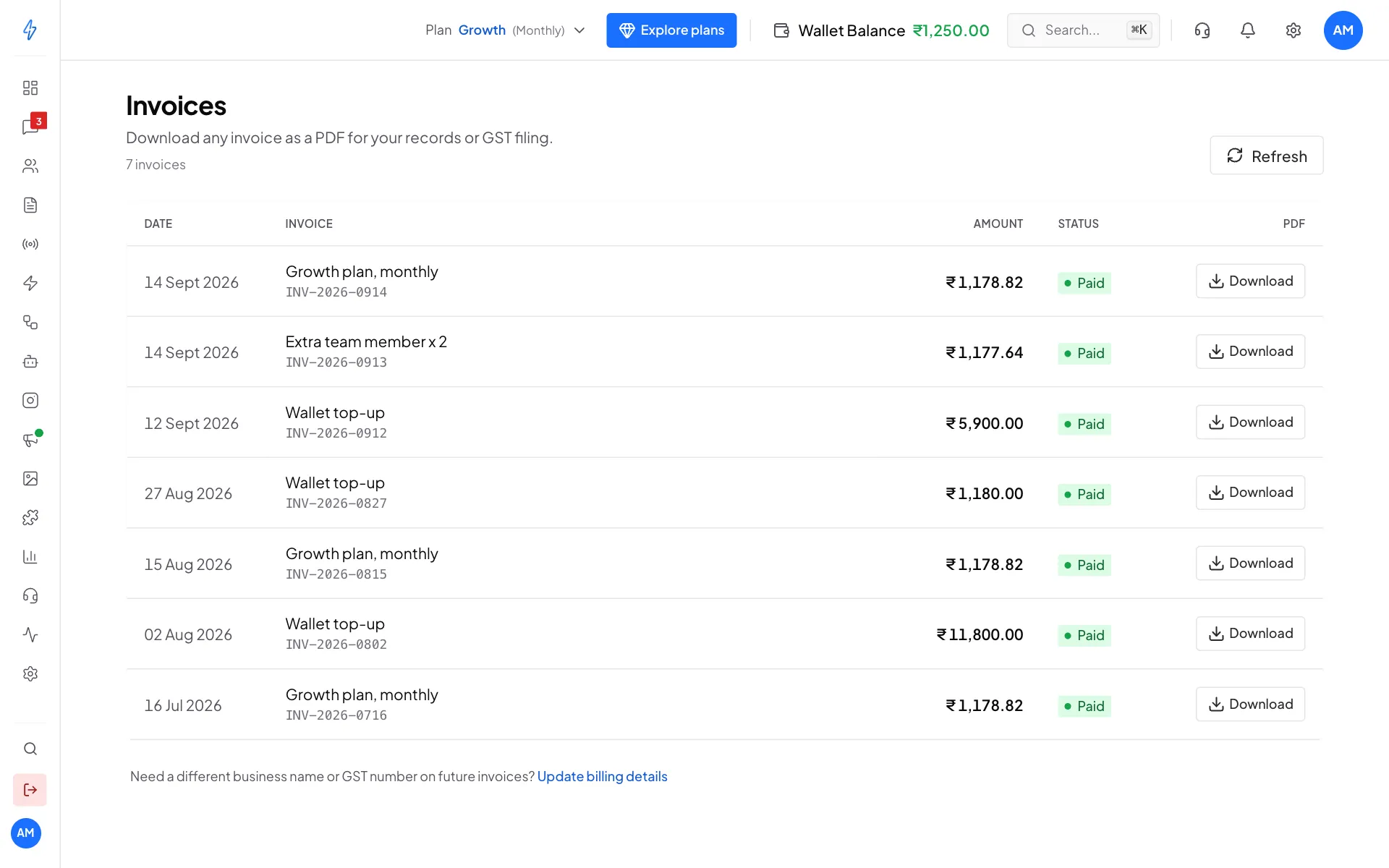
Your invoices, newest first Click Download
Click Download on the row. The PDF is saved to your computer.
What an invoice shows
- Invoice number and date
- Your business name, address and GST number (from Wallet and billing details)
- What you paid for: the plan, an add-on or a wallet top-up
- The GST amount
- The total paid
Invoice status
Invoice missing?
Invoices usually show up within a few minutes of a payment. If one is missing:
- Click Refresh at the top right of the Invoices page.
- Check that your billing details are filled in.
- Still missing? Write to [email protected] with the date and amount of the payment.
GST number on invoices
Your GST number is printed on every new invoice once it is saved in Billings. To change the business name or GST number on future invoices, click Update billing details at the bottom of the Invoices page. To get a past invoice changed, contact support.