
Workflow Bot
A workflow bot follows the steps you design: it sends messages, asks questions, and takes actions, one step after another. Unlike a Chat AI agent, it never makes up its own words, so you always know exactly what customers see.
To build one, see Build a chatbot. This page covers what happens after: when a bot starts, how to make it your default, and how to switch it on and off.
How a workflow bot runs
A bot is a set of connected steps. When its trigger fires, the bot runs the steps one by one:
- Trigger: a customer sends hi (or taps your ad).
- Send a message: Welcome to Acme Boutique! What would you like to do? with three buttons.
- Ask a question: Please share your order number. The answer is saved.
- Condition: if the order number looks valid, send the tracking link, otherwise ask again.
If a customer stops halfway and writes again later, the bot carries on from where they left off. A chat that stays quiet for 24 hours starts fresh next time.
Triggers
Every flow starts with an On Message step that decides when the bot starts:
Who it runs for:
Make it your default bot
Your default bot gets every new chat on that channel. Other active bots only start when their own keyword or ad trigger matches.
Open the bot's menu
In the left sidebar, click AI Agents & Bots. Click ⋮ at the end of the bot's row.
Make it the default
Click Make default WhatsApp bot (or Make default Instagram bot). You can also click the empty star on the row.
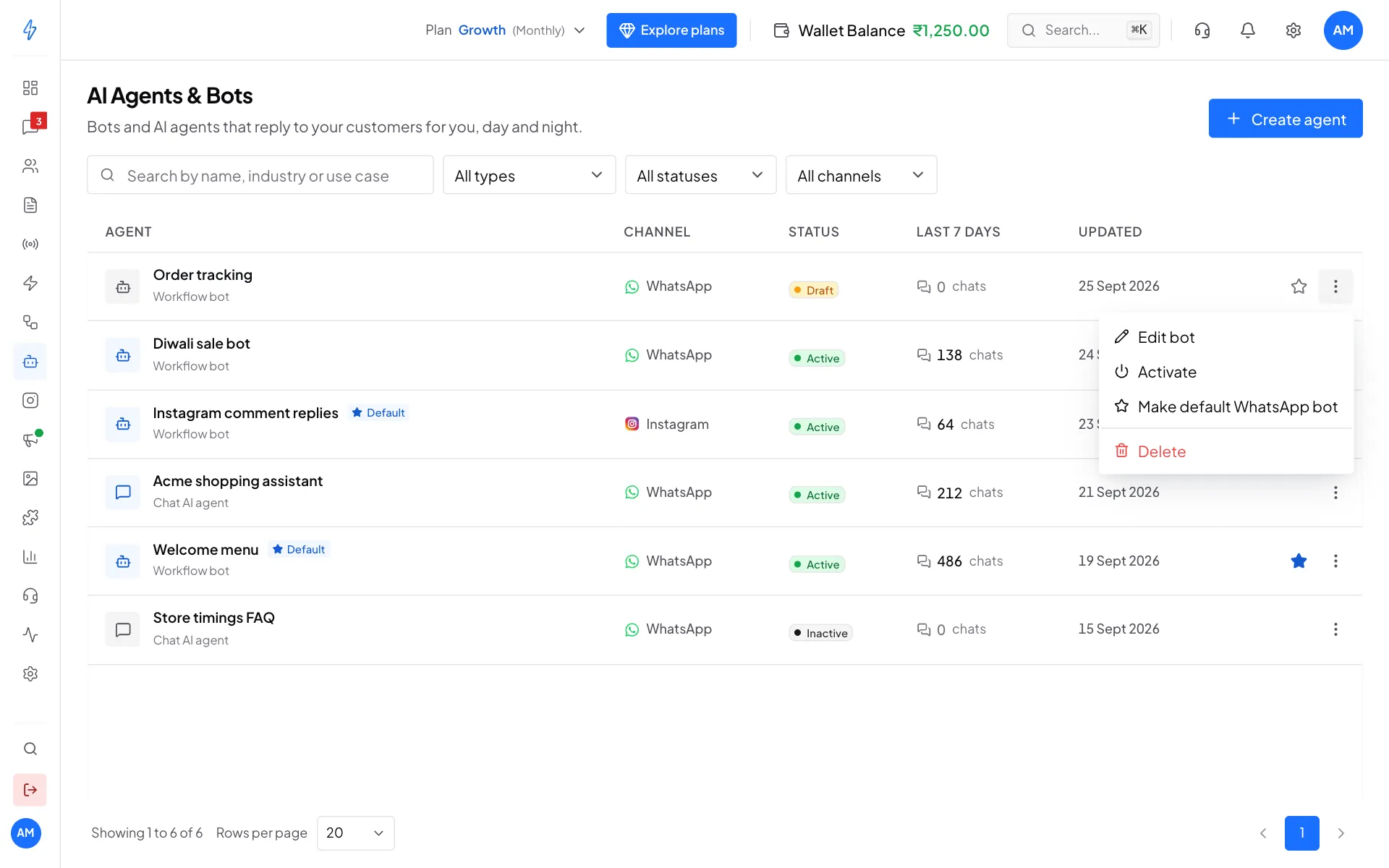
The row menu: edit, activate, make default or delete
You will see a filled star and a Default label on that bot. There is one default bot per channel, so a WhatsApp default and an Instagram default can both exist. Only an Active bot can be the default.
Turn a bot on or off
- In the builder: switch Active on or off in the top bar.
- In the list: click ⋮ on the bot's row, then Activate or Deactivate.
Turning a bot off asks you to confirm first, because customers stop getting its replies straight away. A bot that is off goes back to Draft.
Draft bots never reply
A bot marked Draft does not reply to anyone, even when it is your default. Check the Status column in the list.
Fallback and intents
Two replies go out outside the flow. Open them with Fallback and intents in the builder's top bar.
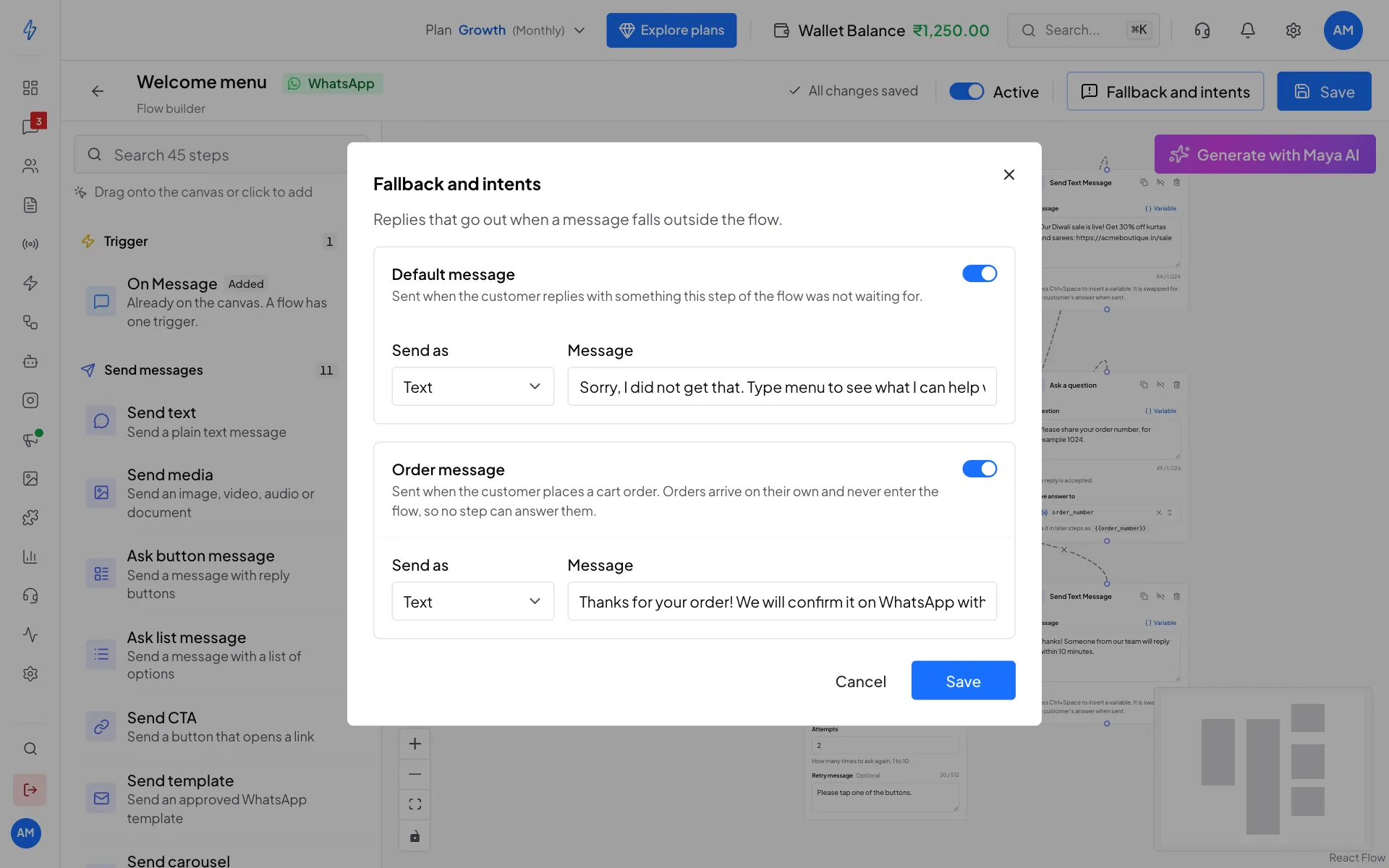
- Default message: sent when the customer replies with something the current step was not waiting for, for example a sentence when the bot asked for an email. An ask step's own retry message is used first. This one is the backup for the whole bot.
- Order message: sent when the customer places a cart order from your WhatsApp shop. Orders arrive on their own and never enter the flow, so no step can answer them. Without this, the customer gets no reply until someone on your team sees the order.
Each can be sent as Text, Image, Video or Document (for media, the message becomes the caption). Switch each one on, write it, and click Save.
See Commerce & Catalog for the shop these orders come from.
Hand the chat to an AI agent
Add an AI agent step to let one of your Chat AI agents take over, for example when the customer picks Ask a question. It replies until the time limit ends or the customer sends a stop word, then the flow carries on.
Delete a bot
In AI Agents & Bots, click ⋮ on the bot's row, then Delete, and confirm. This cannot be undone.