
RCS templates
Available for accounts in India.
An RCS template is the message you send in an RCS campaign: plain text, a rich card with a picture, or a row of cards the customer can swipe. You make it once, our team reviews it, and then you can send it to as many customers as you like.
Open your RCS templates
Click Templates in the left sidebar, then click the RCS tab. Each card shows the template name, its status (Approved, Pending or Rejected), its type (Basic, Rich Card or Carousel) and a preview. A rejected template shows the reason in red at the bottom.
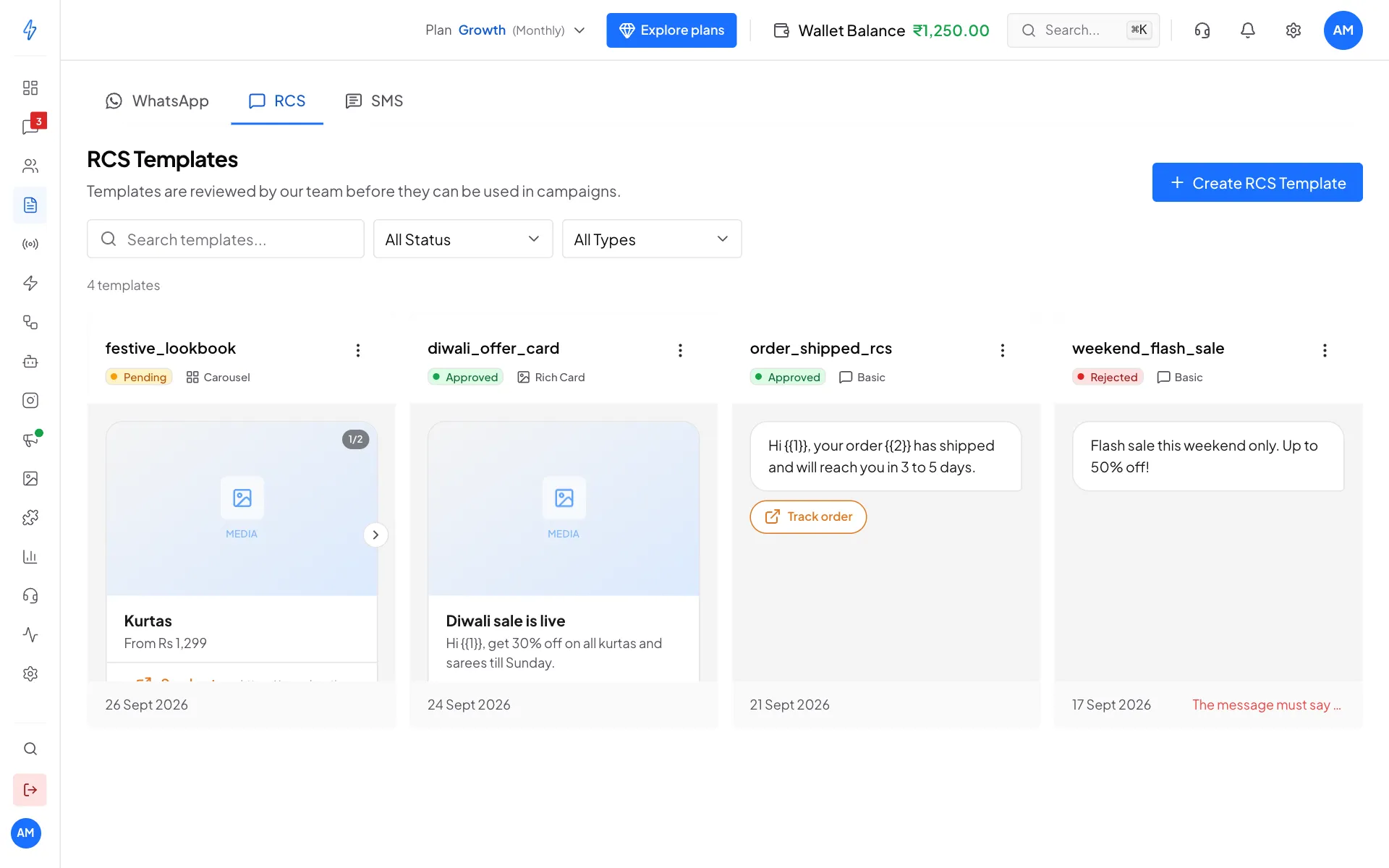
Use Search templates..., All Status and All Types to find one. If the RCS tab shows Approval required, RCS is not turned on for your account yet.
Create an RCS template
Click Create RCS Template
On the RCS tab, click Create RCS Template at the top right.
Name it
Type a Template Name with small letters, numbers and underscores, for example
diwali_offer_card.Pick the Template Type
Click Basic (text with optional buttons), Rich Card (one card with a picture or video) or Carousel (2 to 10 cards to swipe through).
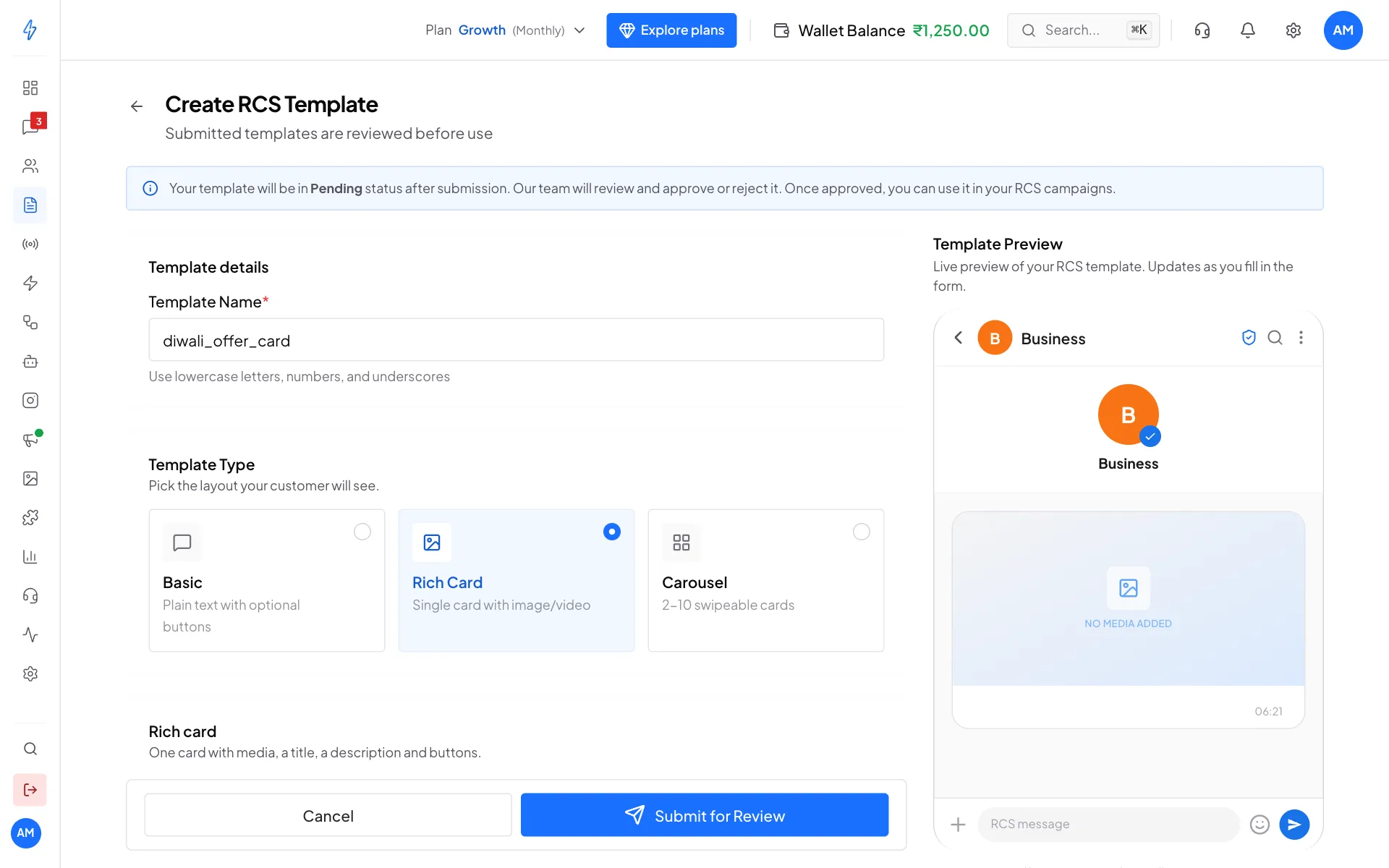
Pick the layout your customer will see Fill in the content
- Basic: type the Message Text.
- Rich Card: choose the Card Orientation, type the Card Title and Card Description, pick the Media Height, and upload the picture or video under Media.
- Carousel: fill each card the same way. Click Add card for more, up to 10.
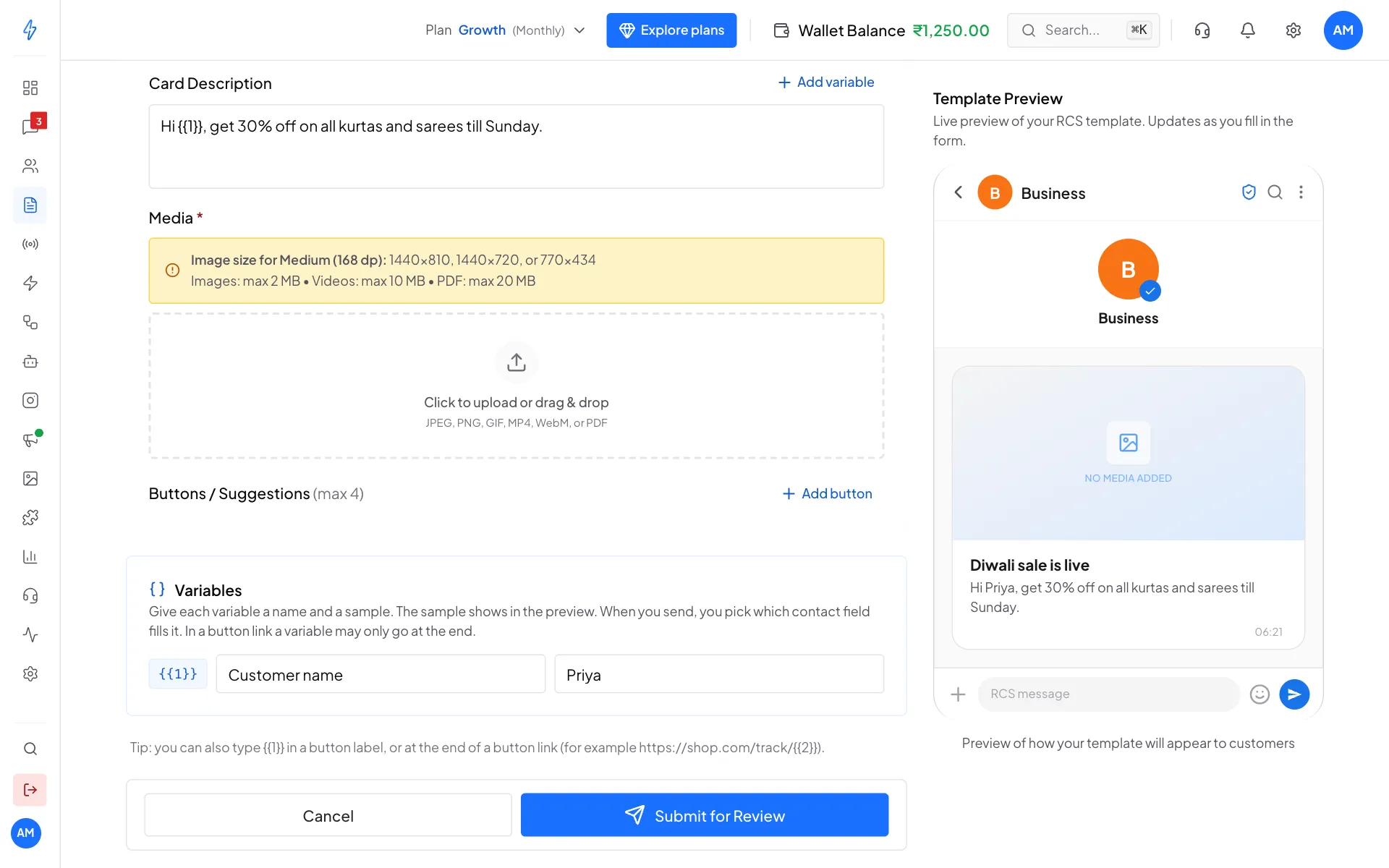
Card text, media and variables Add buttons (optional)
Under Buttons / Suggestions, click Add button (up to 4). Pick the type: Quick Reply, Open URL, Dial Number, Add to Calendar or Show Location. Then type the Button label and the details, such as the URL.
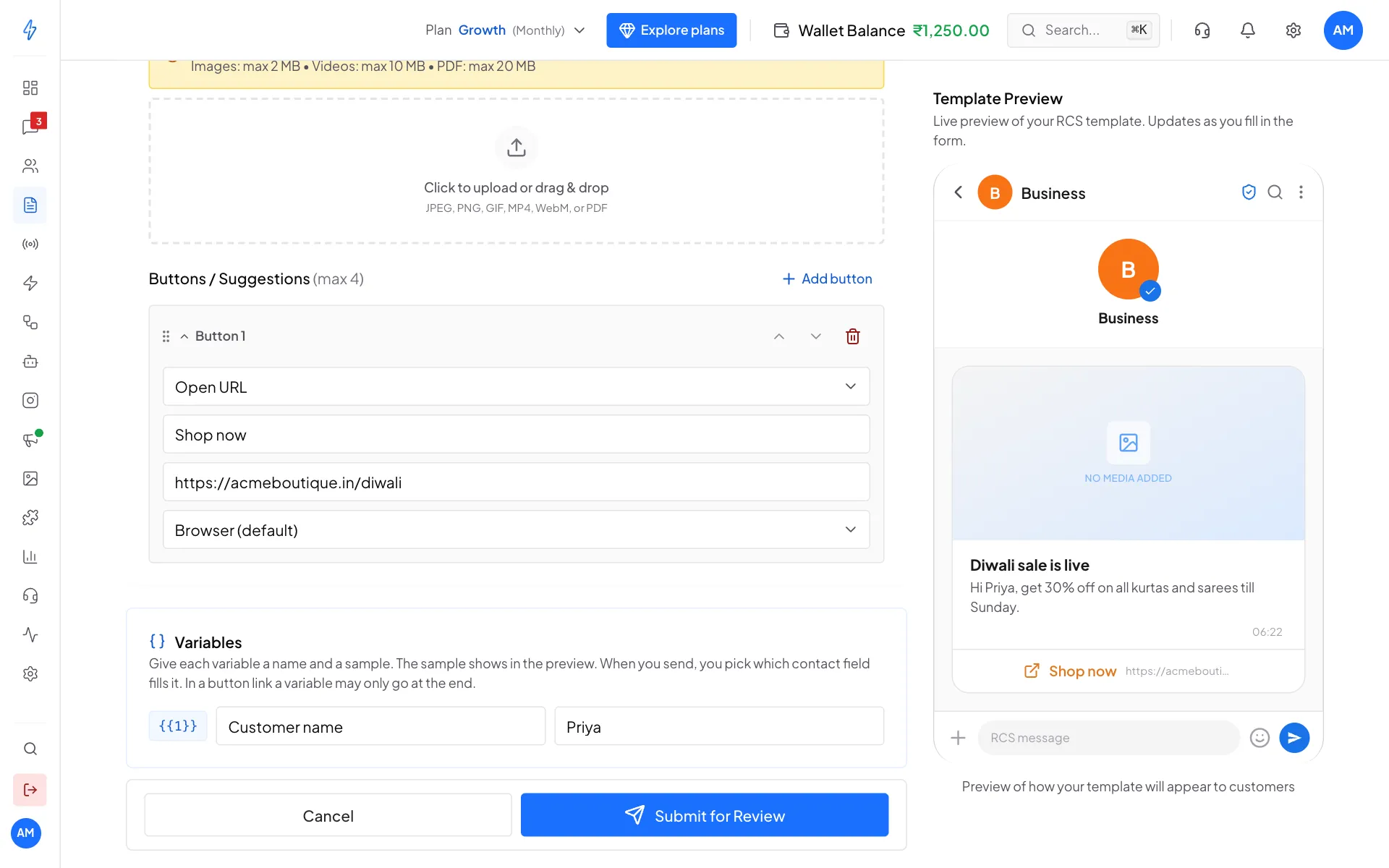
A Shop now button that opens your website Submit for review
Check the Template Preview on the right, then click Submit for Review. You will see Template submitted for review! and the template shows as Pending.
Media sizes for a card: pictures up to 2 MB, videos up to 10 MB, PDFs up to 20 MB. The box above the upload shows the best picture size for the Media Height you picked.
Variables
Use variables for the parts that change for each customer, like a name or an order number. Write them as {{1}}, {{2}} and so on, up to {{10}}, numbered from {{1}} with no gaps. Older templates written with {#var1#} still work: {#var1#} means the same as {{1}}.
Add variables
- In the message text, card title or card description, put the cursor where it should go and click Add variable. The next number (
{{1}}, then{{2}}) is added. - To use one in a button label or at the end of a button link, type it, for example
{{2}}. - The Variables box lists every variable. Give each one a name (for example
Customer name) and a sample (for examplePriya). The sample is required, and the preview shows your message with the samples filled in.
The name is what you see later when you fill the variables in a campaign or in the inbox, so pick one that says what goes there.
Example, a card with this description and a Track order link button:
Description:  Hi {{1}}, your order {{2}} has shipped.
Button link:  https://acmeboutique.in/track/{{2}}
Where variables can go
A value that lands in a link is made safe for a web address: A 1/2 becomes A%201%2F2 in the path, and after a ? it is encoded as a query value.
Length limits
Limits apply to the message after the variables are filled in:
Checks when you submit
The template is checked with your samples filled in. If something is wrong, it is refused with a message that says what to fix, for example:
Number the variables from {{1}} with no gaps: {{2}} is missingA template can have at most 10 variables, {{1}} to {{10}}A variable in the button 1 link must be at the end of the linkA variable can't go in the card image or video. Use variables in the text, titles, button labels, or at the end of a linkWith the sample values filled in: The card title is over 200 characters after filling the variables
Review and statuses
Every RCS template is checked by our team before it can be used.
To fix a rejected template, read the reason, create a new template with the change, and submit it again. Open a template's menu (the three dots) to Refresh status or Delete it.
While your RCS registration is being reviewed
Registering an RCS sender means a phone network reviews your brand before it will carry your messages. Until that finishes, your account shows as Processing, and the rules are different from a fully approved account.
Test messages are free while you wait. Sending one to your own phone is how you check the setup works. Once the account is approved, test messages are charged like any other.
The API waits for approval, even though the dashboard does not. An integration that starts before approval would break later in production instead of during testing. API calls made before approval return 403 with code: "rcs_kyc_not_approved".
Send it
Once a template is Approved, use it in an RCS campaign, or as the backup message on a WhatsApp broadcast.