
Troubleshooting
Most Instagram problems come from the plan, the account type, a paused rule or an expired connection. Find your problem below and follow the fix.
Your plan does not include Instagram automation
When you click Instagram in the left sidebar you see Your current plan does not include Instagram automation.
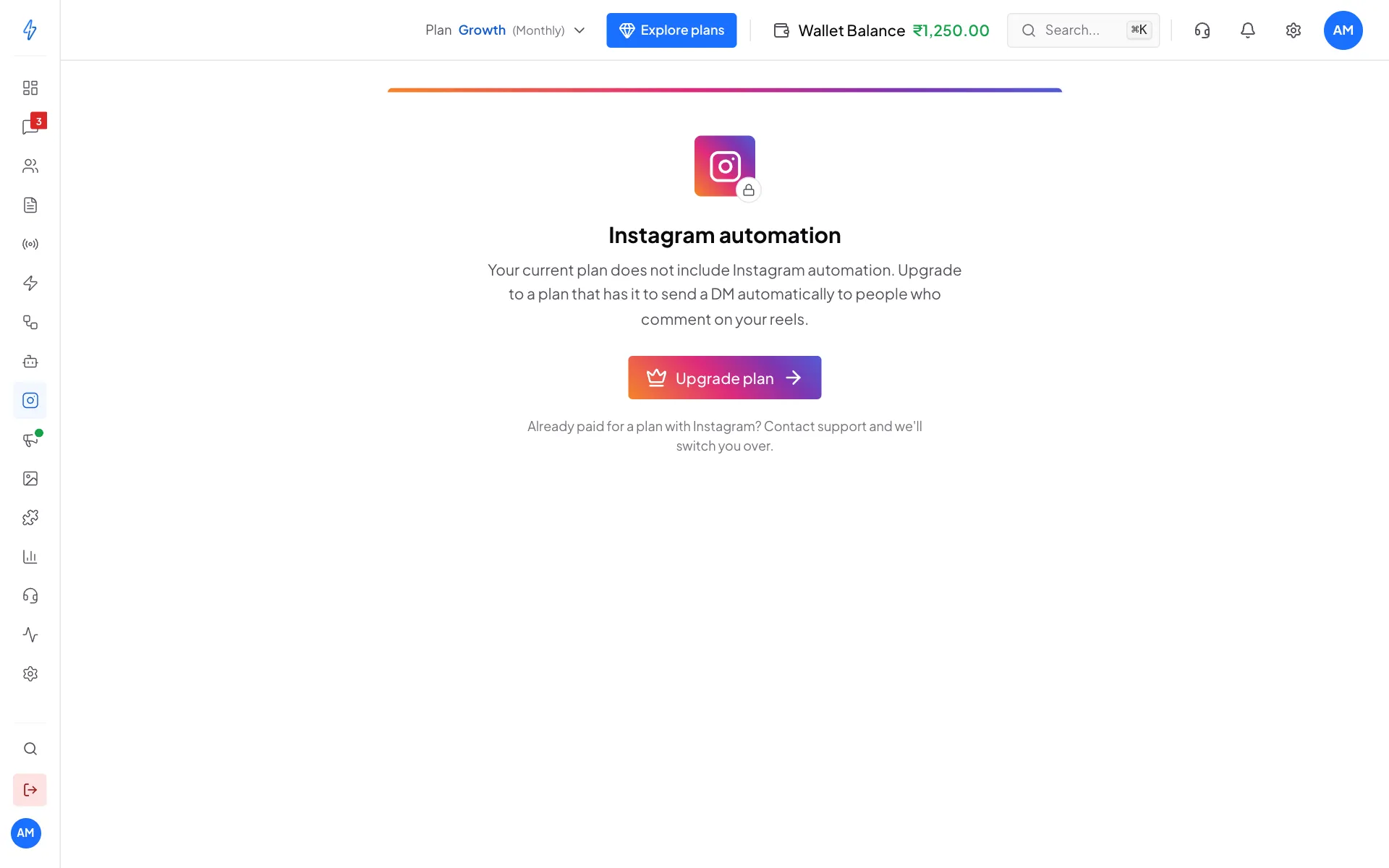
Fix:
- Click Upgrade plan and pick a plan that includes Instagram.
- On a free trial you have full access. If the trial has ended, you need to upgrade.
- If you already upgraded and still see this, refresh the page (Ctrl+Shift+R on Windows, Cmd+Shift+R on Mac).
- Already paid for a plan with Instagram? Contact support and we will switch you over.
Connecting fails
The Instagram window shows Connection failed. The most common reason is a personal Instagram account. Instagram does not let apps manage comments or DMs on personal accounts.
Fix: in the Instagram app, tap Settings and activity, then Account type and tools, then Switch to professional account, and pick Business or Creator. It is free and takes a few seconds. Then connect again.
The account shows Pending
On the Instagram page, the badge next to your handle says Pending instead of Active. Point at it to read: "Comments and messages are not reaching your automations yet."
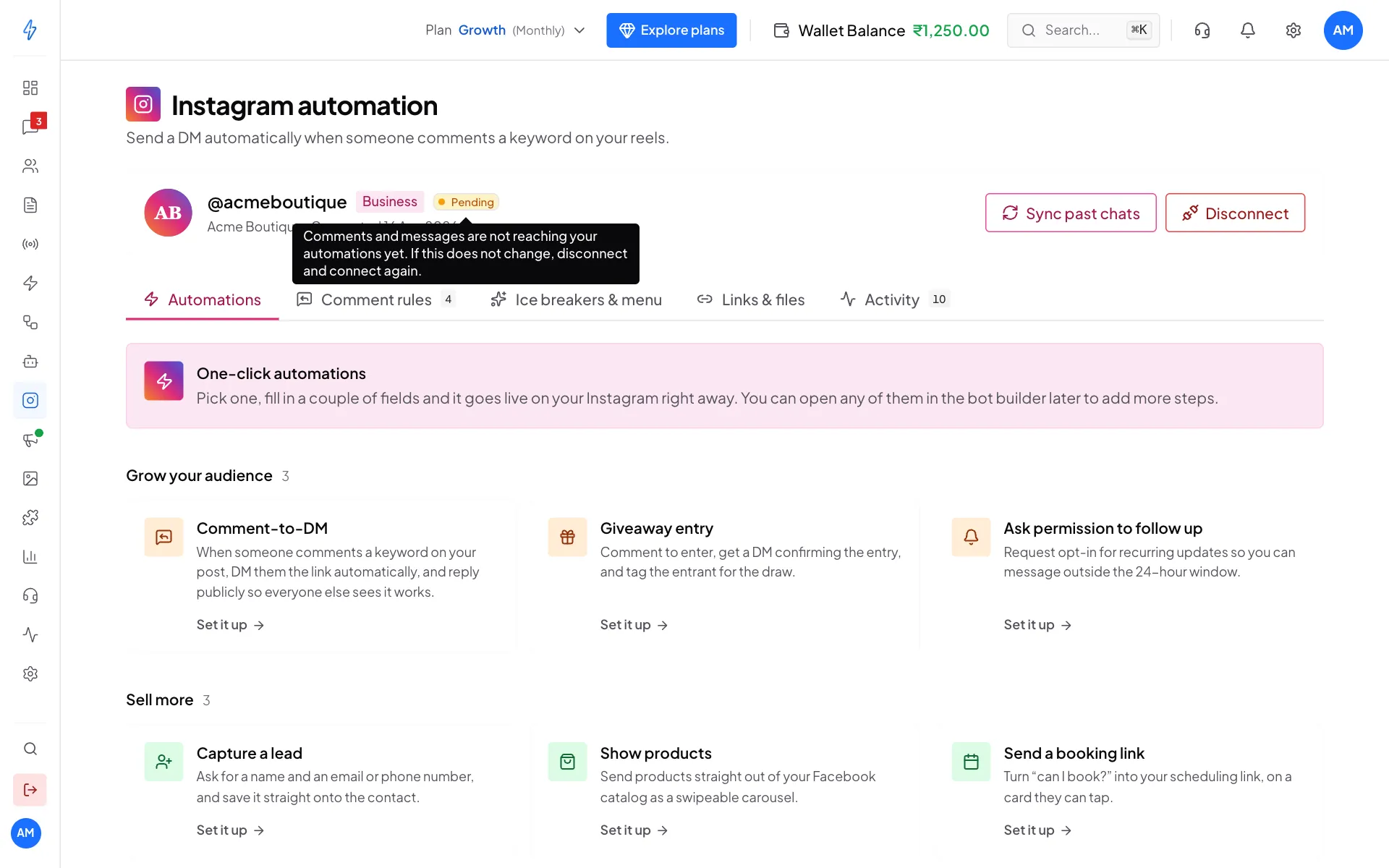
Fix: wait a few minutes and refresh. If it still says Pending, note down your comment rules, click Disconnect, then Connect Instagram again.
A comment did not get a DM
Check these in order:
1. Is the rule switched on? On the Comment rules tab, the rule's switch must say Active, not Paused.
2. Does the comment contain the keyword?
The comment must contain one of the keywords. price matches "Pricing?" and "PRICE", but not "cost".
3. Is the comment on the right post? Each rule belongs to one post. A rule on post A does not answer comments on post B. Check the picture on the rule's row.
4. Is the account Active? The badge next to your handle must say Active. See The account shows Pending.
5. Check the Activity tab. Every comment on your posts shows here, even ones without a keyword. If the comment is not there at all, it did not reach us. If it shows DM failed, point at it to see Instagram's reason.
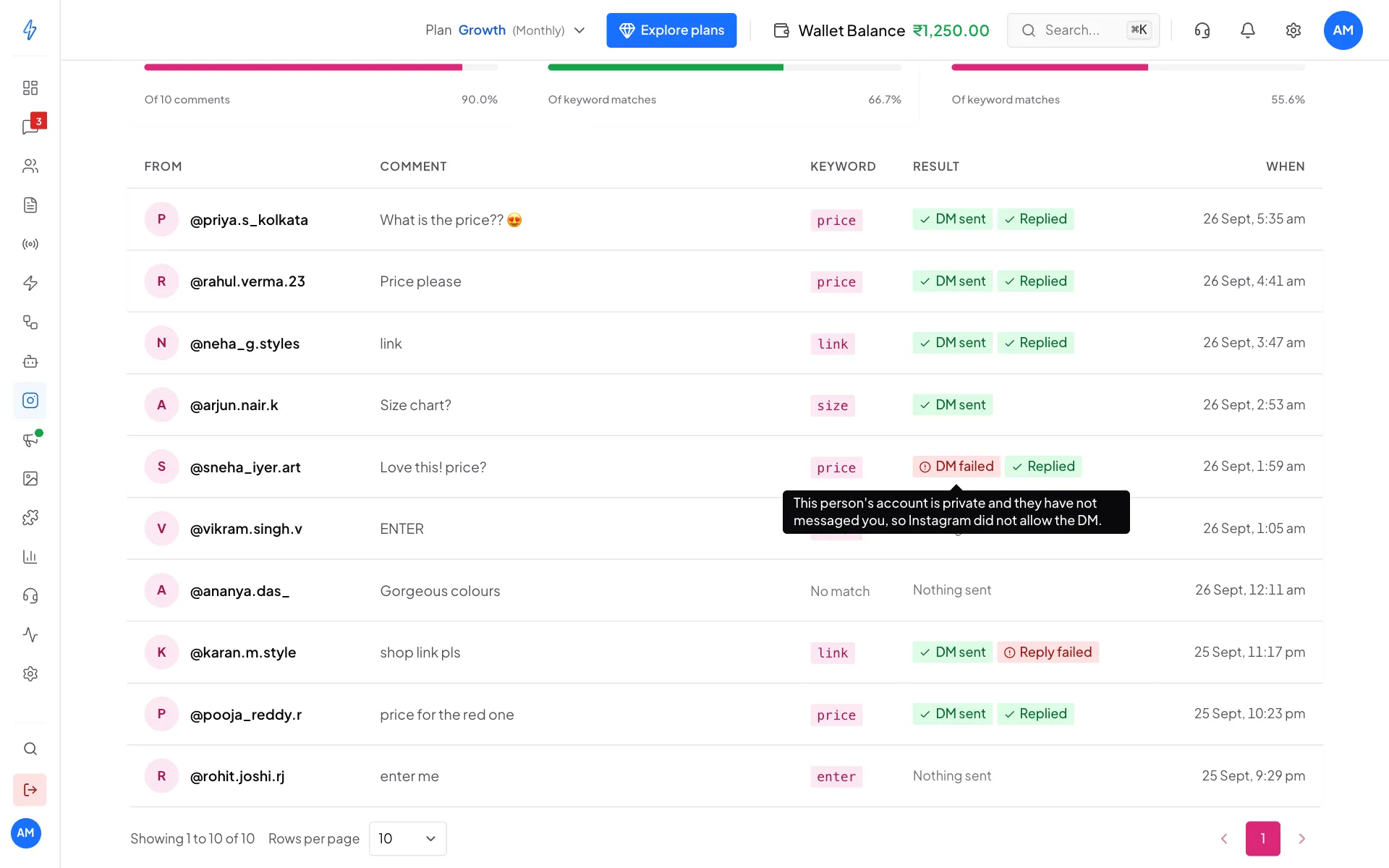
"DM failed" on a comment
The most common reasons:
- The person deleted their comment before the DM went out.
- The person's account is private and they never messaged you. Instagram may block the DM.
- Too many DMs in a short time. Instagram allows about 200 actions per hour per account. Space out big giveaways.
The public reply was not posted
Instagram blocks replies that look like spam. If many people comment the same keyword within seconds, Instagram may reject the second and later public replies. The DMs still go out.
Fix: leave the public reply empty for very busy keywords, or write a different reply for each rule.
The account shows the wrong username
We read your username when you connect. If you changed it on Instagram later, disconnect and connect again to update it.
Everything worked, then stopped
The access Instagram gives us lasts about 60 days. After that, comments stop reaching us, DMs fail, and the Activity tab stops filling up.
Fix: note down your comment rules, click Disconnect, then Connect Instagram. It takes about a minute.
The Instagram tab is missing in Messages
The Instagram tab in Messages only shows when your plan includes Instagram and your account is connected. Messages itself also needs a WhatsApp number (or RCS) connected. Connect it first on the Instagram page. If you opened Messages from a link, click the Instagram tab at the top of the chat list.
Still stuck?
In the left sidebar, click Support and open a ticket. Include:
- your Instagram username,
- the link to the post where the rule should have worked,
- the keyword,
- an example comment that did not get a DM.