
Add and edit contacts
A contact is one customer: their WhatsApp number, name, email, tags and your own notes. This page shows how to add someone by hand, keep their details up to date, and block or delete a contact.
To add many people at once from a spreadsheet, see Import contacts.
Add a contact
Open Contacts
Click Contacts (the people icon) in the left sidebar.
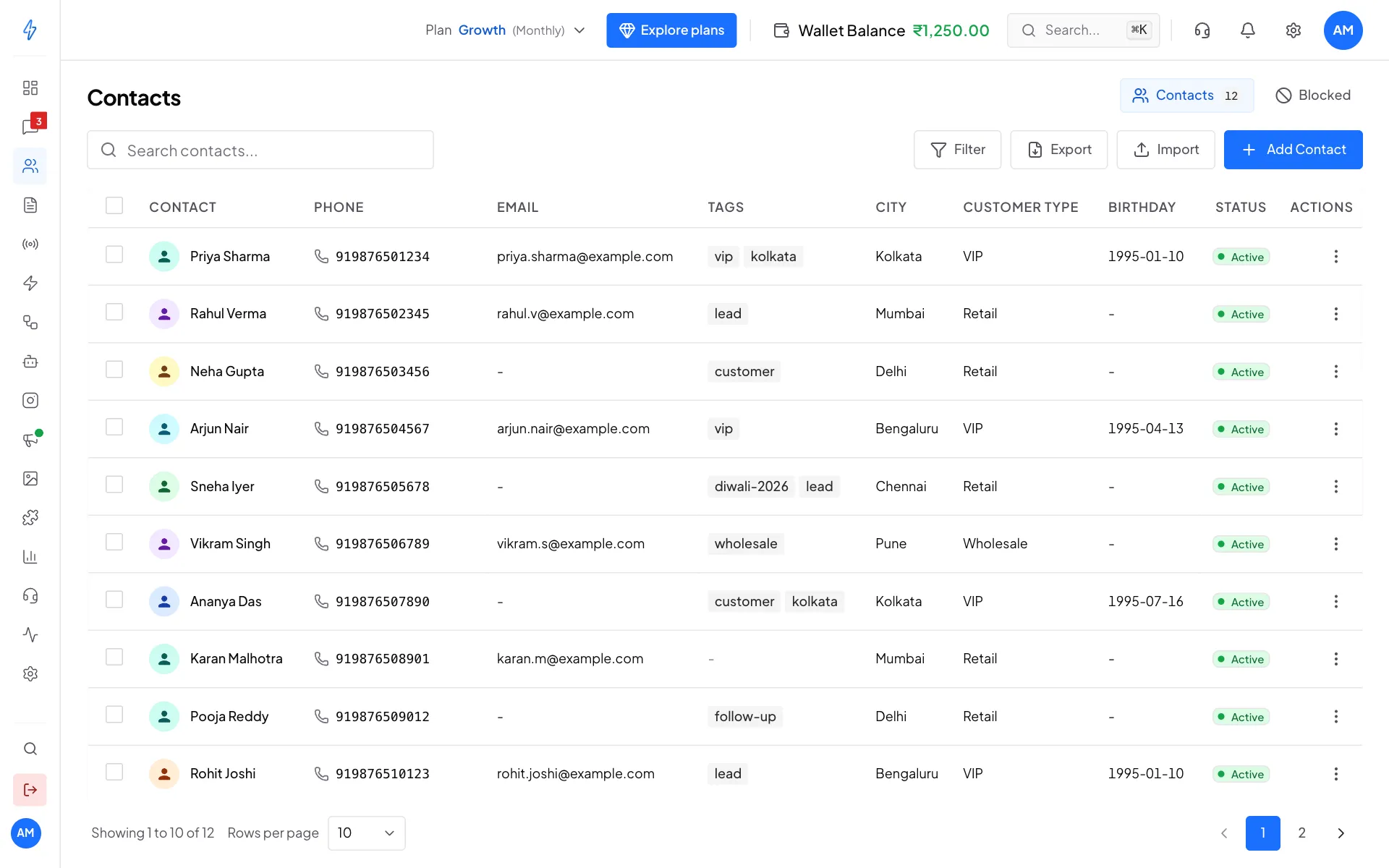
Your contacts Click Add Contact
Click Add Contact at the top right. The Add New Contact box opens.
Type the WhatsApp number
Pick the country code (for example IN +91) and type the WhatsApp Number without the country code, for example
98765 12399. This is the only required field.Add the name and details
Type the Display Name, the name your team sees in the inbox. You can also add an Email, a Website URL and Notes, pick Tags, and fill your Custom fields like City or Birthday.
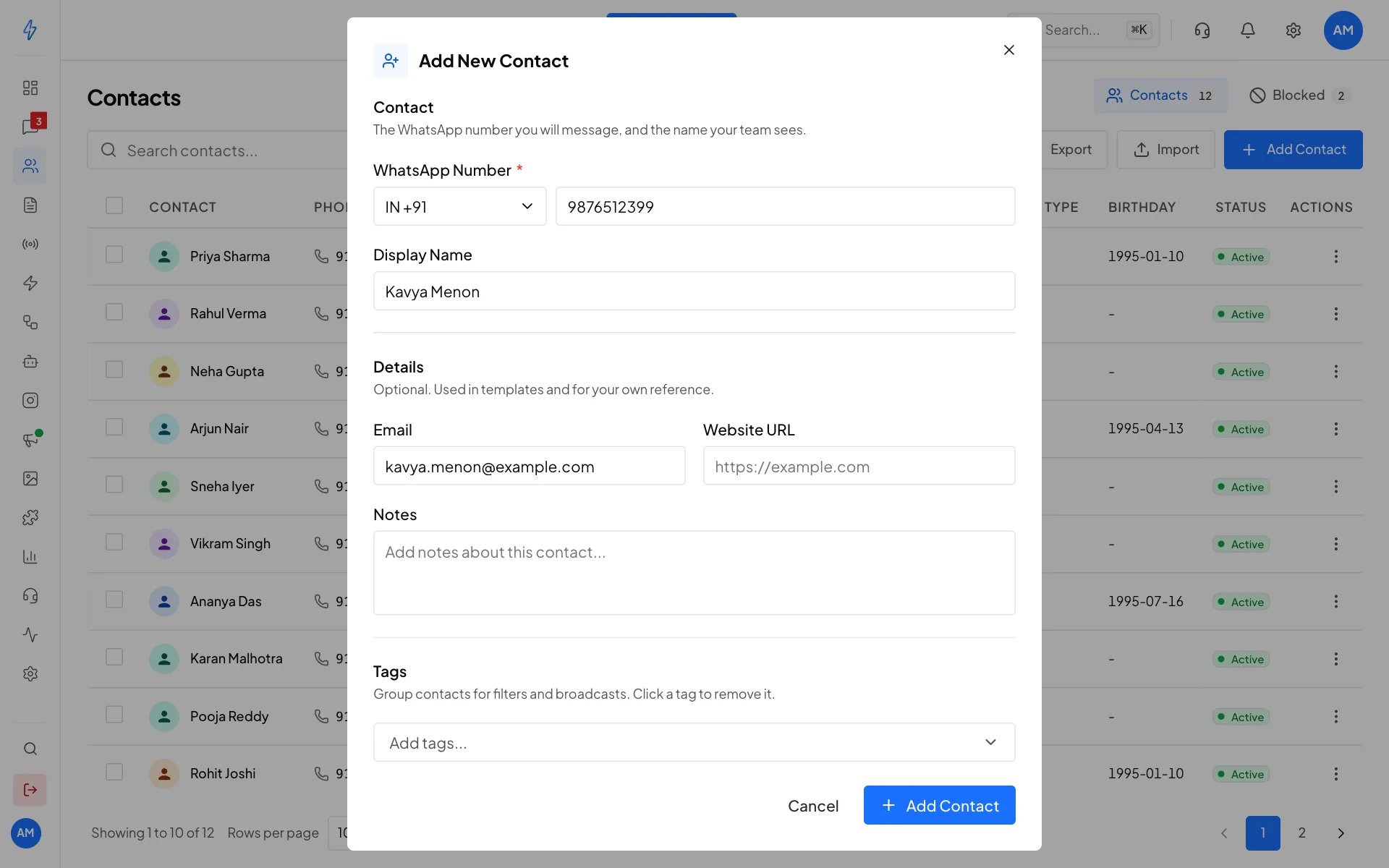
Only the WhatsApp number is required Click Add Contact
Click Add Contact at the bottom. You will see Contact created successfully, and the contact is in your list.
Customers who message you are added to your contacts by themselves, so you only need to add people who have not written to you yet.
Edit a contact
Open the contact's menu
Find the contact (type in Search contacts... to find them fast) and click the three dots at the end of their row.
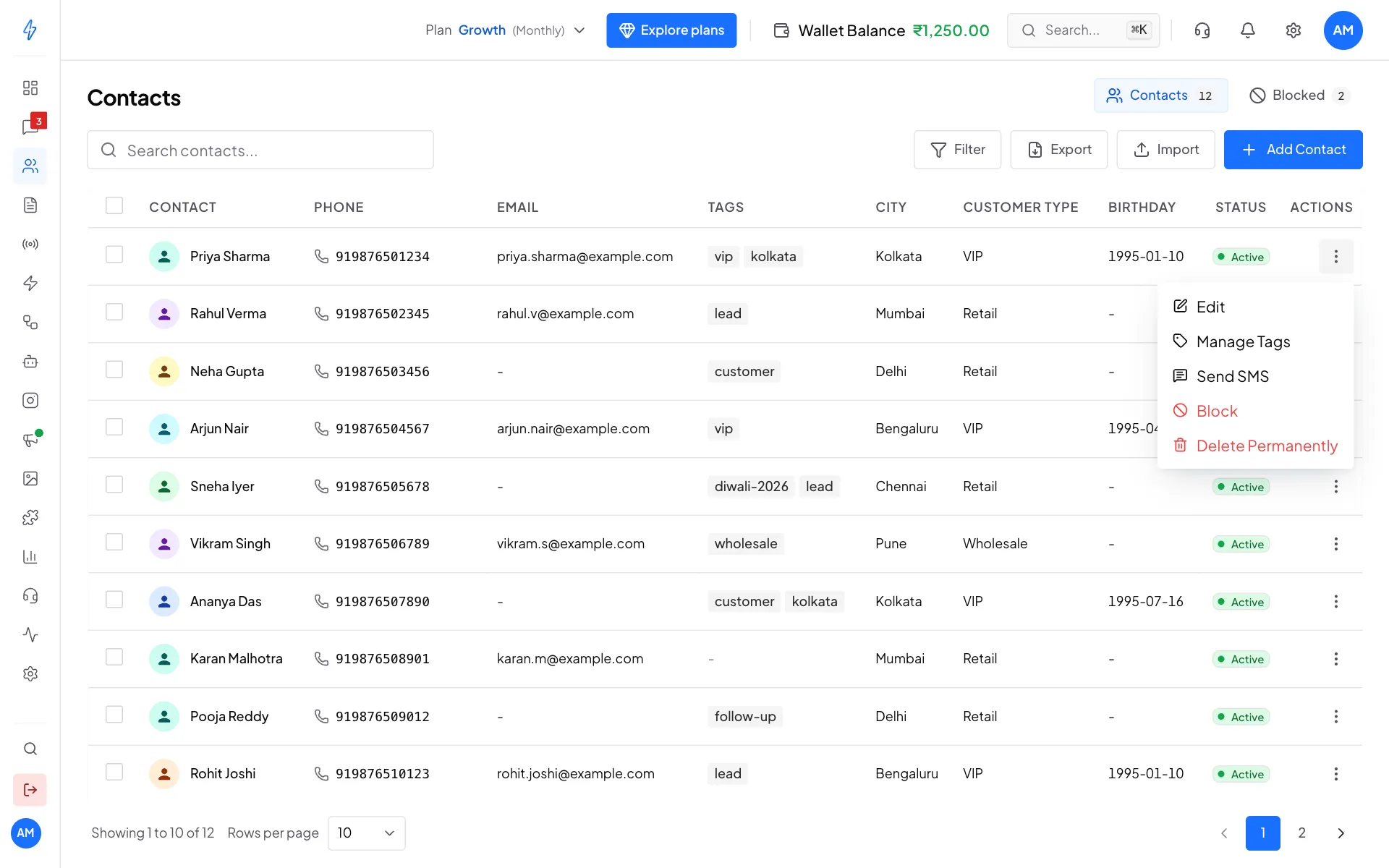
Everything you can do with one contact Click Edit
Click Edit. The Edit Contact box opens. The WhatsApp number cannot be changed. To change a number, add the contact again with the new one.
Change the details
Change the Display Name, Email, Website URL, Notes, Tags or Custom fields.
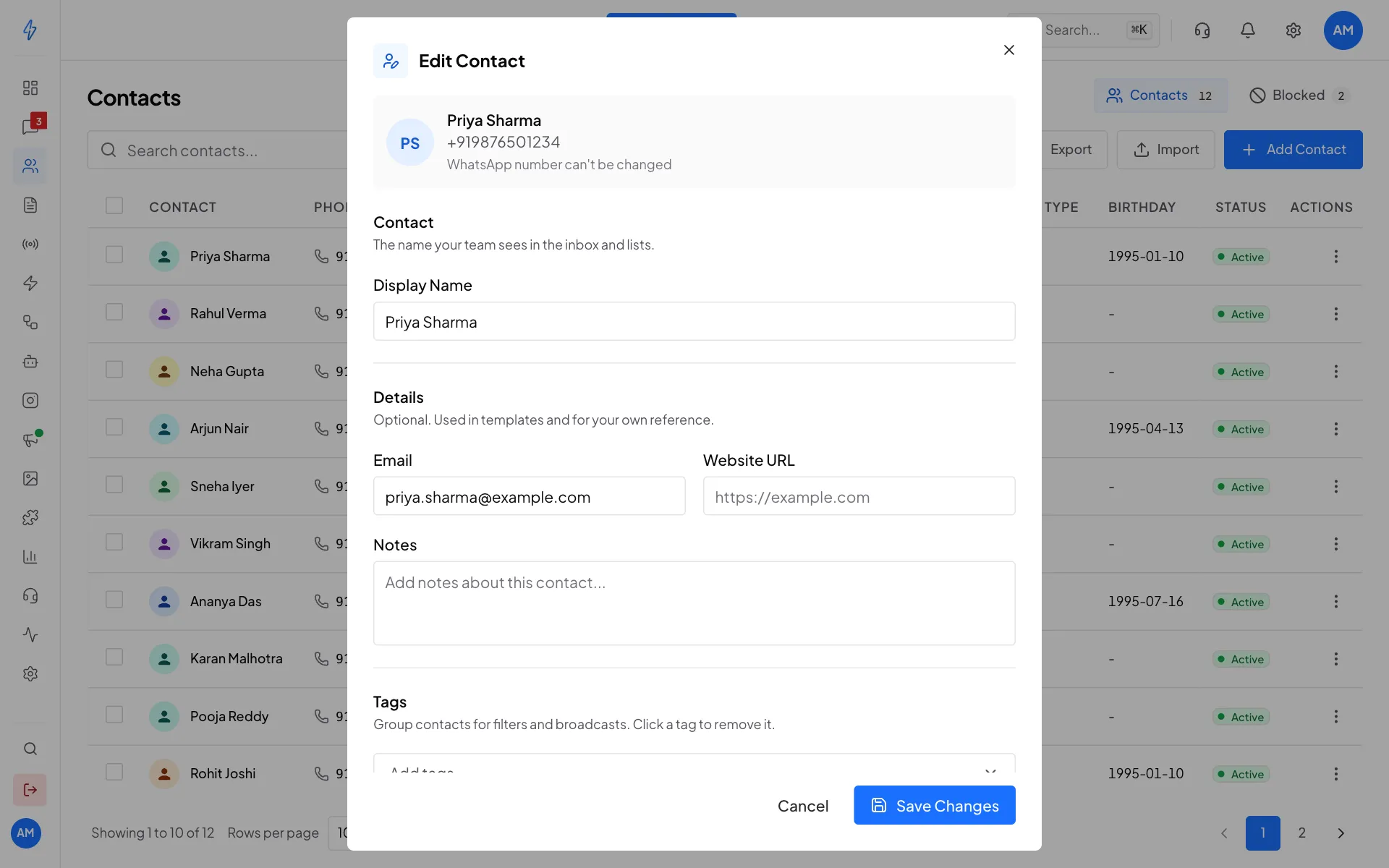
Change the name, email, notes, tags and custom fields Save
Click Save Changes. You will see Contact updated successfully.
To only add or remove tags, click Manage Tags in the same menu. See Tags.
Block a contact
Block someone who sends spam or abuse. They are blocked on WhatsApp, so they cannot message you.
Click Block
Open the contact's menu (the three dots) and click Block.
Confirm
The Block Contact box asks you to confirm. Click Block.
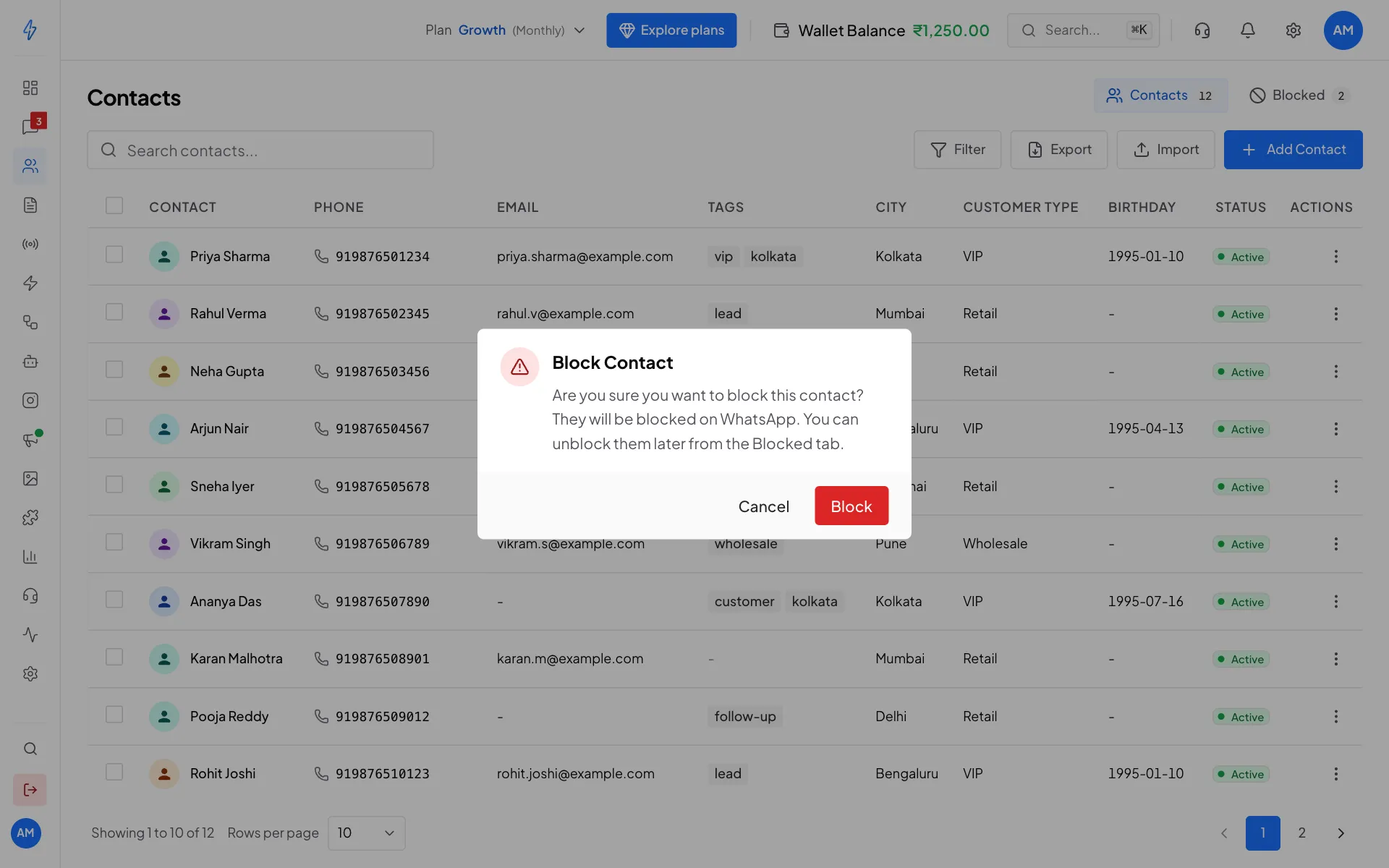
Confirm to block
Unblock a contact
Click Blocked at the top right of the Contacts page to see everyone you blocked. Click Unblock on the row, then confirm. They can message you again.
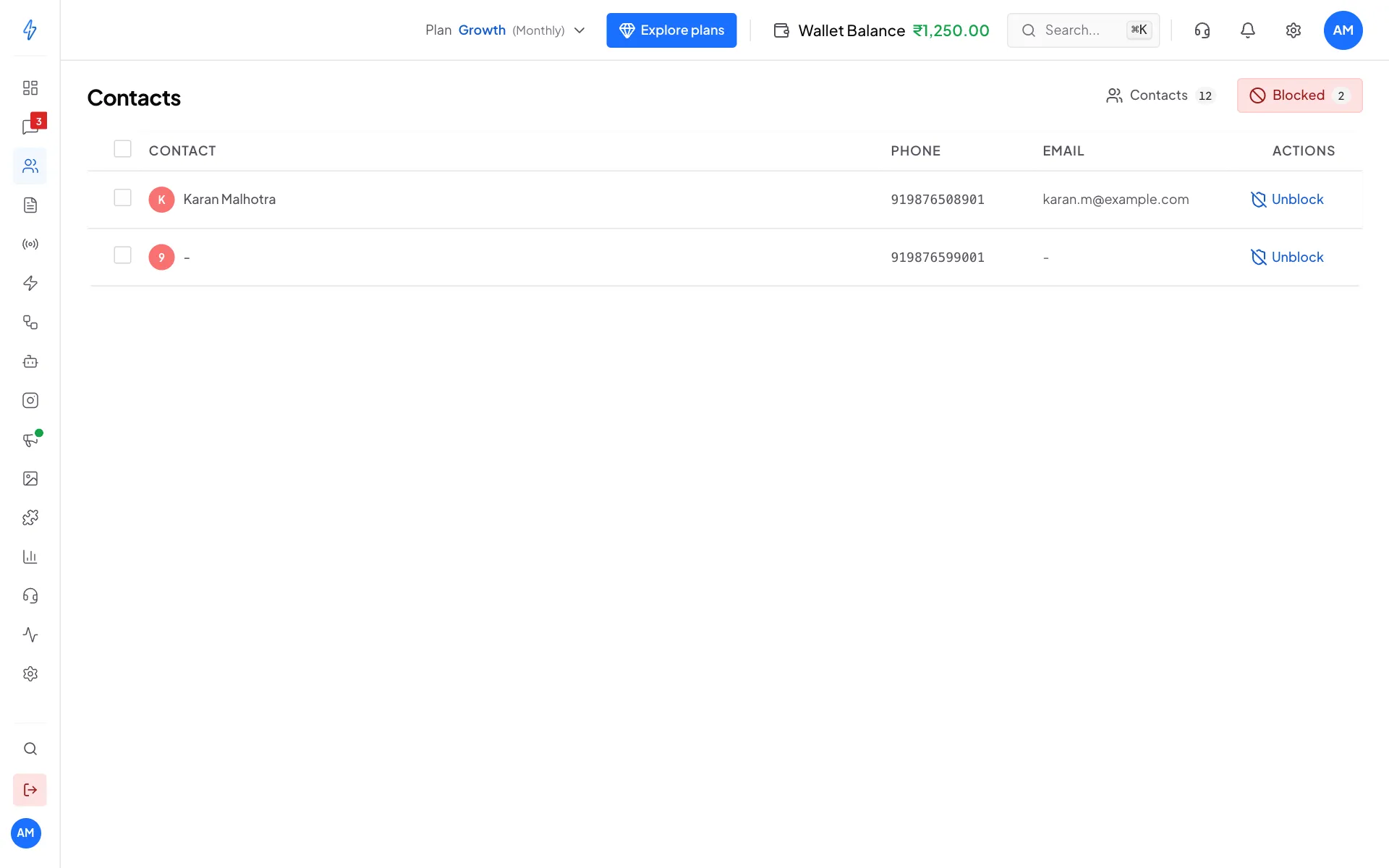
You can also block or unblock from a chat: open More actions (the three dots) at the top of the chat. See Assign and resolve chats.
Delete a contact
Open the contact's menu and click Delete Permanently, then click Delete Permanently again to confirm. You will see Contact deleted permanently. This cannot be undone. Deleting a contact does not delete a segment, it only takes the person out of it.
Work on many contacts at once
Tick the box at the start of each row (or the box in the header to pick the whole page). A bar appears with Add Tags, Block, Export and Delete. Add Tags adds to the tags each contact already has, it never removes one. Delete asks you to confirm before it removes the selected contacts.
Find contacts
- Type a name, number or email in Search contacts....
- Click Filter to show only contacts with certain Tags, added in a Date Range, or with a value in one of your custom fields.
- Click Export to download your contacts as a CSV file.
Send an SMS
For accounts in India.
If SMS is set up on your account, open a contact's menu and click Send SMS. Pick an approved SMS template, fill in its variables and click Send. See Send SMS and broadcasts.
Opt-outs
If a customer replies with an opt-out word like STOP, they are marked as opted out of marketing and do not get marketing broadcasts. Manage the opt-out words in Settings, Optin Management. See Opt-outs.