
AI Agents & Chatbots
Chatbots and AI agents reply to your customers for you, even when your team is offline. A chatbot follows the steps you design. An AI agent reads what the customer types and answers in its own words, using what you teach it about your shop.
Which one do I need?
Most shops start with a workflow bot for the welcome menu, then add a Chat AI agent that the bot hands questions to.
Find your agents
Open AI Agents & Bots
In the left sidebar, click AI Agents & Bots.
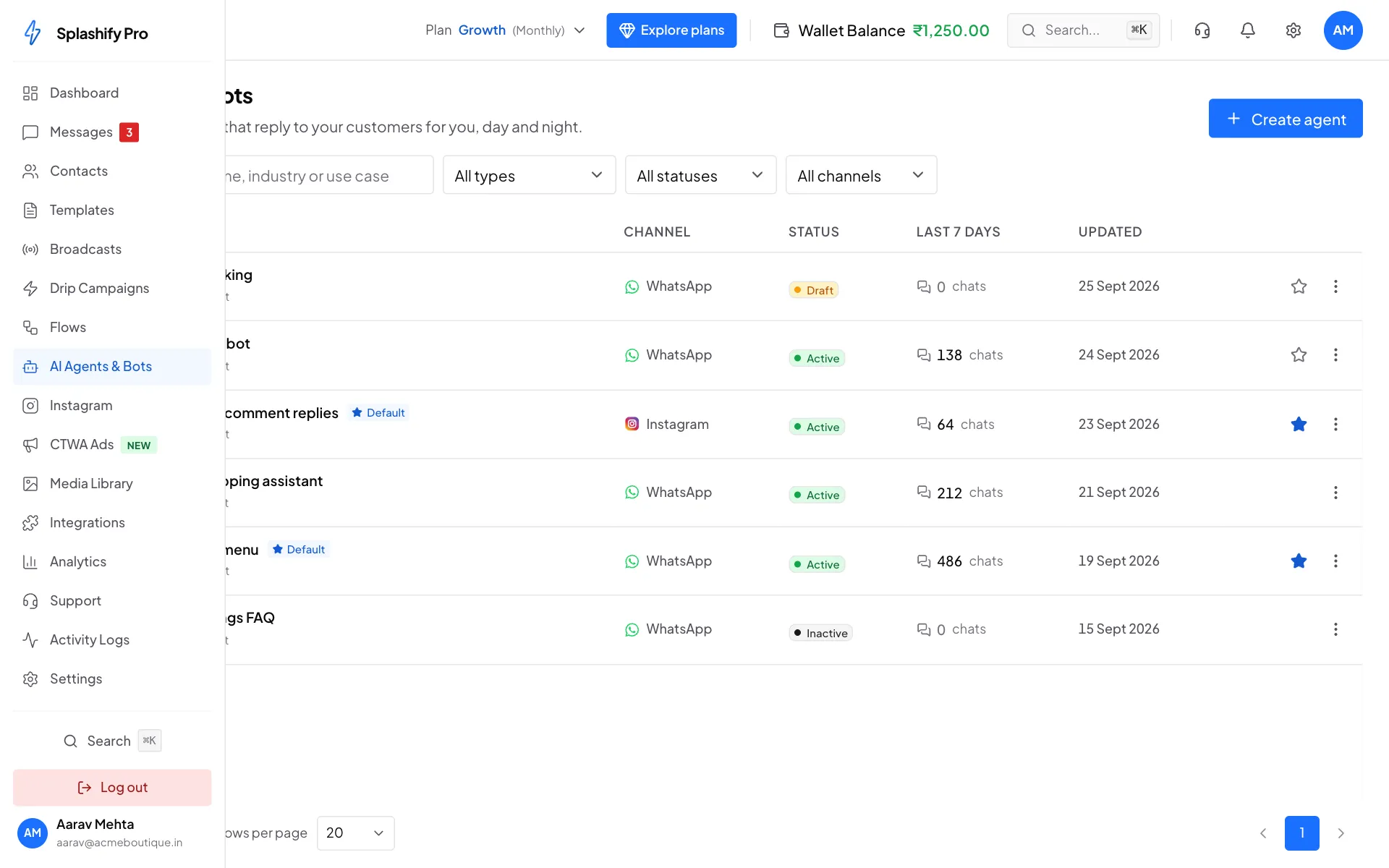
AI Agents & Bots sits in the left sidebar, under Flows See all your bots and agents
The list shows each bot and agent with its Channel (WhatsApp or Instagram), its Status (Active, Draft or Inactive), how many chats it handled in the Last 7 days, and when it was Updated.
The filled star and the Default label mark your default bot. Use the search box and the filters to find one quickly.
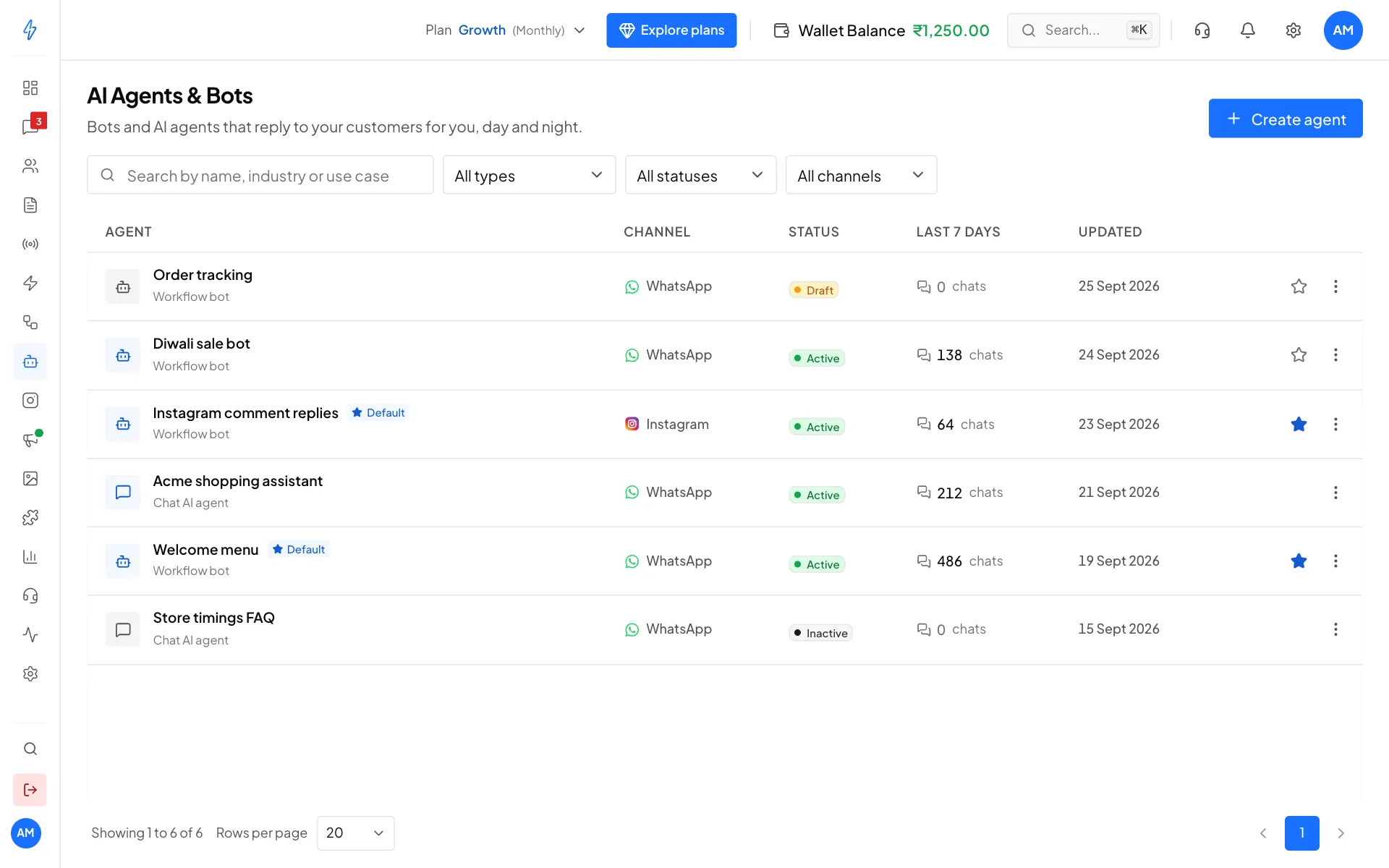
Every bot and agent in one list Create one
Click Create agent at the top right. See Build a chatbot, Chat AI agent or Meta AI agent for the full steps.
Which bot replies to a message?
When a customer writes to you:
- Your default bot (the one with the filled star) gets every new message. It starts when its trigger matches, for example any message, or only messages with your keywords.
- Your other active bots start only when their own keyword or ad trigger matches, or when they are already in the middle of a chat with that customer.
- A Chat AI agent replies when a bot hands the chat to it with the AI agent step. It keeps replying until the time limit ends or the customer types a stop word.
- Meta AI, when it is on, replies by itself: to every chat when it answers everyone, or only to your test phones. Your bots and welcome messages stay quiet on the chats it answers. See One AI at a time.
You can have one default bot for WhatsApp and a separate one for Instagram.
Turn it on
A bot only replies once it is Active. A Draft bot does nothing, even if it is the default. Turn it on with the Active switch in the builder, or with Activate in the list's ⋮ menu.
What it costs
Workflow bots cost nothing extra: you only pay for the WhatsApp messages they send. Chat AI agents, Meta AI, Maya AI and other AI features are charged from your main Wallet Balance. See AI credits and pricing.
Next steps
- Build a chatbot: create a bot and draw its steps
- Chatbot blocks (nodes): every step you can use
- Workflow bot: triggers, default bot, fallback replies
- Chat AI agent: teach an AI agent about your shop
- Meta AI agent: let Meta's own AI answer on your WhatsApp number
- Instagram bots: bots for Instagram DMs and comments