
Instagram inbox
Once Instagram is connected, every DM you receive lands in Messages, next to your WhatsApp chats. Your team answers Instagram customers without opening the Instagram app.
Answer an Instagram DM
Open Messages
In the left sidebar, click Messages.
Click the Instagram tab
At the top of the chat list, click Instagram. The list now shows only Instagram chats, each with a pink IG badge. The tab only shows once Instagram is connected.
Open a chat
Click a chat. The messages open on the right. Next to the name you see how long you can still reply, for example 23h left.
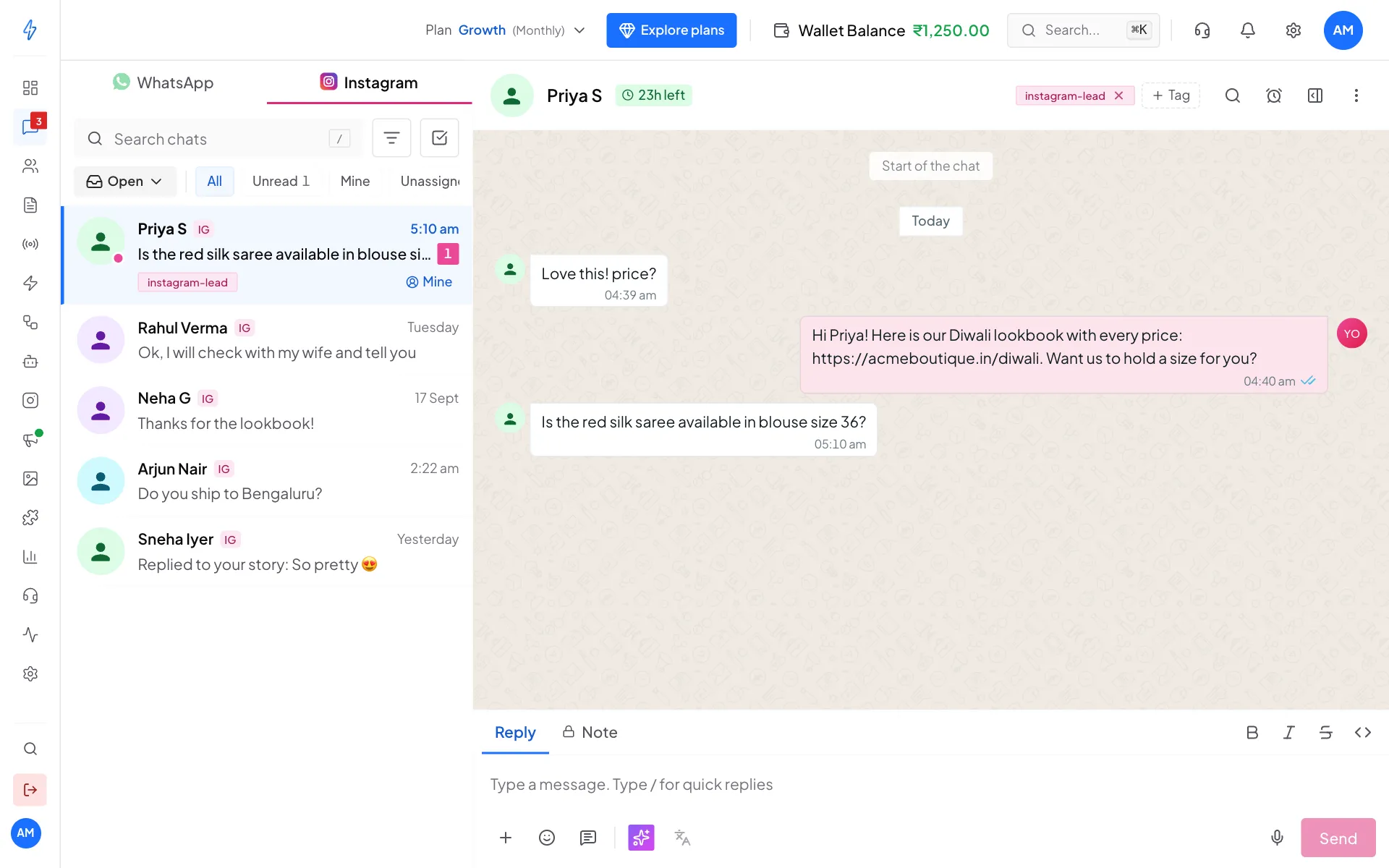
Instagram chats in Messages Type your reply and send
Type in the reply box at the bottom and click Send. To send a photo or video, click + next to the reply box. You can also record a voice note with the microphone.
Everything else works like a WhatsApp chat: tags, notes, assigning the chat to a teammate, and resolving it. See Conversations.
Messages needs WhatsApp
The Messages inbox opens once a WhatsApp number (or RCS) is connected. With only Instagram connected, it asks you to connect WhatsApp first.
See who you are talking to
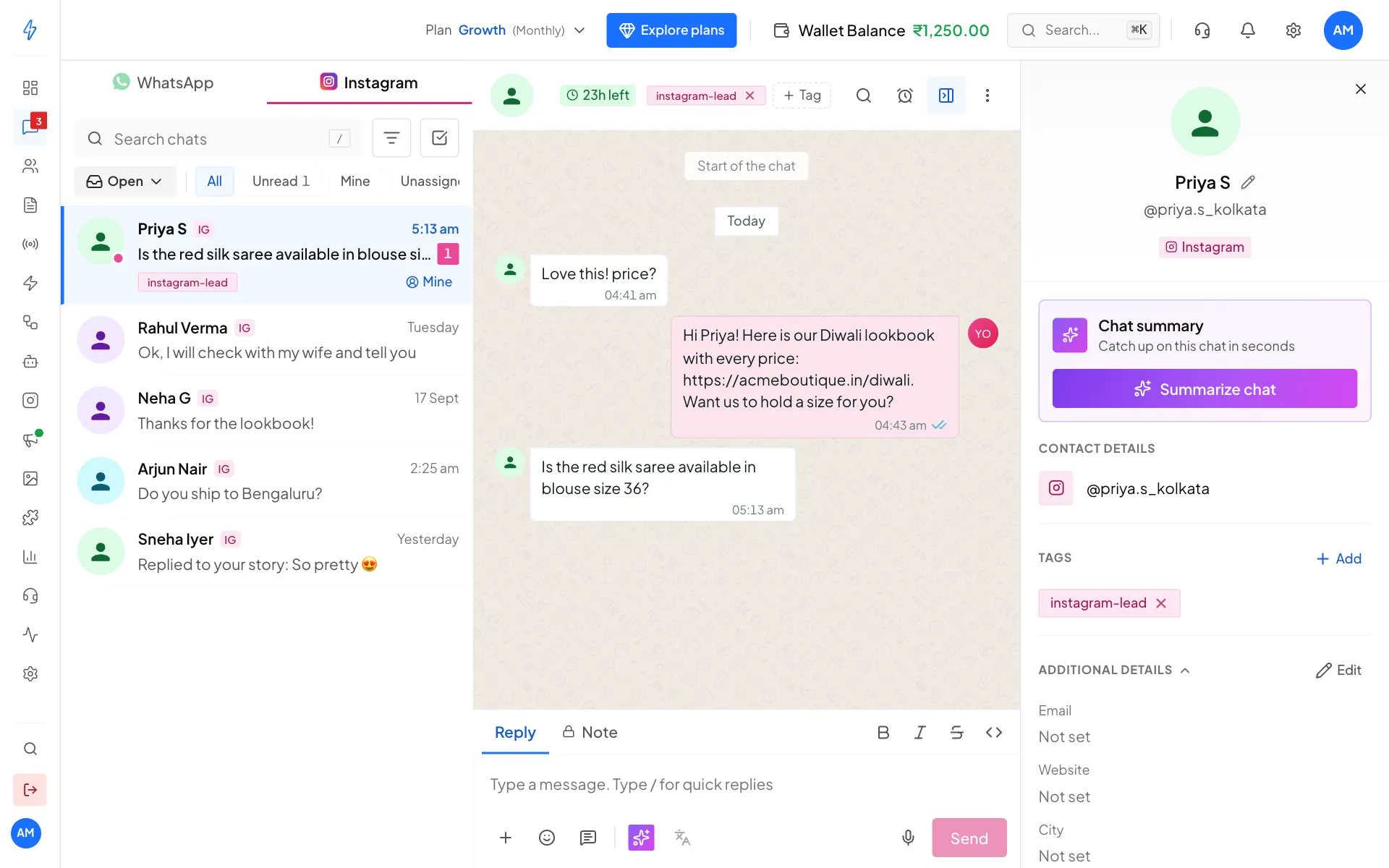
Click the contact details button at the top right of the chat. The panel shows the customer's Instagram handle, like @priya.s_kolkata, an Instagram badge, their tags and other details.
What you can send
Photos, videos and audio from customers show in the chat as they arrive.
When you can reply
Instagram decides when you may reply, based on the customer's last message:
See Messaging windows for pictures of each state.
Comments and DMs
A comment on your post does not open the reply window. Only a DM from the customer does. But the DM your comment rule sends is always allowed, because it answers their comment.
Automations and the inbox
Both use the same connection:
- Comment rules and automations send the first DM, or answer common questions.
- Messages is where the conversation continues with your team, whether it started from an automation or from the customer.
Replies from the inbox follow the same reply-window rules.