
All settings
All your account, team, billing and messaging settings live in one Settings box. Open it from anywhere in the app, then click the setting you need.
Open Settings
Click the gear icon
Click Settings (the gear icon) near the bottom of the left sidebar, or the gear icon in the top bar. The Settings box opens, grouped by topic.
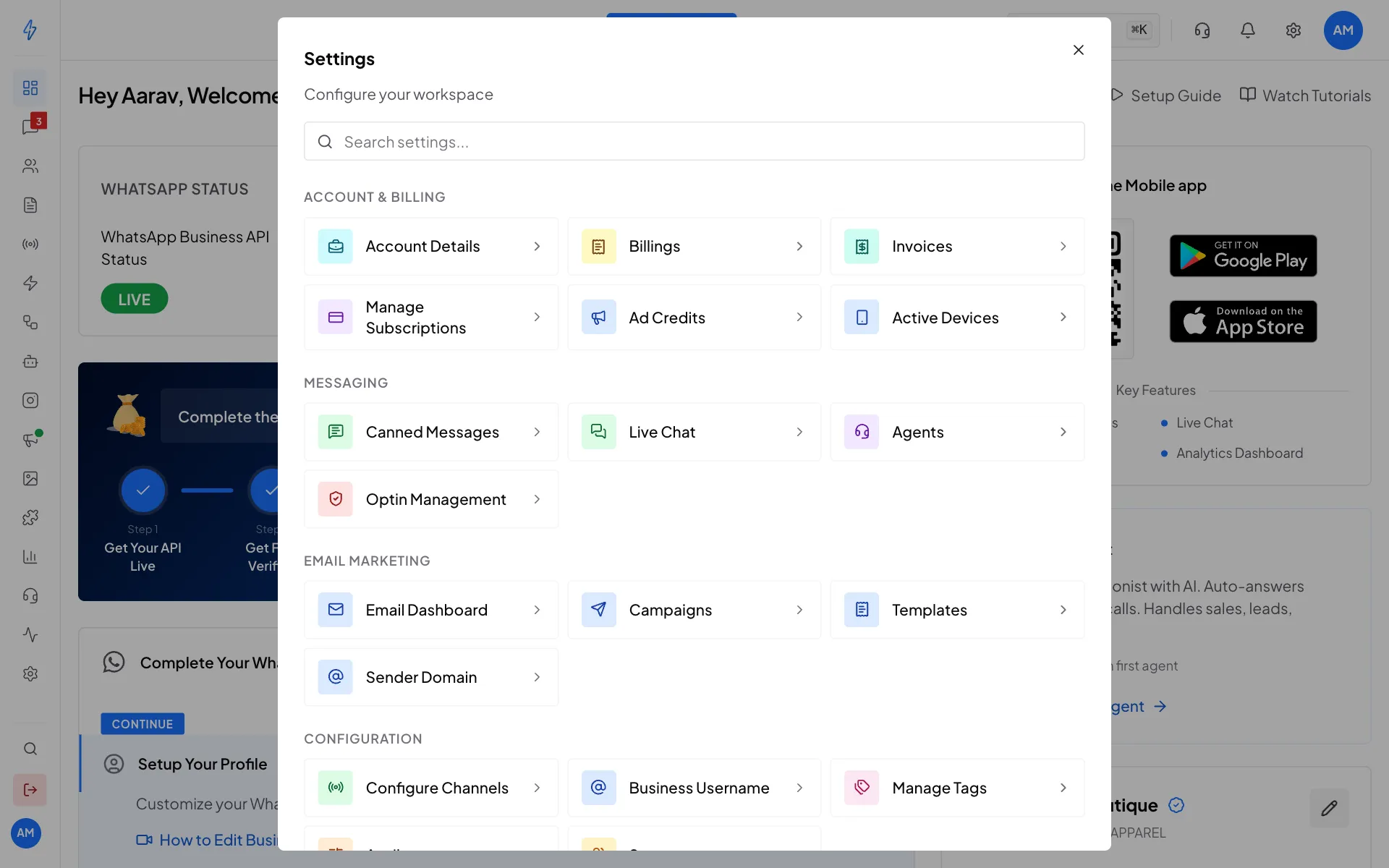
The Settings box Scroll for more
Scroll down for Email Marketing, Configuration and Analytics & Commerce.
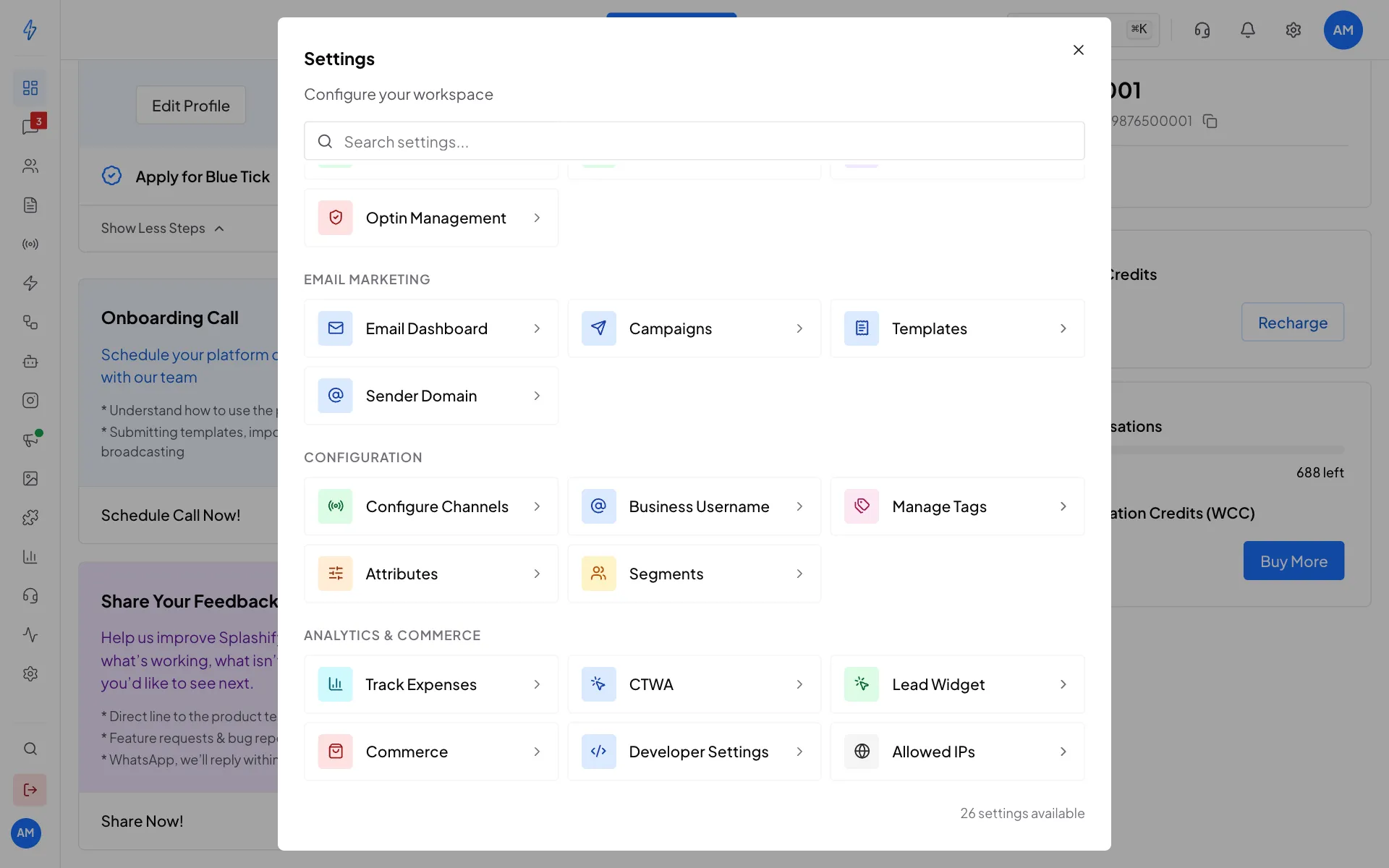
More settings lower down Or search
Type in Search settings..., for example
tag, and click the result.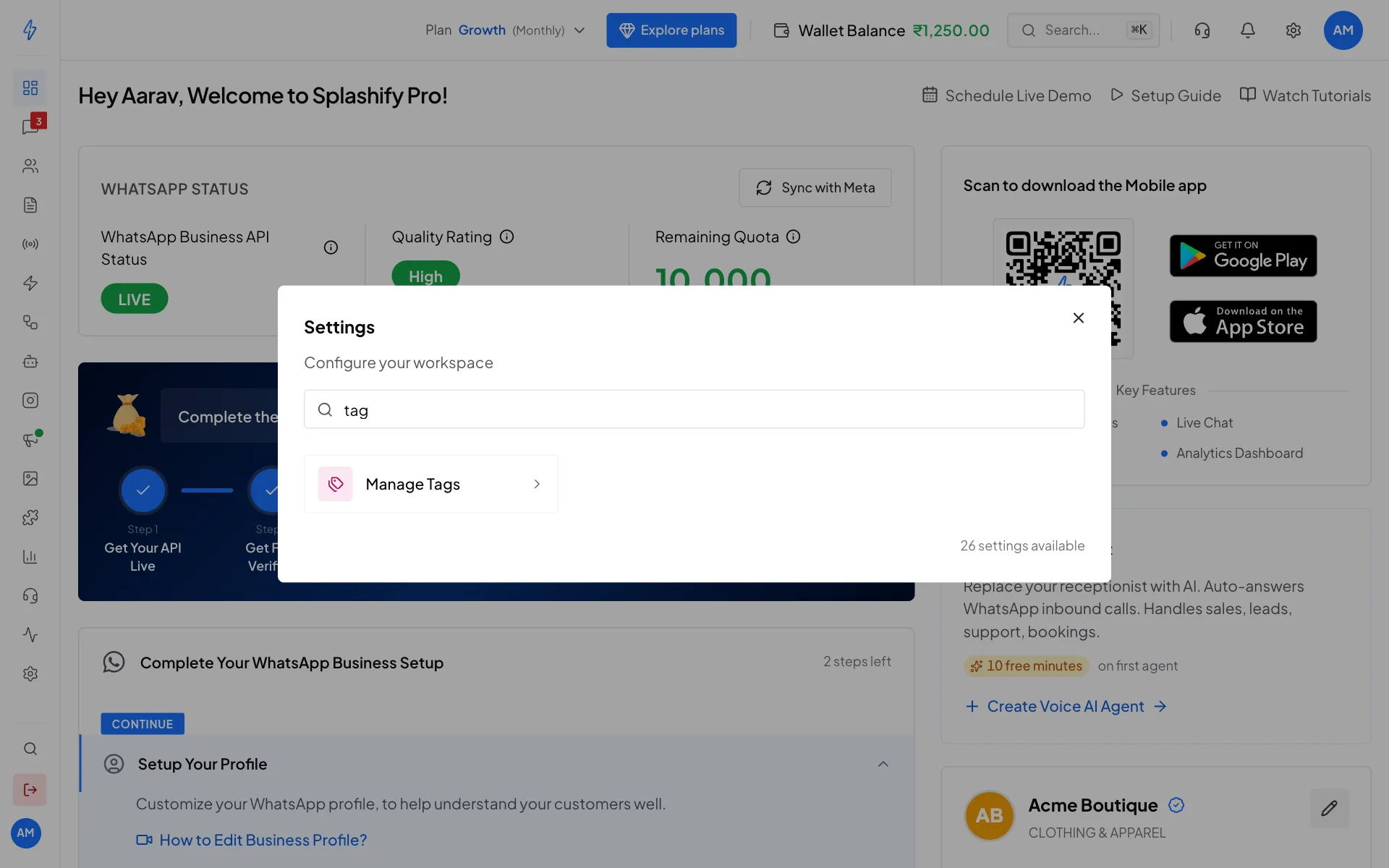
Search to jump straight to a setting
Keyboard shortcut
Press Ctrl + K (or ⌘ K on a Mac) to open the app search, then type Open Settings.
What each setting does
Account & Billing
Messaging
Email Marketing
Email Dashboard, Campaigns, Templates and Sender Domain open the email tools.
Configuration
Analytics & Commerce
Some settings, like Allowed IPs, Lead Widget and the Email Marketing pages, are not in every plan. When yours does not include one, its tile shows Upgrade, and the page offers Upgrade plan.