
Conversations
A busy shop can have hundreds of chats. This page shows how to find the one you need, read it, and see everything you know about that customer.
Read the chat list
Click Messages in the left sidebar. Each row in the list shows:
- The customer's name (or number if you have not saved a name).
- Their last message and the time it came in.
- A blue number for unread messages.
- Their tags, for example
viporkolkata. - Who looks after the chat: Mine if it is yours, or the teammate's initials, for example RS for Riya Sen.
- How long the customer has been waiting, if nobody has replied for 15 minutes or more.
Chats with the newest message are at the top. Scroll down to load older chats.
Before you pick a chat
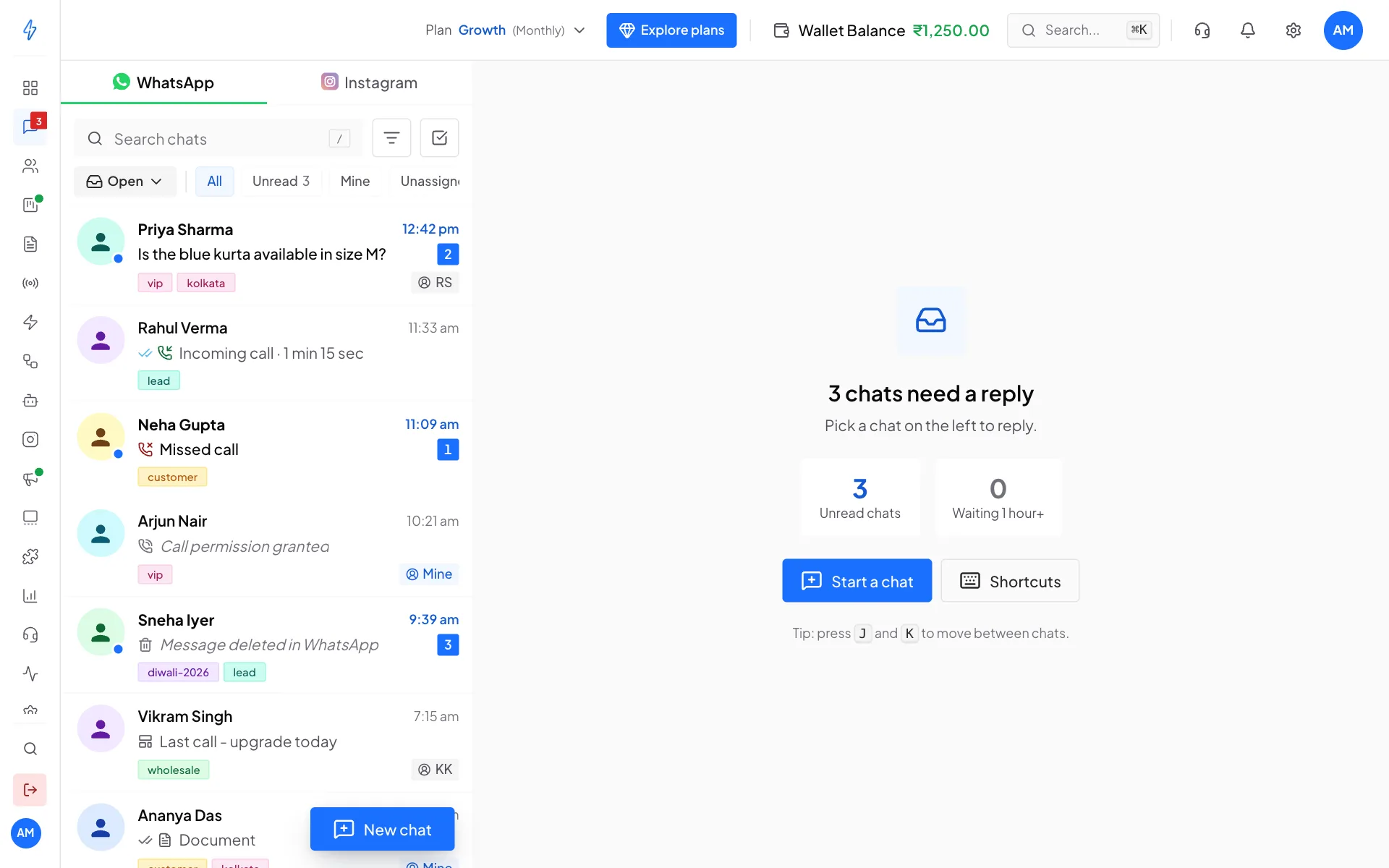
On a computer, until you click a chat, the middle of the page shows what is waiting for you:
- Unread chats: how many chats have messages nobody has read yet.
- Waiting 1 hour+: how many customers have waited more than an hour for a reply.
The title tells you what to do first, for example 3 chats need a reply or 2 customers are waiting. You see You're all caught up only when nothing is unread and nobody is waiting.
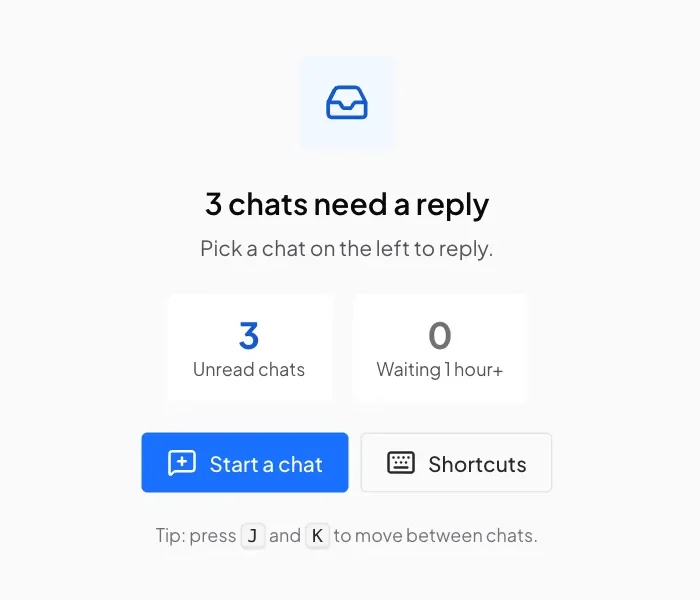
Click Start a chat to message a new customer, or Shortcuts to see the keyboard shortcuts.
Search for a chat
Click Search chats
Click the Search chats box at the top of the list, or press / on your keyboard.
Type a name, number or word
Type part of a name, a phone number, or a word from the last message. The list shows only the chats that match.
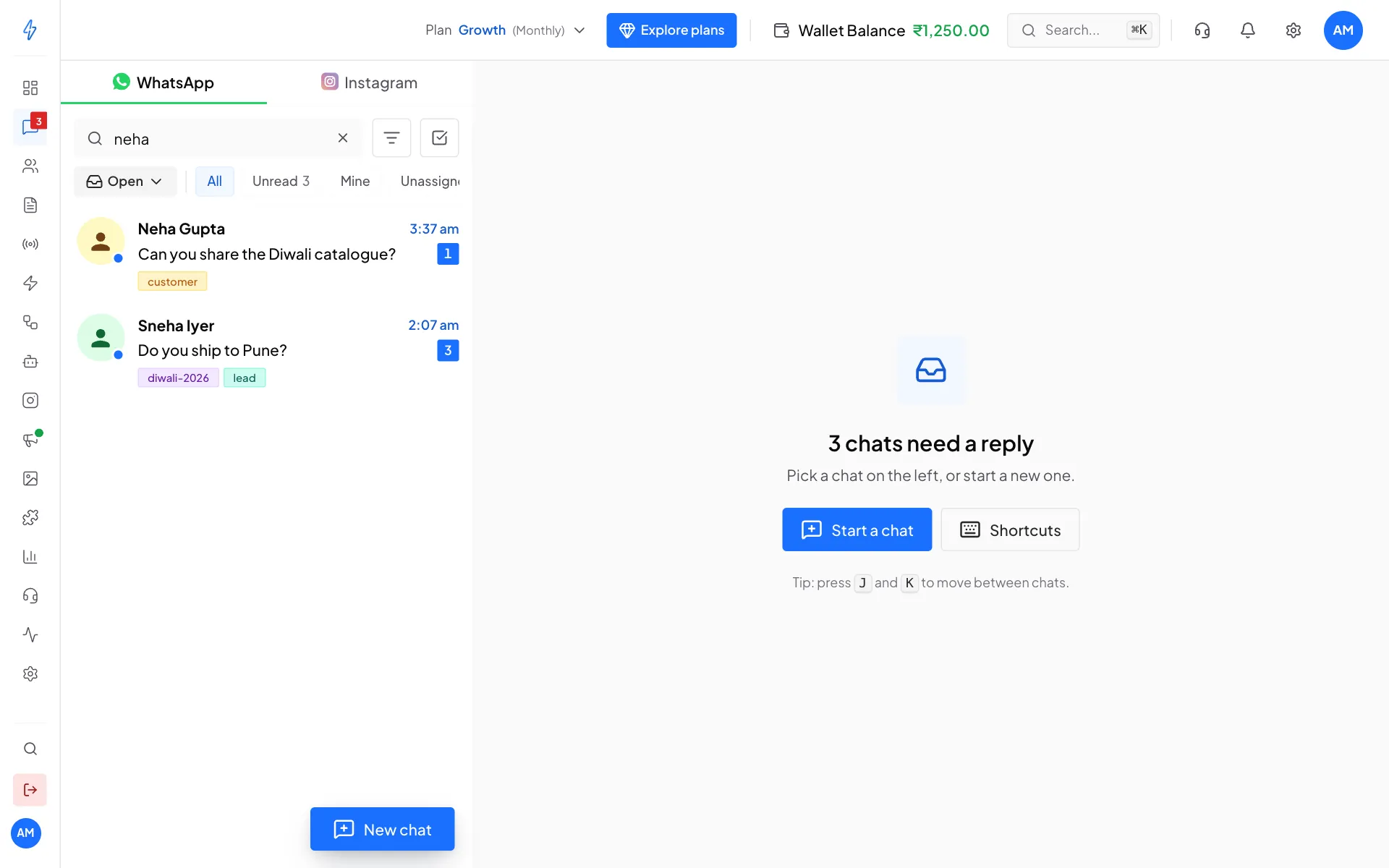
Typing neha finds Neha Gupta and Sneha Iyer Clear the search
Click the x in the search box to see all chats again.
Show only some chats
Below the search box are quick buttons. Click one to narrow the list, click it again to go back to All.
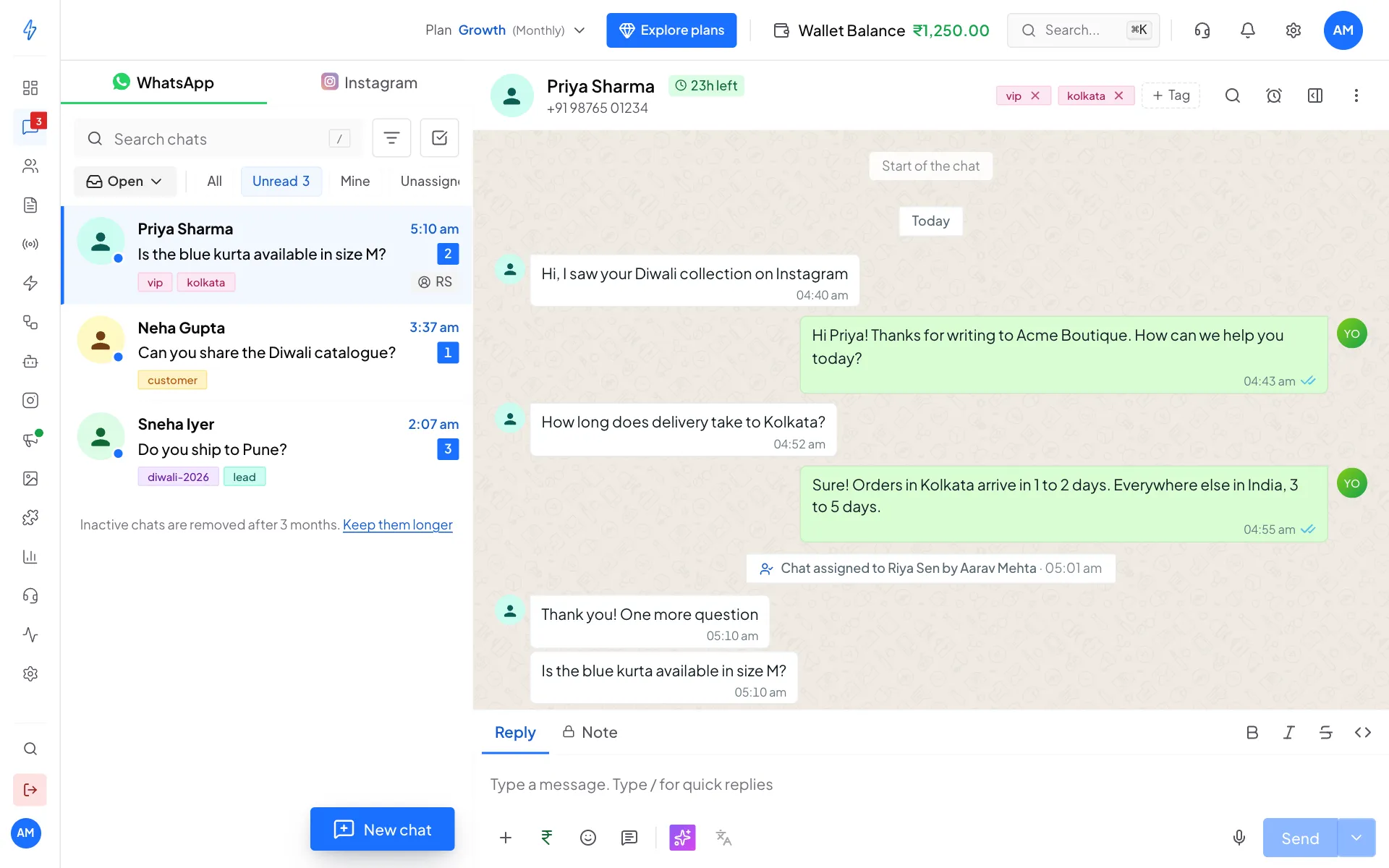
Team members with the Agent role only see their own chats, so they see All and Unread only.
Filter by tag or teammate
Click the filter button
Click the filter button (three lines) next to the search box.
Pick a tag or a teammate
Under Tag, click a tag to see only chats with it. Under Assigned to, click a teammate to see only their chats.
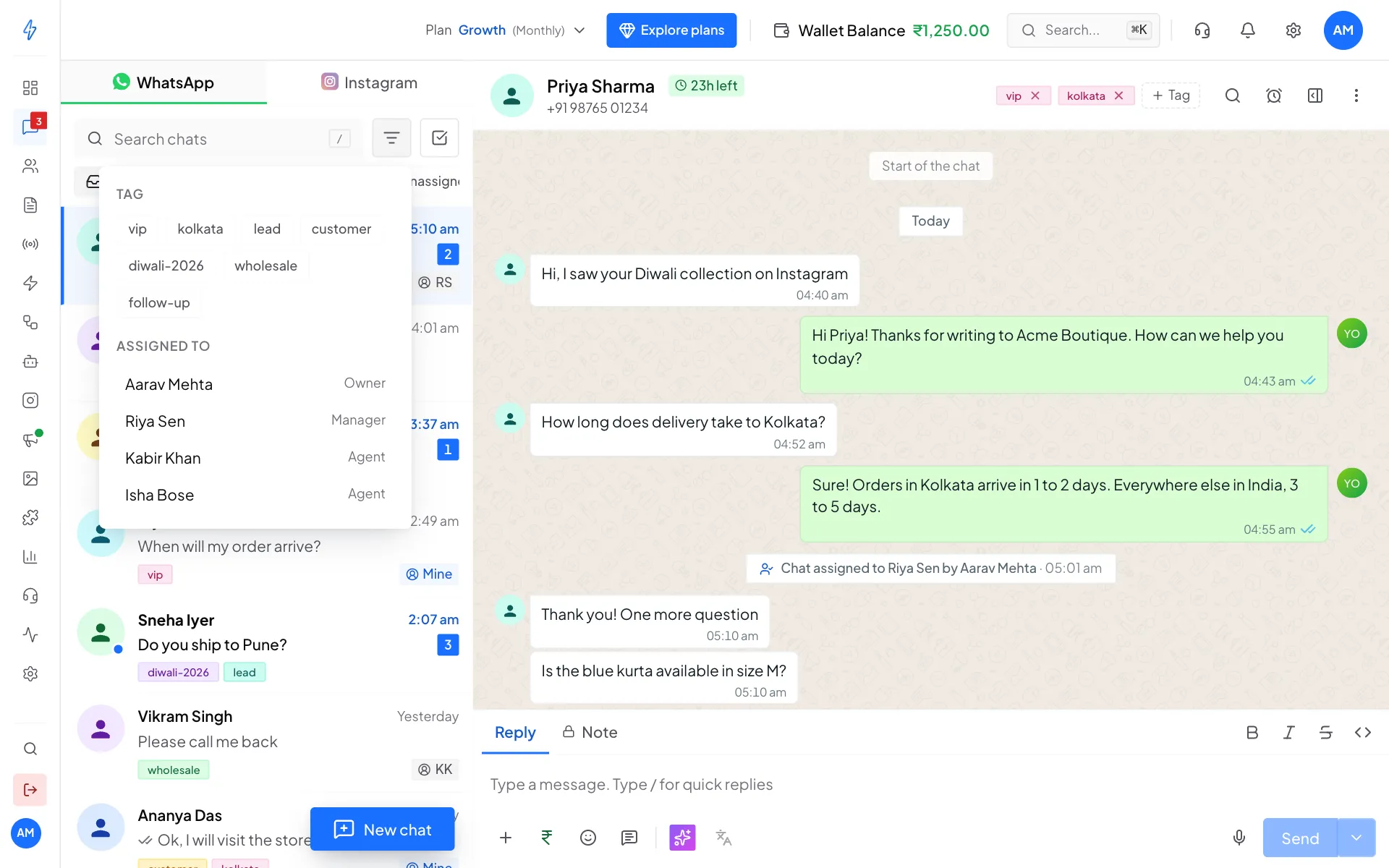
Filter by tag or by teammate Remove a filter
Each filter shows as a small blue label under the buttons. Click its x to remove it.
Read a chat
Click a chat to open it. Inside the chat:
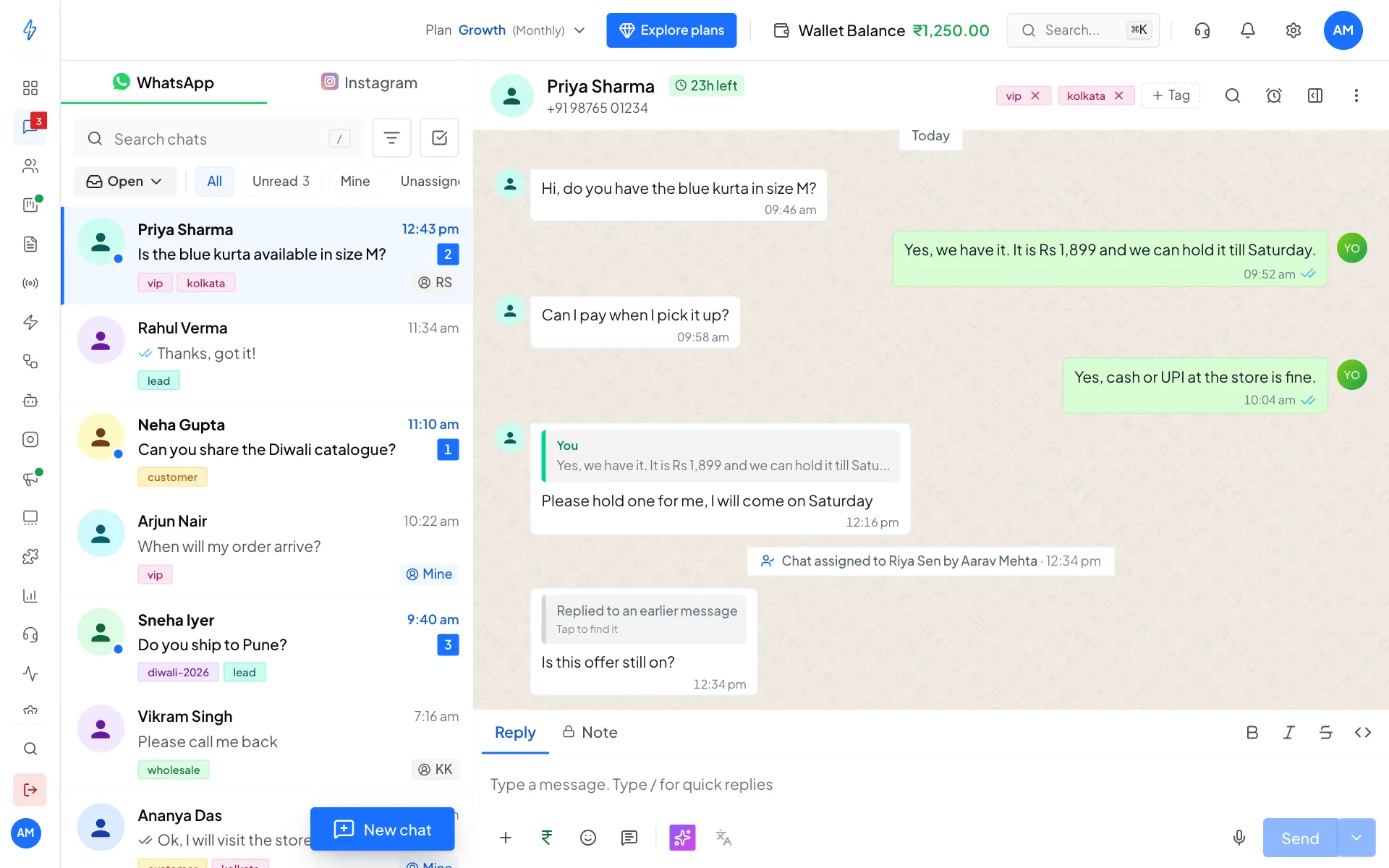
- Customer messages are on the left in white.
- Your team's replies are on the right in green.
- Ticks show what happened to your message: one grey tick is sent, two grey ticks is delivered, two blue ticks is read.
- Grey notes in the middle show what happened to the chat, for example Chat assigned to Riya Sen by Aarav Mehta or Chat resolved by Aarav Mehta.
- Private notes from your team are on the right in orange, with a lock, who wrote them and when. Only your team sees them, and only the account owner can delete one. See Leave a private note.
- Photos, videos, voice notes, documents, locations, contact cards, button replies and templates all show inside the chat. Voice notes play right in the browser.
Scroll up to load older messages.
Edits, deletes and messages WhatsApp can't show
Sometimes a message is edited or deleted in the WhatsApp app, or it is a type the inbox can't show, like a poll or a view-once photo. The chat then shows a small notice in the middle, not a message bubble:
- A message was edited: it was changed in the WhatsApp app. Open WhatsApp on the phone to see the new text.
- A message was deleted: it was deleted in the WhatsApp app.
- A message WhatsApp can't show here: polls, view-once photos and some other types only open in the WhatsApp app.
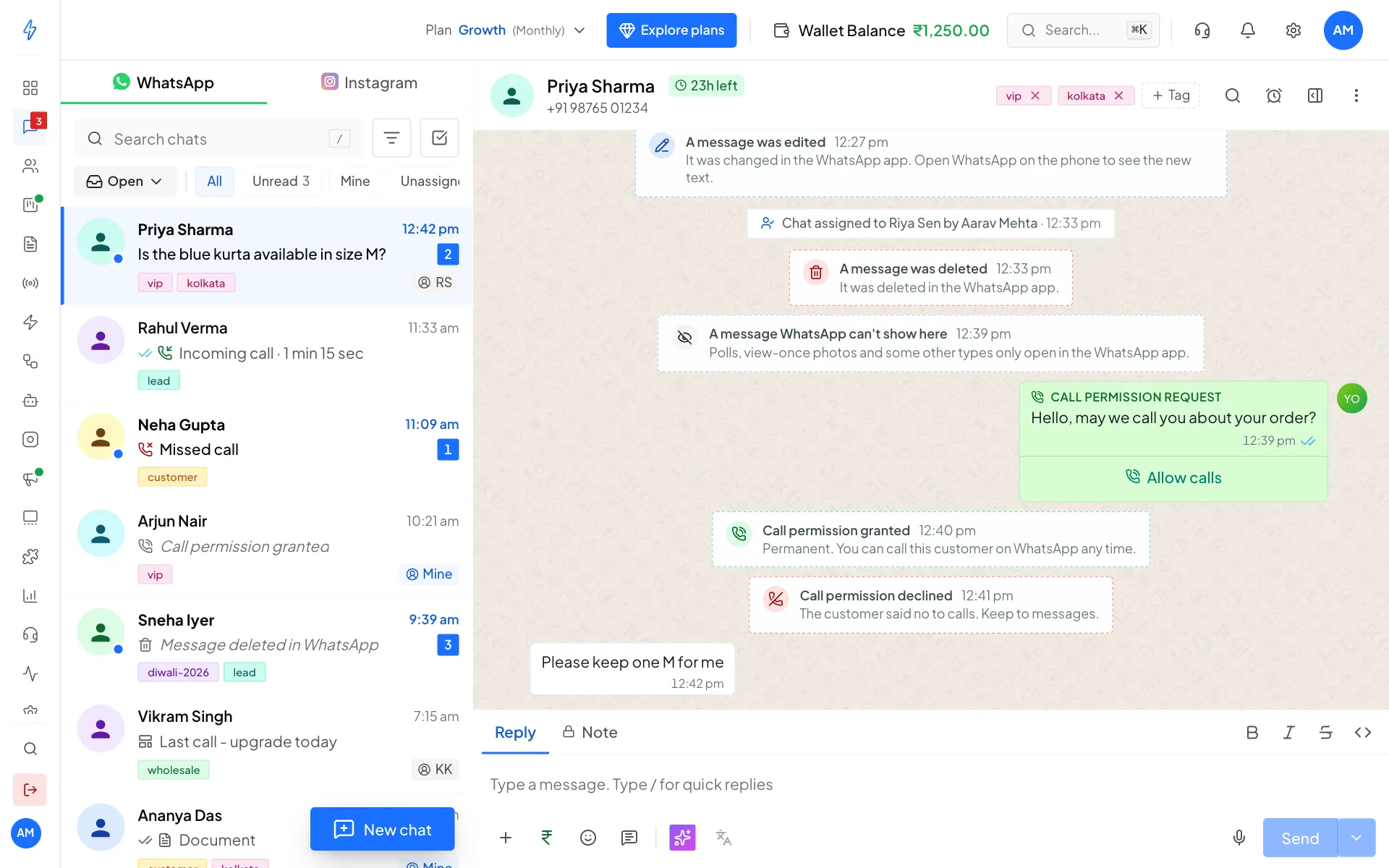
In the chat list, the last message shows a small icon and a short label instead, for example Message edited in WhatsApp, Message deleted in WhatsApp or Message only visible in WhatsApp.
Calls in the chat
WhatsApp calls show in the chat like messages, on the side of whoever called:
- Voice call: an answered call, with how long it lasted, for example Incoming · 20 sec.
- Missed voice call: the customer called and nobody answered. Click Call back to call them.
- No answer or Call declined: you called and they did not pick up. Click Call again.
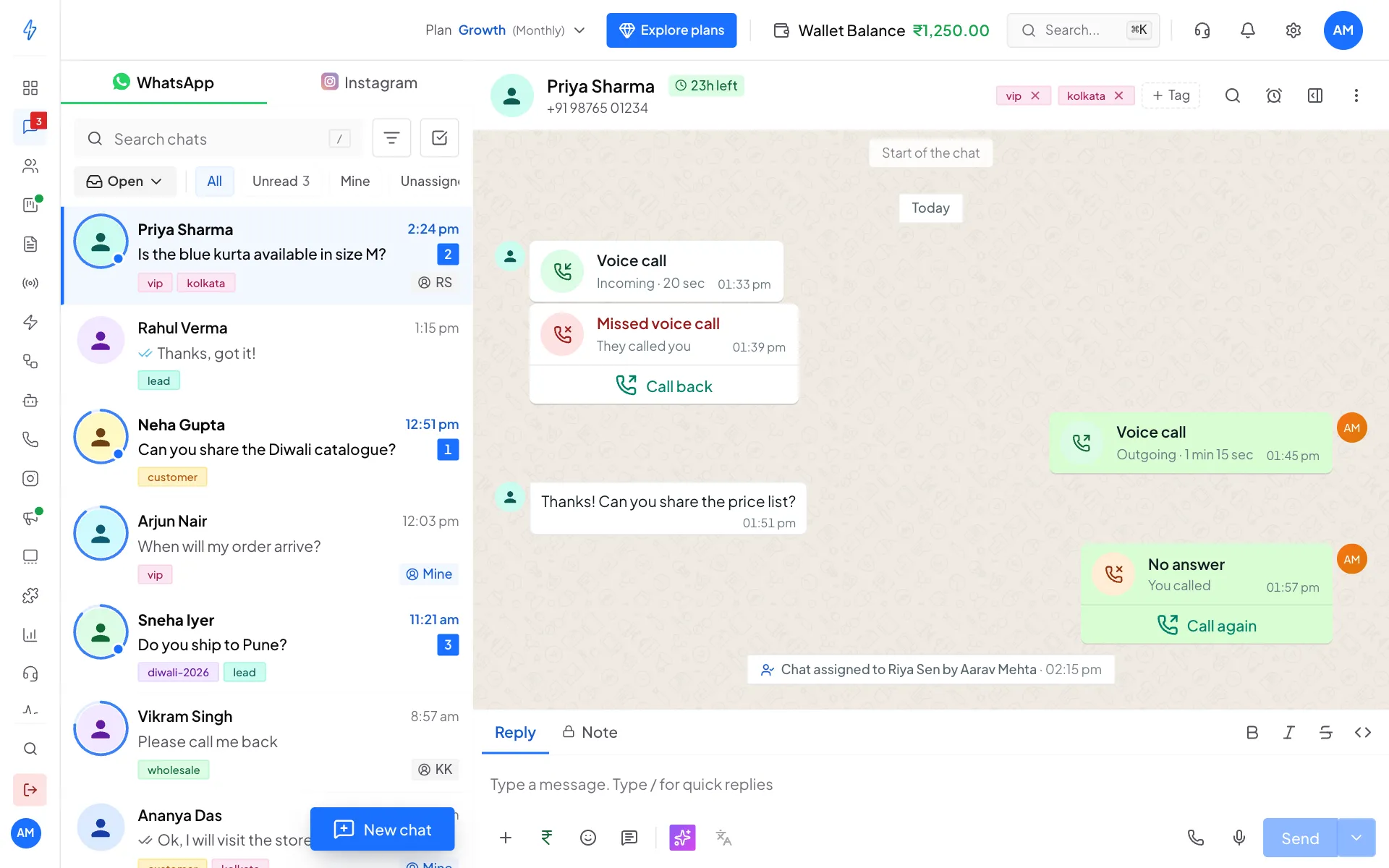
Call back shows only when calling is turned on for your number. See Calling.
Shared contacts
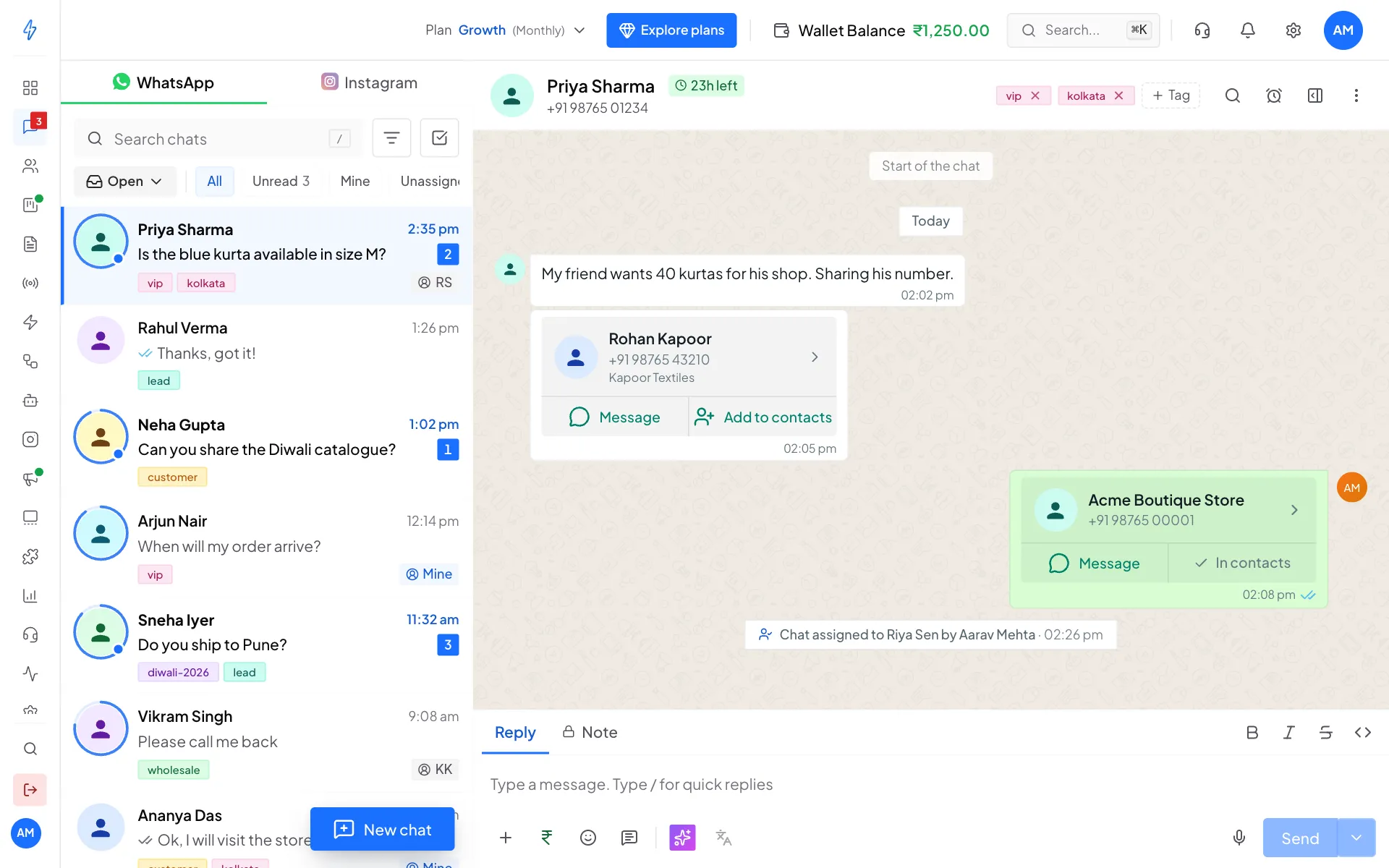
When a customer shares someone's contact, it shows as a card with their name, number and company.
- Click Message to open a chat with that person right here in the inbox.
- Click Add to contacts to save them in Contacts. If they are already saved, the card says In contacts.
- Click the card to see every number and email, copy them, or download the contact to your phone.
Go to the message they replied to
When a customer replies to one of the messages in the chat, their message shows a quote of it at the top. Click the quote to jump to the original message. It is highlighted for a moment so you can spot it.
If the original is older than the messages loaded, the quote says Replied to an earlier message and Tap to find it. Click it. The inbox loads older messages until it finds the original, then highlights it.
If it can't be found, you see Could not find that message. It may be older than the chat history kept here, or it was sent from another app.
See the customer's details
Click the customer's name at the top of the chat, or the Contact details button (the panel icon) at the top right. A panel opens on the right.
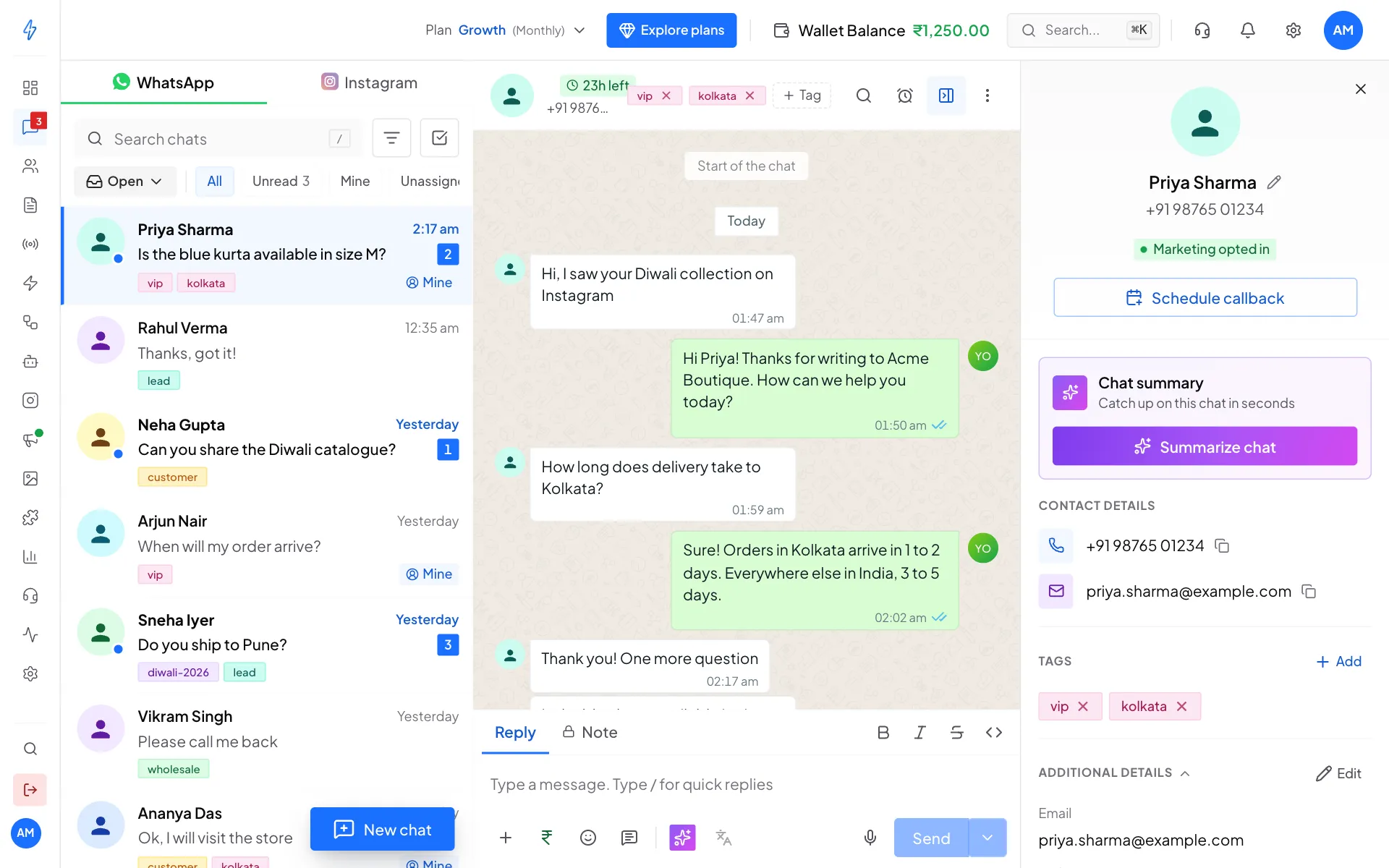
In the panel you can:
- See and copy the customer's phone number and email. Click the pencil next to the name to rename them.
- See if they are Marketing opted in.
- Add or remove tags.
- See and edit Additional details, the extra fields you keep for customers, like city or birthday.
- Click Summarize chat for a short AI summary. See Inbox tools.
- Click Schedule callback to set a reminder to call them.
- Open Activity to see what happened with this customer over time.
Click the x at the top of the panel to close it.