
Business verification (KYC)
For accounts in India. Accounts outside India are not asked for KYC. See Using Splashify Pro outside India.
KYC means "know your customer". You prove your business is real with your GST number (or your Udyam MSME number), so Meta lets you message more customers a day and approves your display name.
A new number can start chats with only a small number of customers a day. KYC raises this to 2,000 a day and gets your display name approved. You can do KYC as soon as your WhatsApp number is connected.
Before you start
The dashboard lists three things to check first:
- The legal or trade name on your GST certificate and your business name on Meta (Facebook Business Manager) must match.
- Your business needs an active website.
- Use the Aadhaar card of a director listed on your GST document.
Keep a PDF, JPG or PNG copy of your GST certificate (or Udyam certificate) ready. It must be under 10 MB.
Do your KYC
Open the KYC step on the dashboard
Click Dashboard in the left sidebar. Under Complete Your WhatsApp Business Setup, open Increase your messaging limit & get your display name approved and click Start KYC.
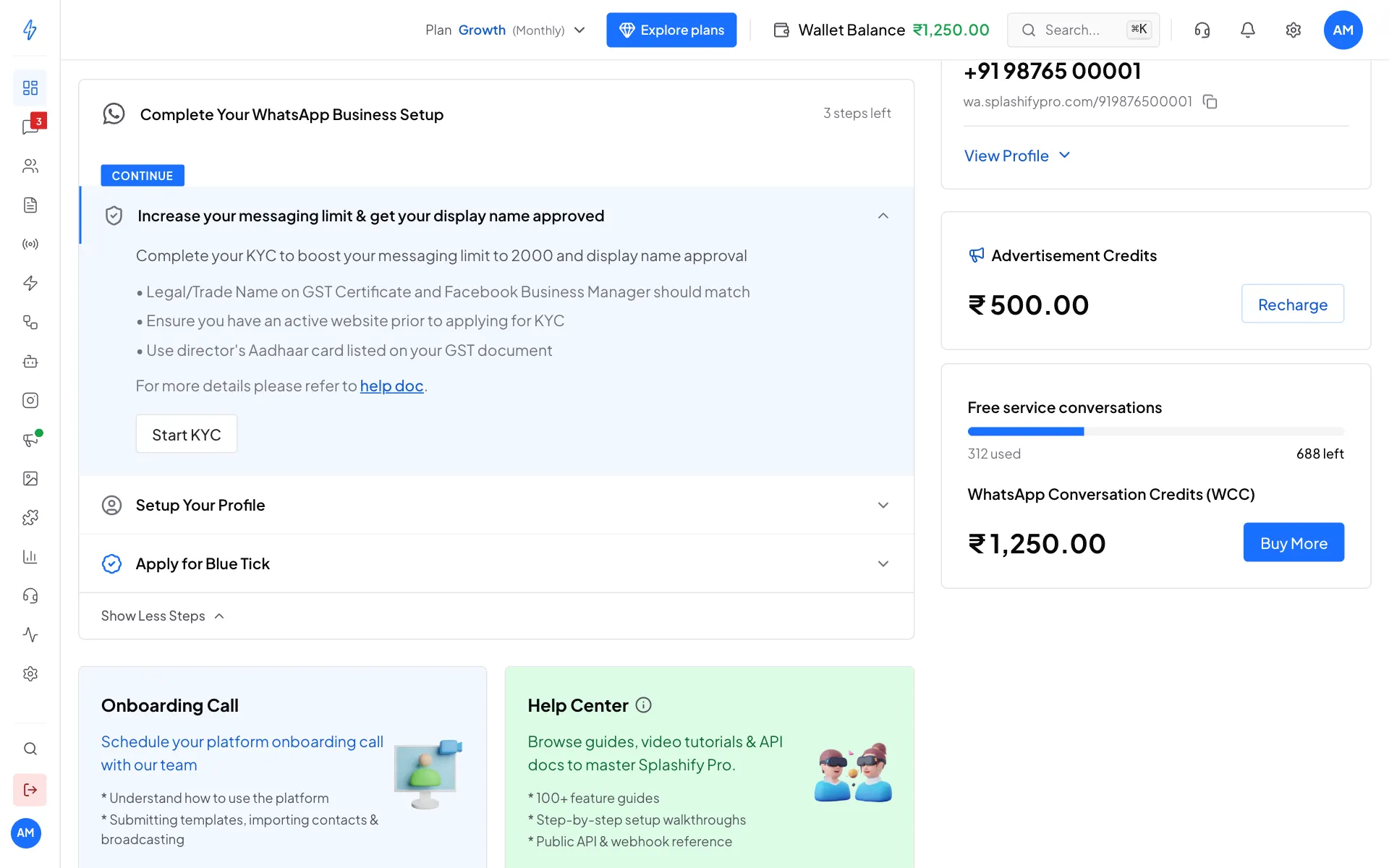
Click Start KYC Enter your GST number and upload the certificate
The Complete your KYC box opens on GST Details. Read the yellow box: it shows how to change your business name on Meta if it does not match your GST certificate.
Type your 15-character GST number under Enter your GST Number. Then click Click to Upload or drag and drop and pick your GST certificate. A green tick shows when the file is uploaded. Click Verify.
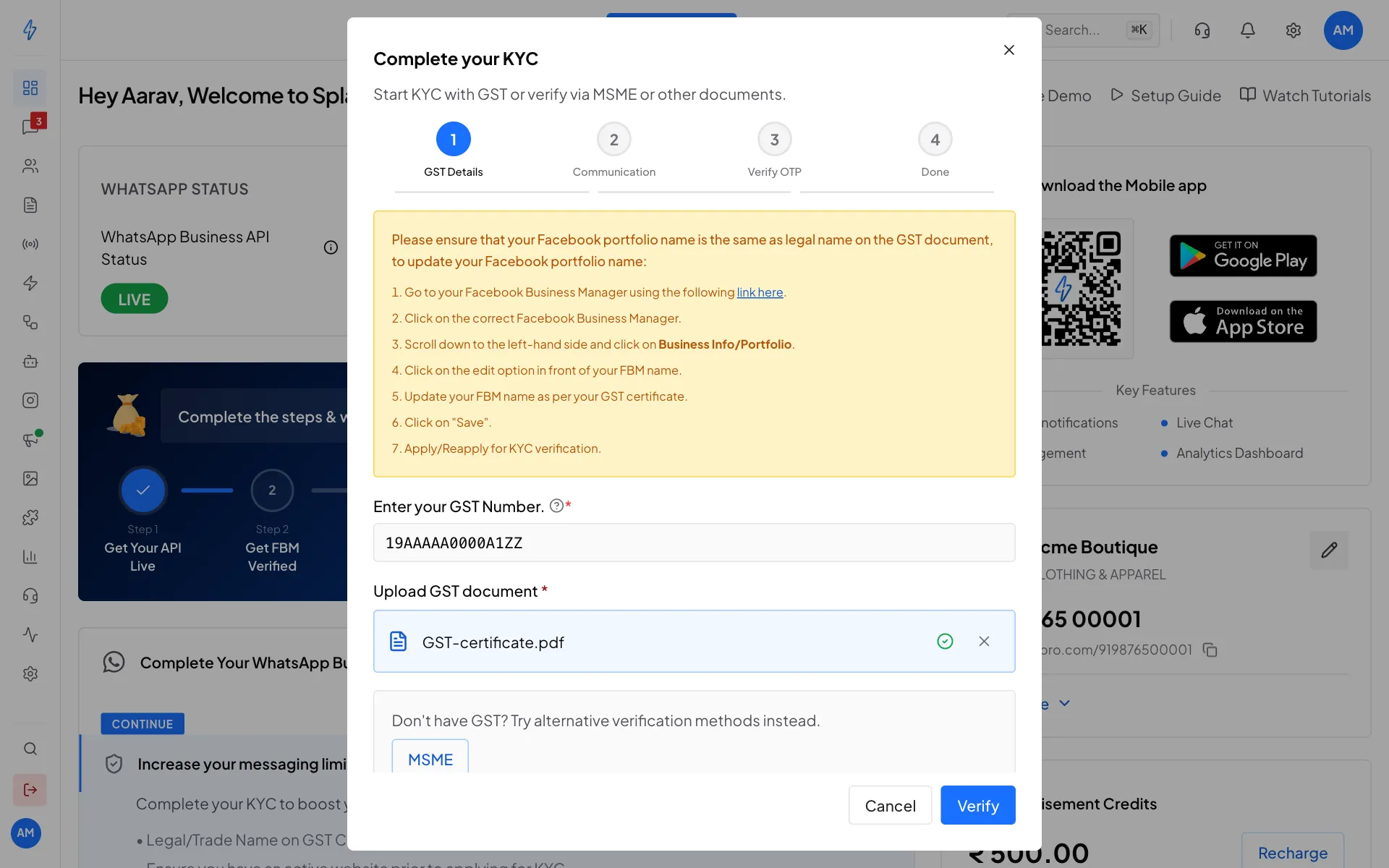
GST number and certificate added Pick where to get the code
On Communication, choose Email or Phone. We send a one-time code there. Click Send OTP.
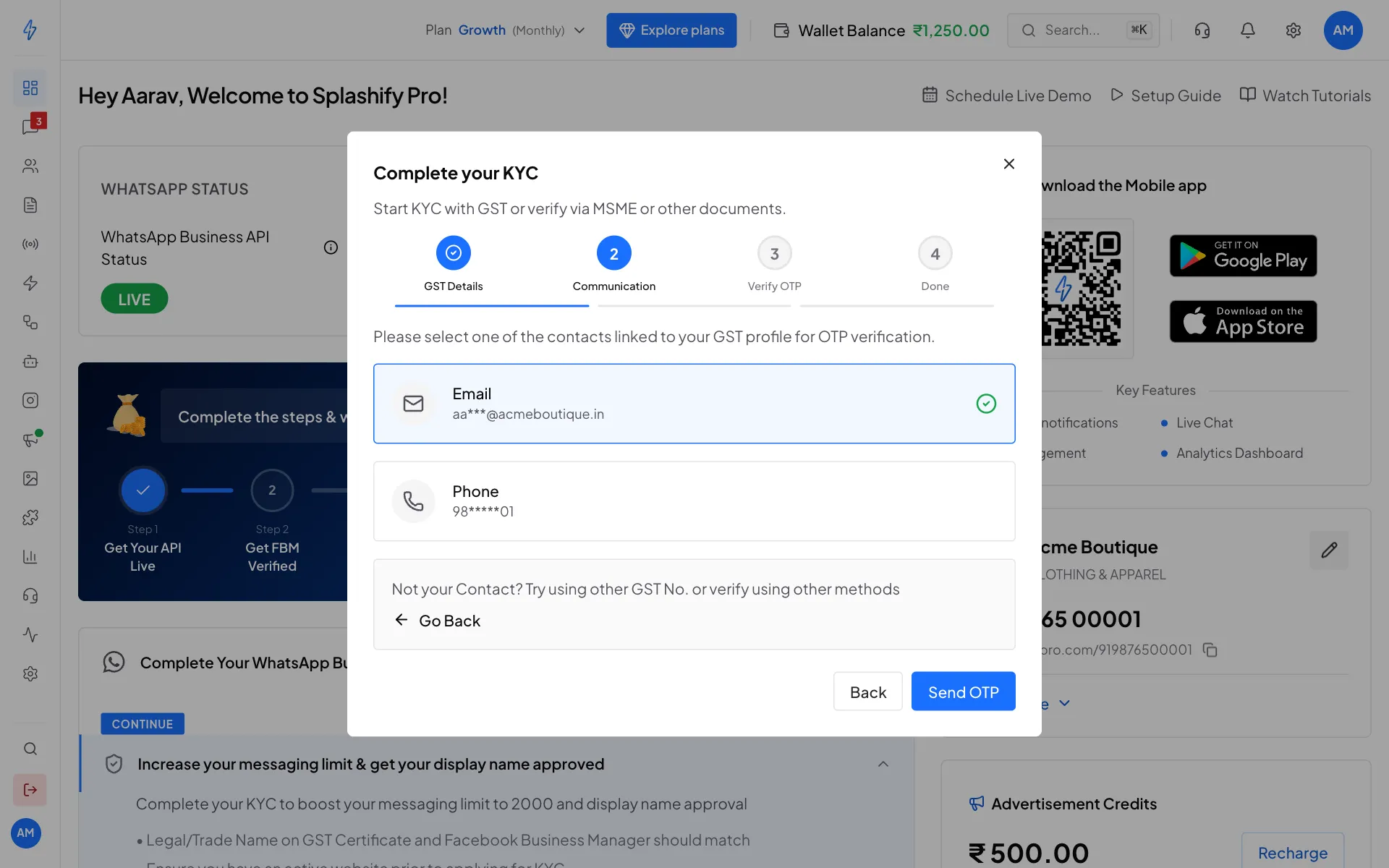
Choose Email or Phone, then Send OTP Type the 4-digit code
On Verify OTP, type the 4-digit code. The app submits it by itself when all 4 digits are in, or click Submit. No code after a minute? Click Resend OTP.
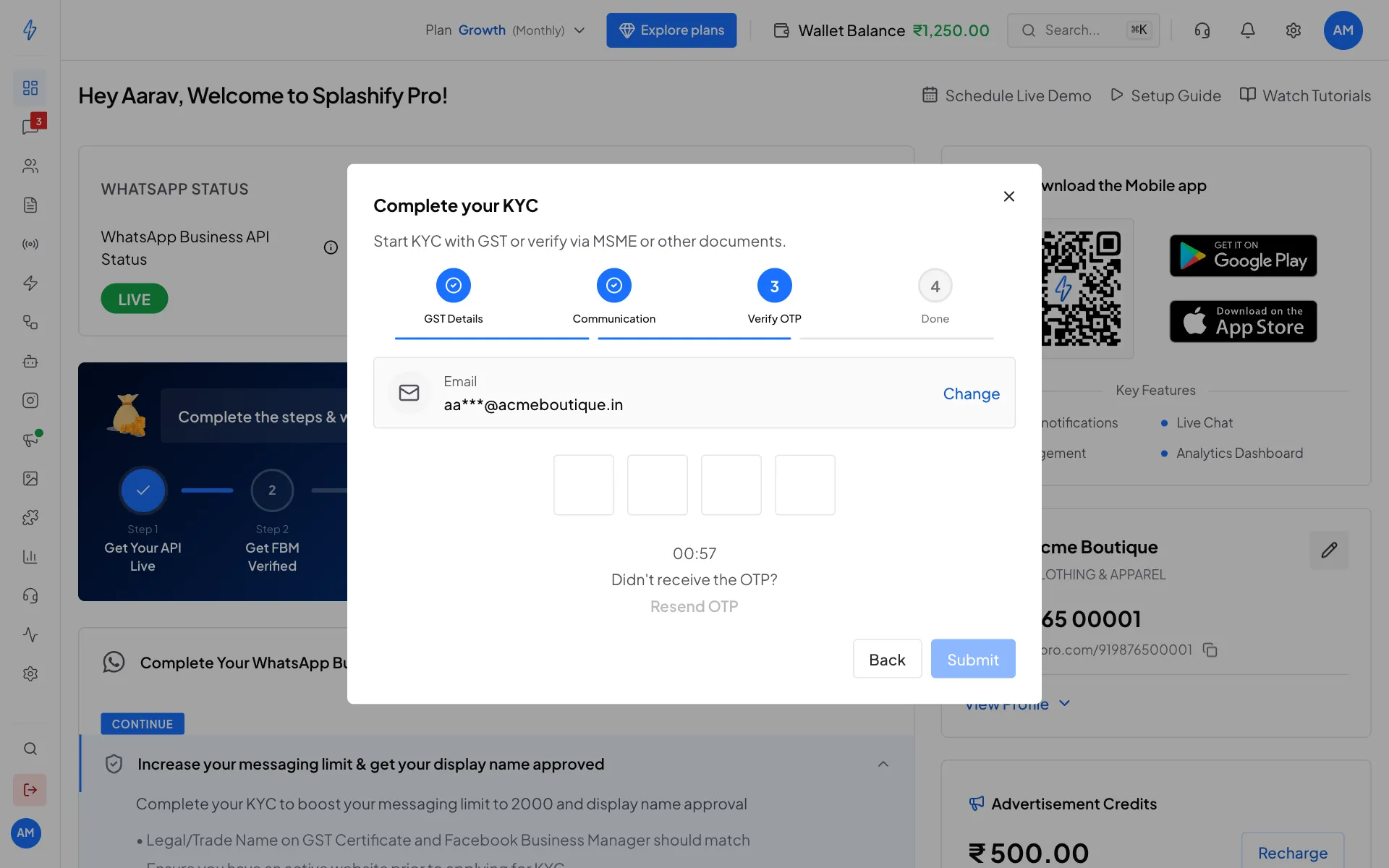
Type the code we sent you Done
You will see Done! KYC Under Review. Your details go to Meta, and approval usually takes 7 to 10 days. Click Close.
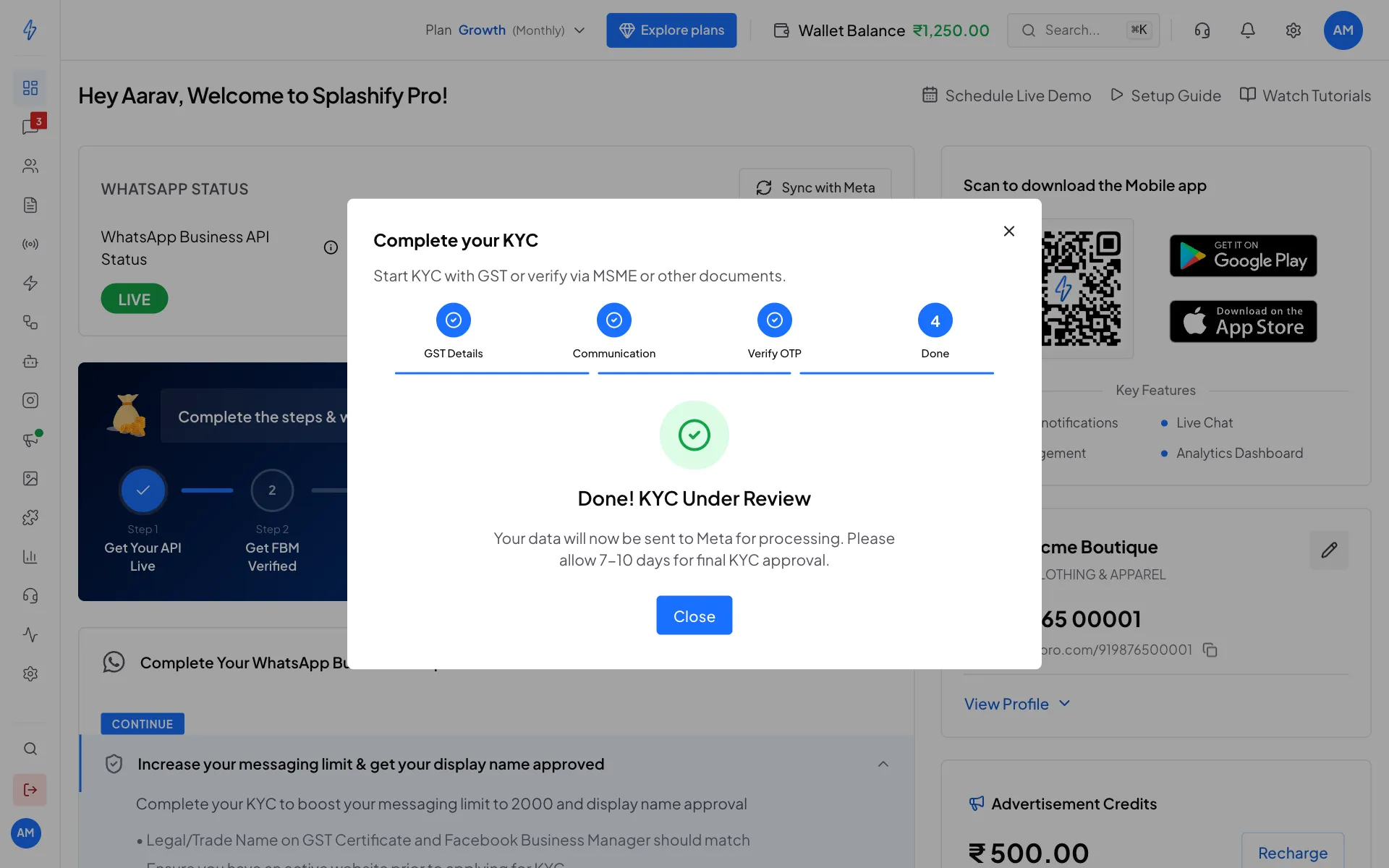
Your KYC is in review
No GST number?
On the GST Details step, under Don't have GST?, click MSME. Then type your Udyam registration number (it looks like UDYAM-XX-00-0000000) and upload your Udyam certificate instead.
KYC status on the dashboard
After you submit, the Start KYC button is replaced by your status:
Once Meta raises your daily limit, this step disappears from the dashboard.
Common reasons KYC is rejected
After approval
- Your Remaining Quota on the dashboard goes up.
- Your display name is approved and shows to customers.
- As your quality stays high and you message more customers, Meta raises the limit further, up to 100,000 and then unlimited. From a limit of 2,000 you can apply for the blue tick.
KYC belongs to your WhatsApp number
Your KYC is for the WhatsApp number you did it with. If that number is deleted or taken off your account, its KYC goes with it. When you connect a new number, the dashboard shows Start KYC again: do the KYC for the new number.