
How the inbox works
The inbox is where your team reads and answers customer chats. Every WhatsApp message a customer sends lands here, and anyone on your team can pick it up and reply.
Open the inbox
Click Messages
Click Messages (the speech bubble icon) in the left sidebar. The red number on it is how many chats are waiting for a reply.
Find your way around
The inbox has three parts:
- On the left: your chats, newest first. Each row shows the customer's name, their last message, the time, their tags and who looks after the chat.
- In the middle: the open chat. Customer messages are on the left, your replies are on the right in green. The reply box is at the bottom.
- On the right (when you open it): the contact panel with the customer's details, tags and history. Click the customer's name at the top of the chat to open it.
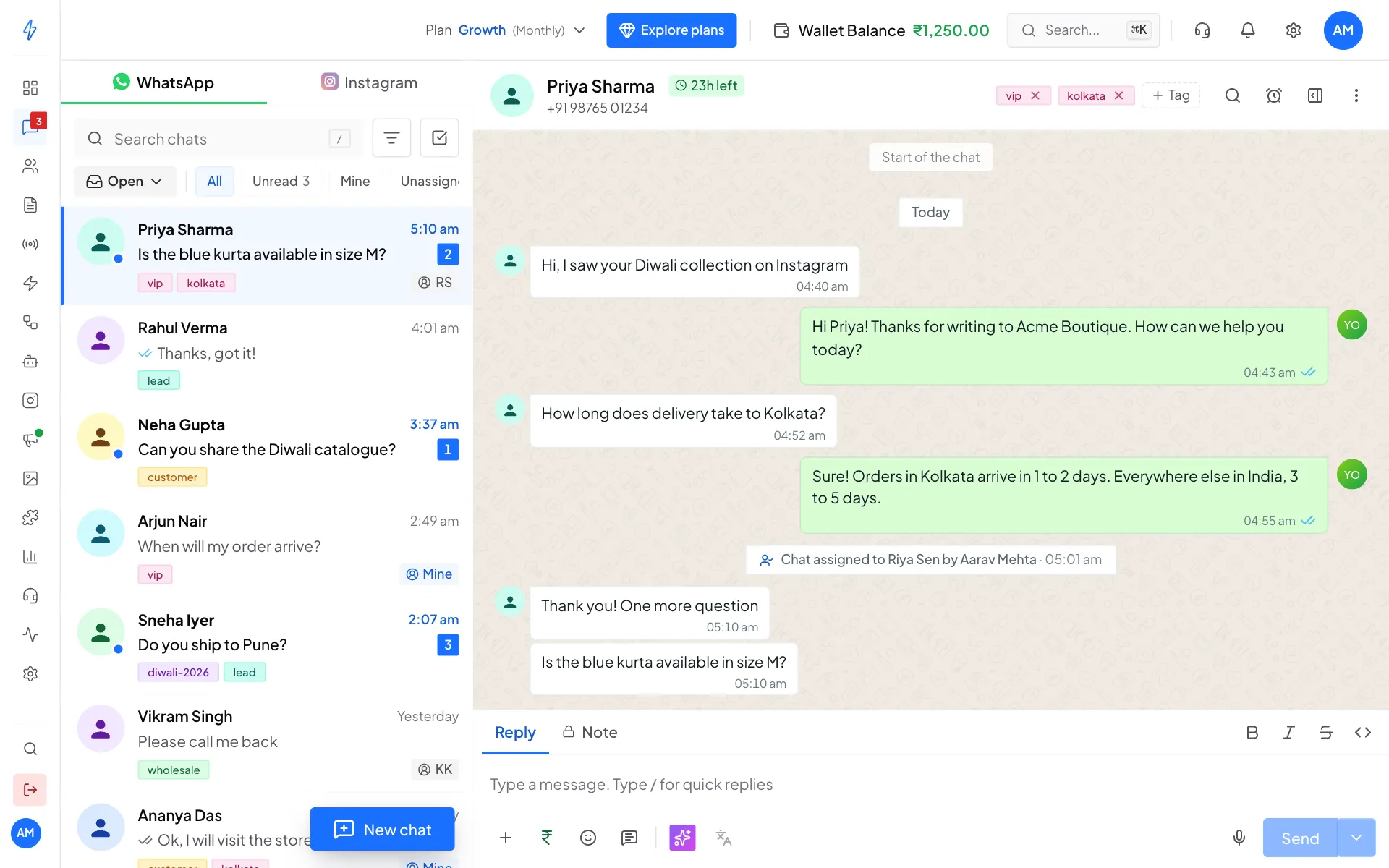
The chat list on the left, the open chat in the middle Open a chat
Click any chat in the list. The time left to reply shows next to the name, for example 23h left. See Send messages for why that matters.
Open, Snoozed and Resolved
Every chat is in one of three places. Switch between them with the Open button above the list.
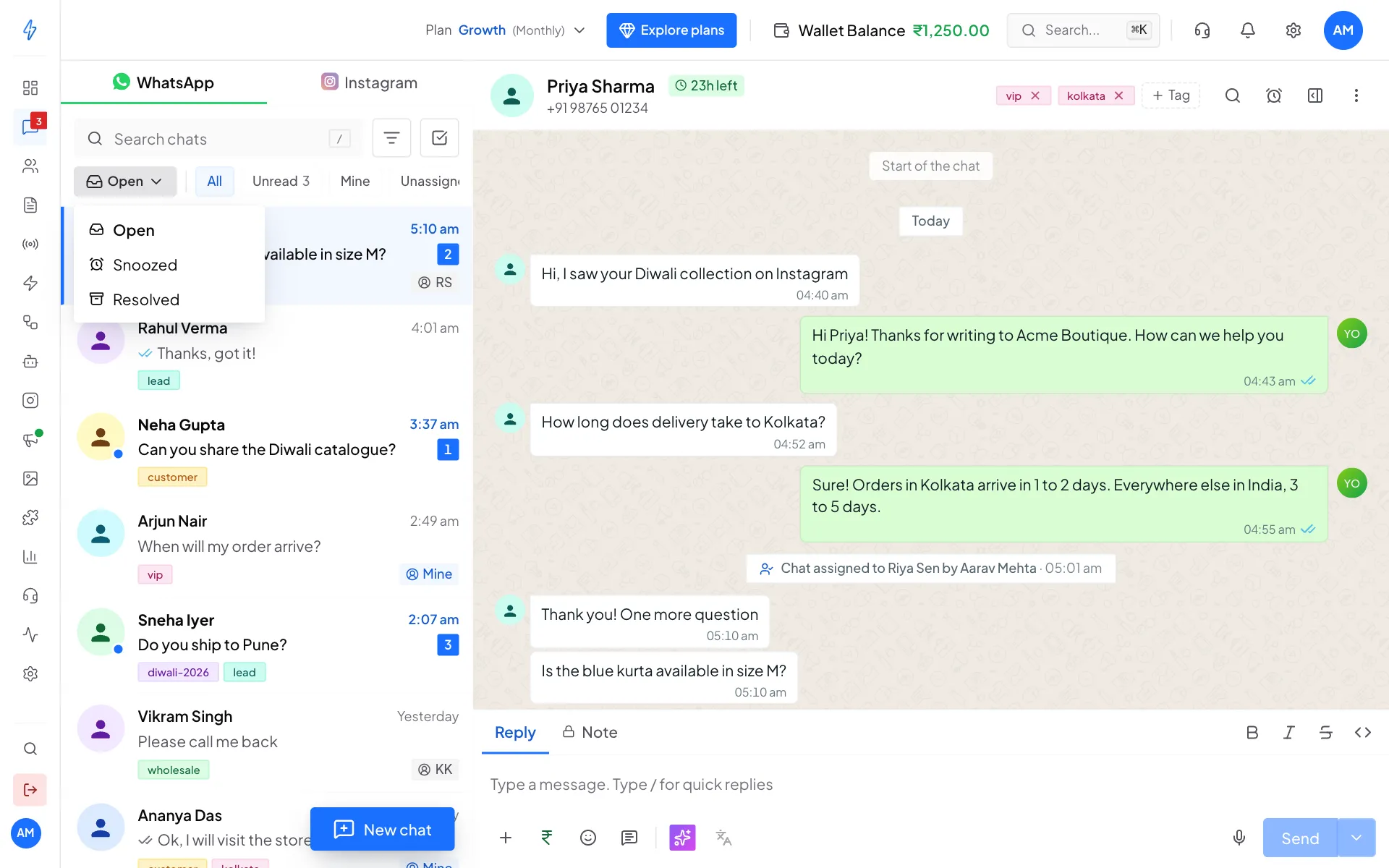
Next to it, the quick buttons All, Unread, Mine and Unassigned narrow the list. See Conversations.
WhatsApp, RCS and Instagram tabs
If you also use RCS or Instagram, tabs at the top of the list let you switch between WhatsApp, RCS and Instagram chats. Each tab has its own list.
New messages arrive by themselves
You do not need to refresh the page. New messages appear as soon as they arrive, and the red number on Messages goes up.
What you can do in the inbox
- Find and filter chats by name, number, tag or teammate.
- Send messages: text, photos, files, templates and quick replies.
- Assign and resolve chats so each customer has one owner.
- Use inbox tools: snooze, pin, select many chats, send later, AI replies and keyboard shortcuts.
- Set up automatic replies for new chats and for when you are closed.