
RCS broadcasts
Available for accounts in India.
RCS is the upgraded text message on Android phones. It lands in the customer's normal messages app, with your logo, pictures and buttons, and the customer does not need WhatsApp. An RCS campaign sends one approved RCS template to many customers at once.
RCS or WhatsApp?
RCS must be turned on for your account. When it is, you see an RCS tab on the Broadcasts page.
Create an RCS campaign
The Create RCS Campaign box has four steps: RCS Template, Audience, Variables and Schedule & Send.
Open the RCS tab
Click Broadcasts in the left sidebar, then click the RCS tab. You see your RCS campaigns with their sent, delivered, read and failed counts.
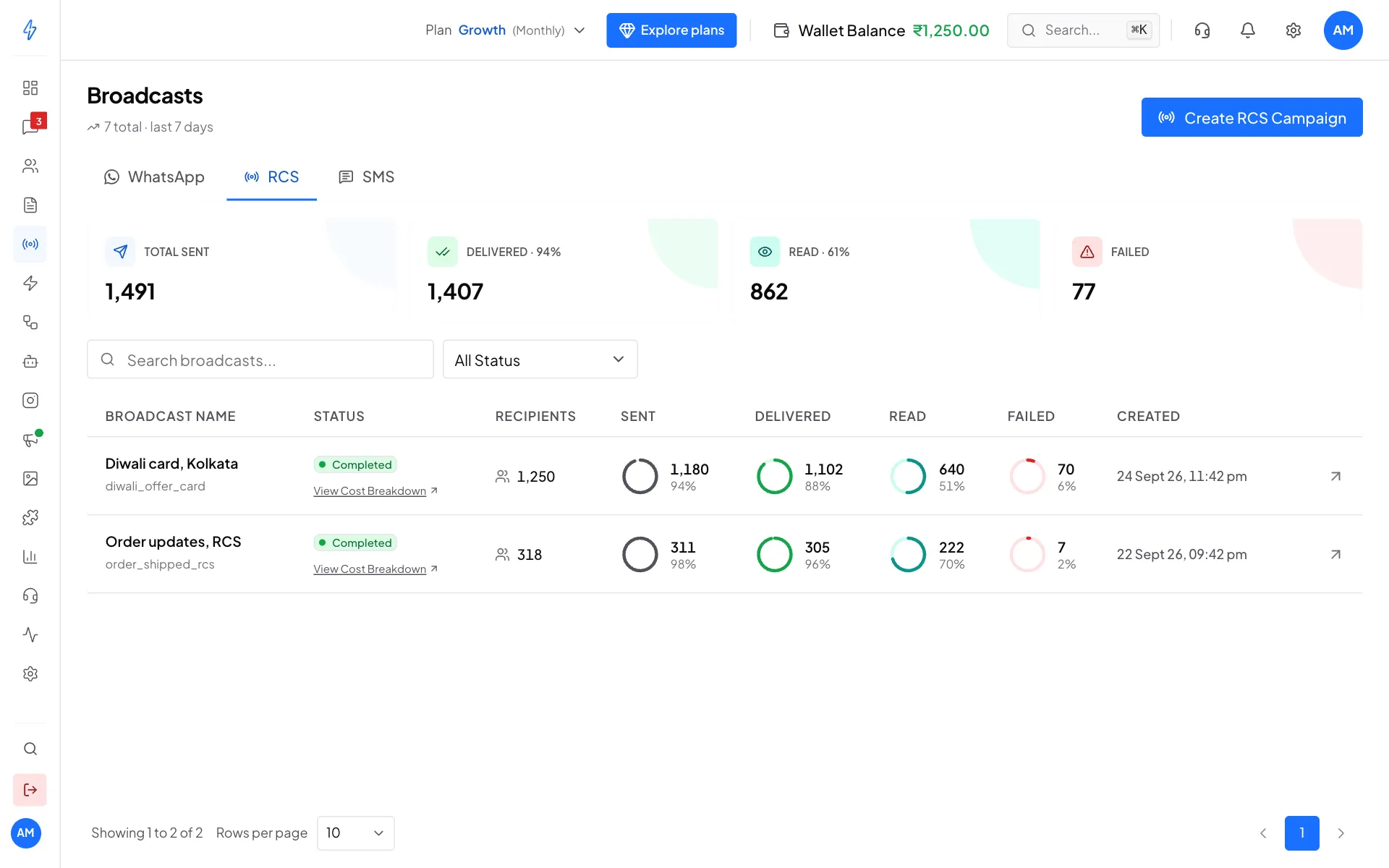
Your RCS campaigns Click Create RCS Campaign
Click Create RCS Campaign at the top right.
Pick an RCS template
Click the approved template you want. It gets a blue tick, and the Live Preview on the right shows the card, picture and buttons.
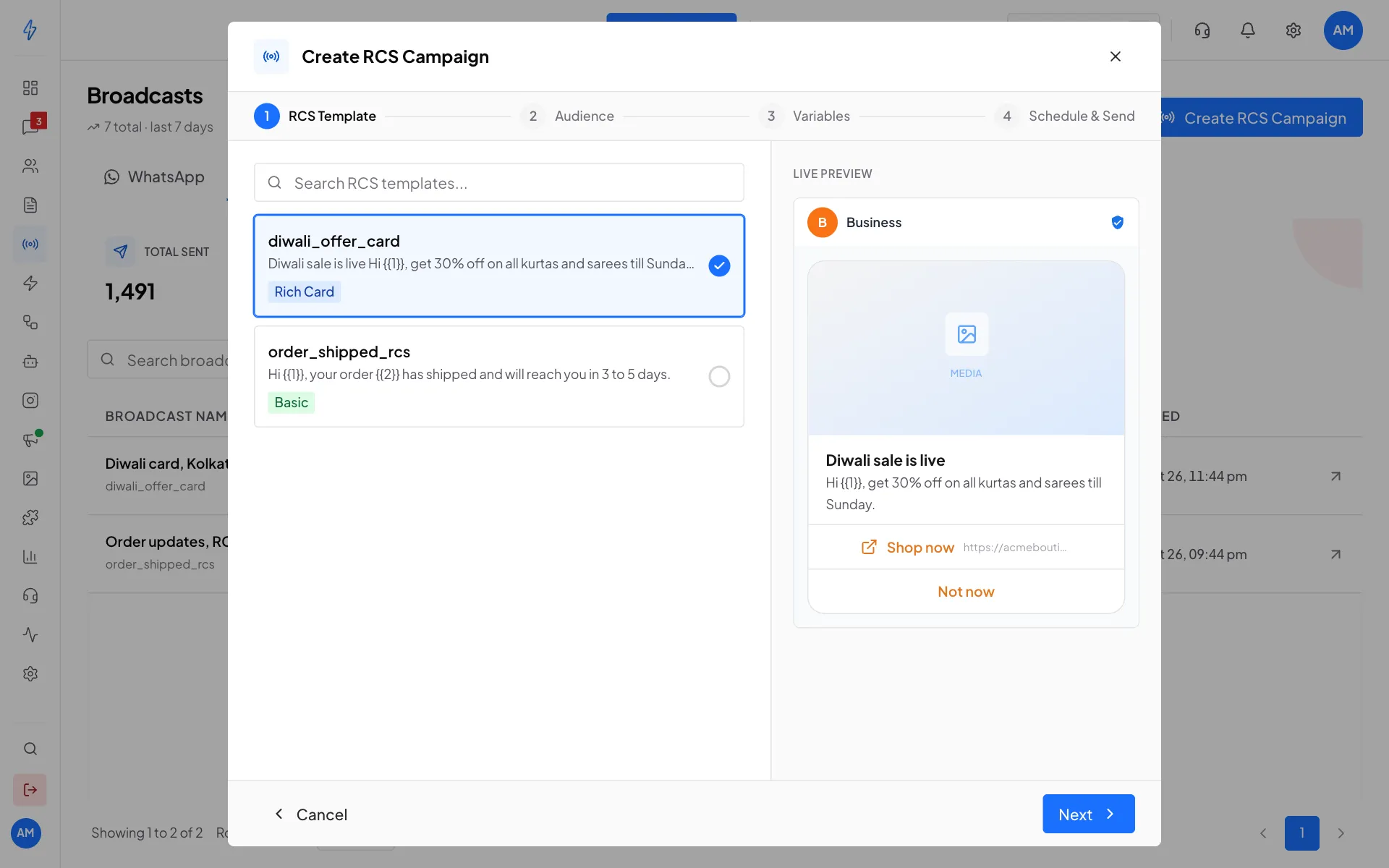
Pick the RCS template to send Choose the audience
Click Next. Tick one or more Segments, or click Upload CSV to use a file of numbers, just like a WhatsApp broadcast.
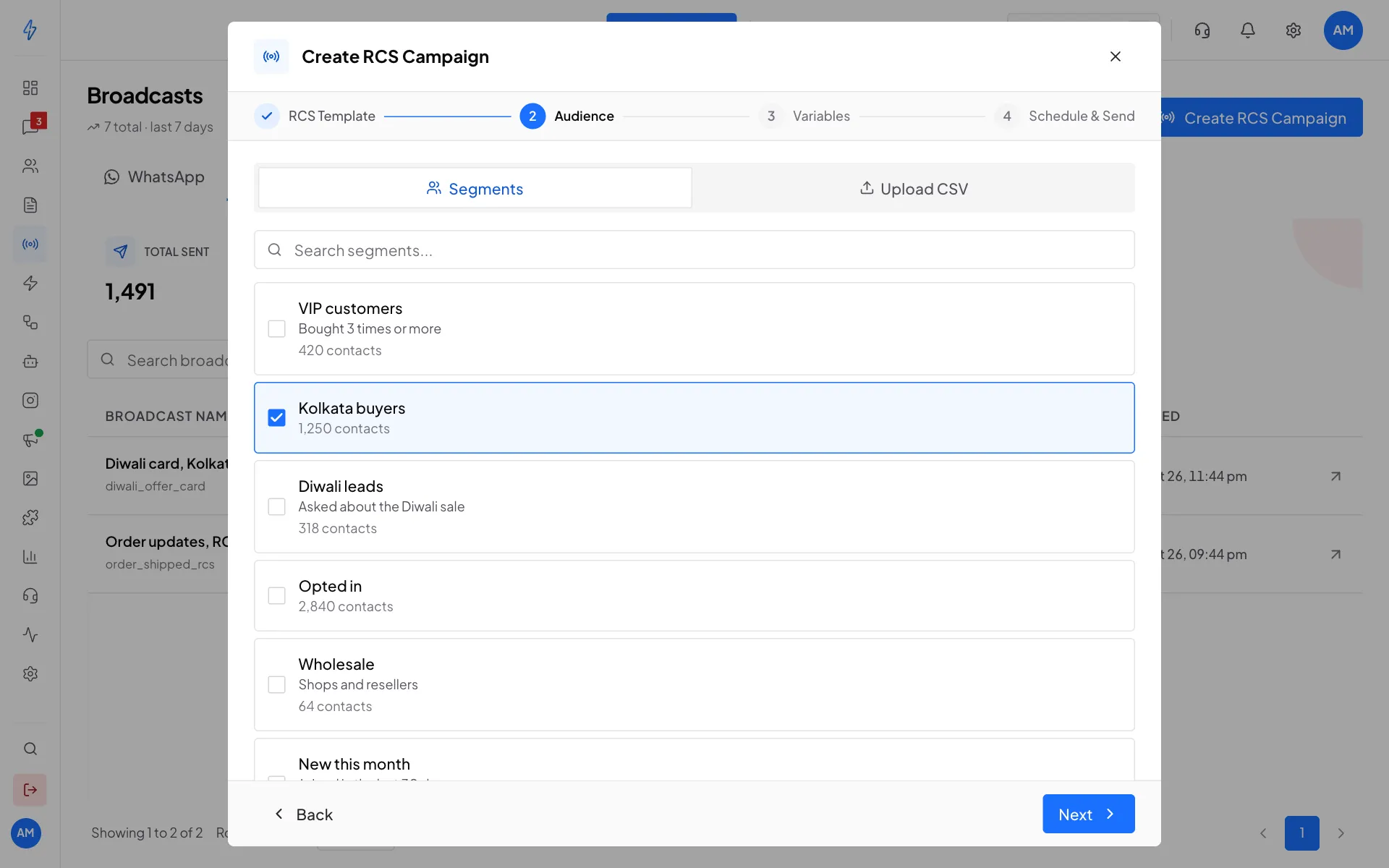
Tick the segments to send to Fill the variables
Click Next. For each variable, like
{{1}}, choose what to Fill from:- A contact field: Name, Phone number, Email, Website, or one of your own fields. Then type a word in If the contact has no value, use, for example
there. - Same text for everyone: type the text once.
Every variable needs a field or a text before you can go on. The Live Preview shows your choices.
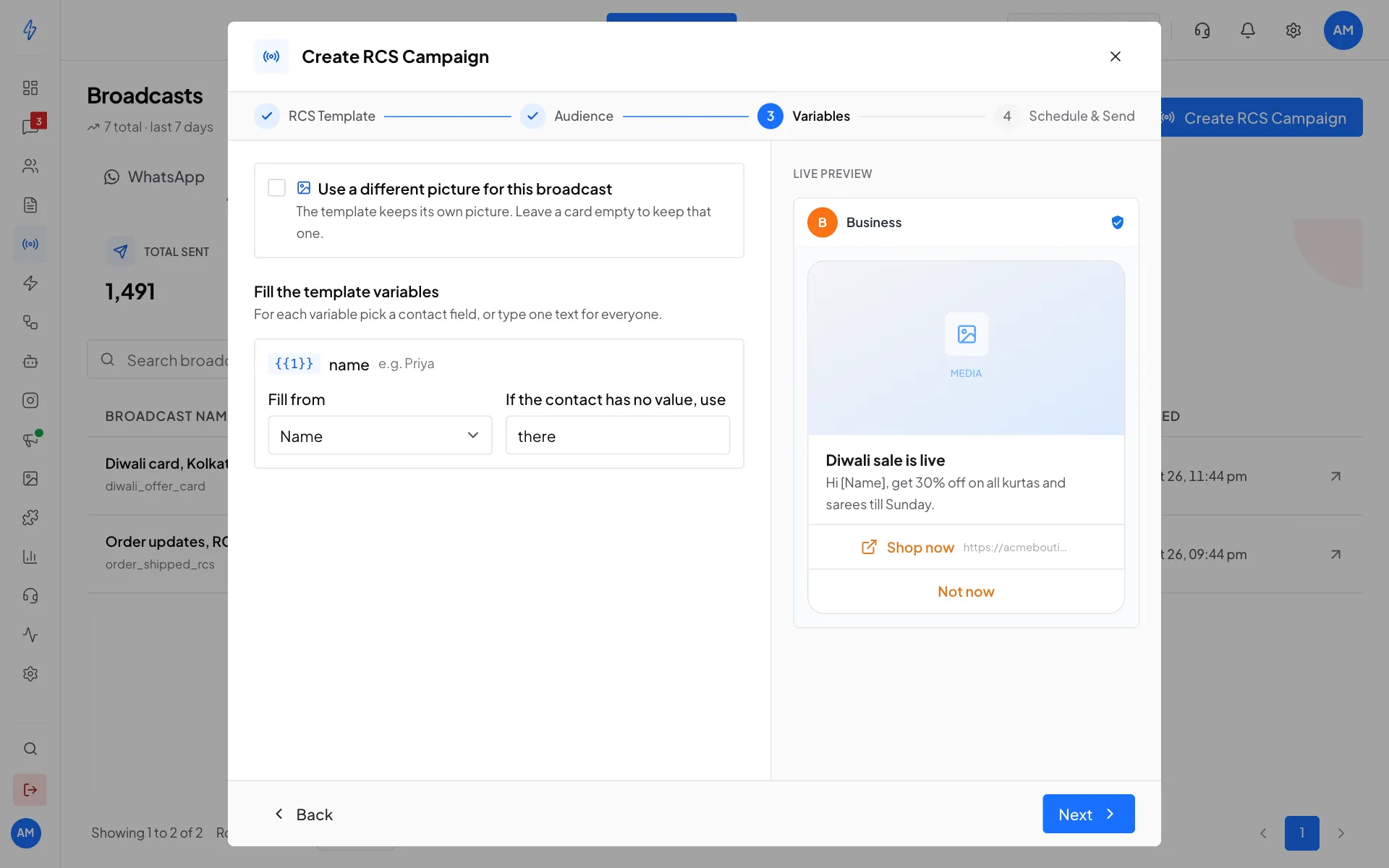
Fill each variable from a contact field or with one text - A contact field: Name, Phone number, Email, Website, or one of your own fields. Then type a word in If the contact has no value, use, for example
Name it and choose when to send
Click Next. Check the summary at the top, type a Campaign Name, and under When to Send pick Send Now or Schedule (then set the Schedule Date & Time).
Confirm and launch
Tick I confirm every recipient consented to receive this RCS campaign, then click Launch Campaign.
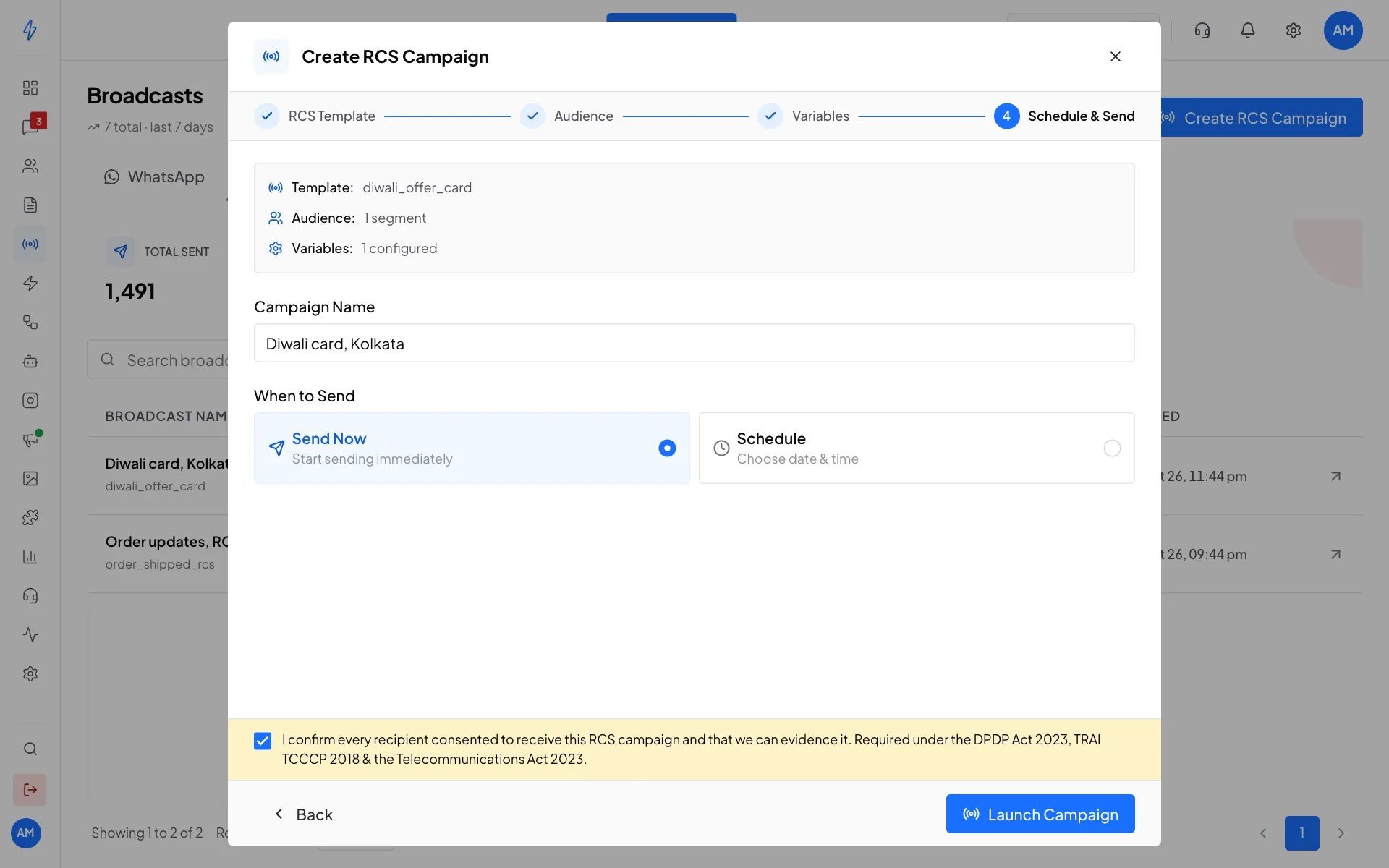
Confirm consent, then launch
Example
The template says Hi {{1}}, your order {{2}} has shipped. Fill {{1}} from Name (fallback there) and {{2}} from your own field order_id.
A customer with no value for a variable (an empty field and no fallback) is skipped. That message shows as failed with a reason like No value for {{2}} in the message text, and you are not charged for it. The same happens when a value makes a part too long, for example a card title over 200 characters.
Use a different picture for this campaign (optional)
If your template has a picture, tick Use a different picture for this broadcast on the Variables step and upload a new one. You do not need to submit a new template. For a carousel, there is one upload per card: leave a card empty to keep its own picture. The picture is checked against the RCS size rules straight away, so a file that does not fit is refused before you send.
RCS fallback on a WhatsApp broadcast
A WhatsApp broadcast can send an RCS template to customers whose WhatsApp message fails, on its own or together with SMS in the order you choose. On the last step of a WhatsApp broadcast, click Add RCS in the If WhatsApp fails box and pick an approved RCS template. See If WhatsApp fails.
If the RCS template has variables, fill them in the RCS row the same way as above. These are separate from the WhatsApp template's variables: {{1}} in the WhatsApp template and {{1}} in the RCS template can come from different fields.
A fallback RCS message is charged only when it is sent, and a customer gets it only when WhatsApp failed for them. Promotional hours apply to it too: outside them, it waits until 7:00 am.
Promotional sending hours
If your RCS sender is registered as Promotional, phone networks only let it start conversations between 7:00 am and 10:00 pm IST, every day. This is a network rule, and breaking it can get your sender slowed down or removed.
The app keeps you inside the rule:
- On the last step, a yellow box warns you if it is outside those hours, or if your scheduled time is. Schedule it inside the window instead.
- A campaign cannot be started outside those hours, and a single RCS message sent outside them is refused.
- A campaign still running at 10:00 pm pauses by itself and carries on at 7:00 am the next morning with the customers who have not got it yet. Nothing is lost.
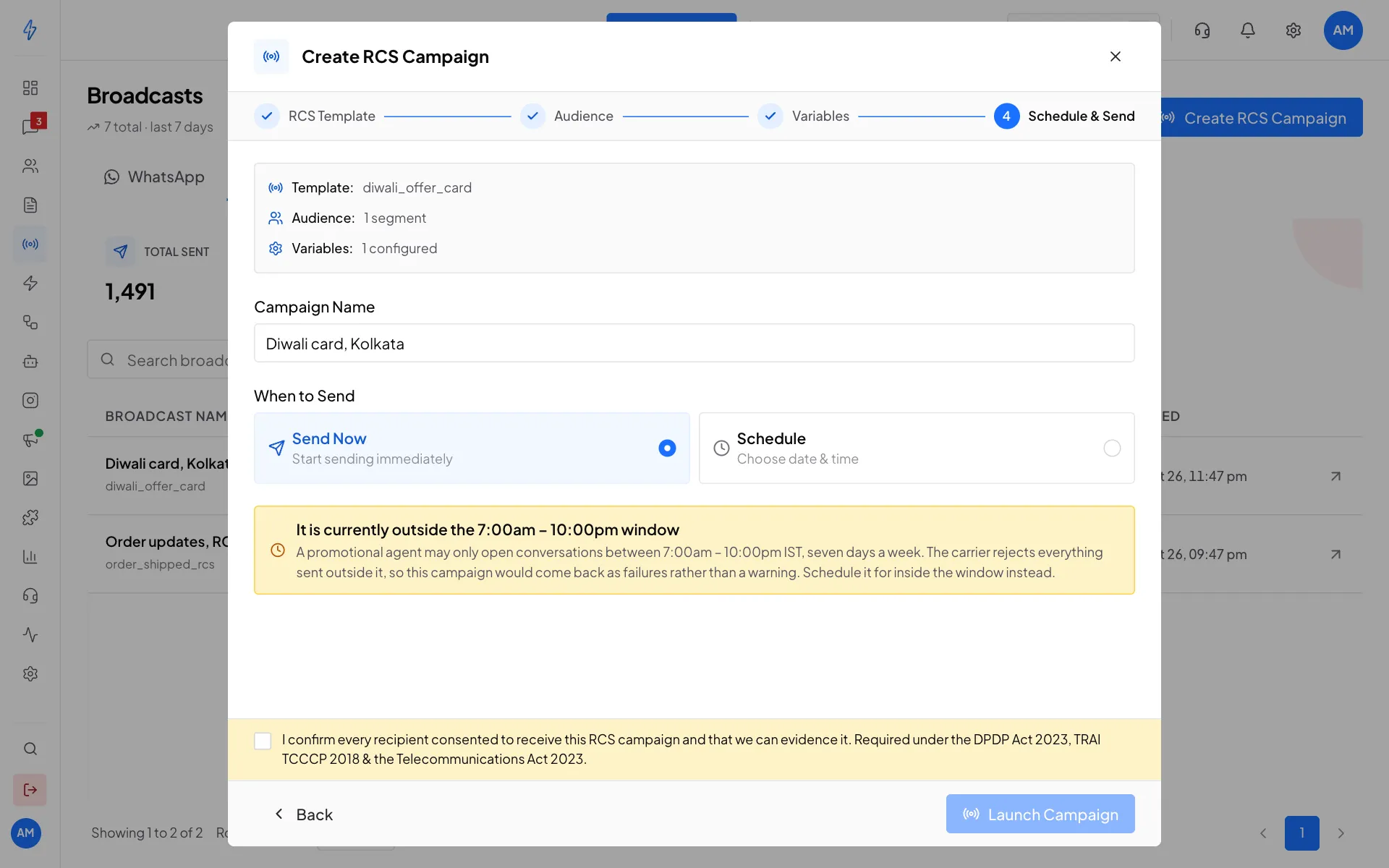
Every RCS sender you apply for in the app is a Promotional sender, so these hours apply to it whatever the words in your message are.
RCS templates
Create RCS templates in Templates, on the RCS tab. A template can be Basic (text with buttons), a Rich Card (picture, title, text and buttons) or a Carousel (several cards side by side). See RCS templates.
Cost and delivery
- RCS messages are charged per message from your wallet. The price is separate from WhatsApp.
- RCS reaches only Android phones with RCS turned on.
- Open a campaign's report from the arrow on its row to see sent, delivered, read and failed, and each customer's status. See Broadcast reports.