
Call recordings
Available for accounts in India.
Every WhatsApp call your team makes or takes in the app is saved on the Calling page, with its recording and a short summary. Use it to check what was said, or to train your team.
Listen to a call
Open Calling
Click Calling in the left sidebar. Call logs opens.
Pick the tab
Click Outbound for calls your team made, or Inbound for calls customers made to you. The number on each tab is how many calls it holds.
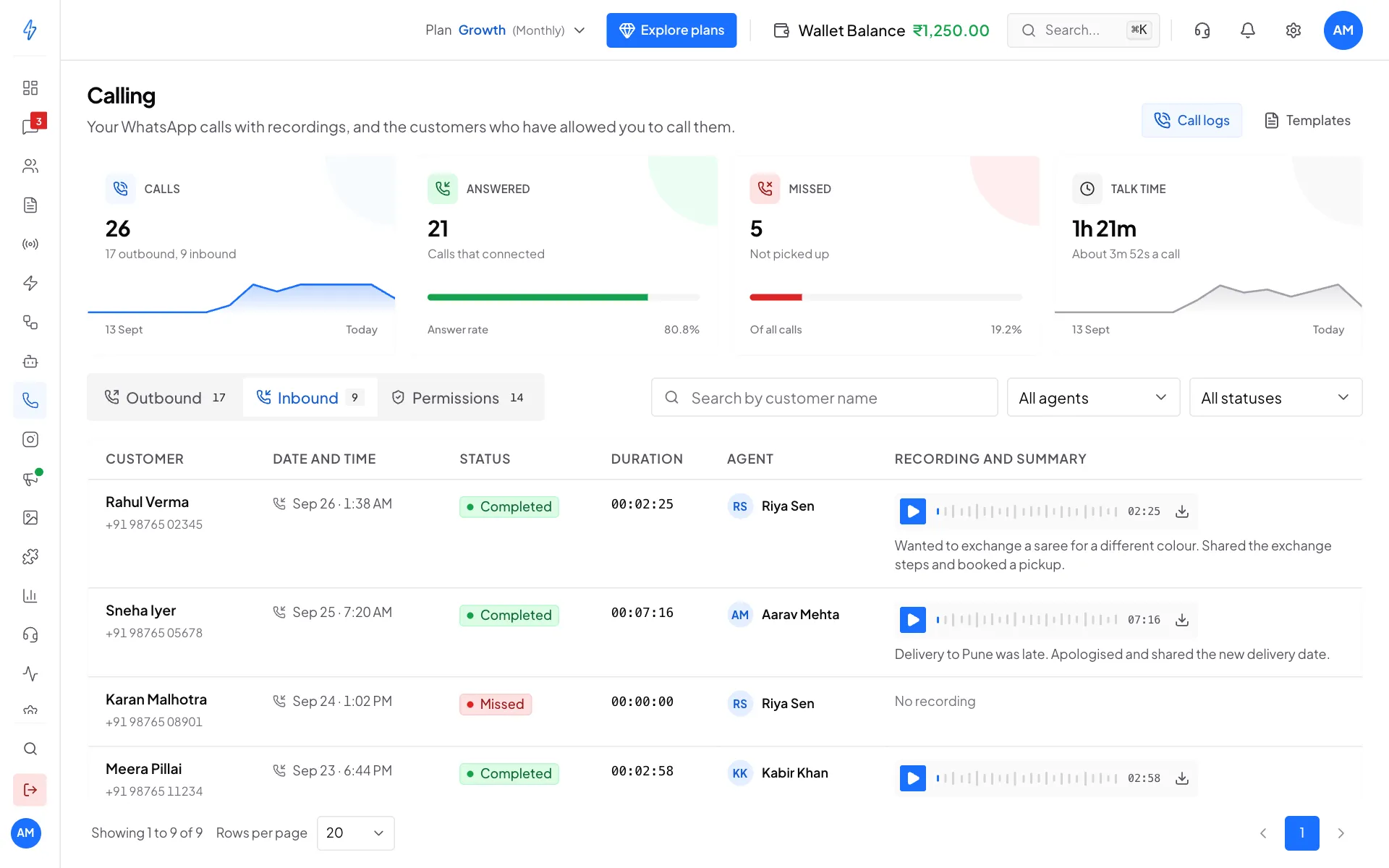
Each call with its recording and summary Play the recording
In Recording and summary, click the play button. Click anywhere on the wave to jump to that part. The summary under the player says what the call was about.
Download it
Click the download icon at the end of the player to save the recording to your computer.
Open one call
Click the customer's name to open the call page. It shows the Direction, Duration, when the call Started and Ended, and a Recording player with a Download button.
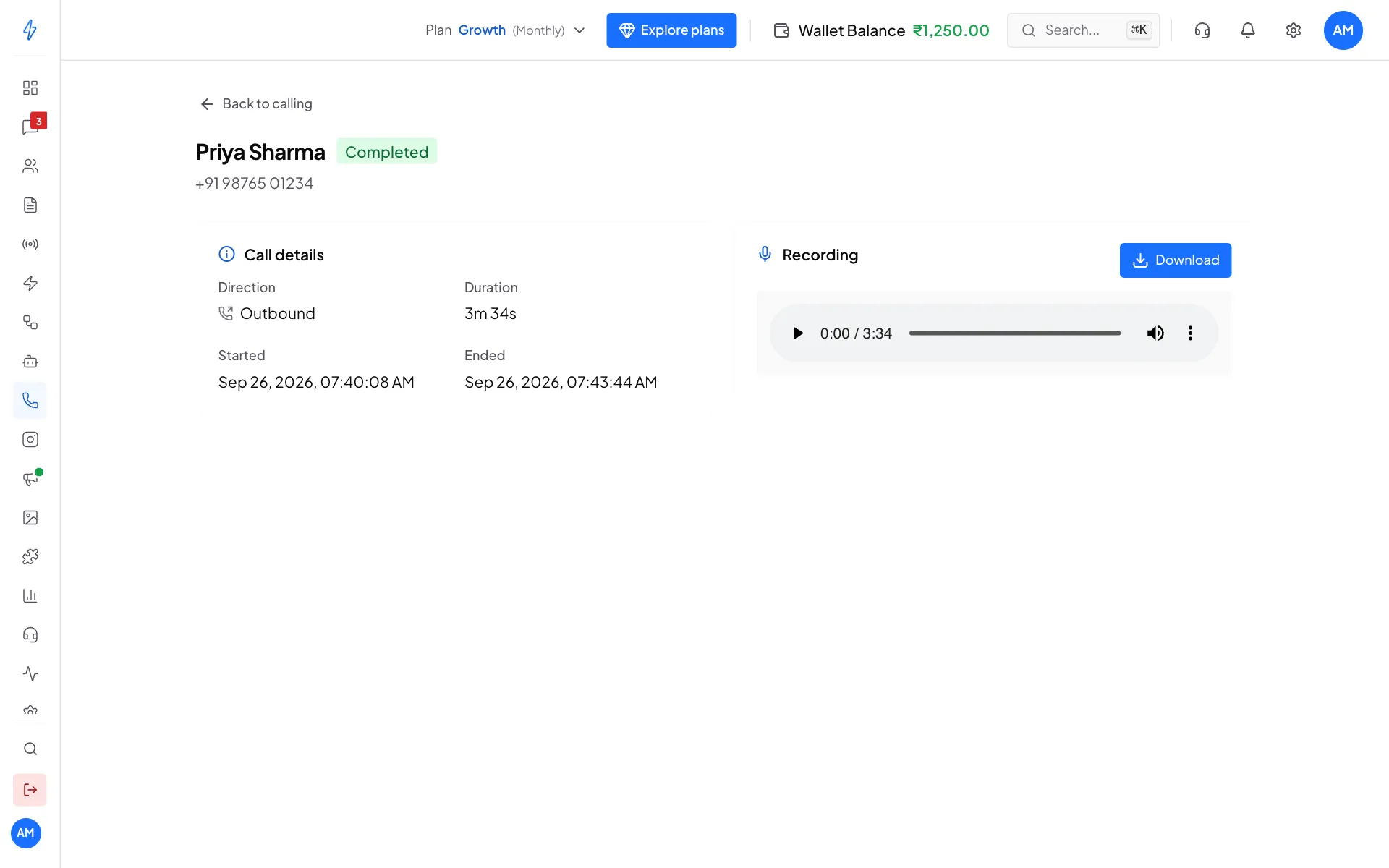
If a call has No recording yet, you can click Upload recording and add an audio file you recorded yourself. It is then kept with the call.
Find a call
- Type in Search by customer name.
- Use All agents to see calls by one team member.
- Use All statuses to show only Completed or Missed calls.
- Pick how many calls to show with Rows per page at the bottom.
What the columns mean
The tiles at the top count your Calls, how many were Answered and Missed, and your total Talk time.
Tell customers calls are recorded
Recording laws differ by place. Let customers know, for example at the start of the call, that you may record it.