
Comment rules
A comment rule sends a DM to anyone who comments a keyword on one of your posts or reels. You can also post a public reply under their comment, so everyone sees that you answered.
Each rule belongs to one post. You can have several rules on the same post, for example one for price and one for link.
Create a rule
Open the Comment rules tab
In the left sidebar, click Instagram, then the Comment rules tab. You will see each rule with its post, its keywords and reply, how many times it ran (Triggered), and whether it is Active or Paused.
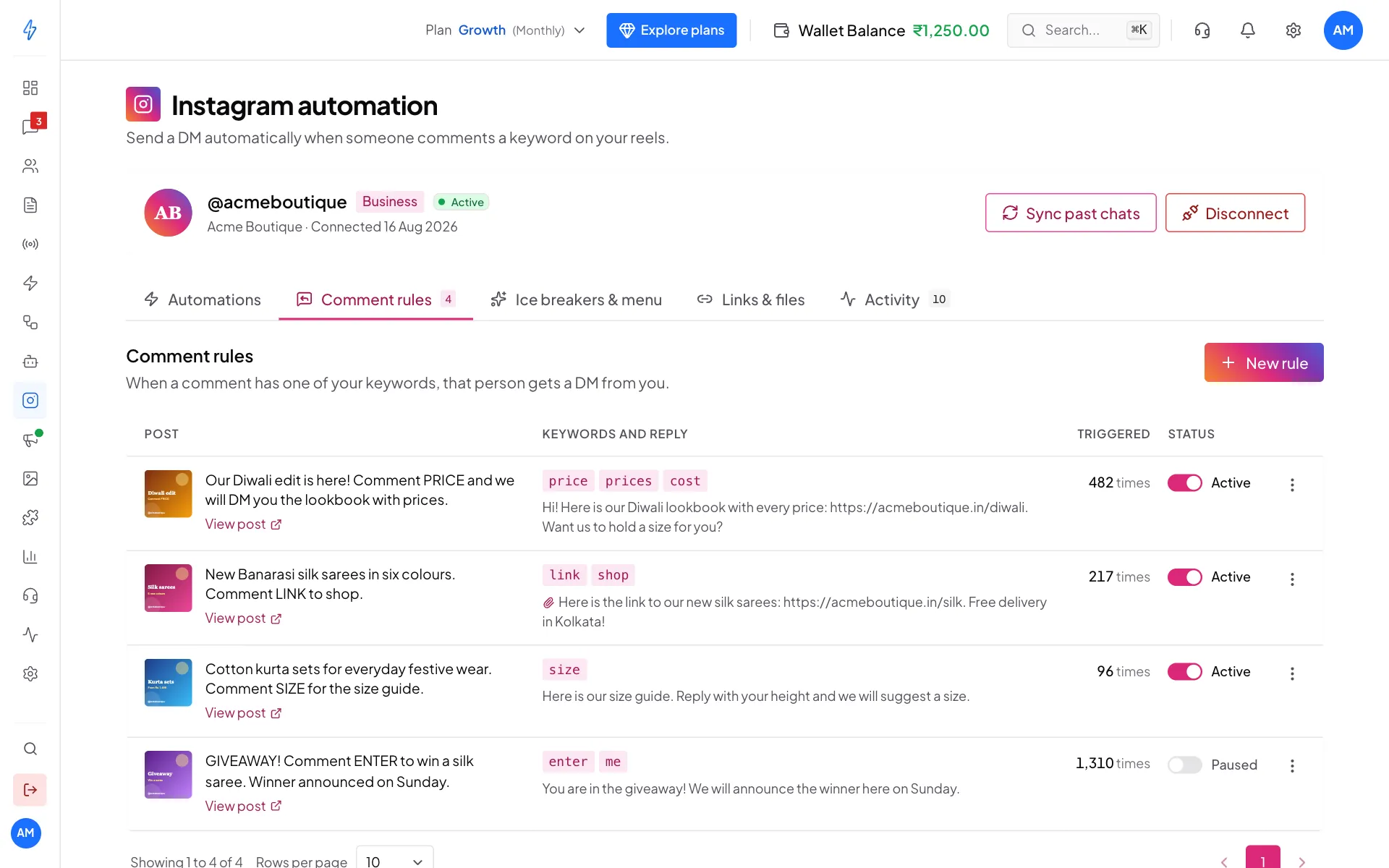
Your comment rules If you have no rules yet, you see Turn comments into conversations with a Create your first rule button.
Click New rule
Click New rule at the top right (or Create your first rule). A panel opens on the right with three steps: 1. Pick a post, 2. Write the reply and 3. Review.
Pick the post
Under Which post is this rule for?, click the post or reel. A tick shows on it. If a new post is missing, click Sync now. Then click Next.
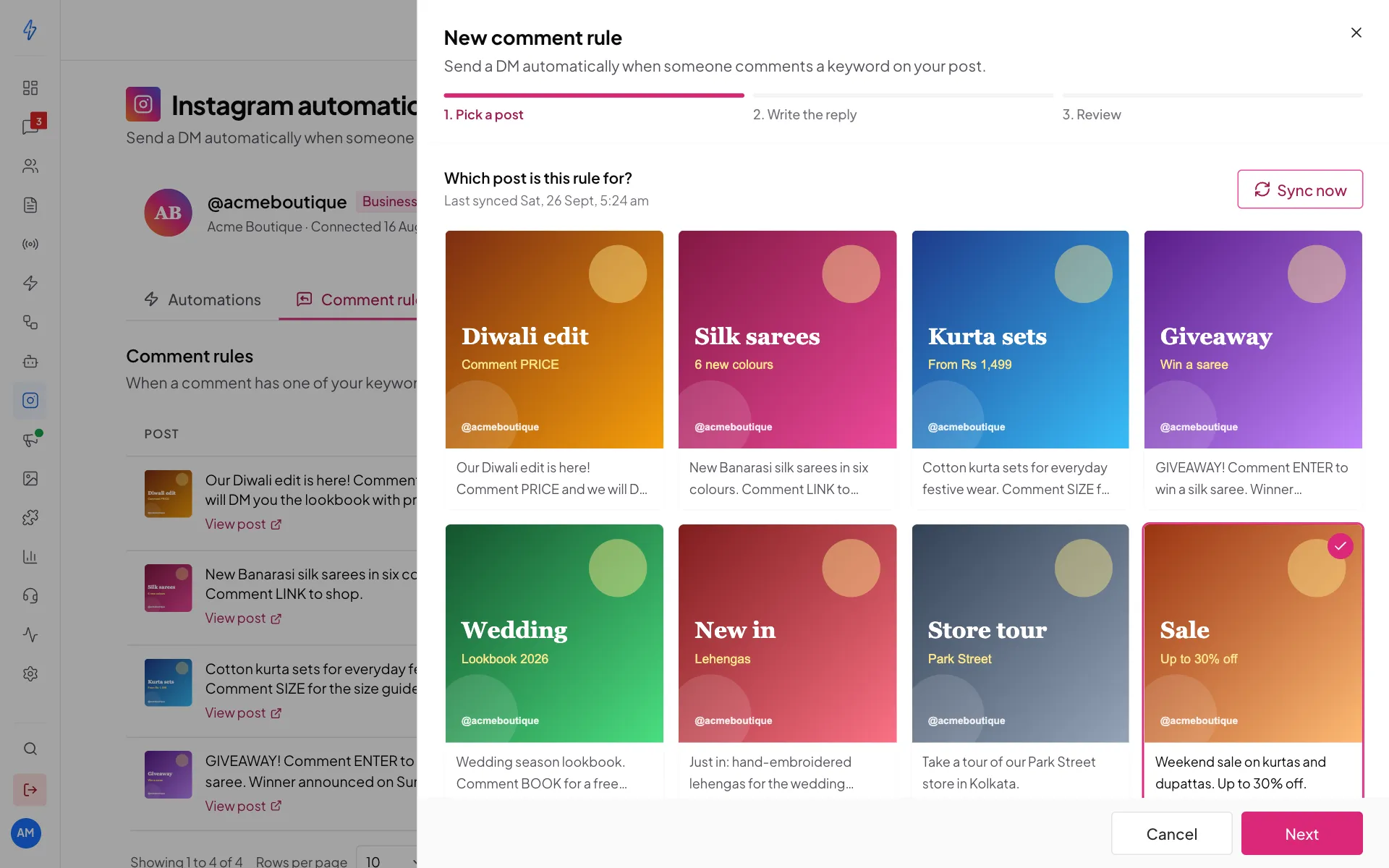
Pick the post the rule is for Add the keywords
In Keywords, type a word and press Enter or type a comma. Add as many as you like. Capital letters do not matter.
Write the DM
In DM message, write what the person gets in their DMs. You can add links.
Optional: under Attachment (optional), click Attach an image, video or audio file. The file is sent just before your text.
Add a public reply (optional)
In Public reply to the comment (optional), write a short reply like "Check your DMs!". It is posted under their comment. Leave it empty if you only want a private DM.
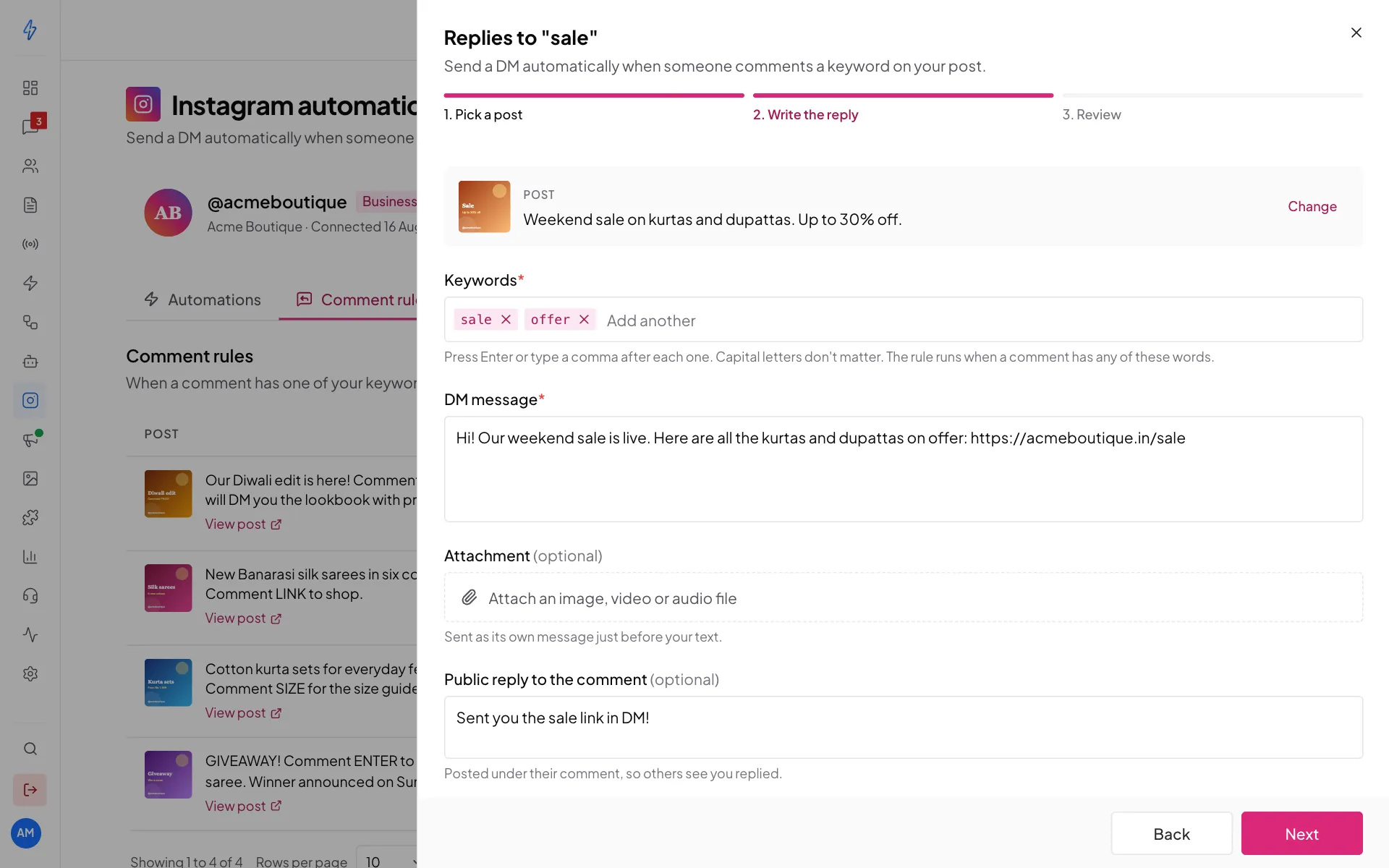
Keywords, DM and public reply Leave Rule is on switched on. Switch it off if you want to save the rule without sending anything yet.
Review and create
Click Next. Check the post, keywords, DM and reply, then click Create rule. You will see Rule created. It works from that moment on.
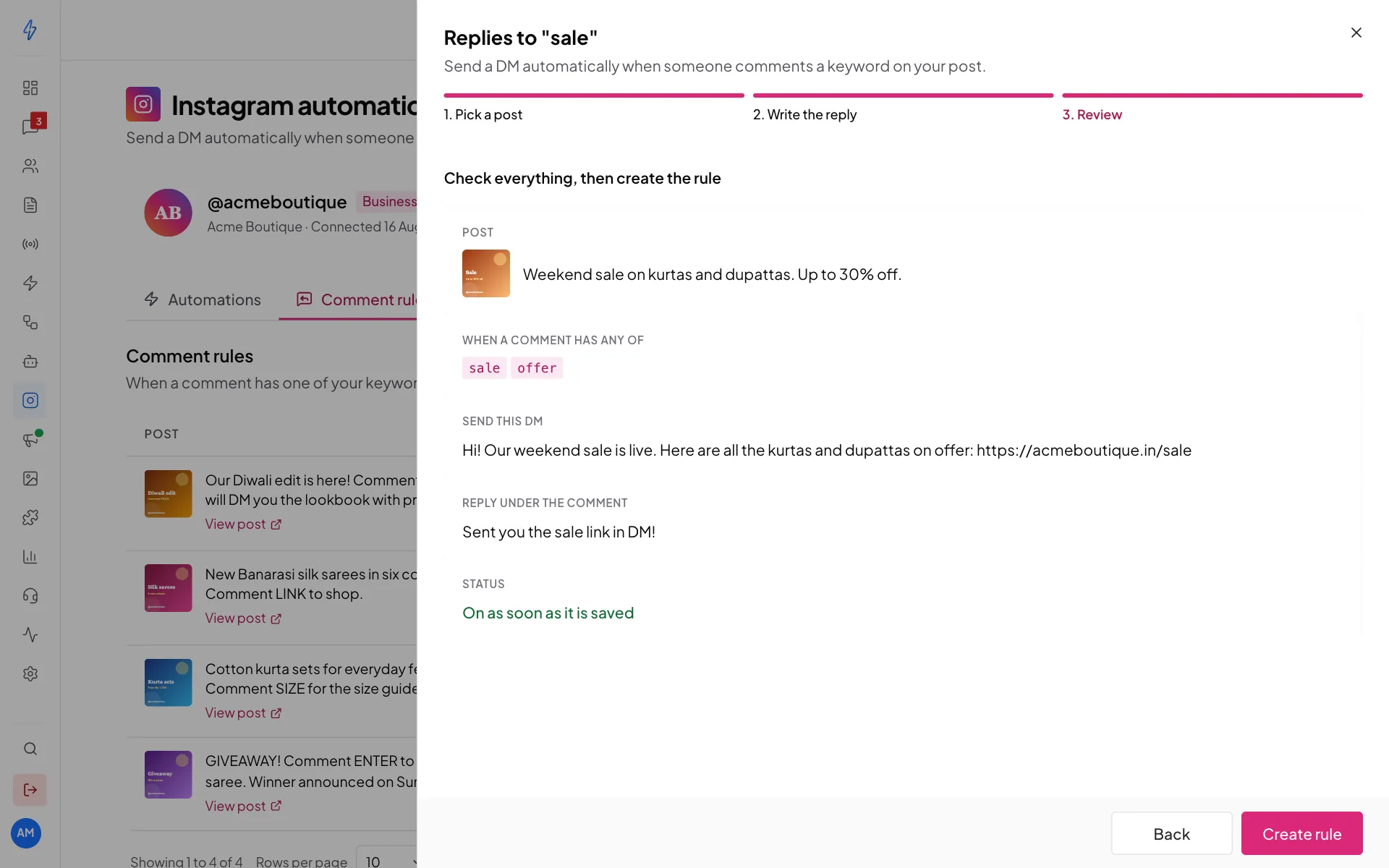
Check everything, then click Create rule
How keywords match
A comment matches when it contains one of your keywords anywhere. Capital letters do not matter.
Tips:
- Too short keywords fire too often.
hiis inside "this" and "white". - Too long keywords almost never match. "what is the price in rupees" will rarely be typed exactly.
Only one rule answers each comment, even if several rules match.
Change, pause or delete a rule
- Click a rule's row to open it and change the keywords, DM or reply. The post cannot be changed. Click Next, then Save changes. You will see Rule saved.
- Use the Active switch on the row to pause or restart a rule.
- Click ⋮ at the end of the row for Edit rule, Pause rule (or Turn rule on), Open post on Instagram and Delete rule.
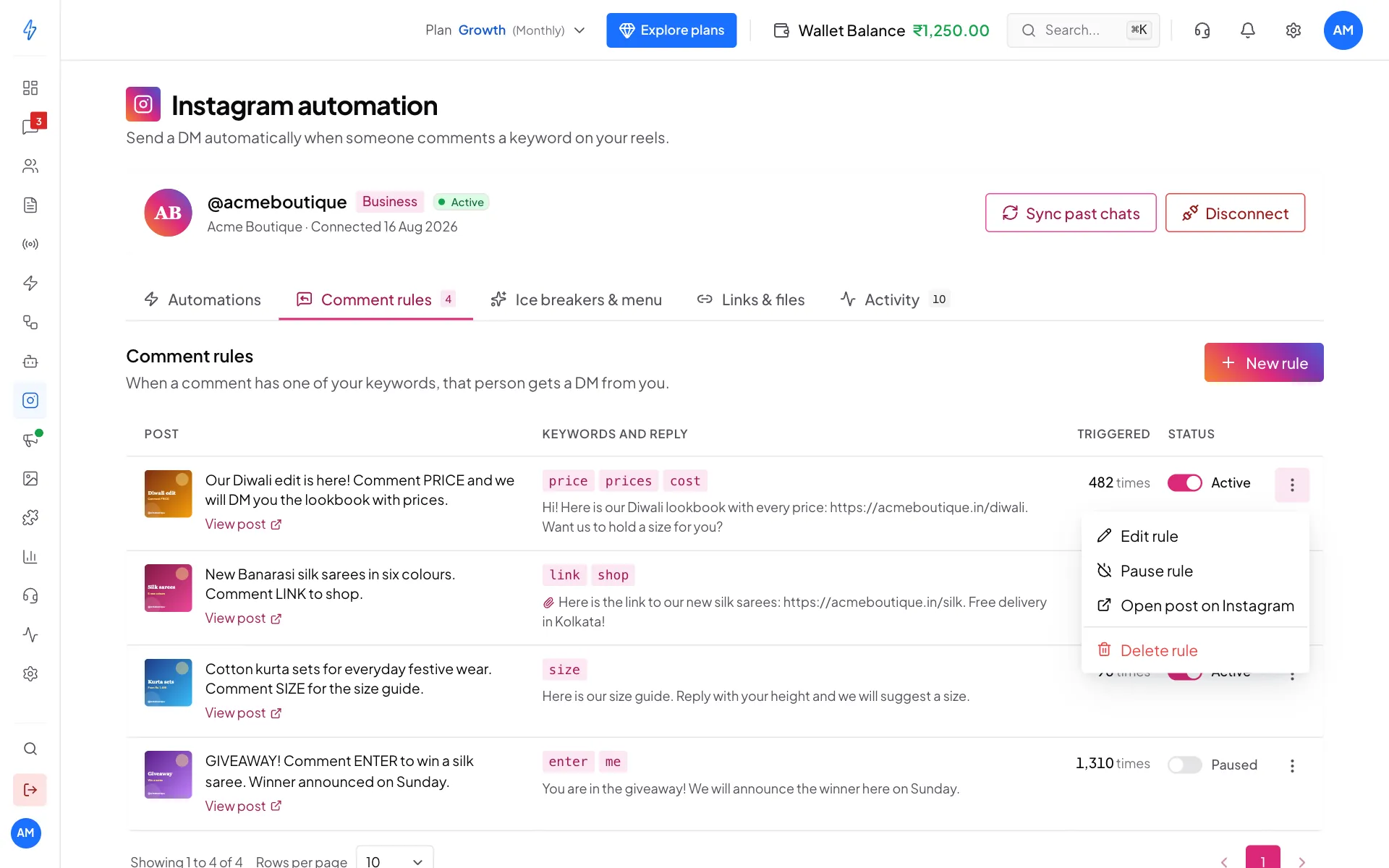
Deleting asks Delete this rule? first. Click Delete rule to confirm. You will see Rule deleted.
See what your rules did
Click the Activity tab. At the top you see Keyword matches, DMs sent and Public replies. Below, each recent comment shows who wrote it (From), the Comment, the Keyword it matched, and the Result, such as DM sent and Replied.
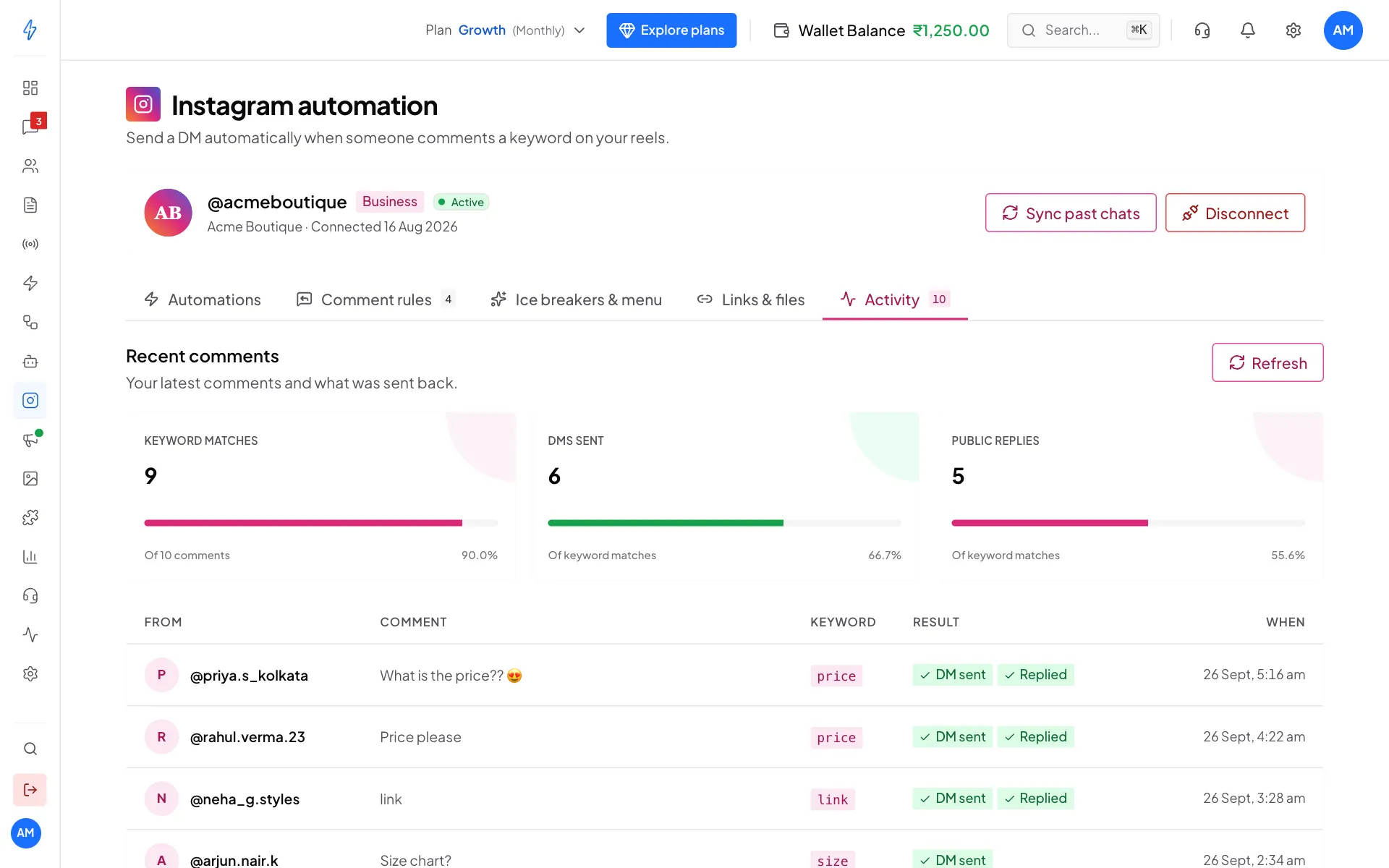
If a result says DM failed or Reply failed, point at it to see why. See Troubleshooting. Click Refresh to load the newest comments.
Ideas for rules
Send a link
Keywords: link, shop
DM:       Here you go! Our new silk sarees: https://acmeboutique.in/silk
          Reply "yes" if you want us to hold a size for you.
Reply:    Check your DMs!
Price list on request
Keywords: price, cost
DM:       Kurta sets start at Rs 1,499 and silk sarees at Rs 4,299.
          Full price list: https://acmeboutique.in/prices
Reply:    Sent you our prices in DM!
Waiting list
Keywords: join
DM:       Welcome! Share your email here and we will send the booking
          link within 24 hours.
Reply:    (leave empty, it feels more personal)
Comment rules or a bot?
- A comment rule sends one reply. Use it for a link or a price list.
- For a back-and-forth chat, use a bot with the trigger A comment on your post. See Instagram bot blocks.
- If a comment rule and a bot both cover the same post and keyword, the comment rule answers and the bot is skipped. Do not set up both.
Limits and quirks
- One DM per comment. The same comment never gets two DMs.
- Deleted comments. If the person deletes their comment after getting the DM, the DM stays.
- Carousel posts. A rule works on the whole carousel, not on one slide.
Continue to Instagram inbox to answer the DMs that come back.