
Sign up
Create your Splashify Pro account with your email and mobile number. It takes about 2 minutes, and you verify both with a code.
Every new account starts with a 7-day free trial. You do not need a card to start.
Create your account
Open the sign-up page
Go to app.splashifypro.com/auth/signup. On the sign-in page, you can also click Sign up next to Don't have an account?
Fill in your details
Under Create your account, fill in:
- First name and Last name
- Work email: you sign in with this, and we send a code here.
- Mobile number: pick your country code (for example +91), then type the number.
- Verify your phone with: pick WhatsApp or SMS for the phone code.
Your mobile number and your country also set your account's currency: Indian rupees or US dollars. See Your account currency.
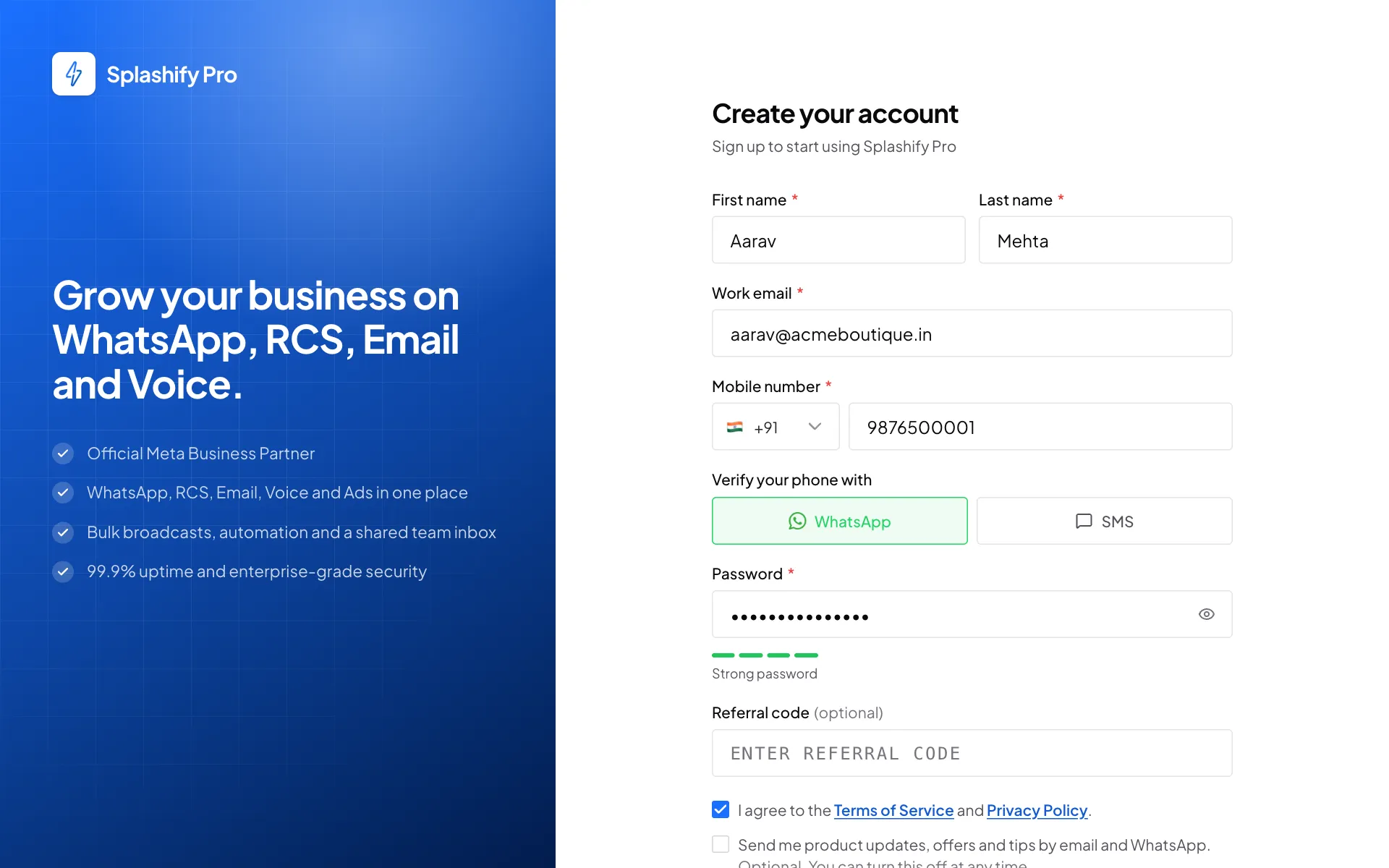
Your name, email and mobile number Pick a password
Type a Password of 8 to 64 characters. The bar under it shows how strong it is. Aim for Strong password.
Agree to the terms and create the account
If someone gave you a Referral code, type it in. Tick I agree to the Terms of Service and Privacy Policy. The second box, for product updates and offers, is up to you. Click Create account.
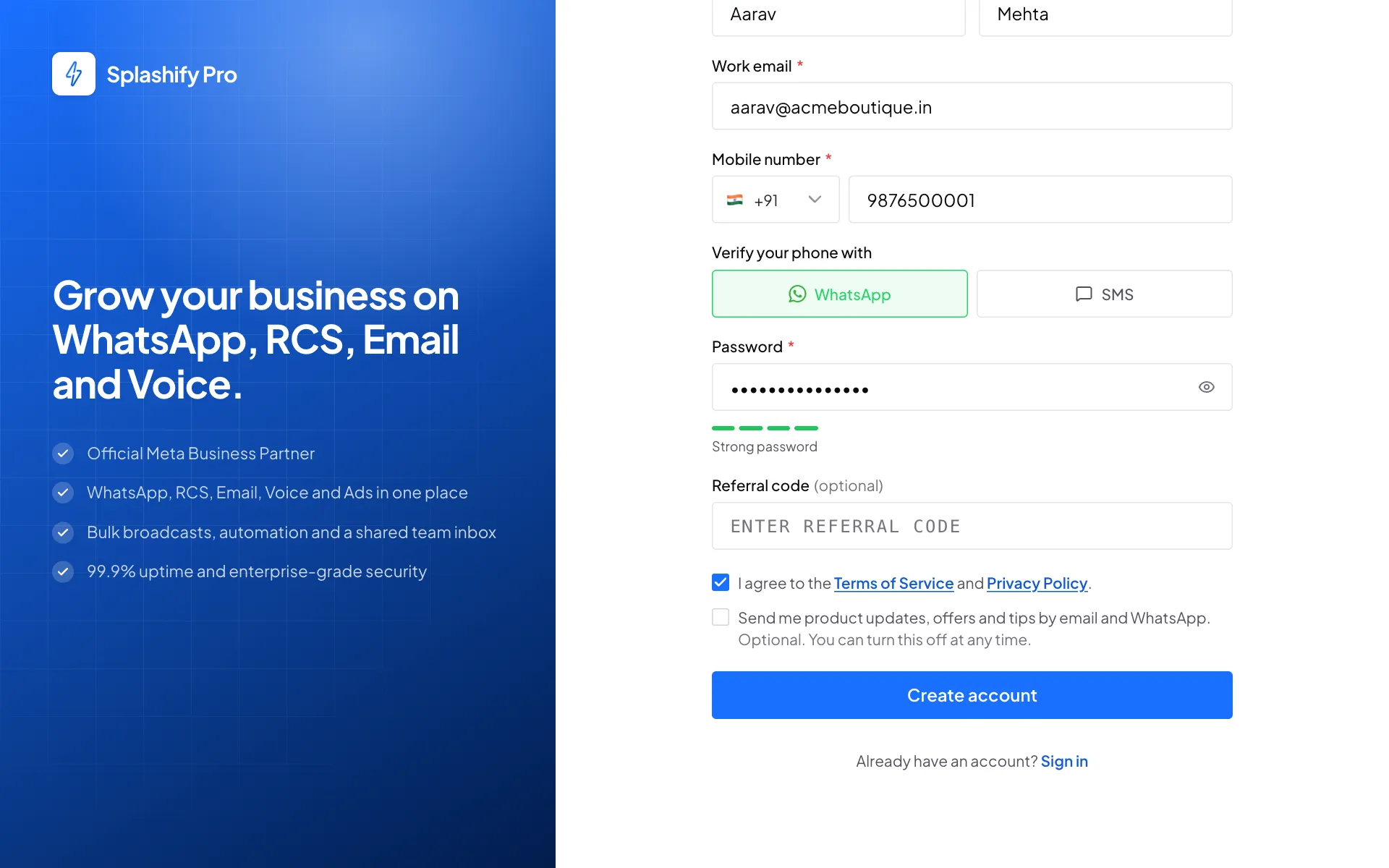
Tick the terms, then Create account Type the codes
On Verify your account, type the 6-digit Email code from your inbox and the 6-digit WhatsApp code from WhatsApp. Click Verify and continue.
If WhatsApp cannot deliver the code to an Indian mobile number, the same code comes by SMS. Type it in the WhatsApp code box.
If you picked SMS, type the 6-digit SMS code from the text message. If the page shows a Send SMS code button instead, as it does for numbers outside India, click it first, then type the code.
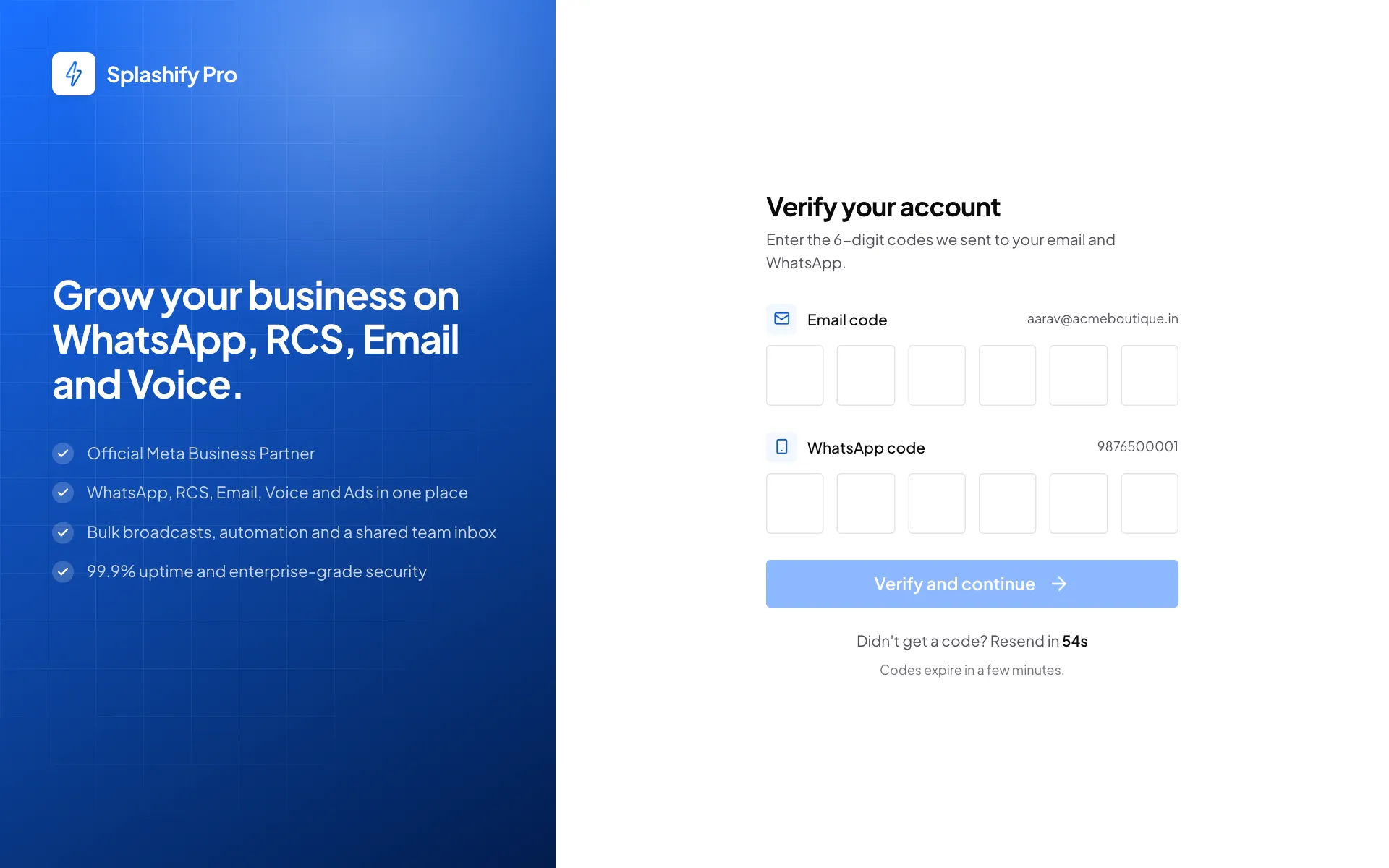
One code from your email, one from WhatsApp Get the code by phone call
If the WhatsApp code has not reached you after 20 seconds, click Call me with the code. We call your mobile number and read the 6-digit code out. You can ask for up to 3 calls an hour and 6 a day. Calls are for Indian mobile numbers.
Tell us about your business
You land on your dashboard, and a Complete Your Account Setup box opens. Fill in Company Name, Company Size and Industry (the others are optional) and click Continue. We use this for your invoices.
The Timezone box starts on India time. If your team works in another time zone, type a city in the box, for example
London, and pick your zone from the list. For an account outside India, the box is called Time zone and starts on the time zone of your computer. Change it if it is not right.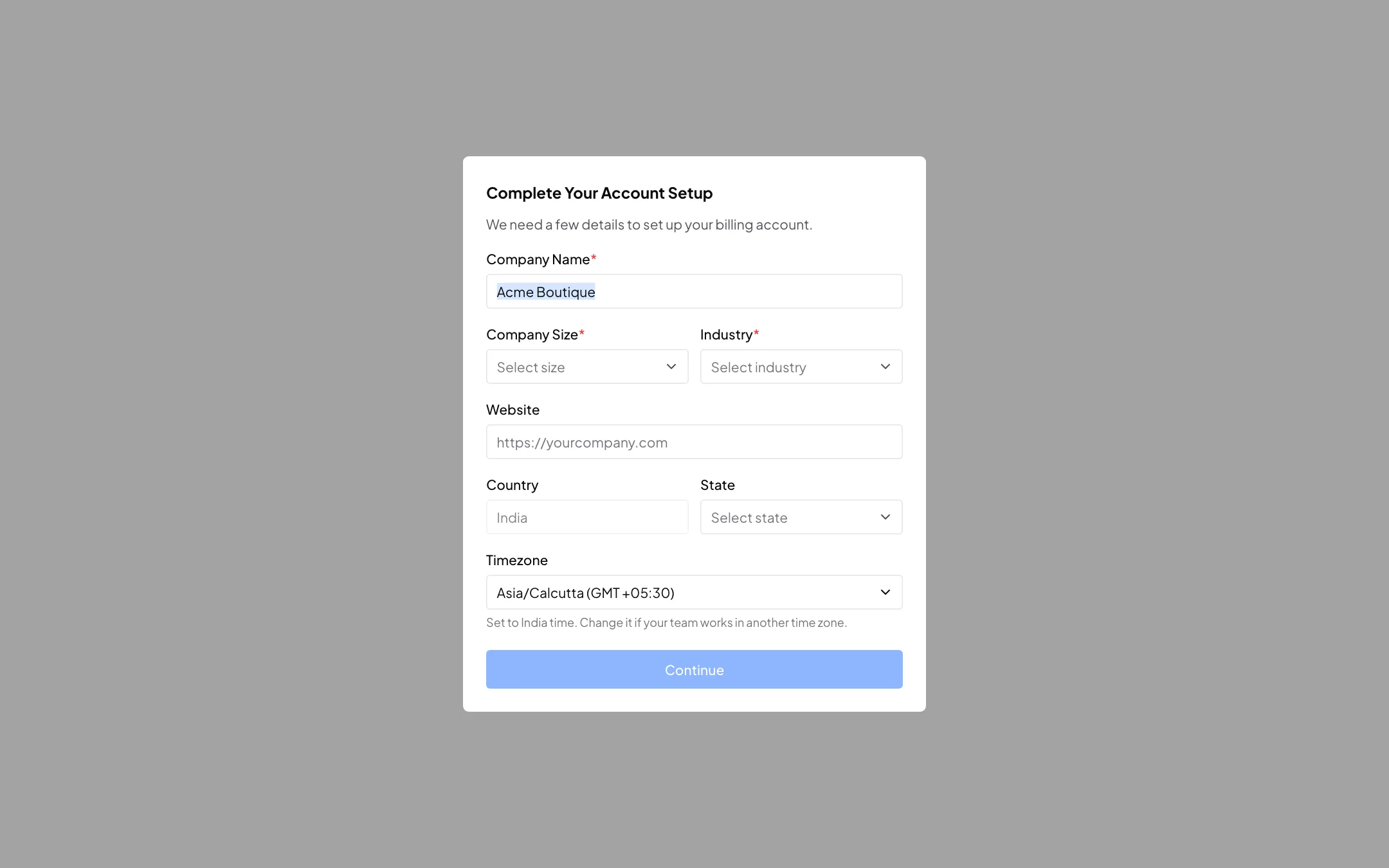
A few details about your business, and your time zone
You are in. Next, connect your WhatsApp number.