
Make calls
Available for accounts in India.
Call a customer on WhatsApp straight from their chat. The call rings in the customer's WhatsApp app, and you talk from your computer.
Call a customer
Open the customer's chat
Click Messages in the left sidebar and open the chat with the customer you want to call.
Click the phone icon
Click the phone icon at the bottom right of the chat, next to the microphone and Send. Hover over it and it says Voice call.
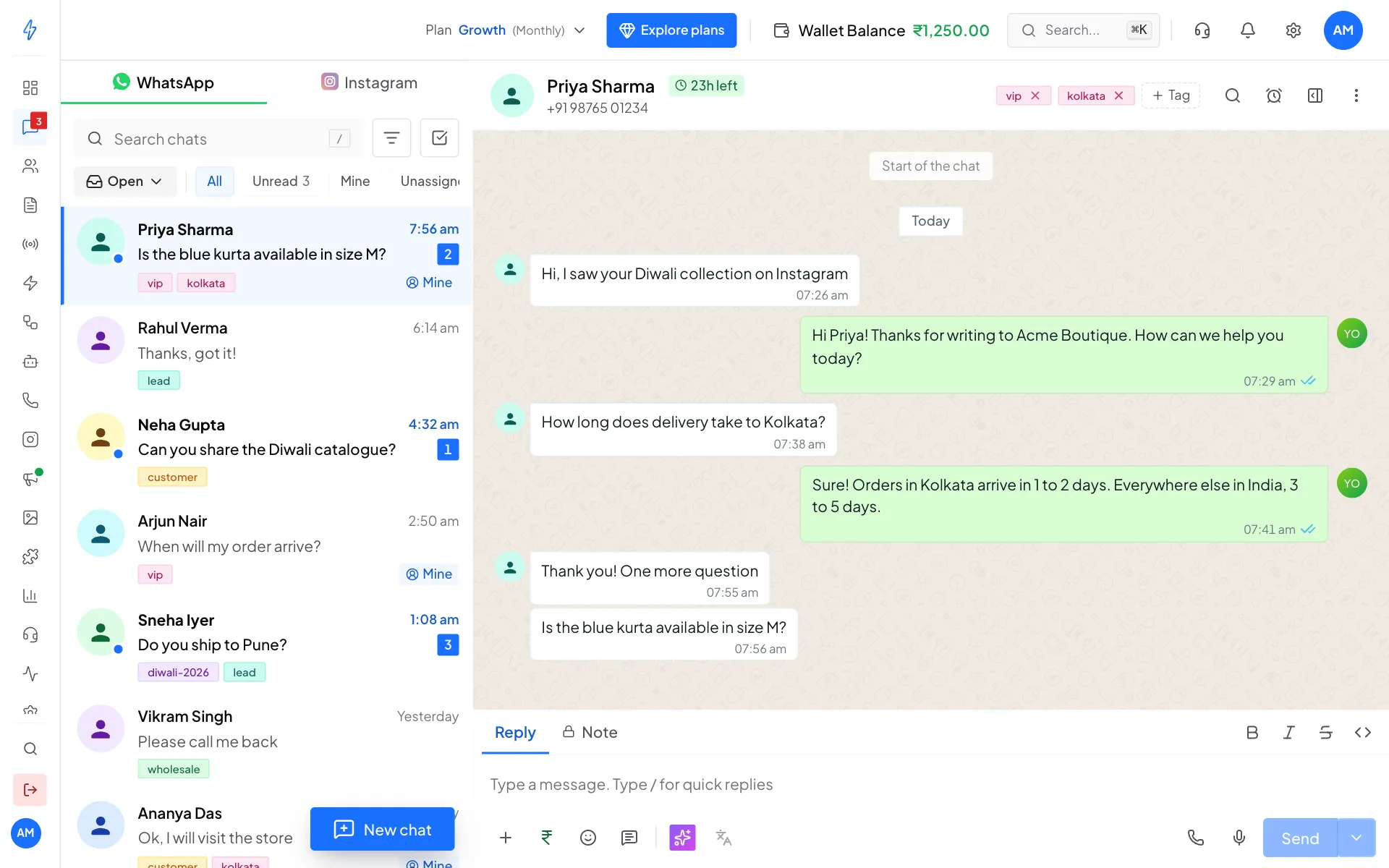
The phone icon starts a call You can also open the contact panel (the panel icon at the top right of the chat) and click the green Call button under the customer's name.
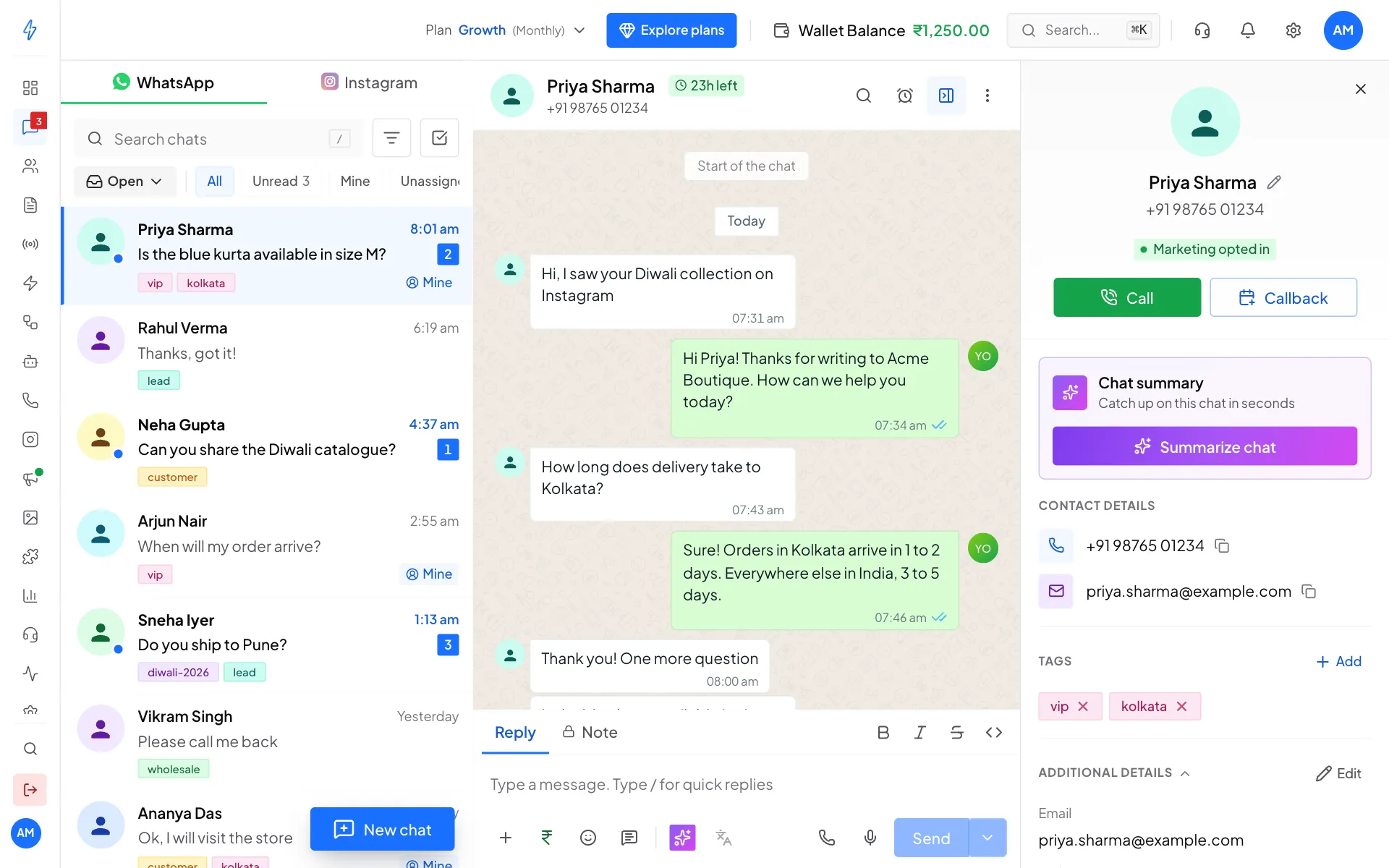
Or use Call in the contact panel Check the call details
If the customer has allowed your calls, the Start a WhatsApp call box opens. It shows who you are calling and Your calling number, the WhatsApp number the customer will see.
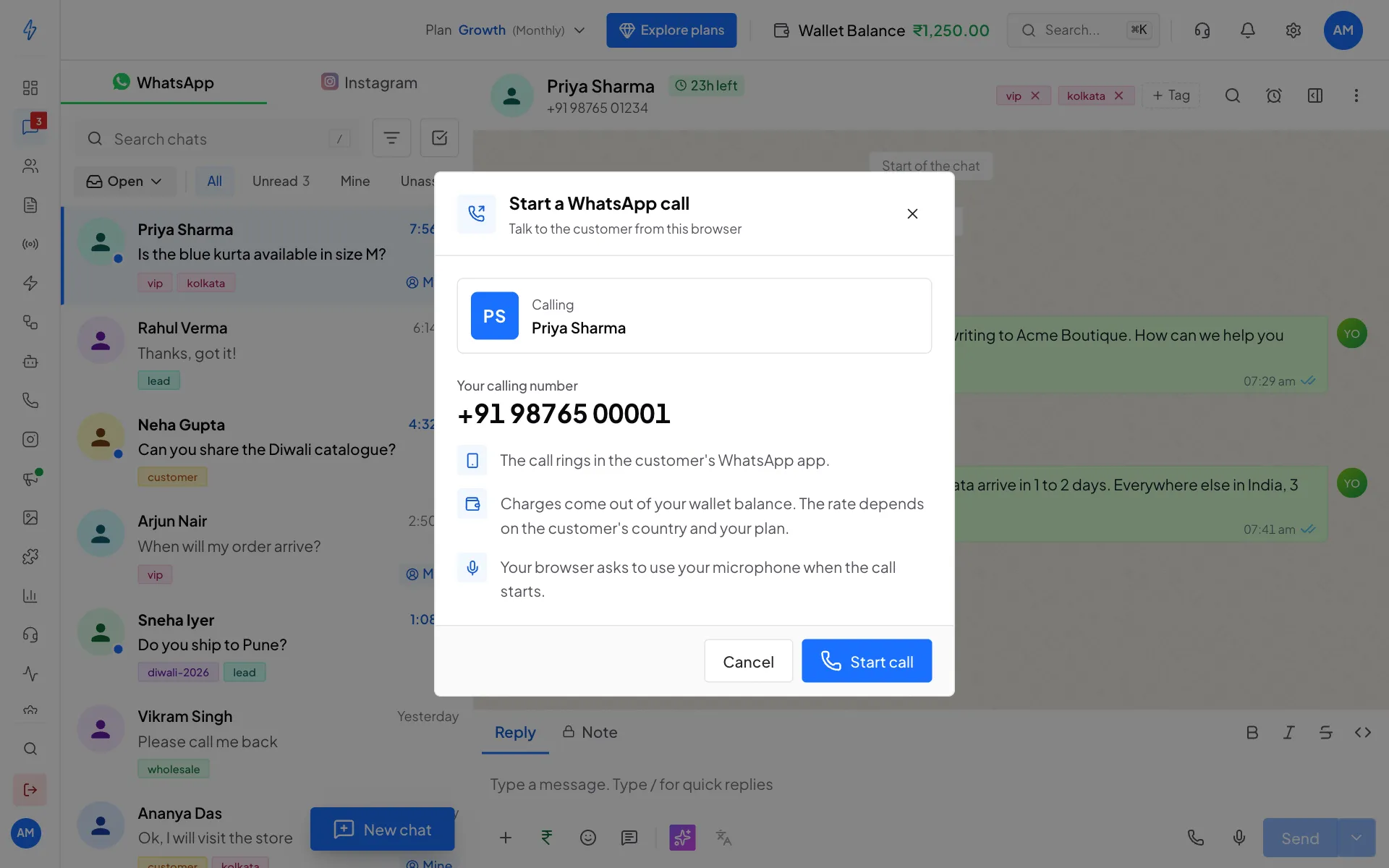
Check the number, then click Start call If the customer has not allowed your calls yet, a box to Ask for permission to call opens instead. See Call permissions.
Click Start call
Click Start call. Your browser asks to use your microphone. Click Allow. The call rings in the customer's WhatsApp app.
Talk, then hang up
While the call is on, you see the call time and these buttons:
- Mute turns your microphone off. Click Unmute to turn it back on.
- Volume turns the call volume down or back up.
- Minimize call (the small button at the top) shrinks the call so you can keep working in the app. Click Show the call to open it again.
- End call hangs up.
You will see Call ended with how long the call lasted. Click View call history to open the Calling page, where the call now shows with its recording and a short summary. See Call recordings.
The phone icon is missing or grey
The phone icon only shows when Allow voice calls is on in Calling settings. It turns grey with Top up your wallet to call when your wallet is empty. Add money to call again.
Answer a customer's call
When a customer calls your WhatsApp number, an Incoming WhatsApp call box pops up in the app.
- Click Answer to take the call in your browser, or Decline to reject it.
- Talk as usual. Mute, Volume and End call work the same way.
- The call is saved on the Inbound tab of the Calling page.
Calls ring only during your call hours, if you set them. See Calling settings. If a Voice AI agent is your default agent for inbound calls, the agent picks up instead.
Call states
What you need
- Chrome or Edge on a computer. Other browsers may not work well.
- A working microphone, and Allow clicked when the browser asks.
- A steady internet connection.
- Money in your wallet. Charges come out of your wallet balance, and the rate depends on the customer's country and your plan.