
Connect your Instagram business account to answer comments and direct messages (DMs) automatically. Your team replies to Instagram DMs in the same Messages inbox you use for WhatsApp.
What you can do
- Send a DM when someone comments a keyword. Someone comments "price" on your reel and gets your price list in their DMs. You can also reply under their comment so others see it works.
- Turn on ready-made automations in one click: welcome new DMs, answer common questions, collect leads, thank story mentions, pass the chat to a person, and more.
- Show ice breakers and a menu: questions people can tap before they type, and shortcuts that stay in every chat.
- Chat with customers in Messages, on the Instagram tab.
- Build Instagram bots in the same flow builder you use for WhatsApp.
Where to find it
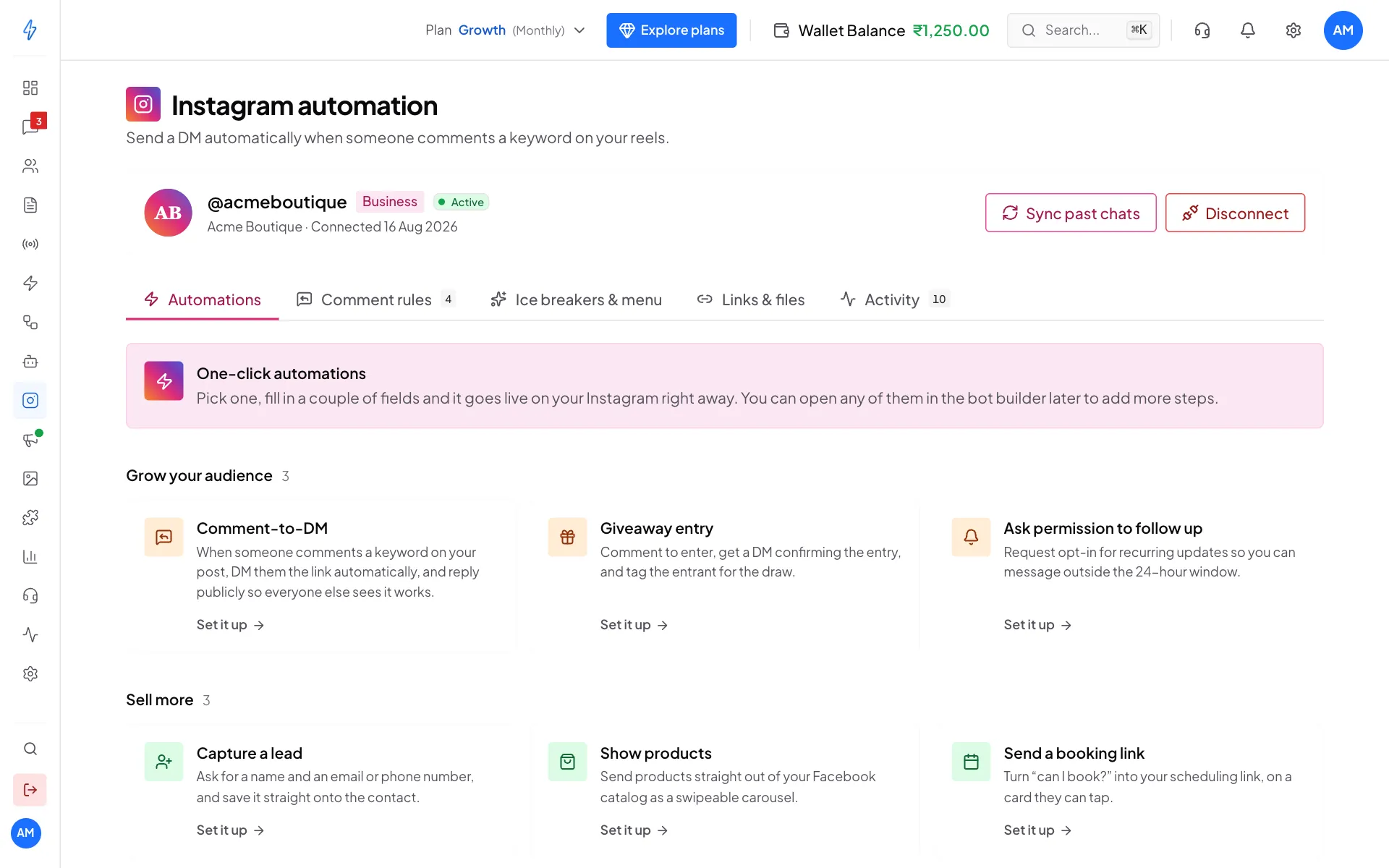
In the left sidebar, click Instagram. The page has five tabs:
Instagram DMs are answered in Messages. See Instagram inbox.
Before you start
- You need an Instagram Business or Creator account. Personal accounts cannot be connected. To switch, open the Instagram app, tap Settings and activity, then Account type and tools, then Switch to professional account. It is free and you can switch back.
- Your plan must include Instagram automation. If it does not, the Instagram page shows an Upgrade plan button. Trial accounts get full access during the trial.
Get started in three steps
Connect your Instagram account
Click Connect Instagram and sign in with Instagram. It takes about a minute. See Connect Instagram.
Turn on your first automation
The easiest start is Comment-to-DM on the Automations tab, or a keyword rule on the Comment rules tab. See Automations.
Answer DMs in Messages
In the left sidebar, click Messages, then the Instagram tab. See Instagram inbox.
How a comment becomes a DM
- Someone comments on your post, for example "price?".
- If the comment has one of your keywords, they get your DM within seconds.
- If you wrote a public reply, it is posted under their comment at the same time.
- The comment and the result show on the Activity tab.
Comments without a keyword get no DM.
What you can send
Besides text, photos and videos, Instagram supports tap buttons (quick replies, up to 13), swipeable cards (up to 10), buttons (up to 3 per card) and products from your catalog. Text can be up to 1,000 characters.
Tap buttons and cards only show in the Instagram mobile app. On Instagram on the web, the customer still gets the text.
When you can message people
Instagram only lets you message someone who wrote to you recently:
- Within 24 hours of their last message: reply freely.
- From 24 hours to 7 days: your replies are sent as a person replying (a "human agent" reply), for support only, not offers.
- After 7 days: you cannot message them until they write again.
See Messaging windows.
A person must always be reachable
Meta requires every automated Instagram chat to have a way to reach a real person. Your team can answer in Messages, and the Hand off to a human automation stops the bot when someone types a word like "human" or "agent". See Automations.
Next, see Connect Instagram.