
How WhatsApp setup works
Before you can chat with customers or send offers, you link your business WhatsApp number to Splashify Pro. You do it once, from your dashboard, and it takes about 10 minutes.
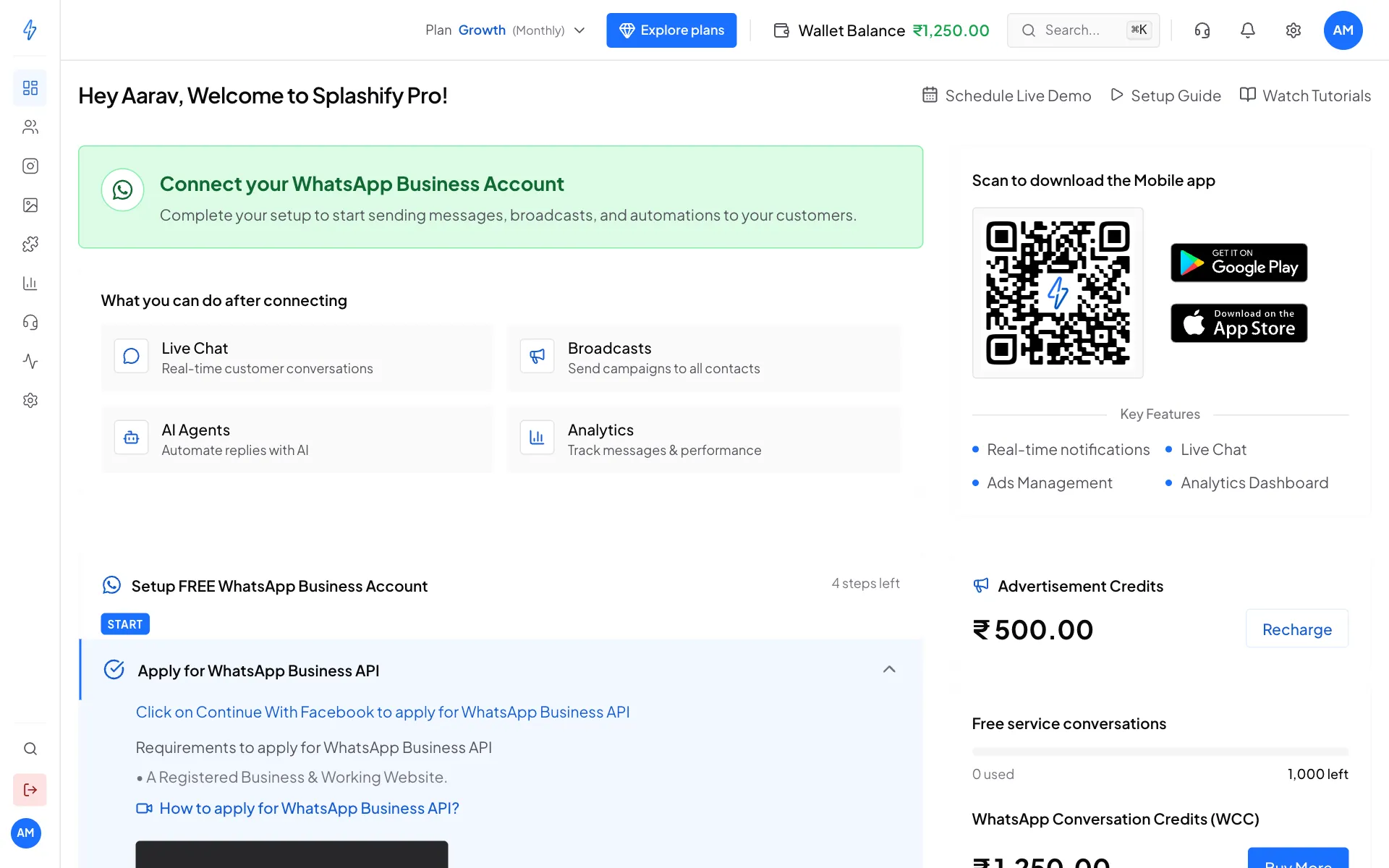
Until your number is linked, the dashboard shows a green box that says Connect your WhatsApp Business Account, and a list of setup steps under Setup FREE WhatsApp Business Account.
The steps, in order
Check your plan
Broadcasts, chatbots and team access need an active plan or free trial. If your dashboard shows a red No active plan box, click See plans first. See Buy or change a plan.
Connect your number
On the dashboard, click Continue With Facebook and follow the Meta window. This links your WhatsApp Business Account (WABA for short) and your phone number. See Connect WhatsApp (WABA).
Check that the number is live
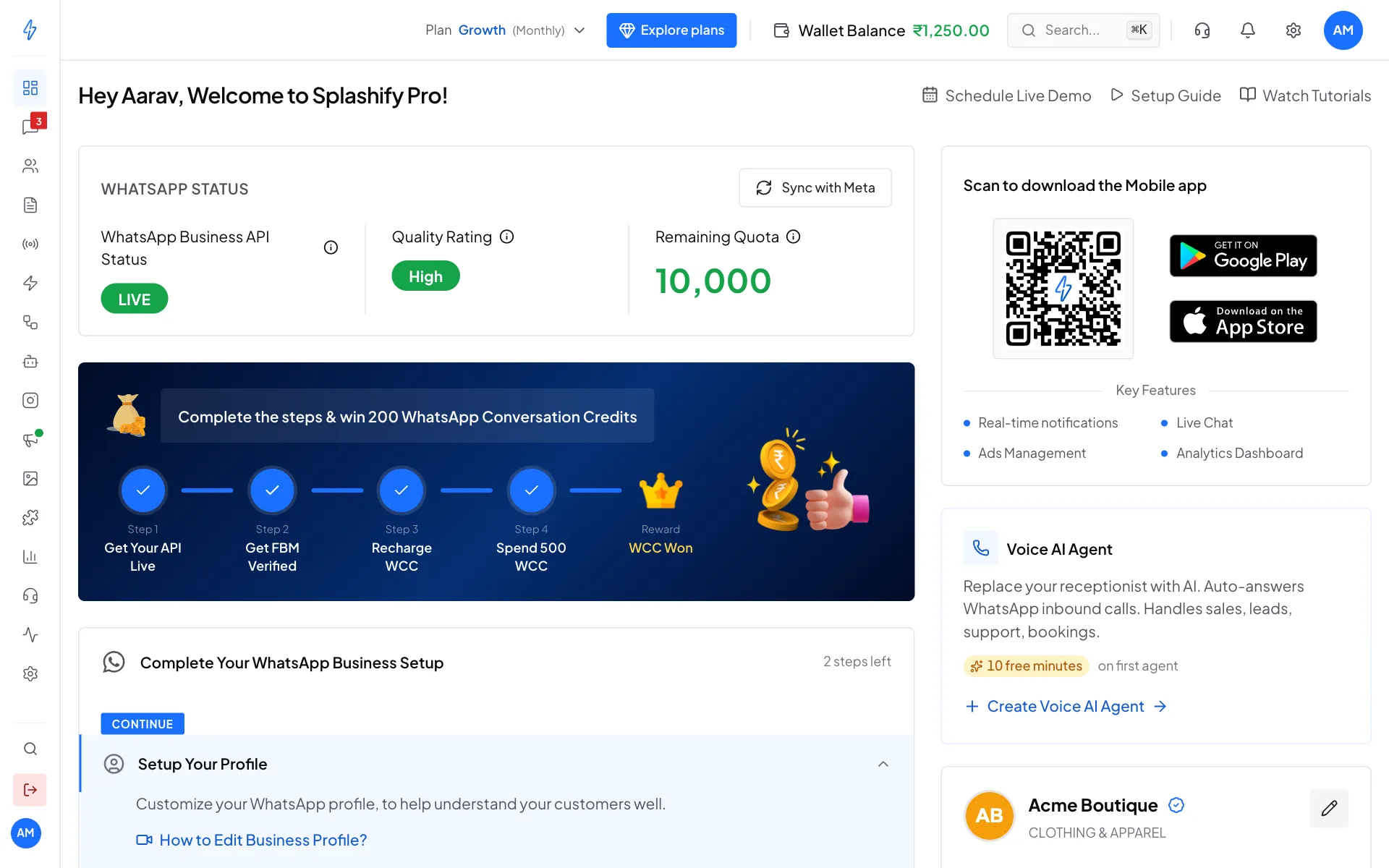
The dashboard shows LIVE under WhatsApp Business API Status once the number is ready. If it says PENDING, see Register your number.
Do your KYC
Verify your business with your GST or Udyam (MSME) number. This raises how many customers you can message a day and gets your display name approved. See Business verification (KYC). Accounts outside India are not asked for KYC.
Set up your profile
Add your logo, description, address and website so customers know it is really you. Click Edit Profile in the Setup Your Profile step on the dashboard.
Apply for the blue tick (optional)
Well-known brands can ask Meta for the blue tick next to their name. See Blue tick (Official Business Account).
When the first steps are done, the dashboard looks like this: your number is LIVE, with its Quality Rating and Remaining Quota.
What you need before you start
- A Facebook account that is an admin of your business on Meta. If your business is not on Meta yet, you can create it inside the Meta window.
- A registered business and a working website.
- A phone number for WhatsApp that can receive a text message or a call, to get Meta's code.
Which phone number can I use?
A new number, or a number you use in the WhatsApp Business app, works. Meta shows an option to connect a WhatsApp Business app number, and you can keep using the app on your phone. A number on normal (personal) WhatsApp cannot be connected. Delete that WhatsApp account on the phone first, then connect the number.
Quick checklist
You can also see whether WhatsApp is connected in Settings (the gear icon), then Configure Channels.