
Track expenses
Track expenses shows where your wallet money goes: how much you spent on marketing, utility and login messages, RCS, SMS and calls, day by day, and every single charge. Use it to check a bill, spot an expensive day, or download the charges for your accountant.
Open Track expenses
Open Settings
Click Settings (the gear icon) in the top bar or the left sidebar.
Click Track Expenses
Under Analytics & Commerce, click Track Expenses. You can also click View Cost Breakdown under a completed broadcast on the Broadcasts page.
Pick the period
Open the list at the top right and pick Last 7 days, Last 30 days, Last 3 months, Last 6 months or All time. Everything on the page updates.
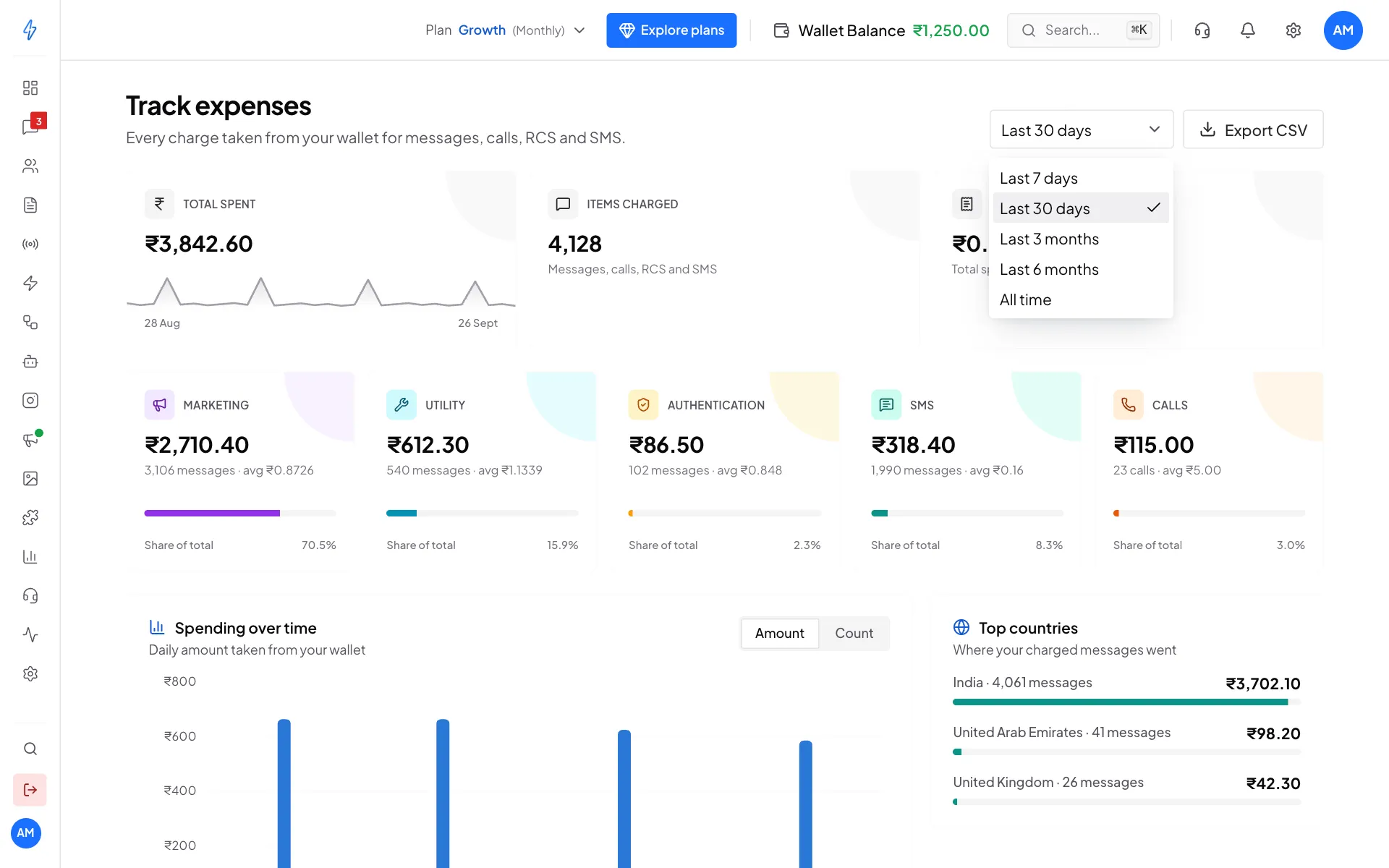
Pick the period to look at
Read the totals
The three cards at the top:
Below them, one tile per kind of charge shows the amount, how many items, the average price, and its Share of total:
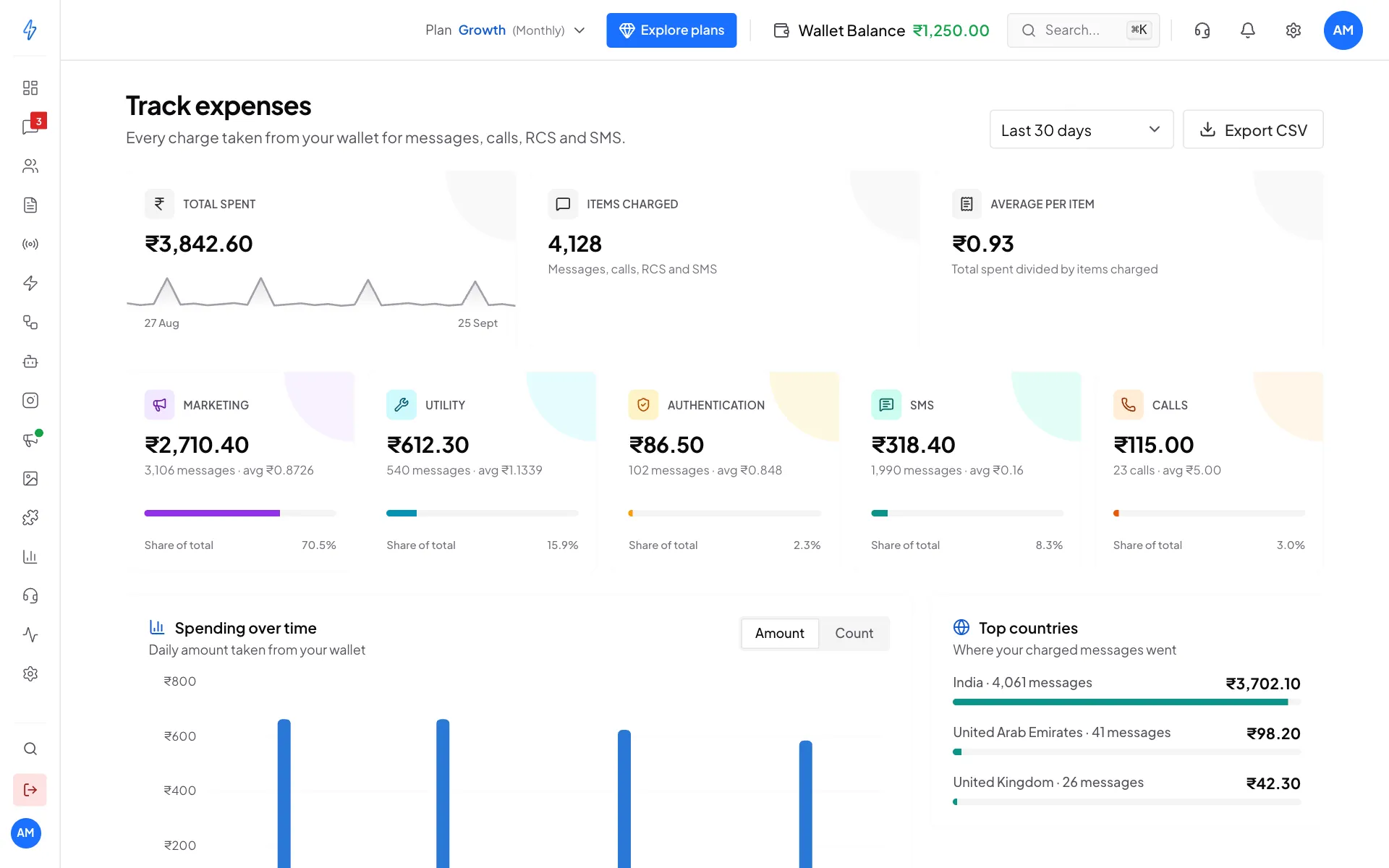
See spending over time
Spending over time shows a bar for each day. Click Amount to see money, or Count to see how many items were charged. A tall bar is usually a day you sent a broadcast.
Top countries shows where your charged messages went, with the amount for each country.
Check every charge
Scroll to Charges
Scroll down to Charges. Each row shows what the charge was for (for example Marketing message to +91 98765 01234), its Type, Country, Date and Amount.
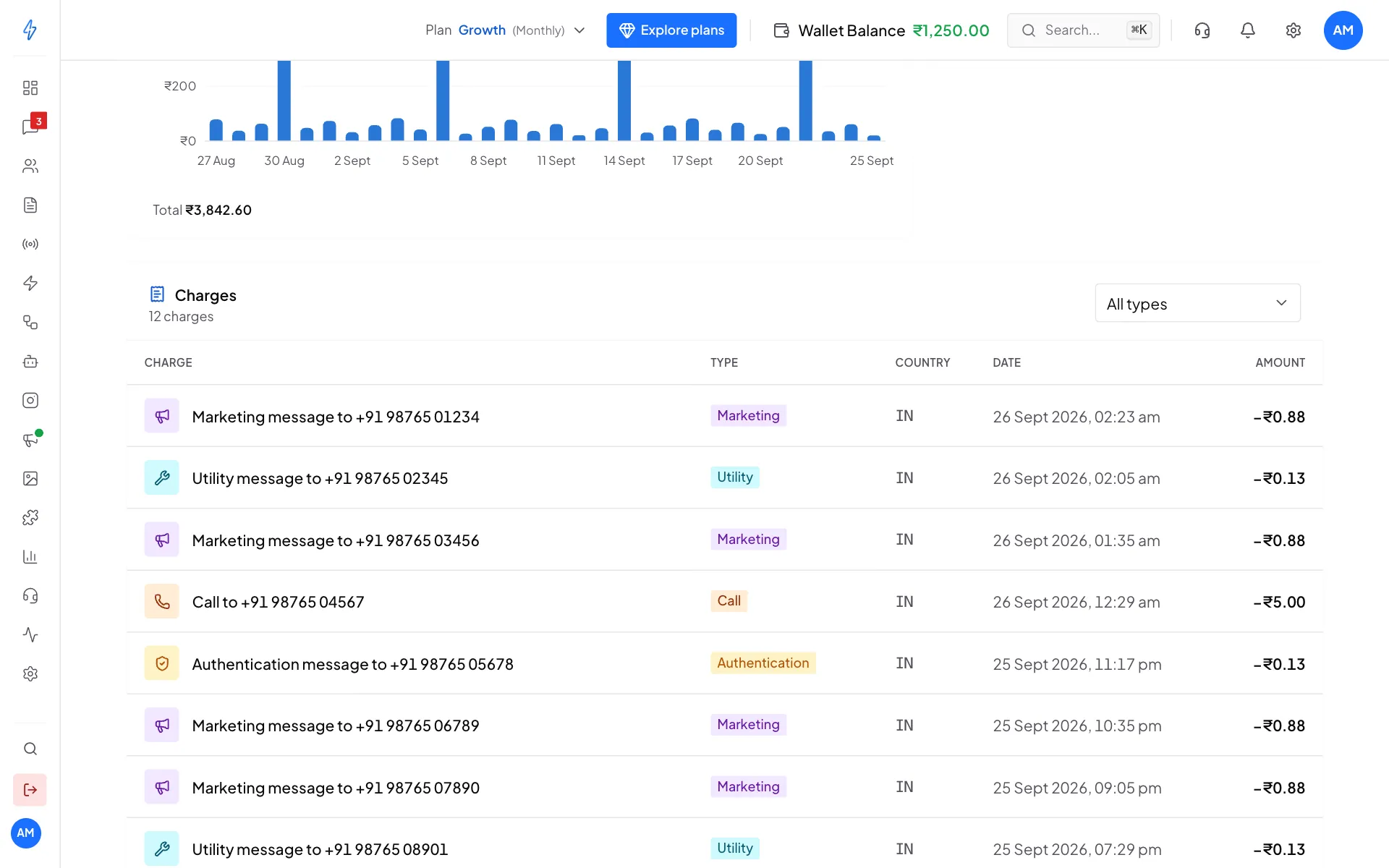
Every charge, with its type, country, date and amount Show one type only
Open All types above the table and pick a type, for example Marketing, Calls or Refunds.
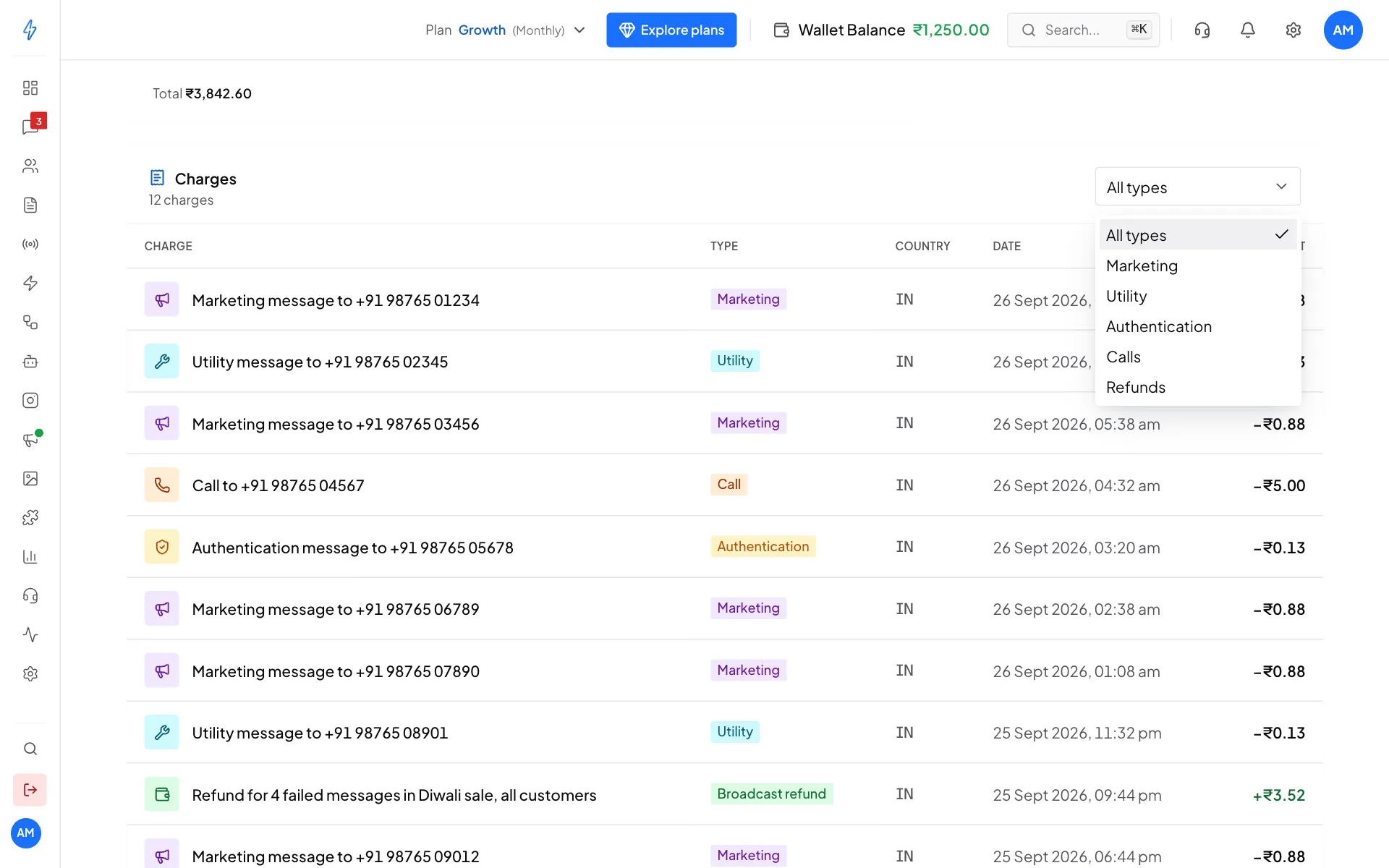
Filter the charges by type
Charges show with a minus sign. Money given back shows in green with a plus sign, for example Refund for 4 failed messages in Diwali sale, all customers.
Refunds for failed messages
When you send a broadcast, the cost is kept aside from your wallet. When it finishes, messages that failed are refunded, and the refund shows in Charges as Broadcast refund. SMS are the exception: an SMS that is not delivered is not refunded. See SMS pricing.
Download the charges
Click Export CSV at the top right. A spreadsheet file with the charges for the period you picked downloads, ready for your accountant.