
Flow Node Reference
A chatbot is made of steps, also called blocks or nodes. This page lists every step you can add in the flow builder, grouped the same way as the list on the left of the builder.
Add a step
Find the step
In the flow builder, look through the groups in the list on the left, or type in Search steps. For example, type ask to see every step that asks the customer something.
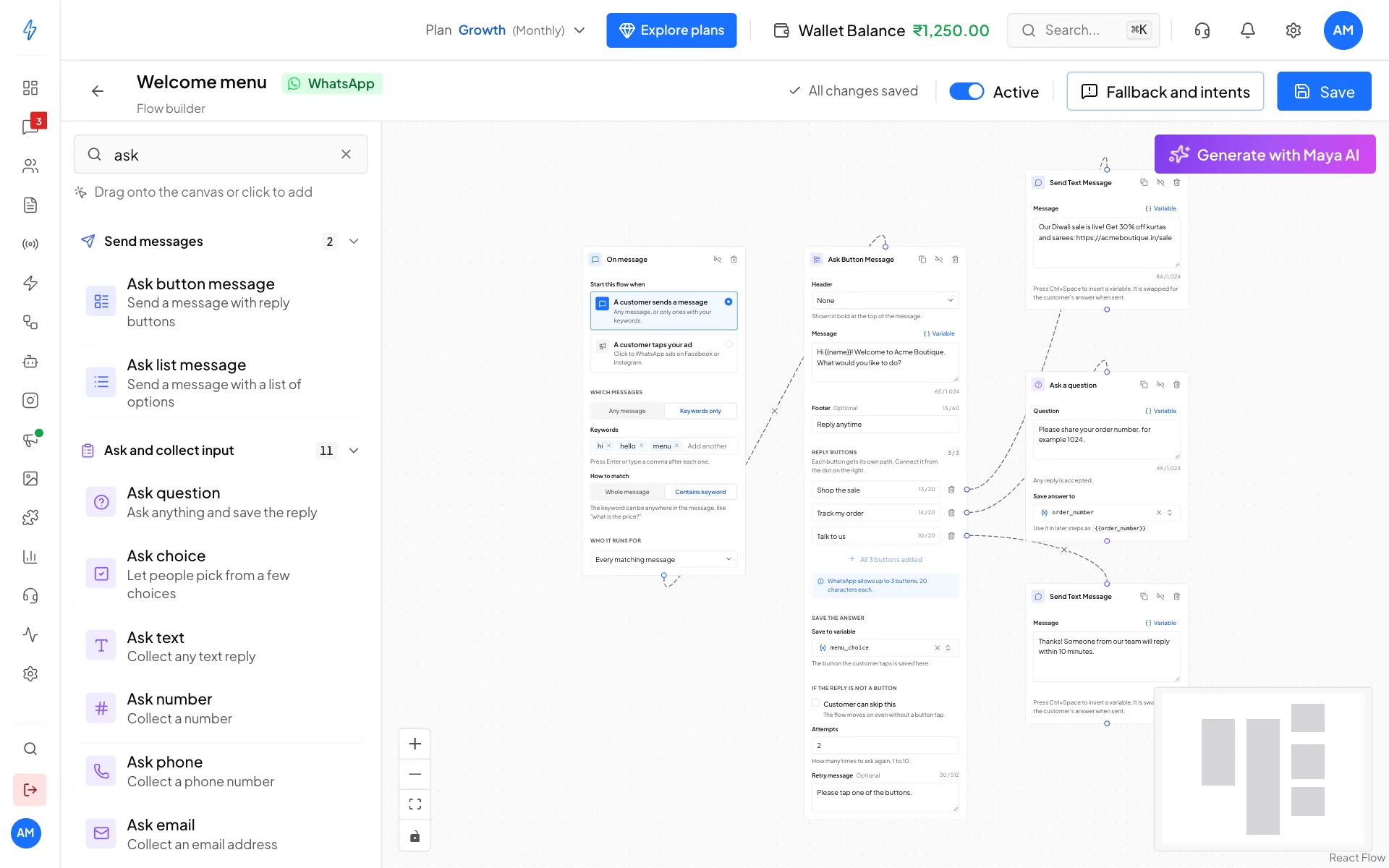
Search steps finds any step by name Add it
Click the step to drop it in the middle of the canvas, or drag it to where you want it.
Connect and fill it in
Drag a line from the step before it, then fill in the step's fields. Click Save at the top right when you are done.
Some steps work on WhatsApp only, and Instagram bots have a few steps of their own. The list only shows the steps that work on your bot's channel.
Trigger
On Message
The start of every flow. Each flow has exactly one.
Start this flow when:
- A customer sends a message. Then under Which messages, pick Any message or Keywords only. With keywords, How to match is Whole message (the message must be exactly the keyword) or Contains keyword (the keyword can be anywhere in the message). Match capital letters makes Price and price count as different words.
- A customer taps your ad (Click-to-WhatsApp ads on Facebook or Instagram). Pick All ads or Only some ads and paste the Ad IDs.
Who it runs for: Every matching message, New contacts only (their very first message to you), or Resolved chats only (when a resolved chat gets a new message).
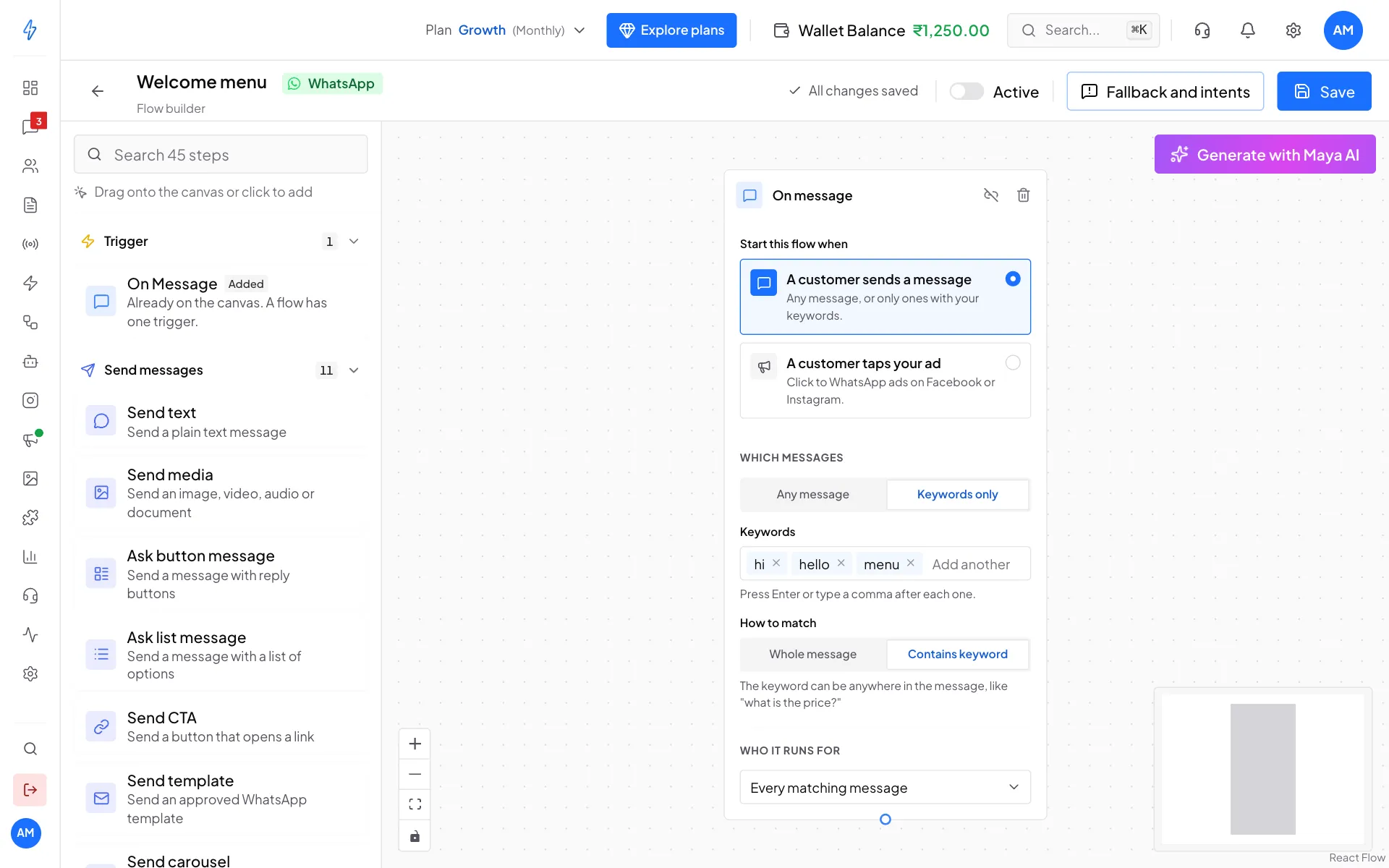
Instagram bots have different triggers. See Instagram bots.
Send messages
Ask and collect input
Ask steps send a question and wait for the customer's reply before moving on. The answer is saved under the name you give it, so later steps can use it.
Common settings on ask steps:
Logic and flow control
Condition
Sends the customer down one of two paths. Pick the Variable to check, a Rule, and a Value. The green True dot leads where the rule matches, the red False dot where it does not.
Rules: Equals, Does not equal, Contains, Ends with, Is more than, Is less than, Is close to, Is an email address, Is a phone number, Matches a pattern.
Delay
Waits before the next step. Set Wait for and the Unit (Seconds, Minutes or Hours).
Jump to flow
Continues in a different chatbot. Pick the Flow to go to, and turn on Pass saved answers along to keep what the customer already told you.
Stop
Ends the flow here.
Variables and data
AI and automation
AI steps are charged from your wallet. See AI credits and pricing.
Contact management
Integrations
Notes
Comment leaves a note on the canvas for your team. Customers never see it.
Fallback and intents
Two replies go out outside the flow. Open them with Fallback and intents in the builder's top bar. See Workflow bot.