
Developer settings (API key)
Developer settings connect Splashify Pro to your own website, shop software or server. Your developer needs an API key to send messages from your systems, and a webhook to hear about new messages and deliveries as they happen.
Open Developer settings
Open Settings (the gear icon in the left sidebar or the top bar) and click Developer Settings under Analytics & Commerce. The page title is Developer settings.
Get your API key
Click Generate API key
In the API key card, click Generate API key.
Confirm
The box asks Generate an API key?. Click Generate key.
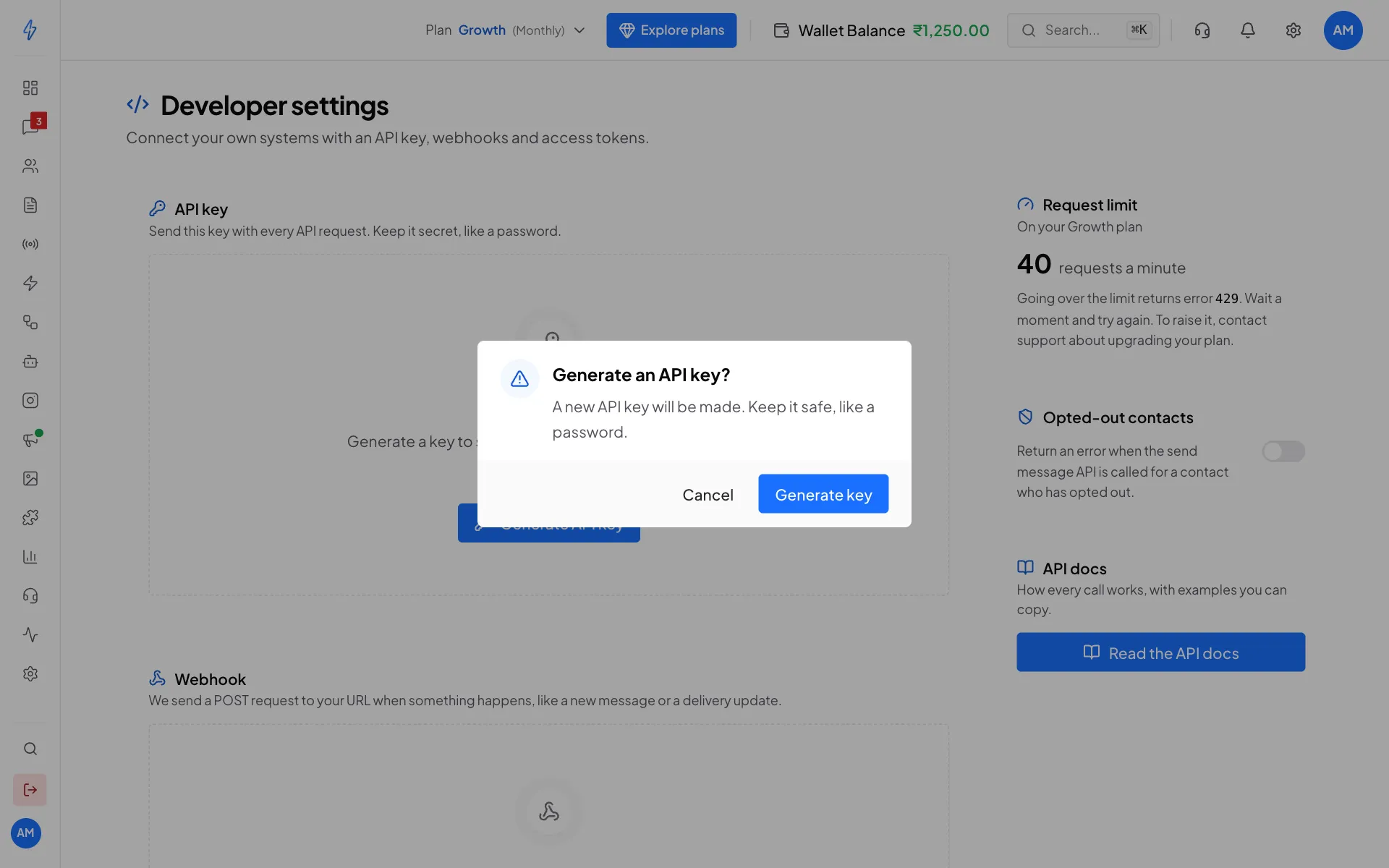
Confirm to create your key Copy the key
Your key appears in the API key card, hidden with dots. Click the eye to show it, or Copy to copy it. Give it to your developer.
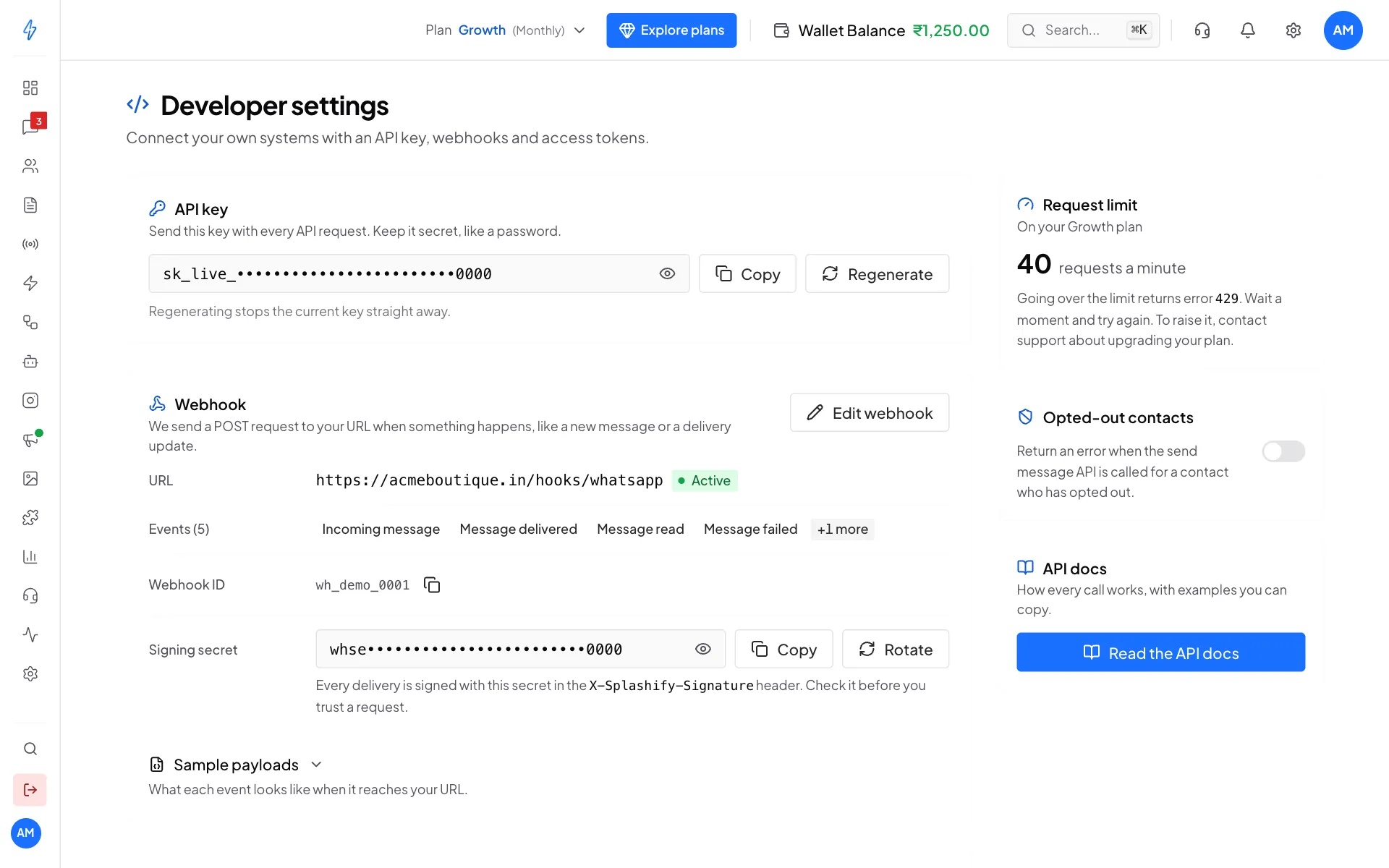
Your API key, the request limit and the API docs
Keep your API key secret
Anyone with the key can send messages and read your data. Never put it in a website or app that customers can open. Keep it on your server.
Get a new key
If the key leaked, or someone who had it left, click Regenerate, then Regenerate key. The old key stops working straight away, so update every system that uses it. The new key is shown once: click Copy, or Download .txt to save it as a file you keep somewhere safe.
Request limit
The Request limit card shows how many API requests a minute your plan allows, for example 40 requests a minute on your Growth plan.
- Going over the limit returns error
429. Wait a moment and try again. See Rate limits. - If we set a custom limit for your account, the card says Set for your account instead of your plan name.
- If the card says Your plan does not include API access, calls with your key return error
403. Click Upgrade plan to pick a plan that includes the API.
Opted-out contacts
Turn on the switch in Opted-out contacts to get an error when your system tries to message a contact who opted out, instead of the message being skipped quietly.
API docs
Click Read the API docs for the full API reference with examples to copy. It starts at Public API.
Send your first message through the API
Send the key in the Authorization header with the word Basic in front. For example, a text reply to a customer who wrote to you in the last 24 hours:
curl -X POST https://api.splashifypro.com/api/v1/public/message \
  -H "Authorization: Basic YOUR_API_KEY" \
  -H "Content-Type: application/json" \
  -d '{
    "fullPhoneNumber": "919876501234",
    "type": "Text",
    "data": { "message": "Hi Priya, your order is ready!" }
  }'
To start a conversation, send a template instead. See Authentication, Send a text message and the template pages in the API reference.
Set up a webhook
A webhook sends your server a message (a POST request) every time something happens, like a customer writing to you or a message being read.
Click Set up webhook
In the Webhook card, click Set up webhook. The Set up your webhook box opens.
Type your Webhook URL
Type the address on your server that should receive events, for example
https://acmeboutique.in/hooks/whatsapp. It must start withhttps://.Choose the events
Tick the events you want, or click Choose all.
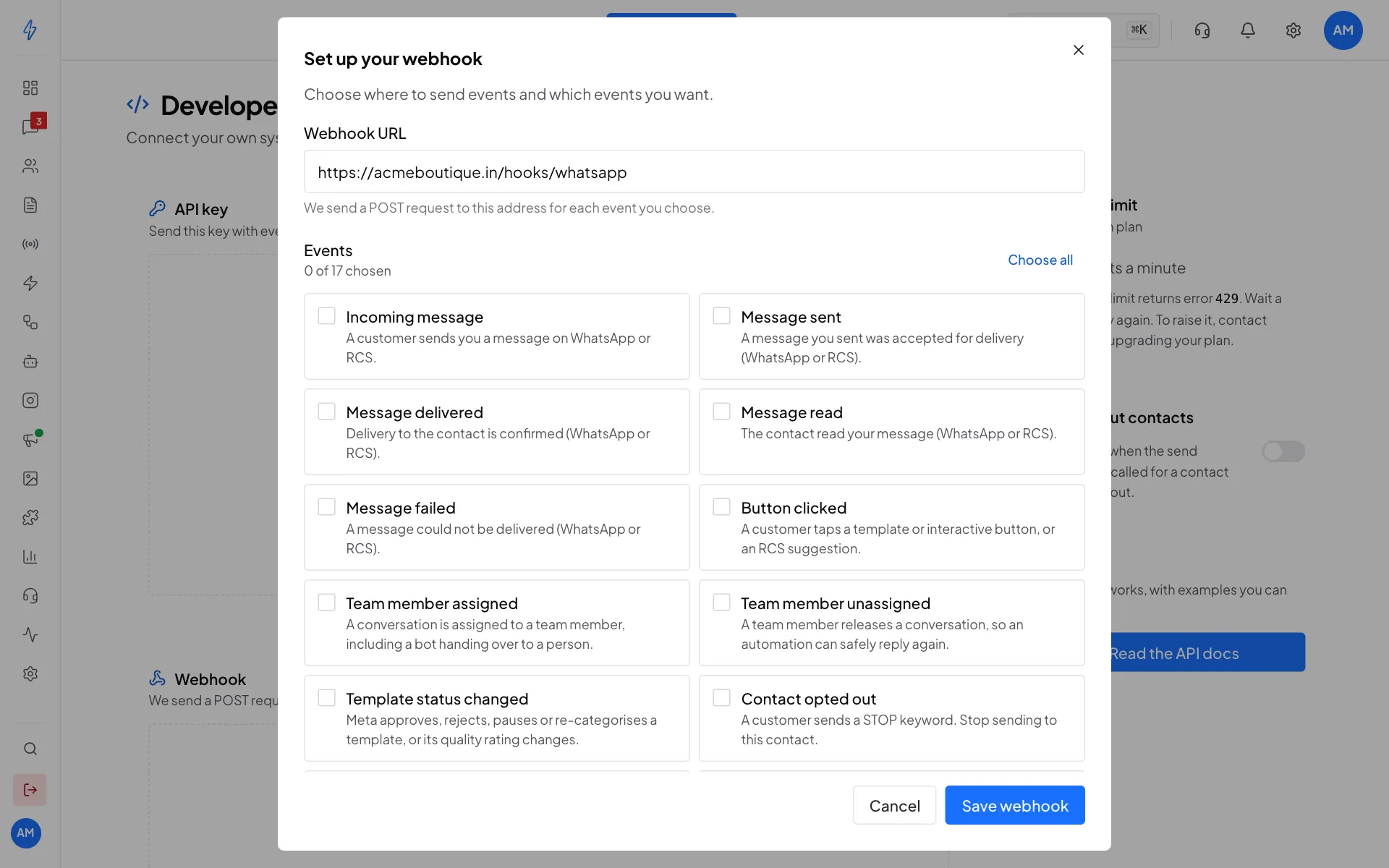
Your address, and the events to send to it Save
Click Save webhook. You will see Webhook saved.
The Webhook card now shows your URL (marked Active), the Events you chose, the Webhook ID and the Signing secret.
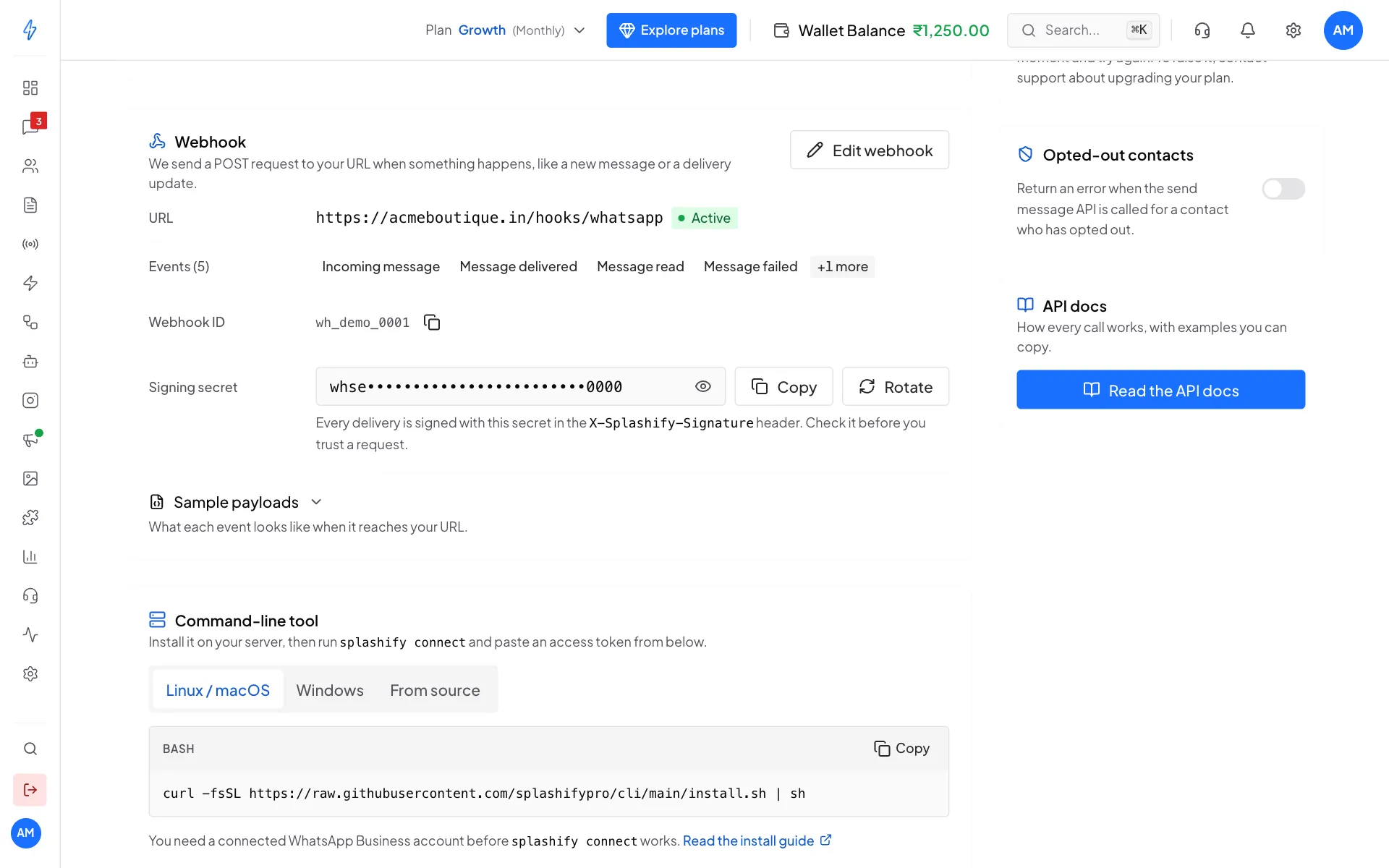
- Every delivery is signed with the Signing secret in the
X-Splashify-Signatureheader. Your developer should check it before trusting a request. - Click Rotate to get a new secret if the old one leaked. The old one stops working straight away. The new secret is shown once, with Copy and Download .txt.
- Open Sample payloads to see what each event looks like.
- Click Edit webhook to change the address or the events.
Webhooks added through the API or an earlier setup appear under Other webhooks, where you can send a test event, rotate a secret or delete one.
Webhook events
Access tokens and the command-line tool
Access tokens (they start with oc_live_) let the Splashify command-line tool or OpenClaw work in your account on your behalf.
Install the command-line tool (optional)
In Command-line tool, copy the install command for Linux / macOS, Windows or From source and run it on your server.
Create a token
In Access tokens, click New token. Type a Name (for example
Shop server) and, if you like, Expires after a number of days (0 means never). Click Create token and copy it. It is shown only once.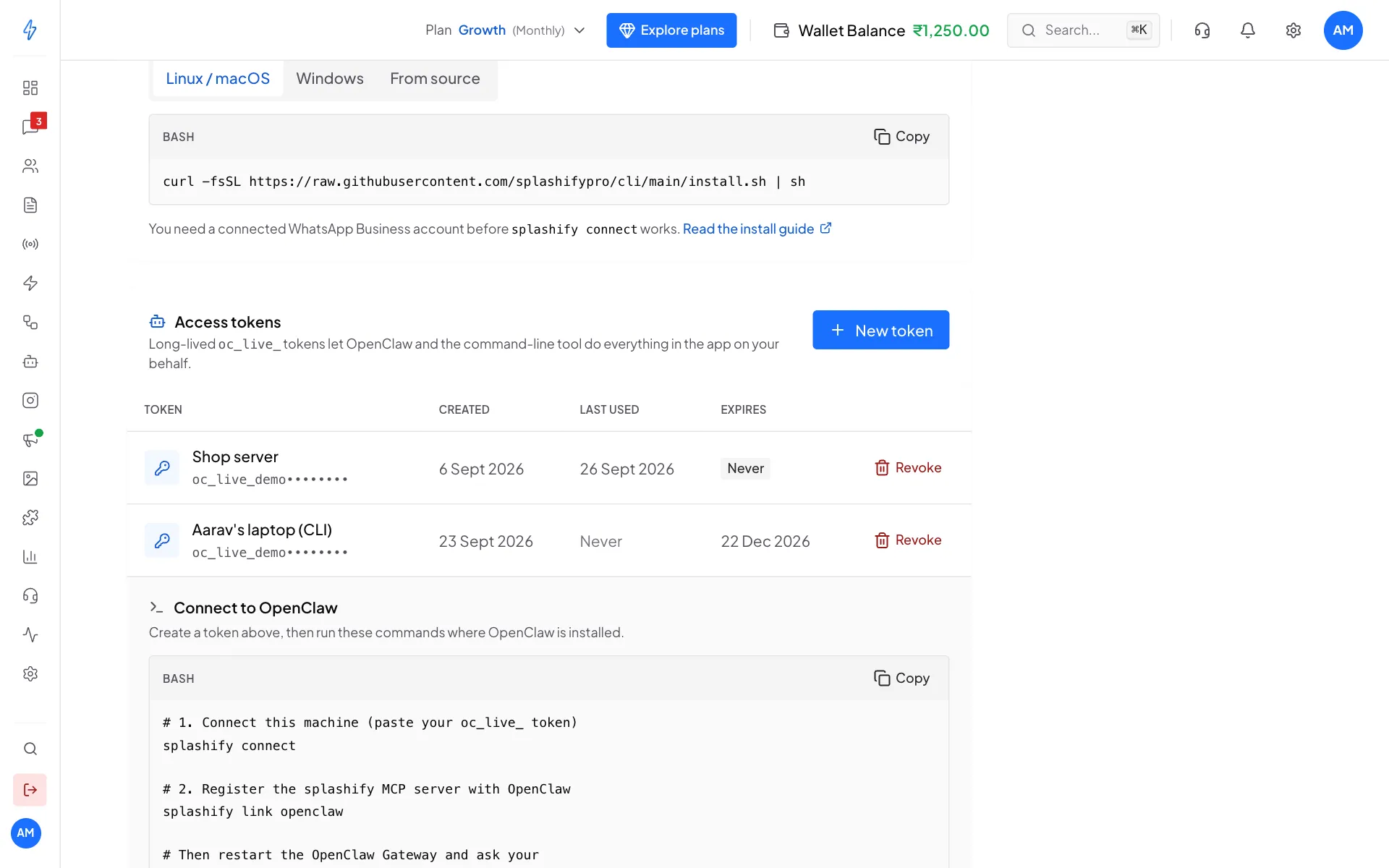
Your access tokens Connect
On your server, run
splashify connectand paste the token. Connect to OpenClaw lists the commands for OpenClaw.
Click Revoke on a token you no longer use. Anything using it stops working straight away.