
About calling
Available for accounts in India.
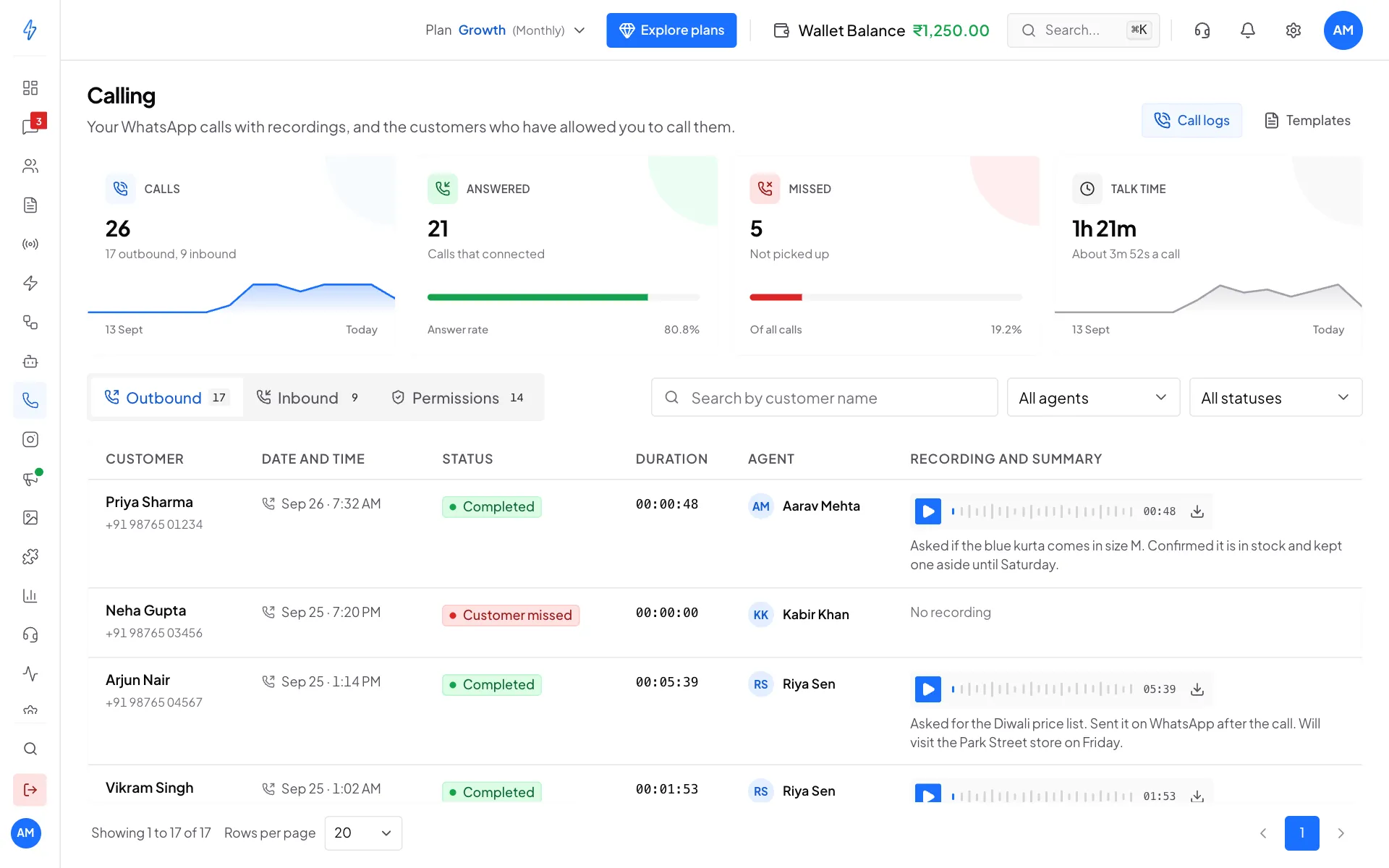
WhatsApp calling lets your team talk to customers on a WhatsApp voice call, straight from the app in your browser. You need no phone and no SIM. Every call is logged with its recording and a short summary.
Where to find it
Click Calling (the phone icon) in the left sidebar. The Calling page opens on Call logs, with your call numbers at the top and three tabs below: Outbound, Inbound and Permissions. Templates at the top right holds your call templates.
Do not see Calling in the sidebar?
The Calling link shows once WhatsApp calling is turned on for your number. Turn it on in Configure Channels. See Calling settings.
What you can do
How a call works
- You click the phone icon in a customer's chat.
- If the customer has allowed your calls, you click Start call. Your browser asks to use your microphone.
- The call rings in the customer's WhatsApp app. You talk through your computer's microphone and speakers.
- When you hang up, the call shows on the Calling page with its length, the recording and a summary.
A customer must allow your calls before you can call them. This is a WhatsApp rule to stop spam calls. See Call permissions.
Before you start
- Your WhatsApp number is connected. See Connect WhatsApp (WABA).
- Allow voice calls is on in Configure Channels. See Calling settings.
- You have money in your wallet. The phone icon is greyed out when the wallet is empty.
- You use Chrome or Edge on a computer with a microphone, and you allow the microphone when the browser asks.
Not available on every number
Calling does not work for a number that also uses the WhatsApp Business app. If the Calling page says Calling isn't available on your WhatsApp setup, raise a ticket in Support and we will help.
Call costs
Call charges come out of your wallet balance. The rate depends on the customer's country and your plan. Each call's charge shows in Track Expenses. See Track expenses.
If your team also uses a Voice AI agent to answer calls, see About Voice AI.