
Messaging windows
Instagram only lets a business message someone who wrote to it recently. The time you have left is called the messaging window. These are Instagram's rules, not ours. The inbox shows you which window each chat is in.
The three windows
How each window looks
Up to 24 hours: reply freely
Next to the customer's name you see the time left, for example 23h left. The pill turns from green to blue and then orange as the time runs low.
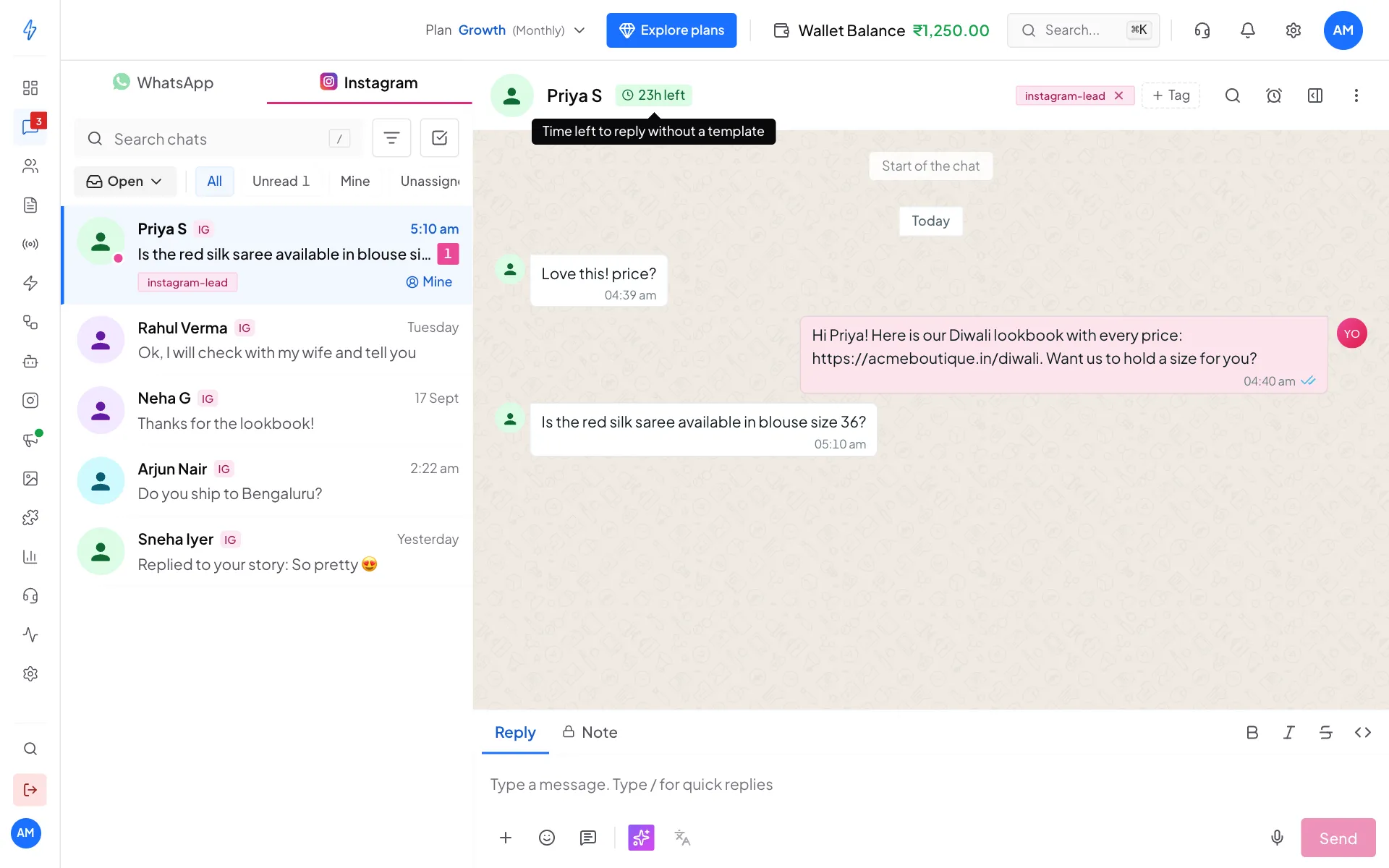
Inside 24 hours you can send anything 24 hours to 7 days: human agent replies
The pill turns red and shows how long is left of the 7 days, for example 3d 18h. Point at it to read "Past the 24-hour window. Replies are sent as a human agent." You can still reply. The app adds Instagram's human agent label to your message by itself.
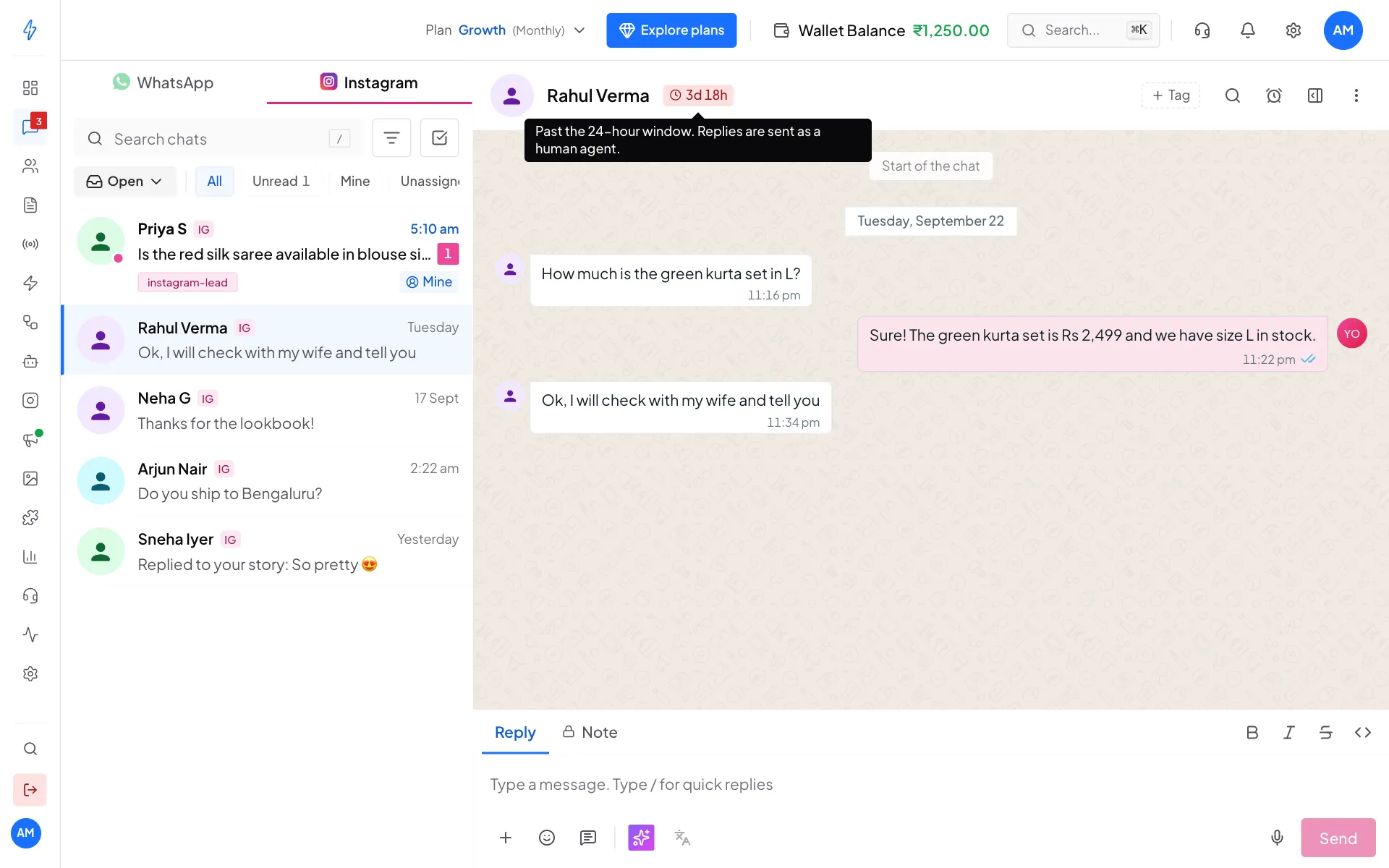
Between 24 hours and 7 days, replies go out as a human agent After 7 days: wait for the customer
The reply box is replaced by the notice The 7-day reply window is closed. It says when they last wrote, for example "They last wrote 9 days ago". Instagram allows replies only within 7 days, so they need to message you first. As soon as they do, the reply box comes back.
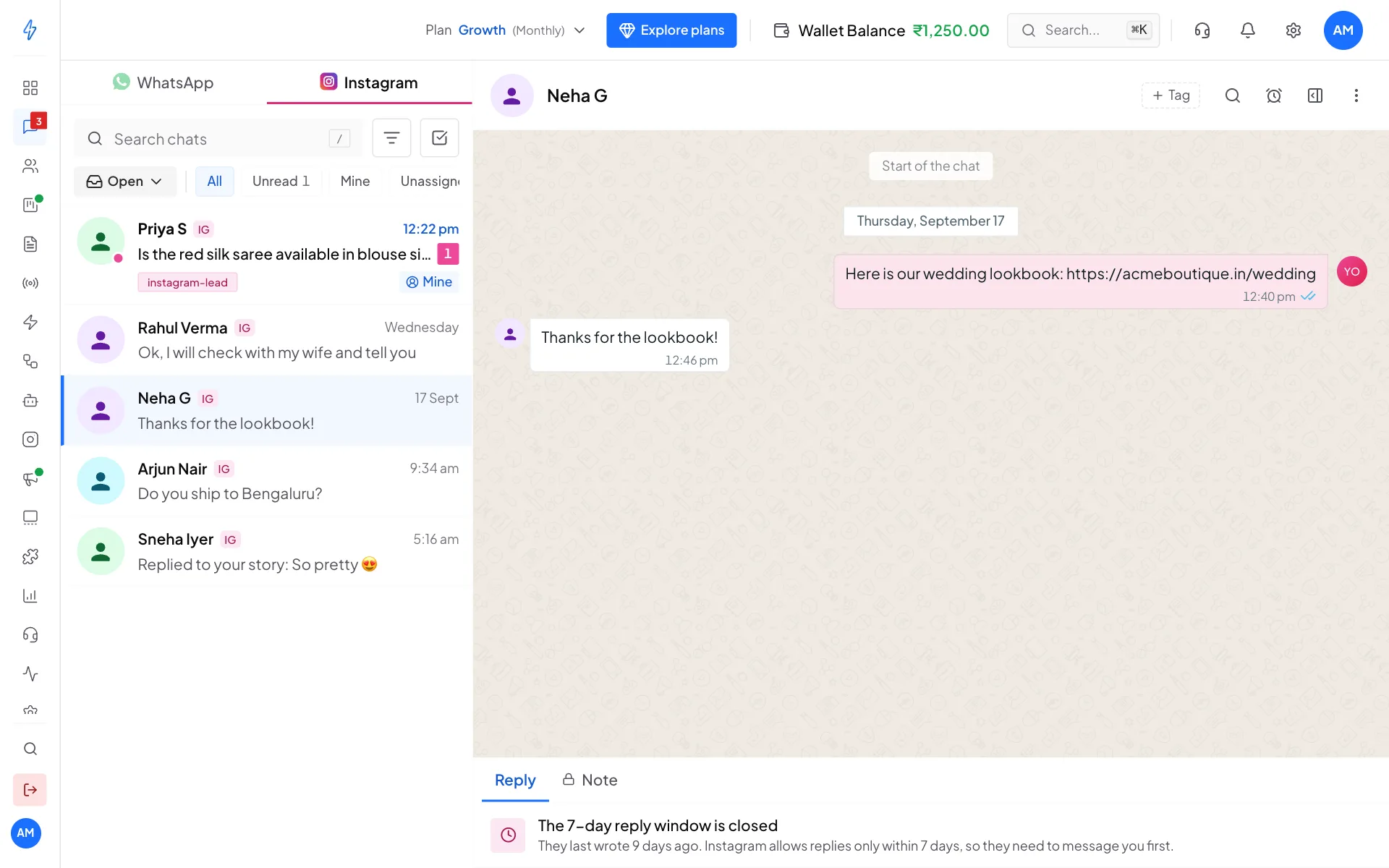
After 7 days you cannot send anything
What "human agent" replies are for
Between 24 hours and 7 days, Instagram only allows messages a real person writes to help the customer, for example:
- following up on a problem that took more than a day to fix,
- replying after a weekend or holiday,
- sending information the customer asked for.
Do not send offers, sales or announcements in this window. Instagram may flag your account.
Why Instagram does this
Instagram wants DMs to be conversations, not advertising. You can answer freely for a day after someone writes, then only as a person helping them, and after a week not at all. This stops cold messages and spam.
When the clock starts again
A new DM from the customer resets the window to a fresh 24 hours. The pill updates straight away.
A comment on your post does not reset the window. Instagram treats comments and DMs separately.
DMs from comment rules
When a comment rule sends a DM, it answers the comment, so it is always allowed. This is why comment rules work even for people who never wrote to you before.
For developers
The same window check is available in the Splashify CLI with splashify instagram window --conversation <id>. It returns:
{
  "success": true,
  "window": {
    "state": "open",
    "can_reply": true,
    "needs_human_agent": false,
    "seconds_remaining": 82500,
    "last_inbound_at": "2026-04-24T03:15:22Z"
  }
}
state is open, human_agent_only or expired. Use can_reply to decide whether to send. needs_human_agent tells you the reply goes out with the human agent label.