
Email troubleshooting
Find your problem below. Most email problems come from a sender domain that is not verified yet, or from a list with old addresses.
"Your current plan doesn't include email marketing"
You see this on the Email Dashboard, Campaigns, Templates or Sender Domain pages.
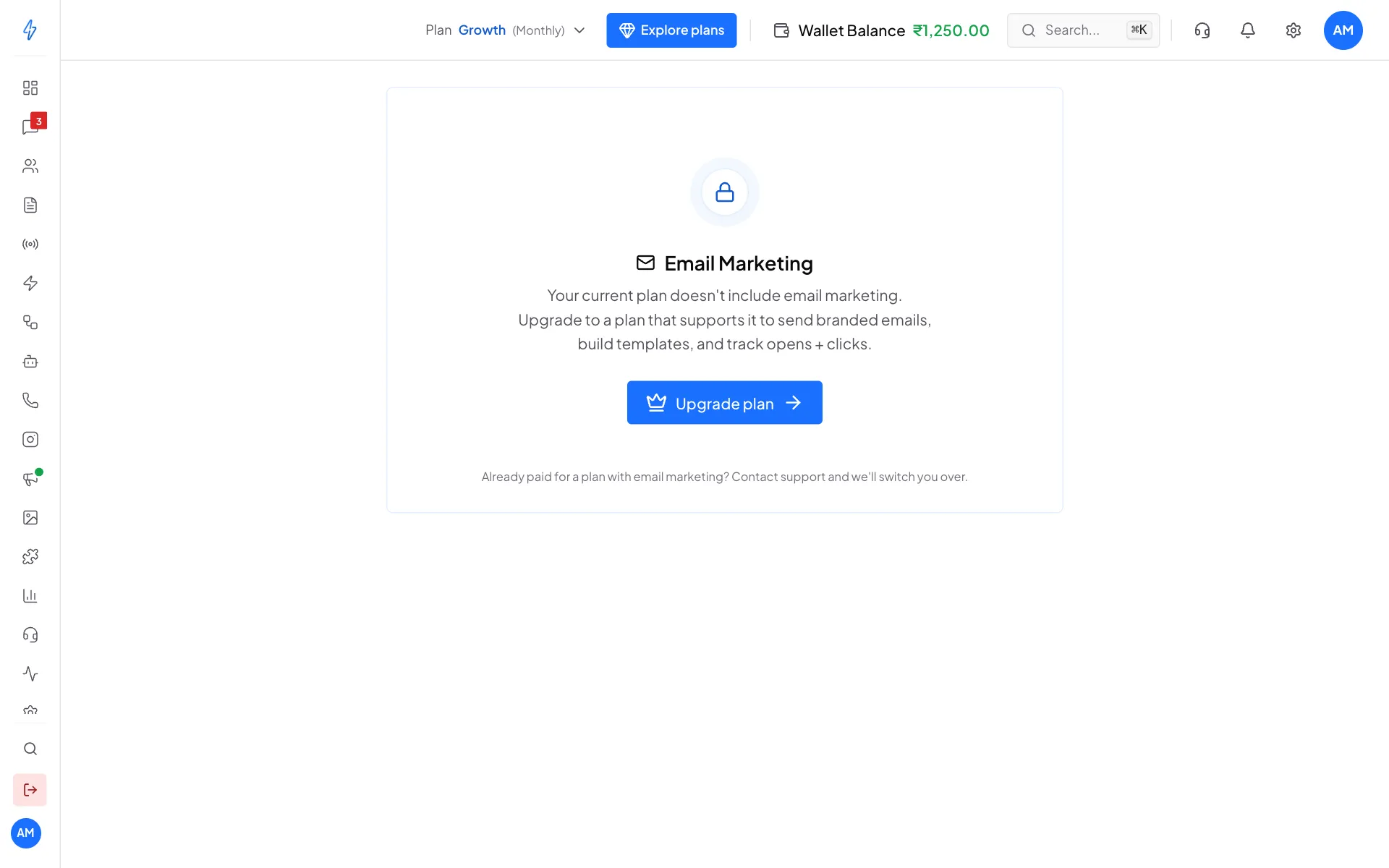
Click Upgrade plan to pick a plan with email marketing. See Buy or change a plan. If you already paid for a plan with email marketing, contact support and we will switch you over.
"Finish setup to send your first campaign"
The Email Dashboard shows this until you have a verified sender domain and at least one template. Click each line to fix it.
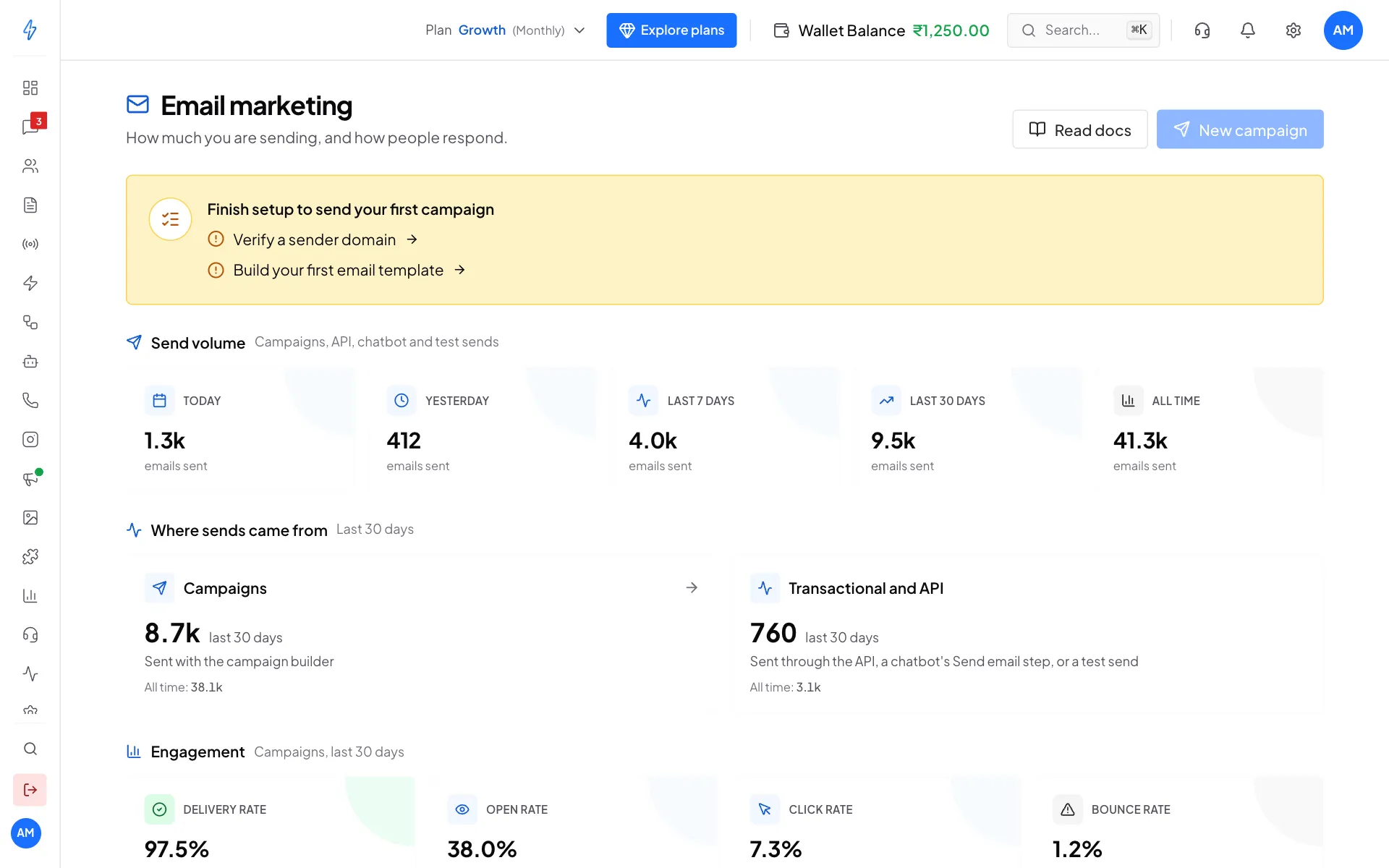
- Verify a sender domain: see Connect your sender domain.
- Build your first email template: see Build email templates.
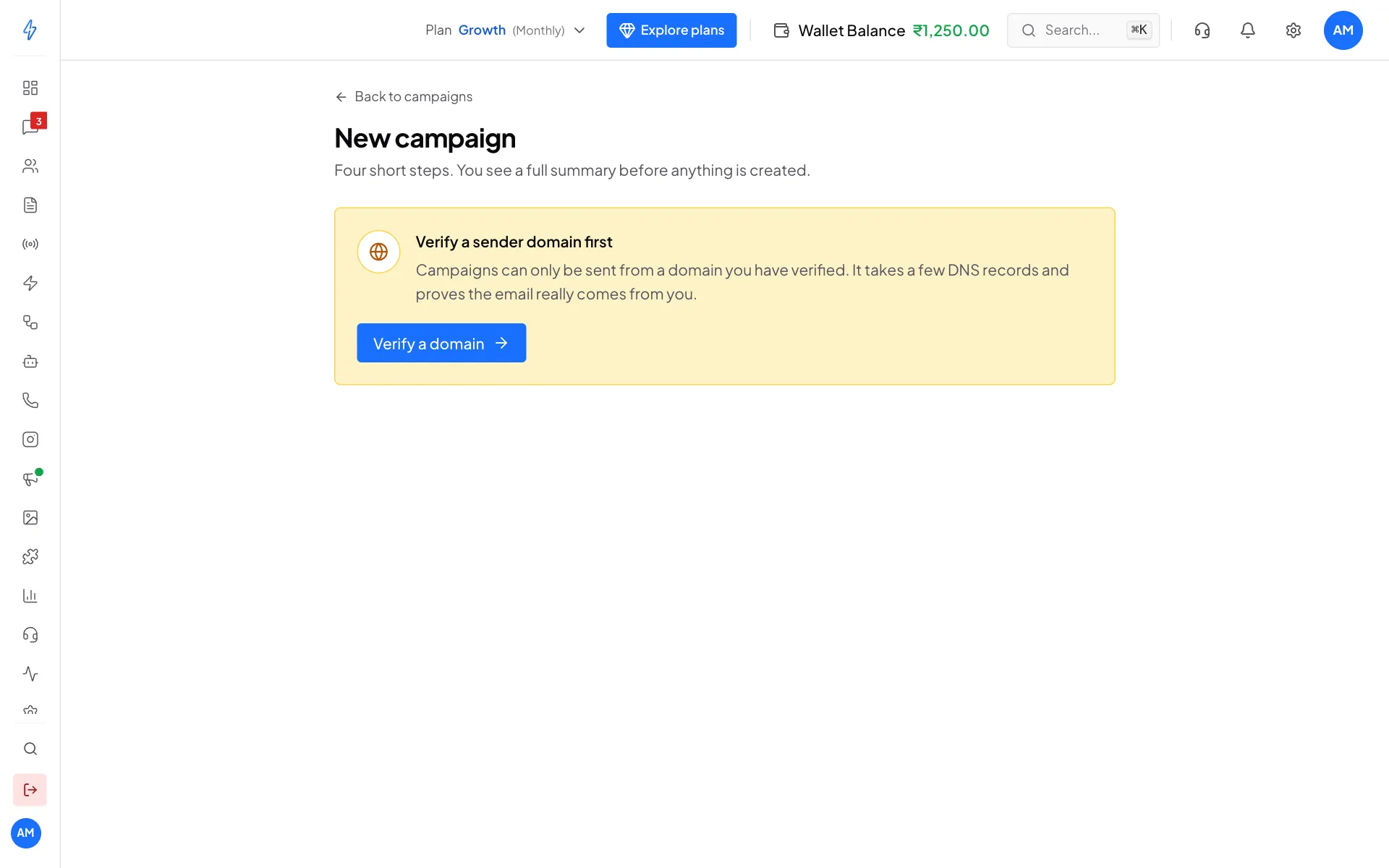
"Verify a sender domain first"
New campaign shows this when none of your domains is verified yet. Click Verify a domain.
The DNS records are added, but the domain stays Pending
Work down this list:
- Wait 15 minutes. New records can take time to show up. We check pending domains on our own every 15 minutes, or click Check records now.
- Check "We found". On the Sender domains page, a record that shows Does not match tells you what we found. Compare it with the value on your screen and fix any typo.
- Check the name. Many domain providers add your domain to the name by themselves. If you typed
_dmarc.acmeboutique.in, it may have been saved as_dmarc.acmeboutique.in.acmeboutique.in. Type only the Short name, like_dmarc. - Check for two SPF records. Duplicate means your domain has two records starting with
v=spf1. Merge them into one. - On Cloudflare, set the DKIM record to DNS only (grey cloud).
You can check a record yourself with a free DNS checker website. Paste the record's full name.
Emails land in spam
Common reasons, most likely first:
- The domain is not verified. Verify it first.
- The domain is new. Inboxes need a few weeks to trust a new sender. Start with small campaigns and grow slowly.
- Spammy words. "FREE!!!", "100% guaranteed", all capital letters and lots of
!look like spam. - No footer. Keep the Footer block with your address and unsubscribe link.
- Only images. Keep most of the email as text.
- Too many links. One main button and a few links is fine.
- Many bounces. A list with old or wrong addresses hurts your sender name.
Many bounces on a campaign
The campaign page shows High bounce rate when more than 5 in 100 emails bounce. This usually means old or mistyped addresses, like gmial.com, or a list bought or copied from somewhere.
- Stop sending to that list.
- Remove wrong and very old addresses from your email audience.
- Send only to people who agreed to get your emails, and who were active recently.
{{first_name}} shows as it is in the email
- The template was not saved. Campaigns use the last saved version. Open the template and click Save.
- The name does not match.
{{first_name}}looks for a detail named exactlyfirst_nameon the contact. Check the column names in the CSV you imported.
If a contact has no value, the variable is left empty.
The preview does not update in the template editor
Wait a few seconds. If it still does not change, reload the page. If it keeps happening, raise a ticket in Support.
Someone says they did not unsubscribe
Gmail's and Outlook's Unsubscribe button takes one tap, so people sometimes tap it by mistake. Marking an email as spam also counts. Only contact support to add them back if the person asks you to.
Still stuck?
Raise a ticket from Support in the left sidebar. Tell us the campaign name, or the domain, and what you see. See Support tickets.
For problems with the email API, see Send email and Rate limits.